

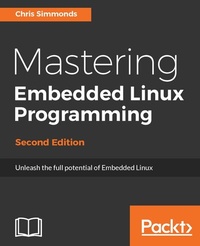
Mastering Embedded Linux Programming
Unleash the full potential of Embedded Linux
2nd Edition
Published on 3. June 2024
478 pages
978-1-78728-885-0 (ISBN)
Description

Learn to confidently develop, debug, and deploy robust embedded Linux systems with hands-on examples using BeagleBone and QEMUKey Features - Step-by-step guide from toolchain setup to real-time programming with hands-on implementation
- Practical insights on kernel configuration, device drivers, and memory management
- Covers hardware integration using BeagleBone Black and virtual environments via QEMU
Book DescriptionEmbedded Linux runs many of the devices we use every day, from smart TVs to WiFi routers, test equipment to industrial controllers - all of them have Linux at their heart. Linux is a core technology in the implementation of the inter-connected world of the Internet of Things. You will begin by learning about the fundamental elements that underpin all embedded Linux projects: the toolchain, the bootloader, the kernel, and the root filesystem. You'll see how to create each of these elements from scratch, and how to automate the process using Buildroot and the Yocto Project. Moving on, you'll find out how to implement an effective storage strategy for flash memory chips, and how to install updates to the device remotely once it is deployed. You'll also get to know the key aspects of writing code for embedded Linux, such as how to access hardware from applications, the implications of writing multi-threaded code, and techniques to manage memory in an efficient way. The final chapters show you how to debug your code, both in applications and in the Linux kernel, and how to profile the system so that you can look out for performance bottlenecks. By the end of the book, you will have a complete overview of the steps required to create a successful embedded Linux system.What you will learn - Evaluate the Board Support Packages offered by most manufacturers of a system on chip or embedded module
- Use Buildroot and the Yocto Project to create embedded Linux systems quickly and efficiently
- Update IoT devices in the field without compromising security
- Reduce the power budget of devices to make batteries last longer
- Interact with the hardware without having to write kernel device drivers
- Debug devices remotely using GDB, and see how to measure the performance of the systems using powerful tools such as perk, ftrace, and valgrind
Who this book is forThis book is for embedded engineers, Linux developers, and computer science students looking to build real-world embedded systems. It suits readers who are familiar with basic Linux use and want to deepen their skills in kernel configuration, debugging, and device integration.
- Practical insights on kernel configuration, device drivers, and memory management
- Covers hardware integration using BeagleBone Black and virtual environments via QEMU
Book DescriptionEmbedded Linux runs many of the devices we use every day, from smart TVs to WiFi routers, test equipment to industrial controllers - all of them have Linux at their heart. Linux is a core technology in the implementation of the inter-connected world of the Internet of Things. You will begin by learning about the fundamental elements that underpin all embedded Linux projects: the toolchain, the bootloader, the kernel, and the root filesystem. You'll see how to create each of these elements from scratch, and how to automate the process using Buildroot and the Yocto Project. Moving on, you'll find out how to implement an effective storage strategy for flash memory chips, and how to install updates to the device remotely once it is deployed. You'll also get to know the key aspects of writing code for embedded Linux, such as how to access hardware from applications, the implications of writing multi-threaded code, and techniques to manage memory in an efficient way. The final chapters show you how to debug your code, both in applications and in the Linux kernel, and how to profile the system so that you can look out for performance bottlenecks. By the end of the book, you will have a complete overview of the steps required to create a successful embedded Linux system.What you will learn - Evaluate the Board Support Packages offered by most manufacturers of a system on chip or embedded module
- Use Buildroot and the Yocto Project to create embedded Linux systems quickly and efficiently
- Update IoT devices in the field without compromising security
- Reduce the power budget of devices to make batteries last longer
- Interact with the hardware without having to write kernel device drivers
- Debug devices remotely using GDB, and see how to measure the performance of the systems using powerful tools such as perk, ftrace, and valgrind
Who this book is forThis book is for embedded engineers, Linux developers, and computer science students looking to build real-world embedded systems. It suits readers who are familiar with basic Linux use and want to deepen their skills in kernel configuration, debugging, and device integration.
All prices
More details
Other editions
New editions
Frank Vasquez | Chris Simmonds
Mastering Embedded Linux Programming
Create fast and reliable embedded solutions with Linux 5.4 and the Yocto Project 3.1 (Dunfell)
E-Book
09/2024
3rd Edition
Packt Publishing
from
€29.99
Available for download
Additional editions
Chris Simmonds
Mastering Embedded Linux Programming - Second Edition
Unleash the full potential of Embedded Linux
Book
06/2017
Packt Publishing
€79.20
Shipment within 3-4 weeks
Previous edition
Chris Simmonds
Mastering Embedded Linux Programming
Harness the power of Linux to create versatile and robust embedded solutions
E-Book
06/2024
1st Edition
Packt Publishing Limited
from
€40.53
Available for download
Person
Simmonds Chris :
Chris Simmonds is a software consultant and trainer living in southern England. He has almost two decades of experience in designing and building open-source embedded systems. He is the founder and chief consultant at 2net Ltd, which provides professional training and mentoring services in embedded Linux, Linux device drivers, and Android platform development. He has trained engineers at many of the biggest companies in the embedded world, including ARM, Qualcomm, Intel, Ericsson, and General Dynamics. He is a frequent presenter at open source and embedded conferences, including the Embedded Linux Conference and Embedded World.
Chris Simmonds is a software consultant and trainer living in southern England. He has almost two decades of experience in designing and building open-source embedded systems. He is the founder and chief consultant at 2net Ltd, which provides professional training and mentoring services in embedded Linux, Linux device drivers, and Android platform development. He has trained engineers at many of the biggest companies in the embedded world, including ARM, Qualcomm, Intel, Ericsson, and General Dynamics. He is a frequent presenter at open source and embedded conferences, including the Embedded Linux Conference and Embedded World.
Content
Table of Contents - Starting out
- Learning about Toolchains
- All about Bootloaders
- Porting and Configuring the Kernel
- Building a Root filesystem
- Selecting a Build System
- Creating a storage strategy
- Updating software in the field
- Interfacing with Device Drivers
- Starting up: the init program
- Power management
- Learning about processes and threads
- Managing Memory
- Debugging with GDB
- Profiling and tracing
- Real time programming
- Learning about Toolchains
- All about Bootloaders
- Porting and Configuring the Kernel
- Building a Root filesystem
- Selecting a Build System
- Creating a storage strategy
- Updating software in the field
- Interfacing with Device Drivers
- Starting up: the init program
- Power management
- Learning about processes and threads
- Managing Memory
- Debugging with GDB
- Profiling and tracing
- Real time programming

