

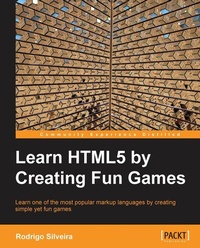
Learn HTML5 by Creating Fun Games
Learning should be fun, especially when it comes to getting to grips with HTML5 Game Development. Each chapter of this book teaches a new concept for learning HTML5 by helping you develop a relevant game. It's education without the effort.
1st Edition
Published on 13. January 2025
374 pages
978-1-84969-603-6 (ISBN)
Description

Learning should be fun, especially when it comes to getting to grips with HTML5. Each chapter of this book teaches a new concept of HTML5 by helping you develop a relevant game. It's education without the effort.Key Features - Learn the basics of this emerging technology and have fun doing it
- Unleash the new and exciting features and APIs of HTML5
- Create responsive games that can be played on a browser and on a mobile device
Book DescriptionHTML is fast, secure, responsive, interactive, and stunningly beautiful. It lets you target the largest number of devices and browsers with the least amount of effort. Working with the latest technologies is always fun and with a rapidly growing mobile market, it is a new and exciting place to be."Learn HTML5 by Creating Fun Games" takes you through the journey of learning HTML5 right from setting up the environment to creating fully-functional games. It will help you explore the basics while you work through the whole book with the completion of each game."Learn HTML5 by Creating Fun Games" takes a very friendly approach to teaching fun, silly games for the purpose of giving you a thorough grounding in HTML5. The book has only as much theory as it has to, often in tip boxes, with most of the information explaining how to create HTML5 canvas games. You will be assisted with lots of simple steps with screenshots building towards silly but addictive games.The book introduces you to HTML5 by helping you understand the setup and the underlying environment. As you start building your first game that is a typography game, you understand the significance of elements used in game development such as input types, web forms, and so on.We will see how to write a modern browser-compatible code while creating a basic Jelly Wobbling Game. Each game introduces you to an advanced topic such as vector graphics, native audio manipulation, and dragging-and-dropping. In the later section of the book, you will see yourself developing the famous snake game using requestAnimationFrame along with the canvas API, and enhancing it further with web messaging, web storage, and local storage. The last game of this book, a 2D Space shooter game, will then help you understand mobile design considerations.What you will learn - Understand why the open web is the best platform to develop for
- Set up a local web development environment
- Create DOM-based games such as a typography game using semantic HTML5 tags and CSS3 features
- Use the new canvas element to create a 2D space shooter game
- Discover writing portable code while developing a basic Jelly Wobbling Gravity Game
- Create animations using RequestAninmationFrame while improvising the Snake game.
- Make your games portable across desktop and mobile devices
- Get started with WebGL for 3D game development, and with other upcoming HTML5 features and APIs
Who this book is forIf you are are looking to get a good grounding in how to use the new awesome technology that is HTML5, this book is for you. Basic knowledge of HTML and/or HTML5 is welcome, but optional. The book is a friendly and exciting reference for beginners.
- Unleash the new and exciting features and APIs of HTML5
- Create responsive games that can be played on a browser and on a mobile device
Book DescriptionHTML is fast, secure, responsive, interactive, and stunningly beautiful. It lets you target the largest number of devices and browsers with the least amount of effort. Working with the latest technologies is always fun and with a rapidly growing mobile market, it is a new and exciting place to be."Learn HTML5 by Creating Fun Games" takes you through the journey of learning HTML5 right from setting up the environment to creating fully-functional games. It will help you explore the basics while you work through the whole book with the completion of each game."Learn HTML5 by Creating Fun Games" takes a very friendly approach to teaching fun, silly games for the purpose of giving you a thorough grounding in HTML5. The book has only as much theory as it has to, often in tip boxes, with most of the information explaining how to create HTML5 canvas games. You will be assisted with lots of simple steps with screenshots building towards silly but addictive games.The book introduces you to HTML5 by helping you understand the setup and the underlying environment. As you start building your first game that is a typography game, you understand the significance of elements used in game development such as input types, web forms, and so on.We will see how to write a modern browser-compatible code while creating a basic Jelly Wobbling Game. Each game introduces you to an advanced topic such as vector graphics, native audio manipulation, and dragging-and-dropping. In the later section of the book, you will see yourself developing the famous snake game using requestAnimationFrame along with the canvas API, and enhancing it further with web messaging, web storage, and local storage. The last game of this book, a 2D Space shooter game, will then help you understand mobile design considerations.What you will learn - Understand why the open web is the best platform to develop for
- Set up a local web development environment
- Create DOM-based games such as a typography game using semantic HTML5 tags and CSS3 features
- Use the new canvas element to create a 2D space shooter game
- Discover writing portable code while developing a basic Jelly Wobbling Gravity Game
- Create animations using RequestAninmationFrame while improvising the Snake game.
- Make your games portable across desktop and mobile devices
- Get started with WebGL for 3D game development, and with other upcoming HTML5 features and APIs
Who this book is forIf you are are looking to get a good grounding in how to use the new awesome technology that is HTML5, this book is for you. Basic knowledge of HTML and/or HTML5 is welcome, but optional. The book is a friendly and exciting reference for beginners.
All prices
More details
Other editions
Additional editions
Rodrigo Formigone Silveira
Learning Html5 by Creating Fun Games
Book
05/2013
Packt Publishing
€63.70
Shipment within 3-4 weeks
Person
Silveira Rodrigo :
Previous reviewer
Previous reviewer
Content
- Intro
- Learn HTML5 by Creating Fun Games
- Table of Contents
- Learn HTML5 by Creating Fun Games
- Credits
- About the Author
- About the Reviewer
- www.PacktPub.com
- Support files, eBooks, discount offers and more
- Why Subscribe?
- Free Access for Packt account holders
- Preface
- What this book covers
- What you need for this book
- Who this book is for
- Conventions
- Reader feedback
- Customer support
- Downloading the example code
- Errata
- Piracy
- Questions
- 1. An Overview of HTML5
- What is HTML?
- A brief history of HTML
- The evolution of the World Wide Web
- What is HTML5?
- HTML5 - the next step in the evolution
- HTML5 is not a single feature
- More semantic document structure
- A warning about performance
- Native features of the browser
- Automatic form validation
- New input types
- Telephone-friendly hyperlinks
- CSS-based DOM selectors
- Text-to-speech
- CSS3
- Separation of concerns
- Reusability of visual design
- Ease of maintenance
- Scalability
- The evolution of CSS
- Experimental features and vendor prefixes
- CSS preprocessors
- CSS3 modules
- Style attributes
- Selectors
- Colors
- Media queries
- JavaScript APIs
- New JavaScript APIs
- The Web as a platform
- The Open Web
- HTML5 - a game changer
- Learning HTML5 through game development
- Summary
- 2. HTML5 Typography
- The game
- Game elements
- The options widget
- The game title
- Boat
- Sky
- Waves
- Tracks
- Players
- The main container
- Words to write
- Words written
- The message container
- The message title
- The new champion form
- Leaderboard
- Game controls
- HTML
- The web form
- Range input
- Email input
- Data attributes
- CSS
- Web fonts
- Transitions
- Animations
- The text shadows
- The box shadows
- The border radius
- JavaScript
- Query selectors
- API usage
- Web forms
- New input types
- Date
- Month
- Week
- Time
- Datetime
- Datetime-local
- Color
- Number
- Range
- Search
- Tel
- Url
- Form validation
- Validity state object
- Custom validation
- Used in the game
- Data attributes
- Used in the game
- Query selectors
- Used in the game
- Web fonts
- Transitions
- Animations
- The text shadow
- The box shadow
- The border radius
- The code
- The HTML structure
- JavaScript and logic
- Summary
- 3. Understanding the Gravity of HTML5
- Browser compatibility
- Supporting different browsers
- HTML5 libraries and frameworks
- jQuery
- Google Web Toolkit
- Supporting browsers with limited HTML5 features
- Gracefully degrade
- Polyfills
- Modernizr
- The game
- Code structure
- API usage
- Web audio
- Scalable Vector Graphics (SVG)
- Drag-and-drop
- Web audio
- How to use it
- SVG
- How to use it
- Drag-and-drop
- How to use it
- Summary
- 4. Using HTML5 to Catch a Snake
- The game
- API usage
- How to use it
- Typed arrays
- How to use it
- ArrayBuffer and ArrayBufferView
- Typed array view types
- Canvas
- How to use it
- clearRect
- Fill and stroke
- Lines
- Shapes
- Text
- Transformations
- Drawing images
- Manipulating pixels
- Web workers
- How to use it
- Offline application cache
- How to use it
- The code
- Summary
- 5. Improving the Snake Game
- The game
- API usage
- Web messaging
- How to use it
- Web storage
- Local storage
- Session storage
- IndexedDB
- IDBFactory
- IDBOpenDBRequest
- IDBTransaction
- readwrite
- readonly
- versionchange
- Getting elements
- Deleting elements
- The code
- Saving the high score
- Taking screenshots of the game
- Summary
- 6. Adding Features to Your Game
- Advanced HTML5 APIs
- WebGL
- Hello, World!
- Web sockets
- The connection
- The server-side code
- The client-side code
- Video
- Attributes
- Events
- Geolocation
- A Google Maps example
- Upcoming CSS features
- Programming in the bleeding edge
- CSS shaders
- Using custom filters
- CSS columns
- The column rule
- Column breaks
- CSS regions and exclusions
- Regions
- Exclusions
- Defining shapes
- Summary
- 7. HTML5 and Mobile Game Development
- Desktop versus mobile
- Major implementation considerations
- Screen size and orientation
- Computing power
- Battery life
- Browser differences
- Best practices
- Degrade gracefully and enhance progressively
- Finger-friendly design
- Save battery life
- Plan for offline
- Offering a desktop version
- Understanding media queries
- width
- height
- device-width
- device-height
- orientation
- aspect-ratio
- device-aspect-ratio
- color
- color-index
- monochrome
- resolution
- scan
- grid
- Understanding touch events
- touchstart
- touches
- changedTouches
- targetTouches
- touchend
- touchmove
- The touch object
- identifier
- screenX
- screenY
- clientX
- clientY
- pageX
- pageY
- radiusX
- radiusY
- rotationAngle
- force
- target
- The game
- Code structure
- /css
- /img
- /js
- /components
- /entities
- /widgets
- Canvas.js
- EnemyManager.js
- GameLoop.js
- PhysicsManager.js
- Vec2.js
- main.js
- index.html
- Mobile optimizations
- Combine resources
- Track touches by IDs
- Use CSS animations with caution
- Use separate canvases for each game layer
- Use image atlases
- Summary
- Index

