

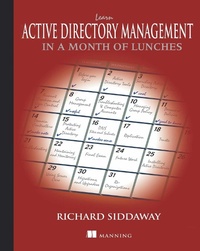
Learn Active Directory Management in a Month of Lunches
Published on 11. March 2014
400 pages
978-1-63835-355-3 (ISBN)
Description

Summary
Learn Active Directory Management in a Month of Lunches is a practical, hands-on tutorial designed for IT pros new to Active Directory. It skips the theory and concentrates on the day-to-day administration tasks you need to know to keep your network running smoothly. Just set aside an hour a day for a month?lunchtime would be perfect?and you'll be comfortable and productive with Active Directory before you know it.
About the Book
At the heart of your Windows network is Active Directory, the control center for administration, security, and other core management functions. If you're new to Active Directory administration?or if you find yourself unexpectedly thrust into that role?you'll need to get up to speed fast.
Learn Active Directory Management in a Month of Lunches is a hands-on tutorial designed for IT pros new to Active Directory. Without assuming previous administration experience, the book starts by walking you through the most important day-to-day system management tasks. You'll learn how to administer AD both from the GUI tools built into Windows and by using PowerShell at the command line. Along the way, you'll touch on best practices for managing user access, setting group policies, automating backups, and more.
This book assumes no prior experience with Active Directory or Windows administration. Examples are based in Windows Server 2012
Purchase of the print book includes a free eBook in PDF, Kindle, and ePub formats from Manning Publications.
What's Inside
About the Author
Richard Siddaway is an experienced all-around Windows administrator with two decades of experience. He's the author of PowerShell in Practice andPowerShell and WMI, and coauthor of PowerShell in Depth.
Table of Contents
Learn Active Directory Management in a Month of Lunches is a practical, hands-on tutorial designed for IT pros new to Active Directory. It skips the theory and concentrates on the day-to-day administration tasks you need to know to keep your network running smoothly. Just set aside an hour a day for a month?lunchtime would be perfect?and you'll be comfortable and productive with Active Directory before you know it.
About the Book
At the heart of your Windows network is Active Directory, the control center for administration, security, and other core management functions. If you're new to Active Directory administration?or if you find yourself unexpectedly thrust into that role?you'll need to get up to speed fast.
Learn Active Directory Management in a Month of Lunches is a hands-on tutorial designed for IT pros new to Active Directory. Without assuming previous administration experience, the book starts by walking you through the most important day-to-day system management tasks. You'll learn how to administer AD both from the GUI tools built into Windows and by using PowerShell at the command line. Along the way, you'll touch on best practices for managing user access, setting group policies, automating backups, and more.
This book assumes no prior experience with Active Directory or Windows administration. Examples are based in Windows Server 2012
Purchase of the print book includes a free eBook in PDF, Kindle, and ePub formats from Manning Publications.
What's Inside
- ADM tasks you'll need every day
- GUI and command line techniques
- Content tested by new administrators
- Well-illustrated, clearly explained examples
About the Author
Richard Siddaway is an experienced all-around Windows administrator with two decades of experience. He's the author of PowerShell in Practice andPowerShell and WMI, and coauthor of PowerShell in Depth.
Table of Contents
- Before you begin
- Creating user accounts
- Managing user accounts
- Managing groups
- Troubleshooting users and groups
- Managing computer accounts
- Managing organizational units
- Creating Group Policies
- Managing Group Policies
- Fine-grained password policies
- Creating domain controllers
- Managing domain controllers
- Protecting AD data
- Security: Default groups and delegation
- Managing DNS
- Managing sites and subnets
- AD replication
- Managing AD trusts
- Troubleshooting your AD
- Maintaining and monitoring Active Directory
- Future work and final exam
- Into the cloud
More details
Other editions
Additional editions
Richard Siddaway
Learn active directory in a month of lunches
Book
03/2014
Manning Publications
€54.65
Article exhausted; check different version
Person
Richard Siddaway is a multi-year PowerShell MVP, author, speaker and blogger with many years of experience using PowerShell.
Content
- Intro
- Copyright
- Brief Table of Contents
- Table of Contents
- Preface
- About This Book
- About the Author
- Acknowledgments
- Part 1. Managing Active Directory Data
- Chapter 1. Before you begin
- Chapter 2. Creating user accounts
- Chapter 3. Managing user accounts
- Chapter 4. Managing groups
- Chapter 5. Troubleshooting users and groups
- Chapter 6. Managing computer accounts
- Chapter 7. Managing organizational units
- Part 2. Managing Group Policy
- Chapter 8. Creating Group Policies
- Chapter 9. Managing Group Policies
- Chapter 10. Fine-grained password policies
- Part 3. Managing the Active Directory service
- Chapter 11. Creating domain controllers
- Chapter 12. Managing domain controllers
- Chapter 13. Protecting AD data
- Chapter 14. Security: Default groups and delegation
- Chapter 15. Managing DNS
- Chapter 16. Managing sites and subnets
- Chapter 17. AD replication
- Chapter 18. Managing AD trusts
- Part 4. Maintenance and Troubleshooting
- Chapter 19. Troubleshooting your AD
- Chapter 20. Maintaining and monitoring Active Directory
- Chapter 21. Future work and final exam
- Chapter 22. Into the cloud
- Appendix A. Searching Active Directory
- Appendix B. Migrations and upgrades
- Index
- List of Figures
- List of Tables
- List of Listings
