

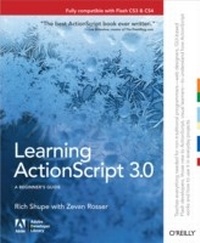
Learning ActionScript 3.0
The Non-Programmer's Guide to ActionScript 3.0
1st Edition
Published on 13. December 2007
384 pages
978-0-596-55455-2 (ISBN)
Description

In this book, authors Rich Shupe and Zevan Rosser share the knowledge they've gained from their years as multimedia developers/designers and teachers. Learning ActionScript 3.0 gives you a solid foundation in the language of Flash and demonstrates how you can use it for practical, everyday projects.The authors do more than just give you a collection of sample scripts. Written for those of you new to ActionScript 3.0, the book describes how ActionScript and Flash work, giving you a clear look into essential topics such as logic, event handling, displaying content, migrating legacy projects to ActionScript 3.0, classes, and much more. You will learn important techniques through hands-on exercises, and then build on those skills as chapters progress.ActionScript 3.0 represents a significant change for many Flash users, and a steeper learning curve for the uninitiated. This book will help guide you through a variety of scripting scenarios. Rather than relying heavily on prior knowledge of object-oriented programming (OOP), topics are explained in focused examples that originate in the timeline, with optional companion classes for those already comfortable with their use. As chapters progress, the book introduces more and more OOP techniques, allowing you to choose which scripting approach you prefer.Learning ActionScript 3.0 reveals:New ways to harness the power and performance of AS3Common mistakes that people make with the languageEssential coverage of text, sound, video, XML, drawing with code, and moreMigration issues from AS1 and AS2 to AS3Simultaneous development of procedural and object-oriented techniquesTips that go beyond simple script collections, including how to approach a project and which resources can help you along the wayThe companion web site contains material for all the exercises in the book, as well as short quizzes to make sure you're up to speed with key concepts. ActionScript 3.0 is a different animal from previous versions, and Learning ActionScript 3.0 teaches everything that web designers, GUI-based Flash developers, and those new to ActionScript need to start using the language.
More details
Other editions
New editions
E-Book
10/2010
1st Edition
O'Reilly
€39.49
Available for download
Additional editions

Book
12/2007
1st Edition
O'Reilly
€38.00
Article exhausted; check for reprint
Content
- Intro
- Preface
- Part I: Getting Started
- Chapter 1: ActionScript Overview
- What Is ActionScript 3.0?
- The Flash Platform
- Procedural Versus Object-Oriented Programming
- The Document Class
- Legacy Code Compatibility
- What's Next?
- Chapter 2: Core Language Fundamentals
- Miscellaneous Basics
- Variables and Data Types
- Conditionals
- Loops
- Arrays
- Functions
- Custom Objects
- this
- Absolute versus Relative Addresses
- What's Next?
- Part II: Graphics and Interaction
- Chapter 3: Properties, Methods, and Events
- Inherited Attributes
- Properties
- Events
- Methods
- Event Propagation
- Frame and Timer Events
- Removing Event Listeners
- What's Next?
- Chapter 4: The Display List
- The Sum of Its Parts
- Adding and Removing Children
- Managing Object Names, Positions, and Data Types
- Changing the Display List Hierarchy
- A Dynamic Navigation Bar
- What's Next?
- Chapter 5: Timeline Control
- Playhead Movement
- Frame Labels
- Frame Rate
- A Simple Site or Application Structure
- What's Next?
- Chapter 6: OOP
- Classes
- Inheritance
- Composition
- Encapsulation
- Polymorphism
- Navigation Bar Revisited
- What's Next?
- Chapter 7:Motion
- Basic Movement
- Geometry and Trigonometry
- Physics
- Programmatic Tweening
- Timeline Animation Recreations
- Particle Systems
- What's Next?
- Chapter 8: Drawing with Vectors
- The Graphics Class
- The Geometry Package
- The Motion Package
- 9-Slice Scaling
- Applied Examples
- What's Next?
- Chapter 9: Drawing with Pixels
- Bitmap Caching
- The BitmapData Class
- Blend Modes
- Bitmap Filters
- Color Effects
- Image Encoding and Saving
- What's Next?
- Part III: Text
- Chapter 10: Text
- Creating Text Fields
- Setting Text Field Characteristics
- Selecting Text
- Formatting Text
- Formatting with HTML and CSS
- Triggering ActionScript from HTML Links
- Parsing Text Fields
- Loading HTML and CSS
- What's Next?
- Part IV: Sound and Video
- Chapter 11: Sound
- ActionScript Sound Architecture
- Internal and External Sounds
- Playing, Stopping, and Pausing Sounds
- Buffering Streaming Sounds
- Changing Sound Volume and Pan
- Reading ID3 Metadata from MP3 Sounds
- Visualizing Sound Data
- Working with Microphone Sound
- Waveform Visualization
- What's Next?
- Chapter 12: Video
- Encoding
- Components
- Full-screen Video
- Captions
- Coding Your Own Video Playback
- What's Next?
- Part V: Input/Output
- Chapter 13: Loading Assets
- Loading Sound and Video
- Loading Text
- Loading Display Objects
- Communicating Across ActionScript Virtual Machines
- Taking a Brief Look at Security
- What's Next?
- Chapter 14: XML and E4X
- Understanding XML Structure
- Creating an XML Object
- Reading XML
- Writing XML
- Deleting XML Elements
- Loading External XML Documents
- Communicating with XML Servers
- An XML-Based Navigation System
- What's Next?
- Part VI: Programming Design and Resources
- Chapter 15: Programming Design and Resources
- Programming Design Methodologies
- Object-oriented Design Patterns
- Resources
- What's Next?
- Index
- Symbols
- A
- B
- C
- D
- E
- F
- G
- H
- I
- J
- K
- L
- M
- N
- O
- P
- Q
- R
- S
- T
- U
- V
- W
- X
- Y
- Z
