

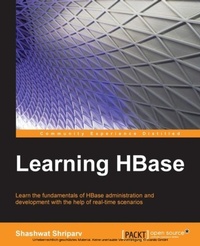
Learning Hbase
Learn the fundamentals of HBase administration and development with the help of real-time scenarios
Published on 7. October 2025
326 pages
978-1-78398-595-1 (ISBN)
Description

Key Features
Book DescriptionIf you are an administrator or developer who wants to enter the world of Big Data and BigTables and would like to learn about HBase, this is the book for you.What you will learn
Understand the fundamentals of HBase
Understand the prerequisites necessary to get started with HBase
Install and configure a new HBase cluster
Optimize an HBase cluster using different Hadoop and HBase parameters
Make clusters more reliable using different troubleshooting and maintenance techniques
Get to grips with the HBase data model and its operations
Get to know the benefits of using Hadoop tools/JARs for HBase
Who this book is for
Book DescriptionIf you are an administrator or developer who wants to enter the world of Big Data and BigTables and would like to learn about HBase, this is the book for you.What you will learn
Understand the fundamentals of HBase
Understand the prerequisites necessary to get started with HBase
Install and configure a new HBase cluster
Optimize an HBase cluster using different Hadoop and HBase parameters
Make clusters more reliable using different troubleshooting and maintenance techniques
Get to grips with the HBase data model and its operations
Get to know the benefits of using Hadoop tools/JARs for HBase
Who this book is for
All prices
More details
Edition
Digital original
Language
English
Place of publication
Birmingham
United Kingdom
Target group
Professional and scholarly
US School Grade: College Graduate Student
Edition type
Digital original
File size
4,83 MB
ISBN-13
978-1-78398-595-1 (9781783985951)
Copyright in bibliographic data and cover images is held by Nielsen Book Services Limited or by the publishers or by their respective licensors: all rights reserved.
Schweitzer Classification
Other editions
Additional editions
Person
Shriparv Shashwat :
Shashwat Shriparv was born in Muzaffarpur, Bihar. He did his schooling from Muzaffarpur and Shillong, Meghalaya. He received his BCA degree from IGNOU, Delhi and his MCA degree from Cochin University of Science and Technology, Kerala (C-DAC Trivandrum). He was introduced to Big Data technologies in early 2010 when he was asked to perform a proof of concept (POC) on Big Data technologies in storing and processing logs. He was also given another project, where he was required to store huge binary files with variable headers and process them. At this time, he started configuring, setting up, and testing Hadoop HBase clusters and writing sample code for them. After performing a successful POC, he initiated serious development using Java REST and SOAP web services, building a system to store and process logs to Hadoop using web services, and then storing these logs in HBase using homemade schema and reading data using HBase APIs and HBase-Hive mapped queries. Shashwat successfully implemented the project, and then moved on to work on huge binary files of size 1 to 3 TB, processing the header and storing metadata to HBase and files on HDFS. Shashwat started his career as a software developer at C-DAC Cyber Forensics, Trivandrum, building mobile-related software for forensics analysis. Then, he moved to Genilok Computer Solutions, where he worked on cluster computing, HPC technologies, and web technologies. After this, he moved to Bangalore from Trivandrum and joined PointCross, where he started working with Big Data technologies, developing software using Java, web services, and platform as Big Data. He worked on many projects revolving around Big Data technologies, such as Hadoop, HBase, Hive, Pig, Sqoop, Flume, and so on at PointCross. From here, he moved to HCL Infosystems Ltd. to work on the UIDAI project, which is one of the most prestigious projects in India, providing a unique identification number to every resident of India. Here, he worked on technologies such as HBase, Hive, Hadoop, Pig, and Linux, scripting, managing HBase Hadoop clusters, writing scripts, automating tasks and processes, and building dashboards for monitoring clusters. Currently, he is working with Cognilytics, Inc. on Big Data technologies, HANA, and other high-performance technologies. You can find out more about him at https://github.com/shriparv and http://helpmetocode.blogspot.com. You can connect with him on LinkedIn at http://www.linkedin.com/pub/shashwat-shriparv/19/214/2a9. You can also e-mail him at dwivedishashwat@gmail.com. Shashwat has worked as a reviewer on the book Pig Design Pattern, Pradeep Pasupuleti, Packt Publishing. He also contributed to his college magazine, InfinityTech, as an editor.
Shashwat Shriparv was born in Muzaffarpur, Bihar. He did his schooling from Muzaffarpur and Shillong, Meghalaya. He received his BCA degree from IGNOU, Delhi and his MCA degree from Cochin University of Science and Technology, Kerala (C-DAC Trivandrum). He was introduced to Big Data technologies in early 2010 when he was asked to perform a proof of concept (POC) on Big Data technologies in storing and processing logs. He was also given another project, where he was required to store huge binary files with variable headers and process them. At this time, he started configuring, setting up, and testing Hadoop HBase clusters and writing sample code for them. After performing a successful POC, he initiated serious development using Java REST and SOAP web services, building a system to store and process logs to Hadoop using web services, and then storing these logs in HBase using homemade schema and reading data using HBase APIs and HBase-Hive mapped queries. Shashwat successfully implemented the project, and then moved on to work on huge binary files of size 1 to 3 TB, processing the header and storing metadata to HBase and files on HDFS. Shashwat started his career as a software developer at C-DAC Cyber Forensics, Trivandrum, building mobile-related software for forensics analysis. Then, he moved to Genilok Computer Solutions, where he worked on cluster computing, HPC technologies, and web technologies. After this, he moved to Bangalore from Trivandrum and joined PointCross, where he started working with Big Data technologies, developing software using Java, web services, and platform as Big Data. He worked on many projects revolving around Big Data technologies, such as Hadoop, HBase, Hive, Pig, Sqoop, Flume, and so on at PointCross. From here, he moved to HCL Infosystems Ltd. to work on the UIDAI project, which is one of the most prestigious projects in India, providing a unique identification number to every resident of India. Here, he worked on technologies such as HBase, Hive, Hadoop, Pig, and Linux, scripting, managing HBase Hadoop clusters, writing scripts, automating tasks and processes, and building dashboards for monitoring clusters. Currently, he is working with Cognilytics, Inc. on Big Data technologies, HANA, and other high-performance technologies. You can find out more about him at https://github.com/shriparv and http://helpmetocode.blogspot.com. You can connect with him on LinkedIn at http://www.linkedin.com/pub/shashwat-shriparv/19/214/2a9. You can also e-mail him at dwivedishashwat@gmail.com. Shashwat has worked as a reviewer on the book Pig Design Pattern, Pradeep Pasupuleti, Packt Publishing. He also contributed to his college magazine, InfinityTech, as an editor.
Content
Table of Contents
Understanding the HBase Eco-system
Let?s Begin With Hbase
Let?s start building it
Optimizing HBase Cluster
Storage and structure layout and data model of HBase
Cluster Maintenance Troubleshooting
Various Scripts for HBase/ Leftovers/ Value addition
Coding in Java for HBase Introduction
Coding in Java for HBase Advance
HBase Use cases and value addition
Understanding the HBase Eco-system
Let?s Begin With Hbase
Let?s start building it
Optimizing HBase Cluster
Storage and structure layout and data model of HBase
Cluster Maintenance Troubleshooting
Various Scripts for HBase/ Leftovers/ Value addition
Coding in Java for HBase Introduction
Coding in Java for HBase Advance
HBase Use cases and value addition

