

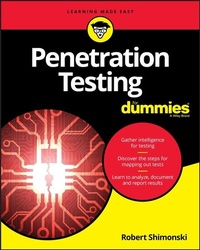
Penetration Testing For Dummies
1st Edition
Published on 27. March 2020
256 pages
978-1-119-57747-8 (ISBN)
Description

Target, test, analyze, and report on security vulnerabilities with pen testing
Pen Testing is necessary for companies looking to target, test, analyze, and patch the security vulnerabilities from hackers attempting to break into and compromise their organizations data. It takes a person with hacking skills to look for the weaknesses that make an organization susceptible to hacking.
Pen Testing For Dummies aims to equip IT enthusiasts at various levels with the basic knowledge of pen testing. It is the go-to book for those who have some IT experience but desire more knowledge of how to gather intelligence on a target, learn the steps for mapping out a test, and discover best practices for analyzing, solving, and reporting on vulnerabilities.
* The different phases of a pen test from pre-engagement to completion
* Threat modeling and understanding risk
* When to apply vulnerability management vs penetration testing
* Ways to keep your pen testing skills sharp, relevant, and at the top of the game
Get ready to gather intelligence, discover the steps for mapping out tests, and analyze and report results!
Pen Testing is necessary for companies looking to target, test, analyze, and patch the security vulnerabilities from hackers attempting to break into and compromise their organizations data. It takes a person with hacking skills to look for the weaknesses that make an organization susceptible to hacking.
Pen Testing For Dummies aims to equip IT enthusiasts at various levels with the basic knowledge of pen testing. It is the go-to book for those who have some IT experience but desire more knowledge of how to gather intelligence on a target, learn the steps for mapping out a test, and discover best practices for analyzing, solving, and reporting on vulnerabilities.
* The different phases of a pen test from pre-engagement to completion
* Threat modeling and understanding risk
* When to apply vulnerability management vs penetration testing
* Ways to keep your pen testing skills sharp, relevant, and at the top of the game
Get ready to gather intelligence, discover the steps for mapping out tests, and analyze and report results!
More details
Other editions
Additional editions
Robert Shimonski
Penetration Testing for Dummies
Book
05/2020
1st Edition
Wiley
€29.00
Shipment within 15-20 days
Person
Robert Shimonski is an ethical hacker and a professional IT leader who has led numerous efforts to architect, design, strategize and implement enterprise solutions that must remain secure. Rob has been involved in security and technology operations for over 25 years and has written his books from the trenches of experience.
Content
1 - Title Page [Seite 5]
2 - Copyright Page [Seite 6]
3 - Table of Contents [Seite 9]
4 - Introduction [Seite 15]
4.1 - About This Book [Seite 15]
4.2 - Foolish Assumptions [Seite 16]
4.3 - Icons Used in This Book [Seite 16]
4.4 - What You're Not to Read [Seite 17]
4.5 - Where to Go from Here [Seite 17]
5 - Part 1 Getting Started with Pen Testing [Seite 19]
5.1 - Chapter 1 Understanding the Role Pen Testers Play in Security [Seite 21]
5.1.1 - Looking at Pen Testing Roles [Seite 22]
5.1.1.1 - Crowdsourced pen testers [Seite 22]
5.1.1.2 - In-house security pro [Seite 23]
5.1.1.3 - Security consultant [Seite 24]
5.1.2 - Getting Certified [Seite 24]
5.1.3 - Gaining the Basic Skills to Pen Test [Seite 24]
5.1.3.1 - Basic networking [Seite 26]
5.1.3.2 - General security technology [Seite 28]
5.1.3.3 - Systems infrastructure and applications [Seite 29]
5.1.3.4 - Mobile and cloud [Seite 30]
5.1.4 - Introducing Cybercrime [Seite 30]
5.1.5 - What You Need to Get Started [Seite 32]
5.1.6 - Deciding How and When to Pen Test [Seite 33]
5.1.7 - Taking Your First Steps [Seite 35]
5.2 - Chapter 2 An Overview Look at Pen Testing [Seite 37]
5.2.1 - The Goals of Pen Testing [Seite 37]
5.2.1.1 - Protecting assets [Seite 38]
5.2.1.2 - Identifying risk [Seite 38]
5.2.1.3 - Finding vulnerabilities [Seite 40]
5.2.1.4 - Scanning and assessing [Seite 41]
5.2.1.5 - Securing operations [Seite 42]
5.2.1.6 - Responding to incidents [Seite 43]
5.2.2 - Scanning Maintenance [Seite 45]
5.2.2.1 - Exclusions and ping sweeps [Seite 45]
5.2.2.2 - Patching [Seite 46]
5.2.2.3 - Antivirus and other technologies [Seite 47]
5.2.2.4 - Compliance [Seite 48]
5.2.3 - Hacker Agenda [Seite 49]
5.2.3.1 - Hackivist [Seite 50]
5.2.3.2 - Script kiddie to elite [Seite 50]
5.2.3.3 - White hat [Seite 50]
5.2.3.4 - Grey hat [Seite 51]
5.2.3.5 - Black hat [Seite 51]
5.2.4 - Doing Active Reconnaissance: How Hackers Gather Intelligence [Seite 51]
5.3 - Chapter 3 Gathering Your Tools [Seite 53]
5.3.1 - Considerations for Your Toolkit [Seite 53]
5.3.2 - Nessus [Seite 54]
5.3.3 - Wireshark [Seite 57]
5.3.4 - Kali Linux [Seite 60]
5.3.5 - Nmap [Seite 63]
6 - Part 2 Understanding the Different Types of Pen Testing [Seite 65]
6.1 - Chapter 4 Penetrate and Exploit [Seite 67]
6.1.1 - Understanding Vectors and the Art of Hacking [Seite 68]
6.1.2 - Examining Types of Penetration Attacks [Seite 69]
6.1.2.1 - Social engineering [Seite 69]
6.1.2.2 - Client-side and server-side attacks [Seite 74]
6.1.2.3 - Password cracking [Seite 76]
6.1.3 - Cryptology and Encryption [Seite 77]
6.1.3.1 - SSL/TLS [Seite 78]
6.1.3.2 - SSH [Seite 78]
6.1.3.3 - IPsec [Seite 79]
6.1.4 - Using Metasploit Framework and Pro [Seite 79]
6.2 - Chapter 5 Assumption (Man in the Middle) [Seite 83]
6.2.1 - Toolkit Fundamentals [Seite 84]
6.2.1.1 - Burp Suite [Seite 84]
6.2.1.2 - Wireshark [Seite 86]
6.2.2 - Listening In to Collect Data [Seite 88]
6.2.2.1 - Address spoofing [Seite 88]
6.2.2.2 - Eavesdropping [Seite 89]
6.2.2.3 - Packet capture and analysis [Seite 91]
6.2.2.4 - Key loggers [Seite 91]
6.2.2.5 - Card skimmers [Seite 91]
6.2.2.6 - USB drives [Seite 92]
6.3 - Chapter 6 Overwhelm and Disrupt (DoS/DDoS) [Seite 93]
6.3.1 - Toolkit Fundamentals [Seite 94]
6.3.1.1 - Kali [Seite 94]
6.3.1.2 - Kali T50 Mixed Packet Injector tool [Seite 97]
6.3.2 - Understanding Denial of Service (DoS) Attacks [Seite 98]
6.3.3 - Buffer Overflow Attacks [Seite 100]
6.3.4 - Fragmentation Attacks [Seite 102]
6.3.5 - Smurf Attacks [Seite 104]
6.3.6 - Tiny Packet Attacks [Seite 105]
6.3.7 - Xmas Tree Attacks [Seite 105]
6.4 - Chapter 7 Destroy (Malware) [Seite 107]
6.4.1 - Toolkit Fundamentals [Seite 108]
6.4.1.1 - Antivirus software and other tools [Seite 108]
6.4.1.2 - Nessus [Seite 108]
6.4.2 - Malware [Seite 111]
6.4.3 - Ransomware [Seite 113]
6.4.4 - Other Types of Destroy Attacks [Seite 115]
6.5 - Chapter 8 Subvert (Controls Bypass) [Seite 117]
6.5.1 - Toolkit Fundamentals [Seite 117]
6.5.1.1 - Antivirus software and other tools [Seite 118]
6.5.1.2 - Nmap [Seite 118]
6.5.2 - Attack Vectors [Seite 123]
6.5.3 - Phishing [Seite 125]
6.5.4 - Spoofing [Seite 125]
6.5.5 - Malware [Seite 126]
6.5.5.1 - Using malware to find a way in [Seite 126]
6.5.5.2 - Bypassing AV software [Seite 127]
7 - Part 3 Diving In: Preparations and Testing [Seite 129]
7.1 - Chapter 9 Preparing for the Pen Test [Seite 131]
7.1.1 - Handling the Preliminary Logistics [Seite 131]
7.1.1.1 - Holding an initial meeting [Seite 132]
7.1.1.2 - Gaining permission [Seite 134]
7.1.1.3 - Following change control [Seite 135]
7.1.1.4 - Keeping backups [Seite 135]
7.1.1.5 - Having documentation [Seite 135]
7.1.2 - Gathering Requirements [Seite 135]
7.1.2.1 - Reviewing past test results [Seite 136]
7.1.2.2 - Consulting the risk register [Seite 136]
7.1.3 - Coming Up with a Plan [Seite 138]
7.1.3.1 - Selecting a project or scan type [Seite 139]
7.1.3.2 - Selecting the tool(s) [Seite 139]
7.1.4 - Having a Backout Plan [Seite 141]
7.2 - Chapter 10 Conducting a Penetration Test [Seite 143]
7.2.1 - Attack! [Seite 144]
7.2.1.1 - Infiltration [Seite 145]
7.2.1.2 - Penetration [Seite 147]
7.2.1.3 - Exploitation [Seite 148]
7.2.1.4 - APT [Seite 149]
7.2.1.5 - Exfiltration (and success) [Seite 149]
7.2.1.6 - Next steps [Seite 149]
7.2.2 - Looking at the Pen Test from Inside [Seite 150]
7.2.3 - Documenting Your Every Move [Seite 150]
7.2.3.1 - Network mapping [Seite 151]
7.2.3.2 - Updating the risk register [Seite 152]
7.2.3.3 - Maintaining balance [Seite 152]
7.2.4 - Other Capture Methods and Vectors [Seite 153]
7.2.5 - Assessment [Seite 153]
7.2.5.1 - Infiltrate [Seite 154]
7.2.5.2 - Penetrate [Seite 154]
7.2.5.3 - Exploit [Seite 155]
7.2.5.4 - Exfiltrate [Seite 155]
7.2.6 - Prevention [Seite 156]
7.2.6.1 - Hardening [Seite 156]
7.2.6.2 - Active monitoring [Seite 157]
7.2.6.3 - Retesting [Seite 157]
7.2.6.4 - Devising best practices from lessons learned [Seite 157]
8 - Part 4 Creating a Pen Test Report [Seite 161]
8.1 - Chapter 11 Reporting [Seite 163]
8.1.1 - Structuring the Pen Test Report [Seite 164]
8.1.1.1 - Executive Summary [Seite 164]
8.1.1.2 - Tools, Methods, and Vectors [Seite 166]
8.1.1.3 - Detailed findings [Seite 167]
8.1.1.4 - Conclusion [Seite 168]
8.1.1.5 - Recommendations [Seite 169]
8.1.1.6 - Appendix/Appendices [Seite 169]
8.1.2 - Creating a Professional and Accurate Report [Seite 170]
8.1.2.1 - Be professional [Seite 170]
8.1.2.2 - Stay focused [Seite 170]
8.1.2.3 - Avoid false positives [Seite 170]
8.1.2.4 - Classify your data [Seite 171]
8.1.2.5 - Encourage staff awareness and training [Seite 171]
8.1.3 - Delivering the Report: Report Out Fundamentals [Seite 171]
8.1.4 - Updating the Risk Register [Seite 172]
8.2 - Chapter 12 Making Recommendations [Seite 175]
8.2.1 - Understanding Why Recommendations Are Necessary [Seite 176]
8.2.2 - Seeing How Assessments Fit into Recommendations [Seite 176]
8.2.3 - Networks [Seite 179]
8.2.3.1 - General network hardening [Seite 179]
8.2.3.2 - Network segmentation [Seite 180]
8.2.3.3 - Internal network [Seite 181]
8.2.3.4 - Wired/wireless [Seite 182]
8.2.3.5 - External [Seite 182]
8.2.4 - Systems [Seite 182]
8.2.4.1 - Servers [Seite 183]
8.2.4.2 - Client-side [Seite 184]
8.2.4.3 - Infrastructure [Seite 185]
8.2.4.4 - Mobile [Seite 186]
8.2.4.5 - Cloud [Seite 186]
8.2.5 - General Security Recommendations: All Systems [Seite 187]
8.2.5.1 - Ports [Seite 187]
8.2.5.2 - Unneeded services [Seite 187]
8.2.5.3 - A patch schedule [Seite 188]
8.2.5.4 - Firewalls [Seite 188]
8.2.5.5 - AV software [Seite 188]
8.2.5.6 - Sharing resources [Seite 189]
8.2.5.7 - Encryption [Seite 190]
8.2.6 - More Recommendations [Seite 191]
8.2.6.1 - Segmentation and virtualization [Seite 191]
8.2.6.2 - Access control [Seite 191]
8.2.6.3 - Backups [Seite 192]
8.2.6.4 - Securing logs [Seite 193]
8.2.6.5 - Awareness and social engineering [Seite 193]
8.3 - Chapter 13 Retesting [Seite 195]
8.3.1 - Looking at the Benefits of Retesting [Seite 196]
8.3.2 - Understanding the Reiterative Nature of Pen Testing and Retesting [Seite 197]
8.3.3 - Determining When to Retest [Seite 198]
8.3.4 - Choosing What to Retest [Seite 199]
8.3.4.1 - Consulting your documentation [Seite 199]
8.3.4.2 - Reviewing the report [Seite 201]
8.3.4.3 - Reviewing the risk register [Seite 202]
8.3.5 - Running a Pen Retest [Seite 203]
9 - Part 5 The Part of Tens [Seite 205]
9.1 - Chapter 14 Top Ten Myths About Pen Testing [Seite 207]
9.1.1 - All Forms of Ethical Hacking Are the Same [Seite 208]
9.1.2 - We Can't Afford a Pen Tester [Seite 208]
9.1.3 - We Can't Trust a Pen Tester [Seite 209]
9.1.4 - We Don't Trust the Tools [Seite 210]
9.1.5 - Pen Tests Are Not Done Often [Seite 211]
9.1.6 - Pen Tests Are Only for Technical Systems [Seite 212]
9.1.7 - Contractors Can't Make Great Pen Testers [Seite 213]
9.1.8 - Pen Test Tool Kits Must Be Standardized [Seite 213]
9.1.9 - Pen Testing Itself Is a Myth and Unneeded [Seite 214]
9.1.10 - Pen Testers Know Enough and Don't Need to Continue to Learn [Seite 214]
9.2 - Chapter 15 Ten Tips to Refine Your Pen Testing Skills [Seite 215]
9.2.1 - Continue Your Education [Seite 215]
9.2.2 - Build Your Toolkit [Seite 216]
9.2.3 - Think outside the Box [Seite 217]
9.2.4 - Think Like a Hacker [Seite 218]
9.2.5 - Get Involved [Seite 218]
9.2.6 - Use a Lab [Seite 219]
9.2.7 - Stay Informed [Seite 221]
9.2.8 - Stay Ahead of New Technologies [Seite 221]
9.2.9 - Build Your Reputation [Seite 221]
9.2.10 - Learn about Physical Security [Seite 222]
9.3 - Chapter 16 Ten Sites to Learn More About Pen Testing [Seite 223]
9.3.1 - SANS Institute [Seite 224]
9.3.2 - GIAC Certifications [Seite 225]
9.3.3 - Software Engineering Institute [Seite 225]
9.3.4 - (Assorted) Legal Penetration Sites [Seite 226]
9.3.5 - Open Web Application Security Project [Seite 226]
9.3.6 - Tenable [Seite 227]
9.3.7 - Nmap [Seite 228]
9.3.8 - Wireshark [Seite 228]
9.3.9 - Dark Reading [Seite 229]
9.3.10 - Offensive Security [Seite 229]
10 - Index [Seite 231]
11 - EULA [Seite 259]
2 - Copyright Page [Seite 6]
3 - Table of Contents [Seite 9]
4 - Introduction [Seite 15]
4.1 - About This Book [Seite 15]
4.2 - Foolish Assumptions [Seite 16]
4.3 - Icons Used in This Book [Seite 16]
4.4 - What You're Not to Read [Seite 17]
4.5 - Where to Go from Here [Seite 17]
5 - Part 1 Getting Started with Pen Testing [Seite 19]
5.1 - Chapter 1 Understanding the Role Pen Testers Play in Security [Seite 21]
5.1.1 - Looking at Pen Testing Roles [Seite 22]
5.1.1.1 - Crowdsourced pen testers [Seite 22]
5.1.1.2 - In-house security pro [Seite 23]
5.1.1.3 - Security consultant [Seite 24]
5.1.2 - Getting Certified [Seite 24]
5.1.3 - Gaining the Basic Skills to Pen Test [Seite 24]
5.1.3.1 - Basic networking [Seite 26]
5.1.3.2 - General security technology [Seite 28]
5.1.3.3 - Systems infrastructure and applications [Seite 29]
5.1.3.4 - Mobile and cloud [Seite 30]
5.1.4 - Introducing Cybercrime [Seite 30]
5.1.5 - What You Need to Get Started [Seite 32]
5.1.6 - Deciding How and When to Pen Test [Seite 33]
5.1.7 - Taking Your First Steps [Seite 35]
5.2 - Chapter 2 An Overview Look at Pen Testing [Seite 37]
5.2.1 - The Goals of Pen Testing [Seite 37]
5.2.1.1 - Protecting assets [Seite 38]
5.2.1.2 - Identifying risk [Seite 38]
5.2.1.3 - Finding vulnerabilities [Seite 40]
5.2.1.4 - Scanning and assessing [Seite 41]
5.2.1.5 - Securing operations [Seite 42]
5.2.1.6 - Responding to incidents [Seite 43]
5.2.2 - Scanning Maintenance [Seite 45]
5.2.2.1 - Exclusions and ping sweeps [Seite 45]
5.2.2.2 - Patching [Seite 46]
5.2.2.3 - Antivirus and other technologies [Seite 47]
5.2.2.4 - Compliance [Seite 48]
5.2.3 - Hacker Agenda [Seite 49]
5.2.3.1 - Hackivist [Seite 50]
5.2.3.2 - Script kiddie to elite [Seite 50]
5.2.3.3 - White hat [Seite 50]
5.2.3.4 - Grey hat [Seite 51]
5.2.3.5 - Black hat [Seite 51]
5.2.4 - Doing Active Reconnaissance: How Hackers Gather Intelligence [Seite 51]
5.3 - Chapter 3 Gathering Your Tools [Seite 53]
5.3.1 - Considerations for Your Toolkit [Seite 53]
5.3.2 - Nessus [Seite 54]
5.3.3 - Wireshark [Seite 57]
5.3.4 - Kali Linux [Seite 60]
5.3.5 - Nmap [Seite 63]
6 - Part 2 Understanding the Different Types of Pen Testing [Seite 65]
6.1 - Chapter 4 Penetrate and Exploit [Seite 67]
6.1.1 - Understanding Vectors and the Art of Hacking [Seite 68]
6.1.2 - Examining Types of Penetration Attacks [Seite 69]
6.1.2.1 - Social engineering [Seite 69]
6.1.2.2 - Client-side and server-side attacks [Seite 74]
6.1.2.3 - Password cracking [Seite 76]
6.1.3 - Cryptology and Encryption [Seite 77]
6.1.3.1 - SSL/TLS [Seite 78]
6.1.3.2 - SSH [Seite 78]
6.1.3.3 - IPsec [Seite 79]
6.1.4 - Using Metasploit Framework and Pro [Seite 79]
6.2 - Chapter 5 Assumption (Man in the Middle) [Seite 83]
6.2.1 - Toolkit Fundamentals [Seite 84]
6.2.1.1 - Burp Suite [Seite 84]
6.2.1.2 - Wireshark [Seite 86]
6.2.2 - Listening In to Collect Data [Seite 88]
6.2.2.1 - Address spoofing [Seite 88]
6.2.2.2 - Eavesdropping [Seite 89]
6.2.2.3 - Packet capture and analysis [Seite 91]
6.2.2.4 - Key loggers [Seite 91]
6.2.2.5 - Card skimmers [Seite 91]
6.2.2.6 - USB drives [Seite 92]
6.3 - Chapter 6 Overwhelm and Disrupt (DoS/DDoS) [Seite 93]
6.3.1 - Toolkit Fundamentals [Seite 94]
6.3.1.1 - Kali [Seite 94]
6.3.1.2 - Kali T50 Mixed Packet Injector tool [Seite 97]
6.3.2 - Understanding Denial of Service (DoS) Attacks [Seite 98]
6.3.3 - Buffer Overflow Attacks [Seite 100]
6.3.4 - Fragmentation Attacks [Seite 102]
6.3.5 - Smurf Attacks [Seite 104]
6.3.6 - Tiny Packet Attacks [Seite 105]
6.3.7 - Xmas Tree Attacks [Seite 105]
6.4 - Chapter 7 Destroy (Malware) [Seite 107]
6.4.1 - Toolkit Fundamentals [Seite 108]
6.4.1.1 - Antivirus software and other tools [Seite 108]
6.4.1.2 - Nessus [Seite 108]
6.4.2 - Malware [Seite 111]
6.4.3 - Ransomware [Seite 113]
6.4.4 - Other Types of Destroy Attacks [Seite 115]
6.5 - Chapter 8 Subvert (Controls Bypass) [Seite 117]
6.5.1 - Toolkit Fundamentals [Seite 117]
6.5.1.1 - Antivirus software and other tools [Seite 118]
6.5.1.2 - Nmap [Seite 118]
6.5.2 - Attack Vectors [Seite 123]
6.5.3 - Phishing [Seite 125]
6.5.4 - Spoofing [Seite 125]
6.5.5 - Malware [Seite 126]
6.5.5.1 - Using malware to find a way in [Seite 126]
6.5.5.2 - Bypassing AV software [Seite 127]
7 - Part 3 Diving In: Preparations and Testing [Seite 129]
7.1 - Chapter 9 Preparing for the Pen Test [Seite 131]
7.1.1 - Handling the Preliminary Logistics [Seite 131]
7.1.1.1 - Holding an initial meeting [Seite 132]
7.1.1.2 - Gaining permission [Seite 134]
7.1.1.3 - Following change control [Seite 135]
7.1.1.4 - Keeping backups [Seite 135]
7.1.1.5 - Having documentation [Seite 135]
7.1.2 - Gathering Requirements [Seite 135]
7.1.2.1 - Reviewing past test results [Seite 136]
7.1.2.2 - Consulting the risk register [Seite 136]
7.1.3 - Coming Up with a Plan [Seite 138]
7.1.3.1 - Selecting a project or scan type [Seite 139]
7.1.3.2 - Selecting the tool(s) [Seite 139]
7.1.4 - Having a Backout Plan [Seite 141]
7.2 - Chapter 10 Conducting a Penetration Test [Seite 143]
7.2.1 - Attack! [Seite 144]
7.2.1.1 - Infiltration [Seite 145]
7.2.1.2 - Penetration [Seite 147]
7.2.1.3 - Exploitation [Seite 148]
7.2.1.4 - APT [Seite 149]
7.2.1.5 - Exfiltration (and success) [Seite 149]
7.2.1.6 - Next steps [Seite 149]
7.2.2 - Looking at the Pen Test from Inside [Seite 150]
7.2.3 - Documenting Your Every Move [Seite 150]
7.2.3.1 - Network mapping [Seite 151]
7.2.3.2 - Updating the risk register [Seite 152]
7.2.3.3 - Maintaining balance [Seite 152]
7.2.4 - Other Capture Methods and Vectors [Seite 153]
7.2.5 - Assessment [Seite 153]
7.2.5.1 - Infiltrate [Seite 154]
7.2.5.2 - Penetrate [Seite 154]
7.2.5.3 - Exploit [Seite 155]
7.2.5.4 - Exfiltrate [Seite 155]
7.2.6 - Prevention [Seite 156]
7.2.6.1 - Hardening [Seite 156]
7.2.6.2 - Active monitoring [Seite 157]
7.2.6.3 - Retesting [Seite 157]
7.2.6.4 - Devising best practices from lessons learned [Seite 157]
8 - Part 4 Creating a Pen Test Report [Seite 161]
8.1 - Chapter 11 Reporting [Seite 163]
8.1.1 - Structuring the Pen Test Report [Seite 164]
8.1.1.1 - Executive Summary [Seite 164]
8.1.1.2 - Tools, Methods, and Vectors [Seite 166]
8.1.1.3 - Detailed findings [Seite 167]
8.1.1.4 - Conclusion [Seite 168]
8.1.1.5 - Recommendations [Seite 169]
8.1.1.6 - Appendix/Appendices [Seite 169]
8.1.2 - Creating a Professional and Accurate Report [Seite 170]
8.1.2.1 - Be professional [Seite 170]
8.1.2.2 - Stay focused [Seite 170]
8.1.2.3 - Avoid false positives [Seite 170]
8.1.2.4 - Classify your data [Seite 171]
8.1.2.5 - Encourage staff awareness and training [Seite 171]
8.1.3 - Delivering the Report: Report Out Fundamentals [Seite 171]
8.1.4 - Updating the Risk Register [Seite 172]
8.2 - Chapter 12 Making Recommendations [Seite 175]
8.2.1 - Understanding Why Recommendations Are Necessary [Seite 176]
8.2.2 - Seeing How Assessments Fit into Recommendations [Seite 176]
8.2.3 - Networks [Seite 179]
8.2.3.1 - General network hardening [Seite 179]
8.2.3.2 - Network segmentation [Seite 180]
8.2.3.3 - Internal network [Seite 181]
8.2.3.4 - Wired/wireless [Seite 182]
8.2.3.5 - External [Seite 182]
8.2.4 - Systems [Seite 182]
8.2.4.1 - Servers [Seite 183]
8.2.4.2 - Client-side [Seite 184]
8.2.4.3 - Infrastructure [Seite 185]
8.2.4.4 - Mobile [Seite 186]
8.2.4.5 - Cloud [Seite 186]
8.2.5 - General Security Recommendations: All Systems [Seite 187]
8.2.5.1 - Ports [Seite 187]
8.2.5.2 - Unneeded services [Seite 187]
8.2.5.3 - A patch schedule [Seite 188]
8.2.5.4 - Firewalls [Seite 188]
8.2.5.5 - AV software [Seite 188]
8.2.5.6 - Sharing resources [Seite 189]
8.2.5.7 - Encryption [Seite 190]
8.2.6 - More Recommendations [Seite 191]
8.2.6.1 - Segmentation and virtualization [Seite 191]
8.2.6.2 - Access control [Seite 191]
8.2.6.3 - Backups [Seite 192]
8.2.6.4 - Securing logs [Seite 193]
8.2.6.5 - Awareness and social engineering [Seite 193]
8.3 - Chapter 13 Retesting [Seite 195]
8.3.1 - Looking at the Benefits of Retesting [Seite 196]
8.3.2 - Understanding the Reiterative Nature of Pen Testing and Retesting [Seite 197]
8.3.3 - Determining When to Retest [Seite 198]
8.3.4 - Choosing What to Retest [Seite 199]
8.3.4.1 - Consulting your documentation [Seite 199]
8.3.4.2 - Reviewing the report [Seite 201]
8.3.4.3 - Reviewing the risk register [Seite 202]
8.3.5 - Running a Pen Retest [Seite 203]
9 - Part 5 The Part of Tens [Seite 205]
9.1 - Chapter 14 Top Ten Myths About Pen Testing [Seite 207]
9.1.1 - All Forms of Ethical Hacking Are the Same [Seite 208]
9.1.2 - We Can't Afford a Pen Tester [Seite 208]
9.1.3 - We Can't Trust a Pen Tester [Seite 209]
9.1.4 - We Don't Trust the Tools [Seite 210]
9.1.5 - Pen Tests Are Not Done Often [Seite 211]
9.1.6 - Pen Tests Are Only for Technical Systems [Seite 212]
9.1.7 - Contractors Can't Make Great Pen Testers [Seite 213]
9.1.8 - Pen Test Tool Kits Must Be Standardized [Seite 213]
9.1.9 - Pen Testing Itself Is a Myth and Unneeded [Seite 214]
9.1.10 - Pen Testers Know Enough and Don't Need to Continue to Learn [Seite 214]
9.2 - Chapter 15 Ten Tips to Refine Your Pen Testing Skills [Seite 215]
9.2.1 - Continue Your Education [Seite 215]
9.2.2 - Build Your Toolkit [Seite 216]
9.2.3 - Think outside the Box [Seite 217]
9.2.4 - Think Like a Hacker [Seite 218]
9.2.5 - Get Involved [Seite 218]
9.2.6 - Use a Lab [Seite 219]
9.2.7 - Stay Informed [Seite 221]
9.2.8 - Stay Ahead of New Technologies [Seite 221]
9.2.9 - Build Your Reputation [Seite 221]
9.2.10 - Learn about Physical Security [Seite 222]
9.3 - Chapter 16 Ten Sites to Learn More About Pen Testing [Seite 223]
9.3.1 - SANS Institute [Seite 224]
9.3.2 - GIAC Certifications [Seite 225]
9.3.3 - Software Engineering Institute [Seite 225]
9.3.4 - (Assorted) Legal Penetration Sites [Seite 226]
9.3.5 - Open Web Application Security Project [Seite 226]
9.3.6 - Tenable [Seite 227]
9.3.7 - Nmap [Seite 228]
9.3.8 - Wireshark [Seite 228]
9.3.9 - Dark Reading [Seite 229]
9.3.10 - Offensive Security [Seite 229]
10 - Index [Seite 231]
11 - EULA [Seite 259]
