

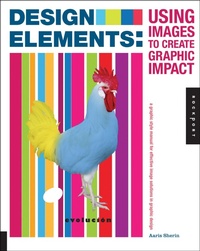
Design Elements, Using Images to Create Graphic Impact
A Graphic Style Manual for Effective Image Solutions in Graphic Design
Published on 1. January 2013
168 pages
978-1-61058-627-6 (ISBN)
Description

Imagery is powerful and evocative. It is one of the most important cornerstones of successful visual communication, and working with imagery is a vital skill for every designer. This authoritative book shows how successful sourcing, creation, and use of imagery can be applied to professional graphic design. As a new addition to the Design Elements series, this essential volume covers when, where, and how to use imagery and explores the unique power images have over an audience.
In these pages, you'll learn:
- How to choose the best photos and illustrations for a project
- The most effective ways to alter images
- Composition techniques
- Strategies for sourcing images on a tight budget
- And more
With eye-opening examples of real-world projects, Design Elements, Using Images to Create Graphic Impact is filled with valuable tips and practical strategies for using imagery to create memorable and effective design.
In these pages, you'll learn:
- How to choose the best photos and illustrations for a project
- The most effective ways to alter images
- Composition techniques
- Strategies for sourcing images on a tight budget
- And more
With eye-opening examples of real-world projects, Design Elements, Using Images to Create Graphic Impact is filled with valuable tips and practical strategies for using imagery to create memorable and effective design.
More details
Series
Language
English
Place of publication
Beverly
United States
Publishing group
Quarto Publishing Group USA Inc
Illustrations
250 color photos
ISBN-13
978-1-61058-627-6 (9781610586276)
Copyright in bibliographic data and cover images is held by Nielsen Book Services Limited or by the publishers or by their respective licensors: all rights reserved.
Schweitzer Classification
Other editions
Additional editions
Aaris Sherin
Design Elements, Using Images to Create Graphic Impact
A Graphic Style Manual for Effective Image Solutions in Graphic Design
Book
01/2013
Rockport Publishers
€47.86
Article exhausted; check different version
Person
Aaris Sherin is an educator, writer and designer based in New York City. She is currently assistant professor of graphic design at St. John's University in Queens, New York, where she teaches both history and studio classes. She holds a BFA from the School of the Art Institute of Chicago and an MFA from Rochester Institute of Technology.
Content
- Cover
- Title
- Contents
- Introduction: Imagery in Design
- Chapter 1 Image Formats and Use
- What Are Images?
- History
- Where and When to Use Images
- Who Uses Images?
- Why Use Images?
- Mood Boards
- How It's Done
- Digital versus Analog
- Imagery from Props or Objects
- How It's Done
- Images as Illustration or Fine Art
- Line Art and Silhouette
- Collage, Montage, and Photomontage
- Photographic Imagery
- How It's Done
- Texture
- Pattern
- How It's Done
- Abstraction versus Representation
- Graphic Translation
- Chapter 2 Communicating with Imagery
- Image and Form
- Proximity
- Storytelling
- How It's Done
- Scale
- Space and Illusion
- Dominant versus Subordinate
- Tension
- Repetition and Rhythm
- Customizing Imagery
- Layering Imagery
- Cropping Images
- Image Selection: Where, When, and How
- How It's Done
- Color and Imagery
- Limited Color Palettes
- Color Palettes and Imagery
- How It's Done
- Value
- Choosing a Color Palette
- Image-Based Color Palettes
- Chapter 3 Sourcing and Regulation
- Sourcing Imagery
- How It's Done
- Regulation and Copyright
- Moral Rights and Copyright
- Commissioning Images
- Commissioning Illustration
- Commissioning Photography
- Buying Images
- Clip Art
- Reproducing Images
- Image Resolution
- Preparing and Saving Imagery
- How It's Done
- Chapter 4 The Power of Imagery
- Catching and Directing Attention
- Transmitting Ideas
- Meaning and Symbolism
- How It's Done
- Targeting an Audience
- How It's Done
- Matching Imagery to an Audience
- Narrative and Storytelling
- Visual/Verbal Synergy
- Unexpected Imagery
- Using Images Responsibly
- Chapter 5 Image in Context
- Design in Context
- How It's Done
- Layouts and Publications
- Imagery and Type
- Design for Clarity
- Type as Image
- How It's Done
- Packaging
- How It's Done
- Display and Installation
- Working On-Screen
- Motion and Media
- 15 Rules for Working with Imagery
- Contributors
- Acknowledgments
- About the Author
- Index
- A
- B
- C
- D
- E
- F
- G
- H
- I
- J
- K
- L
- M
- N
- O
- P
- Q
- R
- S
- T
- U
- V
- W
- Y
- Z
