

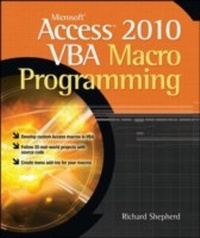
Microsoft Access 2010 VBA Macro Programming
1st Edition
Published on 25. October 2010
354 pages
978-0-07-173858-3 (ISBN)
Description

Develop custom Access VBA macros Perfect for power users, Microsoft Access 2010 VBA Macro Programming reveals how to maximize the features and functionality of Access 2010. You'll get in-depth details on Access VBA programming and application development followed by 20 real-world projects--complete with source code--that show you how to set up specific subroutines and functions. This practical resource then explains how to include the subroutines in the Access menu system and transform a set of interrelated VBA macros into an Access add-in package. Create your own Access 2010 VBA macros right away with help from this hands-on guide. Learn how to: Create and enhance forms and reports Design custom dialog boxes and buttons Develop custom menus for the Ribbon Use SQL queries with VBA Create table macros Use Office object models to interact with other Microsoft applications Create and manipulate charts and graphs Work with external databases Add functionality to your programs with API calls Animate objects in Access Enhance database security Create audit trails Handle large text files Transfer data via FTP
More details
Other editions
Additional editions
Richard Shepherd
Microsoft Access 2010 VBA Macro Programming
Book
12/2010
Osborne/McGraw-Hill
€49.30
Shipment within 15-20 days
Content
- Cover Page
- Microsoft® AccessT 2010 VBA Macro Programming
- Copyright Page
- Contents
- Acknowledgments
- Introduction
- Part I Programming in Access VBA
- Chapter 1 The Basics
- Macros and VBA Modules in Access
- Exploring the Visual Basic Editor in Access
- VBA Project Explorer and Code Windows
- Your First Access VBA Macro
- More Exploring of the VBA Project Window
- Saving Your Code
- Chapter 2 Variables, Arrays, Constants, and Data Types
- Variables
- Implicit Declaration
- Explicit Declaration
- The Scope and Lifetime of Variables
- Local Variables
- Module-Level Variables
- Global Variables
- Name Conflicts and Shadowing
- Static Variables
- Data Types
- Variant
- Date/Time Values Stored in Variants
- Empty Value
- Null Values
- Other Data Types
- VBA Data Types
- Numeric Types
- String Types
- Arrays
- Multidimensional Arrays
- Dynamic Arrays
- User-Defined Types
- Constants
- Reserved Words
- Chapter 3 Modules, Functions, and Subroutines
- Modules
- The Difference Between Subroutines and Functions
- Writing a Simple Subroutine
- Writing a Simple Function
- Public and Private Functions and Subroutines
- Argument Data Types
- Optional Arguments
- Passing Arguments by Value
- Chapter 4 Programming Basics: Decisions and Looping
- Decisions
- Multiple Conditional Statements
- Select Case Statements
- Looping
- For..Next Loops
- For Each Loops
- Do Until Loops
- While..Wend Loops
- Early Exit of Loops
- Chapter 5 Strings, Functions, and Message Boxes
- Strings
- Concatenation
- Splitting Strings
- Changing the Appearance of Strings
- Searching Strings
- Functions
- Len
- Abs
- Int
- Sqr
- Asc
- Chr
- Conversion Functions
- CStr
- CInt
- CLng
- CDbl
- Val
- Format Function
- Date and Time Functions
- Now
- Date
- Time
- DateAdd
- DateDiff
- DatePart
- DateSerial
- DateValue
- Day
- Hour
- Month
- Second
- Minute
- Year
- Weekday
- The SendKeys Command
- Message Boxes
- Chapter 6 Operators
- Arithmetic Operators
- * Operator
- + Operator
- - Operator
- / Operator
- \ Operator
- ^ Operator
- Mod Operator
- Comparison Operators
- Concatenation Operator
- Logical Operators
- And Operator
- Not Operator
- Or Operator
- Xor Operator
- Other Operators
- Is Operator
- Like Operator
- Chapter 7 Debugging
- Types of Errors
- Compile Errors
- Runtime Errors
- Logic Errors
- Design Time, Runtime, and Break Mode
- Breakpoints
- Using Stop Statements
- Running Selected Parts of Your Code
- Single Stepping
- Procedure Stepping
- Call Stack Dialog
- The Debug Window
- Events That Can Cause Problems When Debugging
- Mouse Down
- Key Down
- Got Focus / Lost Focus
- Using Message Boxes in Debugging
- Avoiding Bugs
- Chapter 8 Errors and the Error Function
- The Resume Statement
- Implications of Error Trapping
- Generating Your Own Errors
- Chapter 9 Forms and Reports
- Forms
- Creating a Simple Form
- Using Relational Fields in Your Form
- Subforms
- Datasheet View
- Making Your Form Look Professional
- Using a Custom Ribbon on the Form
- Other Controls
- Using VBA on Forms
- Using Events
- Reports
- Creating a Simple Report
- Keeping Your Report Tidy
- Using Formulas on Your Report
- Using a Custom Ribbon on the Report
- Using VBA on Forms
- Using Events
- Chapter 10 Common Dialog Control
- The Open File Dialog
- The Save File As Dialog
- The Color Dialog
- The Print Dialog
- Chapter 11 Working with the Ribbon
- Creating a Ribbon Customization
- Using the Custom UI Editor
- Creating Code for Your Custom Buttons
- Images
- How Can You Use VBA Code with the Ribbon
- More on the Ribbon
- Chapter 12 SQL Queries
- Using the Query Design Window
- Select Query
- Union Query
- The Delete Query
- Make Table Query
- Append Query
- Update Query
- Pass-Through Query
- Using Custom Functions within Queries
- Chapter 13 Table Macros
- Creating a Table Macro
- Part II Object Models
- Chapter 14 The Access Object Models
- Properties and Methods Explained
- Manipulating Properties
- Calling Methods
- Using the Object Browser
- Communicating with the Tables
- Hierarchy
- Chapter 15 The Main Objects
- Application Object
- Main Properties, Methods, and Collections
- Me Object
- Main Properties, Methods, and Collections
- CurrentDb Object
- Main Properties, Methods, and Collections
- Recordset Object
- Main Properties, Methods, and Collections
- Chapter 16 The DoCmd Object
- DoCmd Methods
- Chapter 17 Using Access to Interact with Other Office Programs
- Driving Microsoft Outlook
- Driving Access from Other Office Programs
- Part III Advanced Techniques in Access VBA
- Chapter 18 Charts and Graphs
- Working with the Series Collection Object
- Exporting a Chart as a Picture File
- Chapter 19 Working with External Databases
- Linking to Other Access Databases
- ODBC Links and DSNs
- Using a DSN
- Problems Using Linked Tables
- Using Pass-Through Queries
- Using ADO
- Chapter 20 API Calls
- What Is an API Call?
- Using an API Call
- Getting Disk Space
- Reading from and Writing to INI Files
- Reading Keyboard Activity
- Playing Multimedia Sounds
- Chapter 21 Class Modules
- Creating a Data Services Layer
- Inserting a Class Module
- Creating an Object
- Creating a Collection
- Using the PNames Collection
- Using the PNames Collection as a Multitier Application
- Chapter 22 Animation
- Part IV Access VBA in Action
- Chapter 23 Getting the Login ID
- A Simple Use of the User Name
- Chapter 24 Securing Your Database
- Using an ACCDE File to Protect Your Application
- Using VBA to Lock Your Application Down
- Chapter 25 Creating Audit Trails on Tables
- Who Is the User?
- The Audit Trail on the Table Structure
- Using Events to Create the Audit Trail
- Chapter 26 Creating and Editing Queries in VBA
- Creating a New Query
- Deleting an Existing Query
- Updating a SQL Query
- Chapter 27 Search and Replace in Queries
- Searching for a Specific String Within All Queries
- Search and Replace in a Query
- Chapter 28 Using the DateAdd Function
- Using DateAdd to Pause Your Code
- Chapter 29 Monitoring Table Statistics
- Chapter 30 Handling Large Text Files
- Chapter 31 Create and Change Table Structures
- Creating a Table
- Deleting a Table or a Field
- Editing Field Properties
- Creating Indexes
- Chapter 32 Create an Objects Inventory
- Chapter 33 Manipulate Chart Colors
- Chapter 34 Drill Down on Charts
- Chapter 35 Use Excel For Output
- Using a Recordset to Create a Spreadsheet
- Using an Existing Spreadsheet as a Template
- Transferring Individual Numbers to Excel
- Allowing Users to Design Their Excel Reports
- Chapter 36 Use FTP in VBA
- Using VBA Code to Transfer Files
- Use of Semaphore Files
- Chapter 37 What Happens When the 2-GB Limit Is Reached
- Chapter 38 Creating Menu Structures with the Ribbon
- Chapter 39 Make Controls on Forms Interactive
- Creating a Simple Table
- Creating a Form for the Table
- Chapter 40 Set Up Levels of User Security
- Appendix ASCII Character Codes
- Index
