

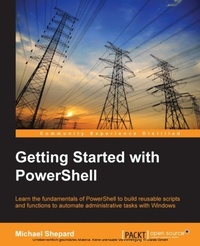
Getting Started with Powershell
Learn the fundamentals of PowerShell to build reusable scripts and functions to automate administrative tasks with Windows
1st Edition
Published on 5. August 2025
180 pages
978-1-78528-490-8 (ISBN)
Description

Learn the fundamentals of PowerShell to build reusable scripts and functions to automate administrative tasks with WindowsKey FeaturesBook DescriptionWindows PowerShell is a task-based command-line shell and scripting language designed specifically for system administration. Built on the.NET Framework, Windows PowerShell helps IT professionals and power users control and automate the administration of the Windows operating system and applications that run on Windows. PowerShell is great for batch importing or deleting large sets of user accounts and will let you collect a massive amount of detailed system information in bulk via WMI (Windows Management Instrumentation). Getting Started with PowerShell is designed to help you get up and running with PowerShell, taking you from the basics of installation, to writing scripts and web server automation. This book, as an introduction to the central topics of PowerShell, covers finding and understanding PowerShell commands and packaging code for reusability, right through to a practical example of automating IIS. It also includes topics such as installation and setup, creating scripts, automating tasks, and using Powershell to access data stores, registry, and file systems. You will explore the PowerShell environment and discover how to use cmdlets, functions, and scripts to automate Windows systems. Along the way, you will learn to perform data manipulation and solve common problems using basic file input/output functions. By the end of this book, you will be familiar with PowerShell and be able to utilize the lessons learned from the book to automate your servers.What you will learn - Learn to verify your installed version of PowerShell, upgrade it, and start a PowerShell session using the ISE
- Discover PowerShell commands and cmdlets and understand PowerShell formatting
- Use the PowerShell help system to understand what particular cmdlets do
- Utilise the pipeline to perform typical data manipulation
- Package your code in scripts, functions, and modules
- Solve common problems using basic file input/output functions
- Find system information with WMI and CIM
- Automate IIS functionality and manage it using the WebAdministration module
Who this book is forThis book is intended for Windows administrators or DevOps users who need to use PowerShell to automate tasks. Whether you know nothing about PowerShell or know just enough to get by, this guide will give you what you need to go to take your scripting to the next level.
- Discover PowerShell commands and cmdlets and understand PowerShell formatting
- Use the PowerShell help system to understand what particular cmdlets do
- Utilise the pipeline to perform typical data manipulation
- Package your code in scripts, functions, and modules
- Solve common problems using basic file input/output functions
- Find system information with WMI and CIM
- Automate IIS functionality and manage it using the WebAdministration module
Who this book is forThis book is intended for Windows administrators or DevOps users who need to use PowerShell to automate tasks. Whether you know nothing about PowerShell or know just enough to get by, this guide will give you what you need to go to take your scripting to the next level.
All prices
More details
Other editions
Additional editions
Mike Shephard
Getting Started with PowerShell
Book
08/2015
Packt Publishing
€50.10
Shipment within 3-4 weeks
Content
- Cover
- Copyright
- Credits
- About the Author
- About the Reviewers
- www.PacktPub.com
- Table of Contents
- Preface
- Chapter 1: First Steps
- Determining the installed PowerShell version
- Using the registry to find the installed version
- Using PowerShell to find the installed version
- Installing/upgrading PowerShell
- Starting a PowerShell session
- PowerShell hosts
- 64-bit and 32-bit PowerShell
- PowerShell as an administrator
- Simple PowerShell commands
- PowerShell aliases
- Summary
- For further reading
- Chapter 2: Building Blocks
- What can you do?
- The scripter's secret weapon - tab completion
- How does that work?
- Interpreting cmdlet syntax
- Summary
- For further reading
- Chapter 3: Objects and PowerShell
- Objects all the way down
- Digging into objects
- Types, classes, and objects
- What are members?
- The DOS DIR command
- The IPCONFIG command
- PowerShell for comparison
- The Get-Member cmdlet
- Where did these all come from?
- Summary
- For further reading
- Chapter 4: Life on the Assembly Line
- The pipeline as an assembly line
- This isn't your DOS or Linux pipeline
- Objects at your disposal
- Dealing with pipeline data
- The Sort-Object cmdlet
- The Where-Object cmdlet
- The Select-Object cmdlet
- Limiting the number of objects returned
- Limiting the properties of objects returned
- Retrieving the values of a single property
- The Measure-Object cmdlet
- The Group-Object cmdlet
- Putting them together
- Summary
- For further reading
- Chapter 5: Formatting Output
- When does formatting occur?
- The rules of automatic formatting
- Formatting files
- Formatting decisions are based on the first object
- Small objects go in a table
- Large objects go in a list
- Cmdlets that control formatting
- Format-Table and Format-List
- The dangers of formatting
- Best practices of formatting
- Summary
- For further reading
- Chapter 6: Scripts
- Packaging commands
- Execution policy
- Types of scripts
- Scopes and scripts
- Parameters add flexibility
- Adding some logic
- Conditional logic (IF)
- Looping logic
- More logic
- Profiles
- Summary
- For further reading
- Chapter 7: Functions
- Another kind of container
- Comparing scripts and functions
- Executing and calling functions
- Naming conventions
- Comment-based help
- Parameters revisited
- Typed parameters
- Switches
- Default values for parameters
- Output
- Summary
- For further reading
- Chapter 8: Modules
- Packaging functions
- Script modules
- The Export-ModuleMember cmdlet
- Where do modules live?
- Removing a module
- PowerShell module autoloading
- The #Requires statement
- Removing a module - take two
- Manifest modules
- Listing modules
- Summary
- Chapter 9: File I/O
- Reading and writing text files
- Writing text files
- Working with CSV files
- Output to CSV for quick reports
- The Invoke-Item cmdlet
- Import from CSV for quick objects
- PowerShell streams and redirection
- Other types of redirection operators
- The out-file cmdlet
- CLIXML - a special type of XML
- Summary
- For further reading
- Chapter 10: WMI and CIM
- What is WMI?
- WMI organization
- Finding WMI classes
- Retrieving objects with Get-WMIObject
- Getting the right instance
- WQL syntax
- Calling methods
- WMI and CIM
- The CIM cmdlets
- CDXML modules
- Summary
- For further reading
- Chapter 11: Web Server Administration
- Installing IIS
- Detecting and installing IIS in Windows 8.1
- Detecting and installing IIS in Server 2012R2
- Verifying IIS
- The WebAdministration module
- Starting, stopping, and restarting IIS
- Creating virtual directories and web applications
- Working with application pools
- Creating application pools
- Summary
- For further reading
- Next Steps
- Index

