

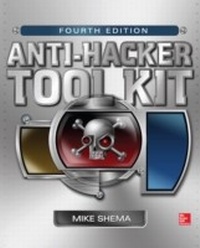
Anti-Hacker Tool Kit, Fourth Edition
1st Edition
Published on 14. January 2014
652 pages
978-0-07-180015-0 (ISBN)
Description

Defend against today's most devious attacks Fully revised to include cutting-edge new tools for your security arsenal, Anti-Hacker Tool Kit, Fourth Edition reveals how to protect your network from a wide range of nefarious exploits. You'll get detailed explanations of each tools function along with best practices for configuration and implementation illustrated by code samples and up-to-date, real-world case studies. This new edition includes references to short videos that demonstrate several of the tools in action. Organized by category, this practical guide makes it easy to quickly find the solution you need to safeguard your system from the latest, most devastating hacks. Demonstrates how to configure and use these and other essential tools: Virtual machines and emulators: Oracle VirtualBox, VMware Player, VirtualPC, Parallels, and open-source options Vulnerability scanners: OpenVAS, Metasploit File system monitors: AIDE, Samhain, Tripwire Windows auditing tools: Nbtstat, Cain, MBSA, PsTools Command-line networking tools: Netcat, Cryptcat, Ncat, Socat Port forwarders and redirectors: SSH, Datapipe, FPipe, WinRelay Port scanners: Nmap, THC-Amap Network sniffers and injectors: WinDump, Wireshark, ettercap, hping, kismet, aircrack, snort Network defenses: firewalls, packet filters, and intrusion detection systems War dialers: ToneLoc, THC-Scan, WarVOX Web application hacking utilities: Nikto, HTTP utilities, ZAP, Sqlmap Password cracking and brute-force tools: John the Ripper, L0phtCrack, HashCat, pwdump, THC-Hydra Forensic utilities: dd, Sleuth Kit, Autopsy, Security Onion Privacy tools: Ghostery, Tor, GnuPG, Truecrypt, Pidgin-OTR
More details
Other editions
Additional editions
Mike Shema
Anti-Hacker Tool Kit, Fourth Edition
Book
03/2014
4th Edition
McGraw-Hill Professional
€51.50
Shipment within 15-20 days
Content
- Cover
- About the Author
- Title
- Copyright
- Dedication
- At a Glance
- Contents
- Acknowledgments
- Introduction
- Part I: The Best of the Basics
- Chapter 1: Managing Source Code and Working with Programming Languages
- SCM Concepts
- Git
- Working with Repositories
- Working with Subversion
- Mercurial
- Subversion
- Creating a Repository
- Working with Repositories
- Working with Revisions
- Eclipse Integrated Developer Environment
- Working with Source Control
- Programming Languages
- Common Terms
- Security
- C++
- Java
- JavaScript
- Perl
- Python
- Ruby
- Chapter 2: Command-Line Environments
- Unix Command Line
- Pipes and Redirection
- tee
- xargs
- Command Cornucopia
- BackTrack Linux
- Configuration
- Implementation
- MacPorts
- Getting Started
- Installing and Managing Ports
- Tweaking the Installation
- Cygwin
- Download and Installation
- Implementation
- Directory Structure and File Permissions
- Running Applications
- The X Window System
- Choosing a Window Manager
- A Client/Server Model
- How Remote X Servers and Clients Communicate
- Securing X Hosts with Xhost and Xauth
- Xhost
- Xauth
- Securing X Communications with Secure Shell
- Other X Components
- Xdm
- Xinit and Startx
- Xserver
- Now You Know.
- Windows PowerShell
- Verb Your Nouns
- Scripting and Signing
- Chapter 3: Virtual Machines and Emulators
- Benefits of Virtualization
- Oracle VirtualBox
- Installing Guest Additions
- Remote Access
- VMware Player
- Download and Installation
- Configuration
- Virtual PC
- Configuration
- Parallels
- Installing Parallels Tools
- Open Source Alternatives
- Bochs
- QEMU
- KVM
- Qubes
- Vice
- Wine
- Xen Hypervisor
- Part II: Systems
- Chapter 4: Vulnerability Scanning
- Overview of Vulnerability Scanning
- Open Port/Service Identification
- Banner/Version Check
- Traffic Probe
- Vulnerability Probe
- Vulnerability Examples
- Vulns Are Everywhere
- OpenVAS
- Installation
- Implementation
- Collecting Vulnerability Data
- Reporting Vulnerability Data
- Working with Network Vulnerability Tests
- Inside an NVT File
- Working with Vulnerability Standards
- Common Vulnerability Scoring System (CVSS)
- Open Vulnerability and Assessment Language (OVAL)
- Common Vulnerability Reporting Framework (CVRF)
- OpenVAS Summary
- Metasploit
- Getting Started
- Hunting for Vulns
- Compromising a System
- Exploits
- Payloads
- Meterpreter
- Route Traffic
- Auxiliary Modules
- More Resources
- Chapter 5: File System Monitoring
- File System Metadata
- Windows File Metadata
- File Integrity
- AIDE
- Installation
- Implementation
- Samhain
- Tripwire
- Implementation
- Initial Setup
- Examining the Policy and Configuration Files
- Running Tripwire
- Other Tripwire Utilities
- Understanding Tripwire Policy Files
- Securing Your Files with Tripwire
- Chapter 6: Windows Auditing
- Evolution of Windows Security
- Nbtstat
- Implementation
- Retrieving a MAC Address
- Cain . Able
- Implementation
- Microsoft Baseline Security Analyzer
- Using the MBSA Command-Line Interface
- Implementation
- PsTools
- Implementation
- PsFile
- PsLoggedOn
- PsGetSid
- PsInfo
- PsService
- PsList
- PsKill and PsSuspend
- PsLogList
- PsExec
- PsShutdown
- Part III: Networks
- Chapter 7: Netcat
- Network Communication Basics
- Netcat
- Implementation
- Download
- Compile for Windows
- nc Command Options
- Netcat's 101 Uses
- Obtain Remote Access to a Shell
- Perform Basic Port Scanning
- Identify Yourself: Services Spilling Their Guts
- Give Binary Services a Nudge
- Communicate with UDP Services
- Frame a Friend: IP Spoofing
- Hijack a Service
- Create Proxies and Relays
- Get Around Port Filters
- Build a Datapipe: Your Own File Transfer
- Create a Simple Honeypot
- Test Networking Equipment
- Create Your Own!
- Cryptcat
- Ncat
- Compile for Windows
- Options
- Socat
- Implementation
- Chapter 8: Port Forwarding and Redirection
- Understanding Port and Services
- Secure Shell (SSH)
- Datapipe
- Implementation
- Compiling from Source
- Redirecting Traffic
- FPipe
- Implementation
- WinRelay
- Implementation
- Chapter 9: Network Reconnaissance
- Nmap
- Implementation
- Command-Line Syntax
- Identify Hosts on the Network
- Scan for TCP Ports
- Scan for UDP Ports
- Scan for Protocols
- Determine a Service's Identity
- Camouflage the Scan
- Manage Scan Speeds
- Identify a Target's Operating System
- Command-Line Option Summary
- Zenmap
- Nmap Scripting Engine (NSE)
- THC-Amap
- Implementation
- Examine Banners
- Map a Service
- Manage Scan Speeds
- System Tools
- Whois
- Implementation
- Host, Dig, and Nslookup
- Implementation
- Traceroute
- Implementation
- Interpreting Traceroute Output
- Chapter 10: Network Sniffers and Injectors
- Sniffers Overview
- Tcpdump and WinDump
- Implementation
- Specifying Capture Filters
- Command-Line Flags: Formatting Output and Toggling Options
- Tcpdump Output
- Advanced Examples
- Wireshark
- Implementation
- Packet Display Filters
- Packet Capture Filters
- Wireshark Features
- Additional Wireshark Preferences and Tools
- Ettercap
- Installation
- Implementation
- Unified Sniffing
- Additional Tools
- Potential for Disaster
- Hping
- Implementation
- Determining a Host's Status When Ping Doesn't Work
- Testing Firewall Rules
- Stealth Port Scanning
- Remote OS Fingerprinting
- Hping Listens
- Wireless Networks
- Kismet
- Implementation
- Configuring the Server and Client
- Tweaking the Server and Client
- Kismet Commands
- Expanding Kismet's Capabilities
- Aircrack-ng
- Implementation
- Chapter 11: Network Defenses
- Firewalls and Packet Filters: The Basics
- What Is a Firewall?
- Packet Filter vs. Firewall
- How a Firewall Protects a Network
- Packet Characteristics to Filter
- Stateless vs. Stateful Firewalls
- Network Address Translation (NAT) and Port Forwarding
- The Basics of Virtual Private Networks
- Inside the Demilitarized Zones
- Linux System Firewall
- OS X System Firewall
- Windows System Firewall
- Snort: An Intrusion-Detection System
- Installation and Implementation
- Snort Modes
- Exploring Snort.conf
- Snort Rules: An Overview
- Snort Rules Syntax
- Snort Plug-ins
- So Much More.
- Preprocessors
- Output Modules
- Chapter 12: War Dialers
- ToneLoc
- Implementation: Creating the tl.cfg File
- Implementation: Running a Scan
- Implementation: Navigating the ToneLoc Interface
- .dat File Techniques
- Prescan.exe
- Analyzing .dat Files
- THC-Scan
- Implementation: Configuring THC-Scan
- Implementation: Running THC-Scan
- Implementation: Navigating THC-Scan
- Implementation: Manipulating THC-Scan .dat Files
- Dat-* Tools
- WarVOX
- Inter-Asterisk Exchange
- Installation
- Implementation
- Analysis
- Beyond the CONNECT String
- Part IV: Applications
- Chapter 13: Binary Analysis
- The Anatomy of a Computer Program
- Determining a Binary File Type
- Identifying Binary Obfuscation
- Black Box Analysis
- Creating a Sandboxed System
- Finding Text Clues
- Conducting Unix-based Run-time Analysis with lsof
- Using a Sniffer to Examine Network Traffic
- Identifying Unix-based System Calls
- Obtaining Memory
- Generating Assembly Instructions
- objdump
- Analyzing Run-time Binaries with Debuggers
- Debugging Tools for Windows
- OllyDbg
- Breakpoint Example
- Interactive Disassembler (IDA)
- GNU Debugger (GDB)
- Compiling the Example
- Chapter 14: Web Application Hacking
- Scanning for Web Vulnerabilities
- Nikto
- Implementation
- HTTP Utilities
- Curl
- Implementation
- OpenSSL
- Implementation
- Stunnel
- Implementation
- Application Inspection
- Zed Attack Proxy
- Installation
- Manual Security Testing Features
- Automated Security Testing Features
- Sqlmap
- Installation
- Implementation
- Chapter 15: Password Cracking and Brute-Force Tools
- We're Doomed
- Alternate Deployment Schemes
- Password OpSec
- John the Ripper
- Implementation
- Cracking Passwords
- Incremental Mode Cracking
- Markov Mode Cracking
- Using Feedback for Efficient Cracking
- Managing Multiple Cracking Sessions
- L0phtcrack
- Hashcat
- Grabbing Windows Password Hashes
- Pwdump
- Pwdump6
- Pwdump7
- Active Brute-Force Tools
- THC-Hydra
- Implementation
- Part V: Forensics
- Chapter 16: Basic Forensics
- Data Collection
- Drive Imaging
- dd for Duplication
- Implementation
- Forensic Tools
- The Sleuth Kit
- Autopsy
- Implementation
- Security Onion
- Implementation
- Learning More
- Chapter 17: Privacy Tools
- Improving Anonymity and Privacy
- Private Browsing Mode
- Ghostery
- The Onion Router (Tor)
- Installation
- Implementation
- GnuPG
- Installation
- Implementation
- Verify a Package
- Disk Encryption
- Off-the-Record (OTR) Messaging and Pidgin
- Installation
- Implementation
- Index
