

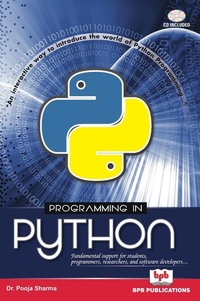
PROGRAMMING IN PYTHON
Published on 6. June 2018
312 pages
978-93-87284-86-9 (ISBN)
Description

Description:This Book is meant for wide range of readers who wish to learn the basics of Python programming language. It can be helpful for students, programmers, researchers, and software developers. The basic concepts of python programming are dealt in detail. The various concepts of python language such as object oriented features, operators, native data types, control structures, functions, exception handling, file handling, etc are discussed in detail with the authentic programming illustration of each.presently, python programming is a hot topic among academicians researchers, and program developers. As a result, the book is designed to give an in depth knowledge of programming in python. This book can be used as hand book as well as a guide for students of all computer science stream at any grade beginning from 10+1 to Research in PhD. To conclude, we hope that the readers will find this book a helpful guide and valuable source of information about python programming.Salient Features of the Book:Detailed explanation of python programming language concepts.Detailed comparisons and differentiation of python language from other most popular languages C/C++/Java.Authentic and extensive set of programming illustrations in every chapter of the book.Broad study on all the programming constructs of the python programming language such as native data types, looping, decision making, exception handling, file handling etc.Broad study of Python Object Oriented Programming features with illustrations.Numerous review questions and exercises at the end of every chapter.A Compact disc containing all the programming codes written in this book is included within the book.Table of Contents:Introduction to Python LanguagePython Data Types and Input OutputOperators and ExpressionsControl StructuresPython Native Data TypesPython FunctionsPython ModulesException HandlingFile Management in PythonClasses and ObjectsInheritancePython Operator OverloadingAppendix-IBibliographyIndex
More details
Other editions
Additional editions
Pooja Dr Sharma | Na
Programming in Python
Book
09/2017
BPB Publications
€30.40
Article not available for order
Content
- Cover Page
- Title Page
- Copyright Page
- Preface
- Acknowledgement
- About the Author
- Table of Contents
- 1 Introduction to Python Language
- 1.1. Programming Language
- 1.2. History of Python Language
- 1.3. Origin of Python Programming Language
- 1.4. Features of Python
- 1.5. Limitations of Python
- 1.6. Major Applications of Python
- 1.7. Getting Python
- 1.8. Installing Python
- 1.8.1. Unix and Linux Installation
- 1.8.2. Windows Installation
- 1.8.3. Macintosh Installation
- 1.9. Setting up Path
- 1.9.1. Setting up Path at Unix/Linux
- 1.9.2. Setting up Path at Windows
- 1.10. Python Environment Variables
- 1.11. Running Python
- 1.11.1. Interactive Interpreter
- 1.11.2. Script from the Command Line
- 1.11.3. Integrated Development Environment
- 1.12. First Python Program
- 1.12.1. Interactive Mode Programming
- 1.12.2. Script Mode Programming
- 1.13. Python Interactive Help
- 1.13.1. Integrative Mode Help
- 1.13.2. Python Help Through a Web Browser
- 1.14. Python Differences from other Languages
- 1.14.1. Difference between C and Python
- 1.14.2. Difference between C++ and Python
- 1.14.3. Difference between Java and Python
- 1.15. Summary
- Review Questions
- 2 Python Data Types and Input Output
- 2.1. Keywords
- 2.2. Identifiers
- 2.2.1. Rules for Defining Identifiers
- 2.3. Python Statement
- 2.3.1. Multiline Statements
- 2.4. Indentation
- 2.5. Python Documentation
- 2.5.1. Multiple Line Comment
- 2.6. Python Variables
- 2.7. Multiple Assignment
- 2.8. Understanding Data Type
- 2.8.1. Python Numbers
- 2.8.2. Python Strings
- 2.8.3. Python Lists
- 2.8.4. Python Tuples
- 2.8.5. Python Sets
- 2.8.6. Python Dictionaries
- 2.8.7. Python Files
- 2.9. Data Type Conversion
- 2.10. Python Input and Output
- 2.10.1. Output
- 2.10.2. Output Formatting
- 2.10.3. Input
- 2.11. Import
- 2.12. Summary
- Review Questions
- 3 Operators and Expressions
- 3.1. Operator
- 3.1.1. Arithmetic Operators
- 3.1.2. Comparison Operators
- 3.1.3. Assignment Operators
- 3.1.4. Logical Operators
- 3.1.5. Bitwise Operators
- 3.1.6. Special Operators
- 3.1.6.1. Identity Operator
- 3.1.6.2. Membership Operator
- 3.2. Expressions
- 3.2.1. Python Operator Precedence
- 3.2.2. Associativity
- 3.2.3. Non Associative Operators
- 3.3. Summary
- Review Questions
- Programming Exercises
- 4 Control Structures
- 4.1. Decision Making
- 4.1.1. Python if Statement
- 4.1.2. Python if-else Statement
- 4.1.3. Python if-elif-else
- 4.1.4. Python Nested if Statements
- 4.2. Python Loops
- 4.2.1. Types of Loops
- 4.2.2. Python while Loop
- 4.2.3. The Infinite Loop
- 4.2.4. Using else with while Loop
- 4.2.5. Python for Loop
- 4.2.6. The range() Function
- 4.2.7. for Loop with else
- 4.2.8. Nested Loops
- 4.3. Python Control Statements
- 4.3.1. Python break Statement
- 4.3.2. Python continue Statement
- 4.3.3. Python pass Statement
- 4.4. Summary
- Review Questions
- Programming Exercises
- 5 Python Native Data Types
- 5.1. Numbers
- 5.1.1. Number Type Conversion
- 5.1.2. Python Mathematical Functions
- 5.1.3. Python Trigonometric Functions
- 5.1.4. Python Random Number Functions
- 5.1.5. Python Mathematical Constants
- 5.2. Python Lists
- 5.2.1. Creating a List
- 5.2.2. Traversing a List
- 5.2.2.1. Indexing
- 5.2.2.2. Traversing Nested Lists
- 5.2.2.3. Negative Indexing
- 5.2.2.4. Slicing
- 5.2.3. Changing or Adding Elements to a List
- 5.2.4. List Methods
- 5.2.5. List Functions
- 5.2.6. List Comprehension
- 5.2.7. List Membership Test
- 5.3. Python Tuples
- 5.3.1. Creating a Tuple
- 5.3.2. Unpacking Tuple
- 5.3.3. Traversing Elements in a Tuple
- 5.3.3.1. Indexing
- 5.3.3.2. Negative Indexing
- 5.3.3.3. Tuple Slicing
- 5.3.3.4. Changing/Updating a Tuple
- 5.3.3.5. Deleting a Tuple
- 5.3.3.6. Python Tuple Methods
- 5.3.3.7. Python Tuple Functions
- 5.3.3.8. Advantages of Tuple
- 5.4. Python Sets
- 5.4.1. Creating a Set
- 5.4.2. Changing/Adding Elements to a Set
- 5.4.3. Removing Elements from a Set
- 5.4.4. Python Set Operations
- 5.4.4.1. Set Union
- 5.4.4.2. Set Intersection
- 5.4.4.3. Set Difference
- 5.4.4.4. Set Symmetric Difference
- 5.4.5. Python Set Methods
- 5.4.6. The in Operator
- 5.4.7. Python Set Functions
- 5.4.8. Frozen Sets
- 5.5. Python Dictionary
- 5.5.1. Creating a Dictionary
- 5.5.2. Accessing a Dictionary
- 5.5.3. Updating a Dictionary
- 5.5.4. Removing or Deleting Elements of a Dictionary
- 5.5.5. Python Dictionary Methods
- 5.5.6. Python Dictionary Membership Test
- 5.5.7. Python Dictionary Functions
- 5.6. Python Strings
- 5.6.1. Creating a String in Python
- 5.6.2. Accessing String Characters
- 5.6.3. Changing or Deleting String Characters
- 5.6.4. Python String Operations
- 5.6.4.1. Concatenation
- 5.6.4.2. Iteration and Membership Test
- 5.6.5. String Formatting
- 5.6.6. Python String Built-in Methods
- 5.7. Summary
- Review Questions
- Programming Exercises
- 6 Python Functions
- 6.1. Python Functions
- 6.2. Advantages of Python
- 6.3. Types of Functions
- 6.4. Built-in Functions
- 6.5. Python User Defined Functions
- 6.5.1. Function Definition
- 6.5.2. Function Call
- 6.5.3. Types of Function Arguments (Parameters)
- 6.5.3.1. Functions with No Arguments
- 6.5.3.2. Functions with Required Arguments
- 6.5.3.3. Functions with Arbitrary Length Arguments
- 6.5.3.4. Functions with Keyword Based Arguments
- 6.5.3.5. Functions with Default Arguments
- 6.6. Python Anonymous Functions
- 6.6.1. Characteristics of Lambda Form
- 6.7. Pass by Value vs. Pass by Reference
- 6.7.1. Pass by Value
- 6.7.2. Pass by Object Reference
- 6.8. Recursion
- 6.8.1. Advantages of Recursion
- 6.8.2. Disadvantages of Recursion
- 6.9. Scope and Lifetime of Variables
- 6.10. Summary
- Review Questions
- Programming Exercises
- 7 Python Modules
- 7.1. Need of Module
- 7.2. Module Definition
- 7.3. Creating a Module
- 7.4. Importing Module in the Interpreter
- 7.5. Importing Module in Another Script
- 7.6. Importing Modules
- 7.7. Search Path of Module
- 7.8. Module Reloading
- 7.9. The dir() Function
- 7.10. Standard Modules
- 7.11. Python Packages
- 7.12. Summary
- Review Questions
- Programming Exercises
- 8 Exception Handling
- 8.1. Exception
- 8.2. Python Built-in Exceptions
- 8.3. Exception Handling
- 8.3.1. Try, Except, and Finally
- 8.3.2. Catching Specific Exceptions in Python
- 8.3.3. try...finally
- 8.4. Python User Defined Exceptions
- 8.5. Summary
- Review Questions
- 9 File Management in Python
- 9.1. Operations on Files
- 9.1.1. Opening a File
- 9.1.2. File Modes
- 9.1.3. File Object Attributes
- 9.1.4. File Encoding
- 9.1.5. Closing a File
- 9.2. write() and read() Methods
- 9.2.1. Writing to a File
- 9.2.2. Reading from a File
- 9.3. Python File Methods
- 9.4. tell() and seek() Methods
- 9.5. Renaming and Deleting Files
- 9.5.1. rename() Method
- 9.5.2. remove() Method
- 9.6. Directories in Python
- 9.6.1. mkdir() Method
- 9.6.2. chdir() Method
- 9.6.3. getcwd() Method
- 9.6.4. rmdir() Method
- 9.6.5. listdir() Method
- 9.7. Python Directory Methods
- 9.8. Summary
- Review Questions
- Programming Exercises
- 10 Classes and Objects
- 10.1. Designing Classes
- 10.2. Creating Objects
- 10.3. Accessing Attributes
- 10.4. The Class Program
- 10.4.1. Using a Class with Input
- 10.4.2. A Class Program with Computations
- 10.5. Editing Class Attributes
- 10.6. Built-in Class Attributes
- 10.7. Garbage Collection/Destroying Objects
- 10.8. Summary
- Review Questions
- Programming Exercises
- 11 Inheritance
- 11.1. Python Single Inheritance
- 11.2. Python Multiple Inheritance
- 11.3. Python Multilevel Inheritance
- 11.4. Method Overriding in Python
- 11.5. Special Functions in Python
- 11.6. Summary
- Review Questions
- 12 Python Operator Overloading
- 12.1. Overloading '+' Operator in Python
- 12.2. Overloading '-' Operator in Python
- 12.3. Overloading Bitwise Operators
- 12.4. Overloading Relational Operators
- 12.5. Summary
- Review Questions
- Programming Exercises
- Appendix-I
- Bibliography
- Index
