

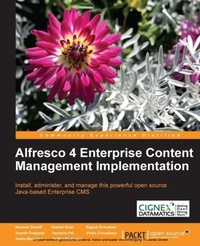
Alfresco 4 Enterprise Content Management Implementation
With Alfresco 4 you can manage content across the enterprise more effectively and corroboratively. This book helps you achieve great results, however basic or sophisticated your needs, with a hands-on, training course approach.
Published on 13. January 2025
514 pages
978-1-78216-003-8 (ISBN)
Description

With Alfresco 4 you can manage content across the enterprise more effectively and corroboratively. This book helps you achieve great results, however basic or sophisticated your needs, with a hands-on, training course approach.
Key Features
Manage your business documents with standard practices like content organization, version control, tagging, categorization, library services, and advanced search
Automate your business process with the advanced workflow concepts of Alfresco using the Activiti workflow engine
Manage your documents with productivity tools like Microsoft Office, Mobile Application, MS Outlook, Lotus Notes, and so on
Integrate with external applications such as Liferay Portal, Adobe Flex, iPhone, and Facebook
Book DescriptionAlfresco 4 has improved a lot with its new and advanced concepts for content management. Users have been waiting for a book that covers these concepts along with security, dashboards, and the configuration features of Alfresco 4. Alfresco 4 Enterprise Content Management Implementation is a well-crafted and easy-to-use book, and it is a complete guide to implementing enterprise content management for your business needs using Alfresco 4. It covers the enhanced document management, integration with standard productivity tools, and various integration options with proven external applications. This book will take you through a number of clear, practical sections that will help you to make a proper decision for your business needs using standard practices with Alfresco's Document Management and various third-party integrations You will learn how to install, administer, and manage your entire application. The concepts of mapping your business documents by extending content models and achieving your complex business process using Workflow models and business rules will be discussed in this book. Integration with various third party tools like MS Office, Mobile Application, Outlook, Liferay, Ephesoft, and Kofax will also be covered. You will learn to create your own custom workflow using Activiti BPMN 2.0 Process Designer and also maintain and administrate the entire application.This book explains everything you need to know to manage your documents using standard processes and mechanisms.What you will learn
Work with users and membership accounts, including LDAP integration and single sign-on
Make content easy to find using search, tagging, content categorization, and metadata
Customize the user interface, create your own dashboard layouts, and present content in custom ways relevant to your business
Integrate external applications such as Liferay Portal, iPhone, Facebook, PDF and image viewer, Microsoft Outlook, Adobe Flex and Ffmpeg video transcoder
Set up a single instance multi-tenant system and High Availability, configure Alfresco as in-bound email server, and set up an audit trail
Learn the various options for Image and Forms Processing
Maintain and administrate all of the Alfresco systems
Use Alfresco 4 as a smart document repository; work with automatic version tracking and control, access the repository from the web, share network folders, FTP, Microsoft Office tools and Mobile Applications
Who this book is forThis book is designed for experienced users, business owners, or system administrators who want to install and use Alfresco in their teams or businesses. Because Alfresco is free, many teams can install and experiment with its ECM features without any upfront cost, often without management approval. You need to have a degree of technical confidence, but you do not require specialist system admin or developer skills to get a basic system up and running. Though this book is not a developer guide, various examples in the book will help you to extend Alfresco functionality and to integrate Alfresco with external systems.
Key Features
Manage your business documents with standard practices like content organization, version control, tagging, categorization, library services, and advanced search
Automate your business process with the advanced workflow concepts of Alfresco using the Activiti workflow engine
Manage your documents with productivity tools like Microsoft Office, Mobile Application, MS Outlook, Lotus Notes, and so on
Integrate with external applications such as Liferay Portal, Adobe Flex, iPhone, and Facebook
Book DescriptionAlfresco 4 has improved a lot with its new and advanced concepts for content management. Users have been waiting for a book that covers these concepts along with security, dashboards, and the configuration features of Alfresco 4. Alfresco 4 Enterprise Content Management Implementation is a well-crafted and easy-to-use book, and it is a complete guide to implementing enterprise content management for your business needs using Alfresco 4. It covers the enhanced document management, integration with standard productivity tools, and various integration options with proven external applications. This book will take you through a number of clear, practical sections that will help you to make a proper decision for your business needs using standard practices with Alfresco's Document Management and various third-party integrations You will learn how to install, administer, and manage your entire application. The concepts of mapping your business documents by extending content models and achieving your complex business process using Workflow models and business rules will be discussed in this book. Integration with various third party tools like MS Office, Mobile Application, Outlook, Liferay, Ephesoft, and Kofax will also be covered. You will learn to create your own custom workflow using Activiti BPMN 2.0 Process Designer and also maintain and administrate the entire application.This book explains everything you need to know to manage your documents using standard processes and mechanisms.What you will learn
Work with users and membership accounts, including LDAP integration and single sign-on
Make content easy to find using search, tagging, content categorization, and metadata
Customize the user interface, create your own dashboard layouts, and present content in custom ways relevant to your business
Integrate external applications such as Liferay Portal, iPhone, Facebook, PDF and image viewer, Microsoft Outlook, Adobe Flex and Ffmpeg video transcoder
Set up a single instance multi-tenant system and High Availability, configure Alfresco as in-bound email server, and set up an audit trail
Learn the various options for Image and Forms Processing
Maintain and administrate all of the Alfresco systems
Use Alfresco 4 as a smart document repository; work with automatic version tracking and control, access the repository from the web, share network folders, FTP, Microsoft Office tools and Mobile Applications
Who this book is forThis book is designed for experienced users, business owners, or system administrators who want to install and use Alfresco in their teams or businesses. Because Alfresco is free, many teams can install and experiment with its ECM features without any upfront cost, often without management approval. You need to have a degree of technical confidence, but you do not require specialist system admin or developer skills to get a basic system up and running. Though this book is not a developer guide, various examples in the book will help you to extend Alfresco functionality and to integrate Alfresco with external systems.
All prices
More details
Edition
Digital original
Language
English
Place of publication
Birmingham
United Kingdom
Target group
Professional and scholarly
US School Grade: College Graduate Student
Edition type
Digital original
File size
7,18 MB
ISBN-13
978-1-78216-003-8 (9781782160038)
Copyright in bibliographic data and cover images is held by Nielsen Book Services Limited or by the publishers or by their respective licensors: all rights reserved.
Schweitzer Classification
Other editions
Additional editions
Munwar Shariff | Snehal Shah | Rajesh Avatani
Alfresco 4 Enterprise Content Management Implementation
Book
06/2013
Packt Publishing
€75.70
Shipment within 3-4 weeks
Persons
Munwar Shariff, as a co-founder and Chief Technology Officer at CIGNEX Datamatics, brings over 20 years of industry experience and proven technical leadership. He oversees the enterprise architecture solution team and provides strategic planning to achieve business goals by identifying and prioritizing technology-based services and solutions. Defining initiatives and setting timetables for the evaluation, development, and deployment of pioneering technologies are his areas of expertise.He is an entrepreneur, open source technologist, and author of the following four technical books: Plone Live Implementing Alfresco Alfresco3 WCM Alfresco3 ECM He contributes to the open source community by journaling submissions on open source CMS, and has been a featured speaker at AIIM USA, JBoss World, DAM Conference, Plone Conference, Linux World, Gilbane, CTC, Yahoo OSCMS, Saudi Government, and CA World.Munwar has also served on board at the Plone Foundation and is currently a board member at CIGNEX Datamatics. Snehal Shah has extensive experience in implementing enterprise web applications using J2EE technologies. He is the co-founder of Techforce Infotech where he has worked on various J2EE based solutions, various open source product customizations, and worked on business expansion. He was also involved in building a team and finalizing the technology path for the organization. At his previous employer, CIGNEX Datamatics, he rolled out numerous Alfresco deployments worldwide in the areas of document management, web content management, and Share. He has also worked on application-based Liferay and Moodle products. Prior to CIGNEX, he has worked on various J2EE-based solutions using cutting edge technologies. He has worked with clients in education, legal, and marketing domains across the world. He has worked on defining architecture for various projects, which involves multiple product integrations. In his previous organizations, he was involved in deciding the technology path of the organization and was also involved in various internal technical training. He holds a Bachelors Degree in Computer Engineering from Deemed University, DDIT India. He has also worked as a Technical Reviewer for the books Alfresco 3 Cookbook and Alfresco Share. Jayesh Prajapati is a Senior Consultant at CIGNEX Datamatics. He has extensive experience in implementing Enterprise Web Applications using J2EE technologies. For the past six years, at CIGNEX Datamatics, he has rolled out numerous Alfresco deployments worldwide in the areas of Document and Web Content Management. He has worked on Performance-tuning projects where Alfresco was deployed in clustered and load balanced environments. He has also implemented Integrated Content Management Portal (ICMP) where Alfresco WCM is used as the central repository and Liferay as Portal. He has also implemented Alfresco WCM to serve Flex-based portals. He has worked with clients in the travel and hospitality, healthcare, academic, and high-tech domains. He has been involved in providing training on Alfresco Document Management. Jayesh holds an MS in Computer Applications and Information technologies from the North Gujarat University, India Vandana Pal is a software engineer and author. She currently works as senior consultant at CIGNEX Datamatics. She has extensive experience working with Enterprise Digital Asset Management and Content Management Systems. She has worked with various deployments of Alfresco in various domains, such as media, finance, and healthcare, for different organizations across the world. She has hands-on experience working with architecture design, performance tuning, security implementation, integration, and the orchestration of complex workflows in Alfresco. She has more than 7 years of experience in software engineering. Her journey in this field began when she started working with different open source technologies and found them interesting. She holds a bachelors of engineering degree in information technology from Gujarat University, India. Vandana has also coauthored Alfresco 4 Enterprise Content Management Implementation.
Content
Table of Contents
What is Alfresco?
Alfresco 4: New Features
Alfresco Architecture Model
Alfresco Installation
Initial Startup with Alfresco
What is Alfresco?
Alfresco 4: New Features
Alfresco Architecture Model
Alfresco Installation
Initial Startup with Alfresco

