

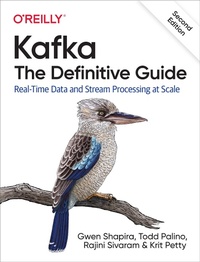
Kafka: The Definitive Guide
Description

Every enterprise application creates data, whether it consists of log messages, metrics, user activity, or outgoing messages. Moving all this data is just as important as the data itself. With this updated edition, application architects, developers, and production engineers new to the Kafka streaming platform will learn how to handle data in motion. Additional chapters cover Kafka''s AdminClient API, transactions, new security features, and tooling changes.
Engineers from Confluent and LinkedIn responsible for developing Kafka explain how to deploy production Kafka clusters, write reliable event-driven microservices, and build scalable stream processing applications with this platform. Through detailed examples, you''ll learn Kafka''s design principles, reliability guarantees, key APIs, and architecture details, including the replication protocol, the controller, and the storage layer.
You''ll examine:
- Best practices for deploying and configuring Kafka
- Kafka producers and consumers for writing and reading messages
- Patterns and use-case requirements to ensure reliable data delivery
- Best practices for building data pipelines and applications with Kafka
- How to perform monitoring, tuning, and maintenance tasks with Kafka in production
- The most critical metrics among Kafka''s operational measurements
- Kafka''s delivery capabilities for stream processing systems
More details
Other editions
Additional editions
Content
- Cover
- Copyright
- Table of Contents
- Foreword to the Second Edition
- Foreword to the First Edition
- Preface
- Who Should Read This Book
- Conventions Used in This Book
- Using Code Examples
- O'Reilly Online Learning
- How to Contact Us
- Acknowledgments
- Chapter 1. Meet Kafka
- Publish/Subscribe Messaging
- How It Starts
- Individual Queue Systems
- Enter Kafka
- Messages and Batches
- Schemas
- Topics and Partitions
- Producers and Consumers
- Brokers and Clusters
- Multiple Clusters
- Why Kafka?
- Multiple Producers
- Multiple Consumers
- Disk-Based Retention
- Scalable
- High Performance
- Platform Features
- The Data Ecosystem
- Use Cases
- Kafka's Origin
- LinkedIn's Problem
- The Birth of Kafka
- Open Source
- Commercial Engagement
- The Name
- Getting Started with Kafka
- Chapter 2. Installing Kafka
- Environment Setup
- Choosing an Operating System
- Installing Java
- Installing ZooKeeper
- Installing a Kafka Broker
- Configuring the Broker
- General Broker Parameters
- Topic Defaults
- Selecting Hardware
- Disk Throughput
- Disk Capacity
- Memory
- Networking
- CPU
- Kafka in the Cloud
- Microsoft Azure
- Amazon Web Services
- Configuring Kafka Clusters
- How Many Brokers?
- Broker Configuration
- OS Tuning
- Production Concerns
- Garbage Collector Options
- Datacenter Layout
- Colocating Applications on ZooKeeper
- Summary
- Chapter 3. Kafka Producers: Writing Messages to Kafka
- Producer Overview
- Constructing a Kafka Producer
- Sending a Message to Kafka
- Sending a Message Synchronously
- Sending a Message Asynchronously
- Configuring Producers
- client.id
- acks
- Message Delivery Time
- linger.ms
- buffer.memory
- compression.type
- batch.size
- max.in.flight.requests.per.connection
- max.request.size
- receive.buffer.bytes and send.buffer.bytes
- enable.idempotence
- Serializers
- Custom Serializers
- Serializing Using Apache Avro
- Using Avro Records with Kafka
- Partitions
- Headers
- Interceptors
- Quotas and Throttling
- Summary
- Chapter 4. Kafka Consumers: Reading Data from Kafka
- Kafka Consumer Concepts
- Consumers and Consumer Groups
- Consumer Groups and Partition Rebalance
- Static Group Membership
- Creating a Kafka Consumer
- Subscribing to Topics
- The Poll Loop
- Thread Safety
- Configuring Consumers
- fetch.min.bytes
- fetch.max.wait.ms
- fetch.max.bytes
- max.poll.records
- max.partition.fetch.bytes
- session.timeout.ms and heartbeat.interval.ms
- max.poll.interval.ms
- default.api.timeout.ms
- request.timeout.ms
- auto.offset.reset
- enable.auto.commit
- partition.assignment.strategy
- client.id
- client.rack
- group.instance.id
- receive.buffer.bytes and send.buffer.bytes
- offsets.retention.minutes
- Commits and Offsets
- Automatic Commit
- Commit Current Offset
- Asynchronous Commit
- Combining Synchronous and Asynchronous Commits
- Committing a Specified Offset
- Rebalance Listeners
- Consuming Records with Specific Offsets
- But How Do We Exit?
- Deserializers
- Custom Deserializers
- Using Avro Deserialization with Kafka Consumer
- Standalone Consumer: Why and How to Use a Consumer Without a Group
- Summary
- Chapter 5. Managing Apache Kafka Programmatically
- AdminClient Overview
- Asynchronous and Eventually Consistent API
- Options
- Flat Hierarchy
- Additional Notes
- AdminClient Lifecycle: Creating, Configuring, and Closing
- client.dns.lookup
- request.timeout.ms
- Essential Topic Management
- Configuration Management
- Consumer Group Management
- Exploring Consumer Groups
- Modifying Consumer Groups
- Cluster Metadata
- Advanced Admin Operations
- Adding Partitions to a Topic
- Deleting Records from a Topic
- Leader Election
- Reassigning Replicas
- Testing
- Summary
- Chapter 6. Kafka Internals
- Cluster Membership
- The Controller
- KRaft: Kafka's New Raft-Based Controller
- Replication
- Request Processing
- Produce Requests
- Fetch Requests
- Other Requests
- Physical Storage
- Tiered Storage
- Partition Allocation
- File Management
- File Format
- Indexes
- Compaction
- How Compaction Works
- Deleted Events
- When Are Topics Compacted?
- Summary
- Chapter 7. Reliable Data Delivery
- Reliability Guarantees
- Replication
- Broker Configuration
- Replication Factor
- Unclean Leader Election
- Minimum In-Sync Replicas
- Keeping Replicas In Sync
- Persisting to Disk
- Using Producers in a Reliable System
- Send Acknowledgments
- Configuring Producer Retries
- Additional Error Handling
- Using Consumers in a Reliable System
- Important Consumer Configuration Properties for Reliable Processing
- Explicitly Committing Offsets in Consumers
- Validating System Reliability
- Validating Configuration
- Validating Applications
- Monitoring Reliability in Production
- Summary
- Chapter 8. Exactly-Once Semantics
- Idempotent Producer
- How Does the Idempotent Producer Work?
- Limitations of the Idempotent Producer
- How Do I Use the Kafka Idempotent Producer?
- Transactions
- Transactions Use Cases
- What Problems Do Transactions Solve?
- How Do Transactions Guarantee Exactly-Once?
- What Problems Aren't Solved by Transactions?
- How Do I Use Transactions?
- Transactional IDs and Fencing
- How Transactions Work
- Performance of Transactions
- Summary
- Chapter 9. Building Data Pipelines
- Considerations When Building Data Pipelines
- Timeliness
- Reliability
- High and Varying Throughput
- Data Formats
- Transformations
- Security
- Failure Handling
- Coupling and Agility
- When to Use Kafka Connect Versus Producer and Consumer
- Kafka Connect
- Running Kafka Connect
- Connector Example: File Source and File Sink
- Connector Example: MySQL to Elasticsearch
- Single Message Transformations
- A Deeper Look at Kafka Connect
- Alternatives to Kafka Connect
- Ingest Frameworks for Other Datastores
- GUI-Based ETL Tools
- Stream Processing Frameworks
- Summary
- Chapter 10. Cross-Cluster Data Mirroring
- Use Cases of Cross-Cluster Mirroring
- Multicluster Architectures
- Some Realities of Cross-Datacenter Communication
- Hub-and-Spoke Architecture
- Active-Active Architecture
- Active-Standby Architecture
- Stretch Clusters
- Apache Kafka's MirrorMaker
- Configuring MirrorMaker
- Multicluster Replication Topology
- Securing MirrorMaker
- Deploying MirrorMaker in Production
- Tuning MirrorMaker
- Other Cross-Cluster Mirroring Solutions
- Uber uReplicator
- LinkedIn Brooklin
- Confluent Cross-Datacenter Mirroring Solutions
- Summary
- Chapter 11. Securing Kafka
- Locking Down Kafka
- Security Protocols
- Authentication
- SSL
- SASL
- Reauthentication
- Security Updates Without Downtime
- Encryption
- End-to-End Encryption
- Authorization
- AclAuthorizer
- Customizing Authorization
- Security Considerations
- Auditing
- Securing ZooKeeper
- SASL
- SSL
- Authorization
- Securing the Platform
- Password Protection
- Summary
- Chapter 12. Administering Kafka
- Topic Operations
- Creating a New Topic
- Listing All Topics in a Cluster
- Describing Topic Details
- Adding Partitions
- Reducing Partitions
- Deleting a Topic
- Consumer Groups
- List and Describe Groups
- Delete Group
- Offset Management
- Dynamic Configuration Changes
- Overriding Topic Configuration Defaults
- Overriding Client and User Configuration Defaults
- Overriding Broker Configuration Defaults
- Describing Configuration Overrides
- Removing Configuration Overrides
- Producing and Consuming
- Console Producer
- Console Consumer
- Partition Management
- Preferred Replica Election
- Changing a Partition's Replicas
- Dumping Log Segments
- Replica Verification
- Other Tools
- Unsafe Operations
- Moving the Cluster Controller
- Removing Topics to Be Deleted
- Deleting Topics Manually
- Summary
- Chapter 13. Monitoring Kafka
- Metric Basics
- Where Are the Metrics?
- What Metrics Do I Need?
- Application Health Checks
- Service-Level Objectives
- Service-Level Definitions
- What Metrics Make Good SLIs?
- Using SLOs in Alerting
- Kafka Broker Metrics
- Diagnosing Cluster Problems
- The Art of Under-Replicated Partitions
- Broker Metrics
- Topic and Partition Metrics
- JVM Monitoring
- OS Monitoring
- Logging
- Client Monitoring
- Producer Metrics
- Consumer Metrics
- Quotas
- Lag Monitoring
- End-to-End Monitoring
- Summary
- Chapter 14. Stream Processing
- What Is Stream Processing?
- Stream Processing Concepts
- Topology
- Time
- State
- Stream-Table Duality
- Time Windows
- Processing Guarantees
- Stream Processing Design Patterns
- Single-Event Processing
- Processing with Local State
- Multiphase Processing/Repartitioning
- Processing with External Lookup: Stream-Table Join
- Table-Table Join
- Streaming Join
- Out-of-Sequence Events
- Reprocessing
- Interactive Queries
- Kafka Streams by Example
- Word Count
- Stock Market Statistics
- ClickStream Enrichment
- Kafka Streams: Architecture Overview
- Building a Topology
- Optimizing a Topology
- Testing a Topology
- Scaling a Topology
- Surviving Failures
- Stream Processing Use Cases
- How to Choose a Stream Processing Framework
- Summary
- Appendix A. Installing Kafka on Other Operating Systems
- Installing on Windows
- Using Windows Subsystem for Linux
- Using Native Java
- Installing on macOS
- Using Homebrew
- Installing Manually
- Appendix B. Additional Kafka Tools
- Comprehensive Platforms
- Cluster Deployment and Management
- Monitoring and Data Exploration
- Client Libraries
- Stream Processing
- Index
- About the Authors
- Colophon
