

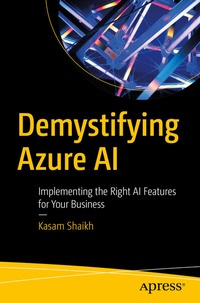
Demystifying Azure AI
Description

The book starts by introducing you to the Azure Cognitive Search service to create and use an application. You then will learn the built-in automatic tuning intelligence mechanism in Azure SQL Database. This is an important feature you can use to enable Azure SQL Database to optimize the performance of your queries. Next, you will go through AI services with Azure Integration Platform service and Azure Logic Apps to build a modern intelligent workflow in your application. Azure functions are discussed as a part of its server-less feature. The book concludes by teaching you how to work with Power Automate to analyze your business workflow.
After reading this book, you will be able to understand and work with different Azure Cognitive Services in AI.
What You Will Learn
- Get started with Azure Cognitive Search service
- Use AI services with Low Code - Power Automate
- Use AI services with Azure Integration services
- Use AI services with Azure Server-less offerings
- Use automatic tuning in Azure SQL database
Who This Book Is For
Aspiring Azure and AI professionals
More details
Other editions
Additional editions
Person
Kasam Shaikh, Cloud advocate, is a seasoned professional having 13 years of demonstrated industry experience working as Cloud Architect with one of the leading IT companies in Mumbai, INDIA. He is recognized as MVP by an online Tech community, also a Global AzureAI Speaker, and author of two best-selling books on Microsoft Azure and AI. He is the founder of Azure INDIA (az-INDIA) community, DearAzure, which is an online community for learning AzureAI. He owns a YouTube channel and shares his experience over his website www.kasamshaikh.com
Content
Chapter 1: Working with Azure Cognitive Search.- Chapter 2: AI and Backend Service Offerings.- Chapter 3: AI Services with Azure iPaaS.- Chapter 4: AI Services with Server-less Offerings.- Chapter 5: AI with Low Code.
