

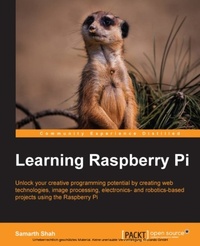
Learning Raspberry Pi
Unlock your creative programming potential by creating web technologies, image processing, electronics- and robotics-based projects using the Raspberry Pi
Published on 7. October 2025
258 pages
978-1-78398-283-7 (ISBN)
Description

Key Features
Book DescriptionIf you have a passion for technology and want to explore the world of Raspberry Pi, then this book provides you with all the tools and information you are looking for. Although being familiar with basic programming concepts is useful, you can still learn a lot from this book as a wide variety of topics are covered.What you will learn
Get to grips with the basics of Linux administration, along with the inner workings of Linux distributions
Develop a web interface that can be used to upload selected files and create playlists
Discover how to connect your Raspberry Pi to the real world using analog inputs
Build your own remotecontrolled robot
Get to know about different image processing operations
Explore troubleshooting tips and tricks
Create your own Twitterenabled Raspberry Pi camera
Who this book is forIf you have a passion for technology and want to explore the world of Raspberry Pi, then this book provides you with all the tools and information you are looking for. Although being familiar with basic programming concepts is useful, you can still learn a lot from this book as a wide variety of topics are covered.
Book DescriptionIf you have a passion for technology and want to explore the world of Raspberry Pi, then this book provides you with all the tools and information you are looking for. Although being familiar with basic programming concepts is useful, you can still learn a lot from this book as a wide variety of topics are covered.What you will learn
Get to grips with the basics of Linux administration, along with the inner workings of Linux distributions
Develop a web interface that can be used to upload selected files and create playlists
Discover how to connect your Raspberry Pi to the real world using analog inputs
Build your own remotecontrolled robot
Get to know about different image processing operations
Explore troubleshooting tips and tricks
Create your own Twitterenabled Raspberry Pi camera
Who this book is forIf you have a passion for technology and want to explore the world of Raspberry Pi, then this book provides you with all the tools and information you are looking for. Although being familiar with basic programming concepts is useful, you can still learn a lot from this book as a wide variety of topics are covered.
More details
Edition
Digital original
Language
English
Place of publication
Birmingham
United Kingdom
Target group
Professional and scholarly
US School Grade: College Graduate Student
Edition type
Digital original
File size
7,93 MB
ISBN-13
978-1-78398-283-7 (9781783982837)
Copyright in bibliographic data and cover images is held by Nielsen Book Services Limited or by the publishers or by their respective licensors: all rights reserved.
Schweitzer Classification
Other editions
Additional editions
Samarth Shah | Serge Schneider
Learning Raspberry Pi
Unlock your creative programming potential by creating web technologies, image processing, electronics- and robotics-based projects using the Raspberry Pi
Book
04/2015
Packt Publishing
€55.80
Shipment within 3-4 weeks
Persons
Shah Samarth :
Samarth Shah is a software engineer by profession and maker by heart. He leads maker activities at Pune Makers and heads Infosys Robotics Club. He loves building creative/innovative prototypes using the latest hardware/sensors (Raspberry Pi, Arduino, Kinect, Leap Motion, and many more) and software. He has given talks at various national and international conferences. He has authored a book on Raspberry Pi entitled Learning Raspberry Pi, Packt Publishing. During the day, he works on various data visualization techniques and UI frameworks. At night, he does blogging, reading, writing, and many more things. You can read more about him at http://samarthshah.com.
Samarth Shah is a software engineer by profession and maker by heart. He leads maker activities at Pune Makers and heads Infosys Robotics Club. He loves building creative/innovative prototypes using the latest hardware/sensors (Raspberry Pi, Arduino, Kinect, Leap Motion, and many more) and software. He has given talks at various national and international conferences. He has authored a book on Raspberry Pi entitled Learning Raspberry Pi, Packt Publishing. During the day, he works on various data visualization techniques and UI frameworks. At night, he does blogging, reading, writing, and many more things. You can read more about him at http://samarthshah.com.
Content
Table of Contents
Getting Started
Developing web applications
Introduction to electronics
Getting into robotics
Introduction to Image Processing
Image Processing Algorithms
Troubleshooting
Getting Started
Developing web applications
Introduction to electronics
Getting into robotics
Introduction to Image Processing
Image Processing Algorithms
Troubleshooting
