

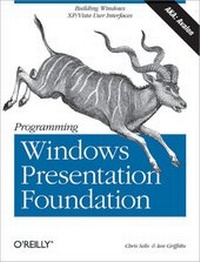
Programming Windows Presentation Foundation
1st Edition
Published on 12. September 2005
447 pages
978-0-596-15436-3 (ISBN)
Description

Windows Presentation Foundation (WPF) (formerly known by its code name "e;Avalon"e;) is a brand-new presentation framework for Windows XP and Windows Vista, the next version of the Windows client operating system. For developers, WPF is a cornucopia of new technologies, including a new graphics engine that supports 3-D graphics, animation, and more; an XML-based markup language (XAML) for declaring the structure of your Windows UI; and a radical new model for controls.Programming Windows Presentation Foundation, authored by Microsoft Software Legend Chris Sells and WPF guru Ian Griffiths, is the book you need to get up to speed on WPF. By page two, you'll have written your first WPF application, and by the end of Chapter 1, "e;Hello WPF,"e; you'll have completed a rapid tour of the framework and its major elements. These include the XAML markup language and the mapping of XAML markup to WinFX code; the WPF content model; layout; controls, styles, and templates; graphics and animation; and, finally, deployment.Programming Windows Presentation Foundation features:Scores of C# and XAML examples that show you what it takes to get a WPF application up and running, from a simple "e;Hello, Avalon"e; program to a tic-tac-toe gameInsightful discussions of the powerful new programming styles that WPF brings to Windows development, especially its new model for controlsA color insert to better illustrate WPF support for 3-D, color, and other graphics effectsA tutorial on XAML, the new HTML-like markup language for declaring Windows UIAn explanation and comparison of the features that support interoperability with Windows Forms and other Windows legacy applicationsThe next generation of Windows applications is going to blaze a trail into the unknown. WPF represents the best of the control-based Windows world and the content-based web world; it's an engine just itching to be taken for a spin. Inside, you'll find the keys to the ignition.Updated samples and change notes for the move from the February CTP to Beta 2 are now available from the example site: http://www.sellsbrothers.com/writing/avbook/
More details
Other editions
Additional editions
Chris Sells | Ian Griffiths
Programming Windows Presentation Foundation
Book
10/2005
1st Edition
O'Reilly
€32.00
Article exhausted; check for reprint
Content
- Intro
- Table of Contents
- Preface
- Who This Book Is For
- How This Book Is Organized
- What You Need to Use This Book
- Conventions Used in This Book
- Using Code Examples
- Safari® Enabled
- How to Contact Us
- Ian's Acknowledgments
- Chris's Acknowledgments
- Hello, WPF
- WPF from Scratch
- Building Applications
- The Application Object
- XAML
- Navigation Applications
- Navigation
- Content Model
- XAML Property-Element Syntax
- Layout
- Grid Layout
- XAML Attached Property Syntax
- Controls
- Data Binding
- XAML Markup-Extension Syntax
- Data Templates
- Dependency Properties
- Resources
- XAML Mapping Syntax
- Styles and Control Templates
- Graphics
- Application Deployment
- Where Are We?
- Layout
- Layout Basics
- DockPanel
- StackPanel
- Grid
- Grid Column Widths and Row Heights
- Spanning Multiple Rows and Columns
- Consistency Across Multiple Grids
- Canvas
- Viewbox
- Text Layout
- TextBlock
- Text wrapping
- Text styles
- Text and Whitespace
- Text alignment
- TextFlow
- Paragraph
- List
- Table
- Floater
- Figure
- Common Layout Properties
- Width and Height
- MinWidth, MaxWidth, MinHeight, and MaxHeight
- HorizontalAlignment and VerticalAlignment
- Margin
- Padding
- FlowDirection
- RenderTransform and LayoutTransform
- When Content Doesn't Fit
- Custom Layout
- Where Are We?
- Controls
- What Are Controls?
- Handling Input
- Routed Events
- Halting event handling
- Determining the target
- Routed events and normal events
- Mouse Input
- Keyboard Input
- Ink Input
- Commands
- Handling commands
- Defining commands
- Invoking commands
- Enabling commands
- Built-In Controls
- Buttons
- Slider and Scroll Controls
- Text Controls
- Label
- Selectors
- Menus
- Toolbars
- Where Are We?
- Data Binding
- Without Data Binding
- Object Changes
- Control Changes
- Data Binding
- Bindings
- Implicit Data Source
- Declarative Data
- Explicit Data Source
- Value Conversion
- Binding to List Data
- Current Item
- Getting the current item
- Navigating between items
- List Data Targets
- Data Templates
- Typed data templates
- List Changes
- Sorting
- Filtering
- Data Sources
- Object Data Source
- Asynchronous data retrieval
- Passing parameters
- XmlDataSource
- XML island data
- XML data sources and item access
- XML data sources and adding items
- XML data sources and sorting
- XML data sources and filtering
- Relational Data Source
- Custom Data Sources
- Master-Detail Binding
- Where Are We?
- Styles and Control Templates
- Without Styles
- Inline Styles
- Named Styles
- The TargetType Attribute
- Reusing Styles
- Overriding Style Properties
- Inheriting Style Properties
- Setting Styles Programmatically
- Element-Typed Styles
- Data Templates and Styles
- Data Templates
- Data Templates with Style
- Triggers
- Property Triggers
- Multiple Triggers
- Multi-Condition Property Trigger
- Data Triggers
- Multi-Condition Data Triggers
- Event Triggers
- Control Templates
- Control Templates and Styles
- Template Binding
- Content Presenters
- The Real Work
- Where Are We?
- Resources
- Creating and Using Resources
- Resource Scope
- Resource References
- Reusing Drawings
- Resources and Styles
- Skins and Themes
- Binary Resources
- Global Applications
- Building Localizable Applications with XAML
- Where Are We?
- Graphics
- Graphics Fundamentals
- Integration
- Drawing Object Model
- Resolution Independence
- Scaling and rotation
- Resolution, coordinates, and "pixels"
- Shapes, Brushes and Pens
- Composition
- Shapes
- Base Shape Class
- Rectangle
- Ellipse
- Line
- Polyline
- Polygon
- Path
- Bézier curves
- Combining shapes
- Data property text format
- Brushes and Pens
- Color
- SolidColorBrush
- LinearGradientBrush
- RadialGradientBrush
- ImageBrush, DrawingBrush, and VisualBrush
- TileBrush
- ImageBrush
- DrawingBrush
- VisualBrush
- Pen
- Transformations
- Visual-Layer Programming
- Rendering On Demand
- Video and 3-D
- Where Are We?
- Animation
- Animation Fundamentals
- Animatable Properties
- Timelines
- Animation Timeline Types
- Hierarchy
- Duration
- Repetition
- Filling
- Speed
- Storyboards
- Launching Animations with Code
- Key Frame Animations
- Creating Animations Procedurally
- Where Are We?
- Custom Controls
- Custom Control Basics
- Choosing a Base Class
- Custom Functionality
- Properties
- Attached properties
- Value-change notification
- Events
- Attached events
- Commands
- Templates
- Property Aliasing
- Placeholders
- Placeholders Indicated by Properties
- Default Visuals
- Where Are We?
- ClickOnce Deployment
- A Brief History of Windows Deployment
- ClickOnce: Local Install
- Simple Publishing
- The User Experience
- The Pieces of ClickOnce
- Publish Properties
- Deploying Updates
- ClickOnce: Express Applications
- Partial Trust
- Publishing Express Applications
- Browser Hosting
- Choosing Local Install versus Express
- Signing ClickOnce Applications
- Obtaining a Certificate
- Signing with a Certificate
- Debugging a Certificate
- Awarding Publisher Trust
- Programming for ClickOnce
- Debugging ClickOnce Applications
- Command-Line Arguments
- Security Considerations
- Where Are We?
- XAML
- XAML Essentials
- Namespaces
- Generating Classes
- Properties
- Children
- Properties
- Property-Element Syntax
- Attached Properties
- Markup Extensions
- NullExtension
- TypeExtension
- StaticExtension
- StaticResource
- DynamicResource
- ArrayExtension
- Binding
- TemplateBinding
- Code-Behind
- Code in XAML
- Using Custom Types
- Custom Attached Properties
- Common Child-Content Patterns
- Panels
- Singular Content
- Items Collection
- Collections
- Loading XAML
- Parsing XAML at Runtime
- Loading BAML
- Interoperability
- WPF and HWNDs
- Hosting a Windows Form Control in WPF
- Limitations of Hosting Windows Forms in WPF
- Hosting a WPF Control in Windows Forms
- Hosting WPF in Native HWND Apps
- WPF and ActiveX Controls
- WPF and HTML
- Asynchronous and Multithreaded Programming in WPF Applications
- The WPF Threading Model
- DispatcherObject
- The Dispatcher
- Obtaining a Dispatcher
- Getting onto the Right Thread with a Dispatcher
- DispatcherOperation
- DispatcherTimer
- Multiple UI Threads and Dispatchers
- BackgroundWorker
- Index
