

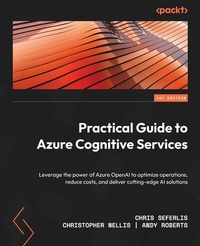
Practical Guide to Azure Cognitive Services
Leverage the power of Azure OpenAI to optimize operations, reduce costs, and deliver cutting-edge AI solutions
1st Edition
Published on 21. May 2024
454 pages
978-1-80181-060-9 (ISBN)
Description

No detailed description available for "Practical Guide to Azure Cognitive Services".
All prices
More details
Other editions
Additional editions
Chris Seferlis | Christopher Nellis | Andy Roberts
Practical Guide to Azure Cognitive Services
Leverage the power of Azure OpenAI to optimize operations, reduce costs, and deliver cutting-edge AI solutions
Book
05/2023
Packt Publishing
€53.40
Shipment within 3-4 weeks
Persons
Seferlis Chris :
Chris Seferlis is an Account Technology Strategist at Microsoft. He has over 20 years of experience working in IT and solving technology challenges to accomplish business goals. Chris has an MBA from UMass, bringing a mix of business acumen, with practical technology solutions, focusing on the Microsoft Data Platform and Azure.Nellis Christopher :
Christopher Nellis is a Senior Infrastructure Engineer and is experienced in deploying large-scale infrastructure for organizations. He has a passion for automation and MLOps and enjoys working with people to solve problems and make things better.Roberts Andy :
Andy Roberts is a seasoned Data Platform and AI Architect. He has dawned many hats in his career as a developer, dba, architect, project lead, or more recently a part of a sales organization, the heart of his job has always revolved around data. Acquiring it, shaping it, moving it, protecting it and using it to predict future outcomes, processing it efficiently.
Chris Seferlis is an Account Technology Strategist at Microsoft. He has over 20 years of experience working in IT and solving technology challenges to accomplish business goals. Chris has an MBA from UMass, bringing a mix of business acumen, with practical technology solutions, focusing on the Microsoft Data Platform and Azure.Nellis Christopher :
Christopher Nellis is a Senior Infrastructure Engineer and is experienced in deploying large-scale infrastructure for organizations. He has a passion for automation and MLOps and enjoys working with people to solve problems and make things better.Roberts Andy :
Andy Roberts is a seasoned Data Platform and AI Architect. He has dawned many hats in his career as a developer, dba, architect, project lead, or more recently a part of a sales organization, the heart of his job has always revolved around data. Acquiring it, shaping it, moving it, protecting it and using it to predict future outcomes, processing it efficiently.
Content
Table of Contents - How Azure AI Changed Ocean Smart
- Why Azure Cognitive Services?
- Architectural and Cost Optimization Considerations
- Deriving Value from Knowledge Mining Solutions in Azure
- Azure Cognitive Search Overview and Implementation
- Exploring Further Azure Cognitive Services for Successful KM Solutions
- Pulling It All Together for a Complete KM Solution
- Decluttering Paperwork with Form Recognizer
- Identifying Problems with Anomaly Detector
- Streamlining the Quality Control Process with Custom Vision
- Deploying a Content Moderator
- Using Personalizer to Cater to Your Audience
- Improving Customer Experience with Speech to Text
- Using Language Services in Chat Bots and Beyond
- Surveying Our Progress
- Appendix - Azure OpenAI Overview
- Why Azure Cognitive Services?
- Architectural and Cost Optimization Considerations
- Deriving Value from Knowledge Mining Solutions in Azure
- Azure Cognitive Search Overview and Implementation
- Exploring Further Azure Cognitive Services for Successful KM Solutions
- Pulling It All Together for a Complete KM Solution
- Decluttering Paperwork with Form Recognizer
- Identifying Problems with Anomaly Detector
- Streamlining the Quality Control Process with Custom Vision
- Deploying a Content Moderator
- Using Personalizer to Cater to Your Audience
- Improving Customer Experience with Speech to Text
- Using Language Services in Chat Bots and Beyond
- Surveying Our Progress
- Appendix - Azure OpenAI Overview
