

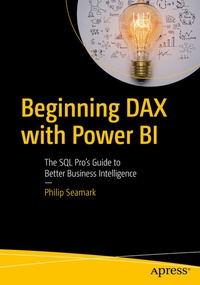
Beginning DAX with Power BI
Description

Beginning DAX with Power BI teaches key concepts such as mapping techniques from SQL to DAX, filtering, grouping, joining, pivoting, and using temporary tables, all aimed at the SQL professional. Join author Philip Seamark as he guides you on a journey through typical business data transformation scenarios and challenges, and teaches you, step-by-step, how to resolve challenges using DAX. Tips, tricks, and shortcuts are included and explained, along with examples of the SQL equivalent, in order to accelerate learning. Examples in the book range from beginner to advanced, with plenty of detailed explanation when walking through each scenario.
What You'll Learn
- Turbocharge your Power BI model by adding advanced DAX programming techniques
-
Know when to use calculated measures versus calculated columns
-
Generate new tables on the fly from existing data
-
Optimize, monitor, and tune Power BI to improve performance of your models
-
Discover new ideas, tricks, and time-saving techniques for better models
Who This Book Is For
Business intelligence developers, business analysts, or any SQL user who wants to use Power BI as a reporting tool. A solid understanding of SQL is recommended, as examples throughout the book include the DAX equivalents to SQL problem/solution scenarios.
More details
Other editions
Additional editions
Person
Philip Seamark is an experienced Data Warehouse and BI Consultant with a deep understanding of the Microsoft stack and extensive knowledge of data warehouse (DW) methodologies and enterprise data modeling. He is recognized for his analytical, conceptual, and problem-solving abilities with more than 25 years of commercial experience delivering business applications across a broad range of technologies. His expertise runs the gamut from project management, dimensional modeling, performance tuning, ETL design, development and optimization, report and dashboard design to installation and administration.
In 2017 he received a Microsoft Data Platform MVP award due to his contributions to the PowerBI community site, as well as speaking at many data, analytic, and reporting events around the world. Philip is also the founder and organizer of the Wellington Power BI User Group.
