

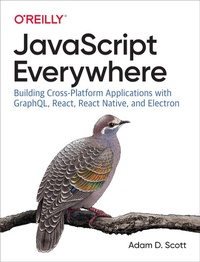
JavaScript Everywhere
Building Cross-Platform Applications with GraphQL, React, React Native, and Electron
Published on 6. February 2020
344 pages
978-1-4920-4693-6 (ISBN)
Description

JavaScript is the little scripting language that could. Once used chiefly to add interactivity to web browser windows, JavaScript is now a primary building block of powerful and robust applications. In this practical book, new and experienced JavaScript developers will learn how to use this language to create APIs as well as web, mobile, and desktop applications.Author and engineering leader Adam D. Scott covers technologies such as Node.js, GraphQL, React, React Native, and Electron. Ideal for developers who want to build full stack applications and ambitious web development beginners looking to bootstrap a startup, this book shows you how to create a single CRUD-style application that will work across several platforms.Explore GraphQLs simple process for querying dataLearn about shared authentication for APIs, web apps, and native applicationsBuild performant web applications with React and Styled ComponentsUse React Native to write cross-platform applications for iOS and Android that compile to native codeLearn how to write desktop applications with Electron
More details
Other editions
Additional editions
Adam D. Scott
JavaScript Everywhere
Building Cross-platform Applications with GraphQL, React, React Native, and Electron
Book
02/2020
O'Reilly
€52.50
Article not available at the moment
Content
- Cover
- Copyright
- Table of Contents
- Foreword
- Preface
- Who This Book Is For
- How This Book Is Organized
- Conventions Used in This Book
- Using Code Examples
- O'Reilly Online Learning
- How to Contact Us
- Acknowledgments
- Chapter 1. Our Development Environment
- Your Text Editor
- The Terminal
- Using a Dedicated Terminal Application
- Using VSCode
- Navigating the Filesystem
- Command-Line Tools and Homebrew (Mac Only)
- Node.js and NPM
- Installing Node.js and NPM for macOS
- Installing Node.js and NPM for Windows
- MongoDB
- Installing and Running MongoDB for macOS
- Installing and Running MongoDB for Windows
- Git
- Expo
- Prettier
- ESLint
- Making Things Look Nice
- Conclusion
- Chapter 2. API Introduction
- What We're Building
- How We're Going to Build This
- Getting Started
- Conclusion
- Chapter 3. A Web Application with Node and Express
- Hello World
- Nodemon
- Extending Port Options
- Conclusion
- Chapter 4. Our First GraphQL API
- Turning Our Server into an API (Sort Of)
- GraphQL Basics
- Schemas
- Resolvers
- Adapting Our API
- Conclusion
- Chapter 5. Database
- Getting Started with MongoDB
- Connecting MongoDB to Our Application
- Reading and Writing Data from Our Application
- Conclusion
- Chapter 6. CRUD Operations
- Separating Our GraphQL Schema and Resolvers
- Writing Our GraphQL CRUD Schema
- CRUD Resolvers
- Date and Time
- Conclusion
- Chapter 7. User Accounts and Authentication
- Application Authentication Flow
- Encryption and Tokens
- Encrypting Passwords
- JSON Web Tokens
- Integrating Authentication into Our API
- User Schemas
- Authentication Resolvers
- Adding the User to the Resolver Context
- Conclusion
- Chapter 8. User Actions
- Before We Get Started
- Attach a User to New Notes
- User Permissions for Updates and Deletes
- User Queries
- Toggling Note Favorites
- Nested Queries
- Conclusion
- Chapter 9. Details
- Web Application and Express.js Best Practices
- Express Helmet
- Cross-Origin Resource Sharing
- Pagination
- Data Limitations
- Other Considerations
- Testing
- Subscriptions
- Apollo GraphQL Platform
- Conclusion
- Chapter 10. Deploying Our API
- Hosting Our Database
- Deploying Our Application
- Project Setup
- Deployment
- Testing
- Conclusion
- Chapter 11. User Interfaces and React
- JavaScript and UIs
- Declarative Interfaces with JavaScript
- Just Enough React
- Conclusion
- Chapter 12. Building a Web Client with React
- What We're Building
- How We're Going to Build This
- Getting Started
- Building Out the Web Application
- Routing
- Linking
- UI Components
- Conclusion
- Chapter 13. Styling an Application
- Creating a Layout Component
- CSS
- CSS-in-JS
- Creating a Button Component
- Adding Global Styles
- Component Styles
- Conclusion
- Chapter 14. Working with Apollo Client
- Setting Up Apollo Client
- Querying an API
- Some Style
- Dynamic Queries
- Pagination
- Conclusion
- Chapter 15. Web Authentication and State
- Creating a Sign-up Form
- React Forms and State
- signUp Mutation
- JSON Web Tokens and Local Storage
- Redirects
- Attaching Headers to Requests
- Local State Management
- Logging Out
- Creating a Sign-In Form
- Protected Routes
- Conclusion
- Chapter 16. Create, Read, Update, and Delete Operations
- Creating New Notes
- Reading User Notes
- Updating Notes
- Deleting Notes
- Toggling Favorites
- Conclusion
- Chapter 17. Deploying a Web Application
- Static Websites
- Our Deployment Pipeline
- Hosting Source Code with Git
- Deploy with Netlify
- Conclusion
- Chapter 18. Desktop Applications with Electron
- What We're Building
- How We're Going To Build This
- Getting Started
- Our First Electron App
- macOS Application Window Details
- Developer Tools
- The Electron API
- Conclusion
- Chapter 19. Integrating an Existing Web Application with Electron
- Integrating Our Web Application
- Warnings and Errors
- Configuration
- Content Security Policy
- Conclusion
- Chapter 20. Electron Deployment
- Electron Builder
- Configuring Electron Builder
- Build for Our Current Platform
- App Icons
- Building for Multiple Platforms
- Code Signing
- Conclusion
- Chapter 21. Mobile Applications with React Native
- What We're Building
- How We're Going To Build This
- Getting Started
- Conclusion
- Chapter 22. Mobile Application Shell
- React Native Building Blocks
- Style and Styled Components
- Styled Components
- Routing
- Tabbed Routing with React Navigation
- Stack Navigation
- Adding Screen Titles
- Icons
- Conclusion
- Chapter 23. GraphQL and React Native
- Creating List and Scrollable Content Views
- Making a List Routable
- GraphQL with Apollo Client
- Writing GraphQL Queries
- Adding a Loading Indicator
- Conclusion
- Chapter 24. Mobile Application Authentication
- Authentication Routing Flow
- Creating a Sign-in Form
- Authentication with GraphQL Mutations
- Authenticated GraphQL Queries
- Adding a Sign-up Form
- Conclusion
- Chapter 25. Mobile Application Distribution
- app.json Configuration
- Icons and App Loading Screens
- App Icons
- Splash Screens
- Expo Publish
- Creating Native Builds
- iOS
- Android
- Distributing to App Stores
- Conclusion
- Afterword
- Appendix A. Running the API Locally
- Appendix B. Running the Web App Locally
- Index
- About the Author
- Colophon
