

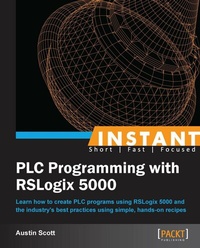
Instant PLC Programming with RSLogix 5000
Learn how to create PLC programs using RSLogix 5000 and the industry's best practices using simple, hands-on recipes
Published on 13. January 2025
68 pages
978-1-84969-845-0 (ISBN)
Description

Learn how to create PLC programs using RSLogix 5000 and the industry\'s best practices using simple, hands-on recipes
Key Features
Learn something new in an Instant! A short, fast, focused guide delivering immediate results
Create Ladder Logic (LL), Functional Block Diagrams (FBD), Structured Text (ST), and Sequential Function Chart (SFC) routines
Explore object-orientated features such as user-defined types and routine generation techniques
Understand the strengths and weaknesses of online changes in RSLogix 5000
Direct and to-the-point examples compact weeks of training into a few hours of simple exercises
Book DescriptionRSLogix5000 is a user friendly IEC61131-3-compliant interface for programming the current generation of Rockwell Automation PLCs, which includes Ladder Diagrams (LD), Graphical Function Block Diagrams (FBD), Graphical Structured Text (ST), and Sequential Function Charts (SFC). Instant PLC Programming with RSLogix 5000 captures the core elements of PLC programming with RSLogix 5000 with a minimal investment of time. We will avoid getting into control theory and focus on condensing the information specific to RSLogix 5000. We have selected the key areas of RSLogix and provide a step-by-step approach to teaching them. This book start by follows the steps involved in creating a new RSLogix 5000 project and configuring racks, slots, and channels. Next, we will create routines using the various languages available in RSLogix 5000, troubleshooting and resolving issues we encounter along the way. Finally, we will dive into the advanced features, such as online changes, code generation, task management, and user-defined structures. You will also learn object-oriented PLC programming techniques using advanced features like user-defined types (UDTs) that improve the maintainability, uniformity, and readability of our routines. We also highlight the strengths and limitations of online changes and demonstrate techniques to maximize flexibility. You will learn everything you need to get up and running with RSLogix 5000 as well as best practices used by industry experts.What you will learn
Set up a Logix 5000 PLC rack
Create tags and understand the tag scope
Write Ladder Logic (LL) routines
Get to grips with Function Block Diagrams (FBD) and how they easily integrate with HMIs
Write Sequential Function Chart (SFC) routines
Generate Structured Text routines (ST)
Understand uploading and downloading to your PLC
Export tags, programs, and edit L5X files
Learn routine generation techniques with Instruction List (IL) code
Understand the strengths and limitations of online changes
Learn basic troubleshooting techniques
Who this book is forThe purpose of this book is to capture the core elements of PLC programming with RSLogix 5000 so that electricians, instrumentation techs, automation professionals, and students who are familiar with basic PLC programming techniques can come up to speed with a minimal investment of time and energy.
Key Features
Learn something new in an Instant! A short, fast, focused guide delivering immediate results
Create Ladder Logic (LL), Functional Block Diagrams (FBD), Structured Text (ST), and Sequential Function Chart (SFC) routines
Explore object-orientated features such as user-defined types and routine generation techniques
Understand the strengths and weaknesses of online changes in RSLogix 5000
Direct and to-the-point examples compact weeks of training into a few hours of simple exercises
Book DescriptionRSLogix5000 is a user friendly IEC61131-3-compliant interface for programming the current generation of Rockwell Automation PLCs, which includes Ladder Diagrams (LD), Graphical Function Block Diagrams (FBD), Graphical Structured Text (ST), and Sequential Function Charts (SFC). Instant PLC Programming with RSLogix 5000 captures the core elements of PLC programming with RSLogix 5000 with a minimal investment of time. We will avoid getting into control theory and focus on condensing the information specific to RSLogix 5000. We have selected the key areas of RSLogix and provide a step-by-step approach to teaching them. This book start by follows the steps involved in creating a new RSLogix 5000 project and configuring racks, slots, and channels. Next, we will create routines using the various languages available in RSLogix 5000, troubleshooting and resolving issues we encounter along the way. Finally, we will dive into the advanced features, such as online changes, code generation, task management, and user-defined structures. You will also learn object-oriented PLC programming techniques using advanced features like user-defined types (UDTs) that improve the maintainability, uniformity, and readability of our routines. We also highlight the strengths and limitations of online changes and demonstrate techniques to maximize flexibility. You will learn everything you need to get up and running with RSLogix 5000 as well as best practices used by industry experts.What you will learn
Set up a Logix 5000 PLC rack
Create tags and understand the tag scope
Write Ladder Logic (LL) routines
Get to grips with Function Block Diagrams (FBD) and how they easily integrate with HMIs
Write Sequential Function Chart (SFC) routines
Generate Structured Text routines (ST)
Understand uploading and downloading to your PLC
Export tags, programs, and edit L5X files
Learn routine generation techniques with Instruction List (IL) code
Understand the strengths and limitations of online changes
Learn basic troubleshooting techniques
Who this book is forThe purpose of this book is to capture the core elements of PLC programming with RSLogix 5000 so that electricians, instrumentation techs, automation professionals, and students who are familiar with basic PLC programming techniques can come up to speed with a minimal investment of time and energy.
All prices
More details
Edition
Digital original
Language
English
Place of publication
Birmingham
United Kingdom
Edition type
Digital original
File size
1,08 MB
ISBN-13
978-1-84969-845-0 (9781849698450)
Copyright in bibliographic data and cover images is held by Nielsen Book Services Limited or by the publishers or by their respective licensors: all rights reserved.
Schweitzer Classification
Other editions
Additional editions
Austin Scott
Instant PLC Programming with RSLogix 5000
Learn how to create PLC programs using RSLogix 5000 and the industry's best practices using simple, hands-on recipes
Book
10/2013
Packt Publishing
€33.70
Shipment within 3-4 weeks
Person
Scott Austin :
Austin Scott founded Synergist SCADA in 2006, a successful company that provides vendor-neutral SCADA architecture and development. Synergist has also developed a suite of engineering tools, including Citect Power Tools and Active Network Security. In July 2013, Synergist was acquired by Cimation as the catalyst for its growing Canadian operations and ongoing product development. With more than a decade of industrial automation and software development experience, Austin has worked on large-scale, high-profile projects across North America and around the globe, incorporating most major SCADA platforms. His professional focus includes developing and refining custom software solutions to enhance the productivity of SCADA developers and improve the integration between the SCADA data and corporate applications. He is also skilled in cyber security, especially the detection of unauthorized access to SCADA networks and the forensic analysis of SCADA breaches. In 2013, he wrote Instant PLC Programming with RSLogix 5000 by Packt Publishing.
Austin Scott founded Synergist SCADA in 2006, a successful company that provides vendor-neutral SCADA architecture and development. Synergist has also developed a suite of engineering tools, including Citect Power Tools and Active Network Security. In July 2013, Synergist was acquired by Cimation as the catalyst for its growing Canadian operations and ongoing product development. With more than a decade of industrial automation and software development experience, Austin has worked on large-scale, high-profile projects across North America and around the globe, incorporating most major SCADA platforms. His professional focus includes developing and refining custom software solutions to enhance the productivity of SCADA developers and improve the integration between the SCADA data and corporate applications. He is also skilled in cyber security, especially the detection of unauthorized access to SCADA networks and the forensic analysis of SCADA breaches. In 2013, he wrote Instant PLC Programming with RSLogix 5000 by Packt Publishing.
Content
Table of Contents

