

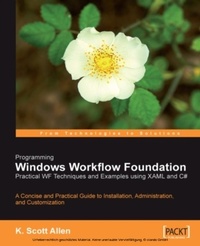
Programming Windows Workflow Foundation: Practical WF Techniques and Examples using XAML and C#
A C# developer's guide to the features and programming interfaces of Windows Workfl ow Foundation
1st Edition
Published on 22. December 2006
252 pages
978-1-84719-015-4 (ISBN)
Description

A C# developer s guide to the features and programming interfaces of Windows Workflow FoundationKey Features - Add event-driven workflow capabilities to your.NET applications.
- Highlights the libraries, services and internals programmers need to know
- Builds a practical "bug reporting" workflow solution example app
Book DescriptionWindows Workflow Foundation (WF) is a technology for defining, executing, and managing workflows. It is part of the.NET Framework 3.0 and will be available natively in the Windows Vista operating system. Windows Workflow Foundation might be the most significant piece of middleware to arrive on the Windows platform since COM+ and the Distributed Transaction Coordinator. The difference is, not every application needs a distributed transaction, but nearly every application does have a workflow encoded inside it. In this book, K Scott Allen, author of renowned.NET articles at www.odetocode.com, provides you with all the information needed to develop successful products with Windows Workflow. From the basics of how Windows Workflow can solve the difficult problems inherent in workflow solutions, through authoring workflows in code, learning about the base activity library in Windows Workflow and the different types of workflow provided, and on to building event-driven workflows using state machines, workflow communications, and finally rules and conditions in Windows Workflow, this book will give you the in-depth information you need. Throughout the book, an example "bug reporting" workflow system is developed, showcasing the technology and techniques used.What you will learn - Create an example "bug reporting" workflow solution using the techniques and skills gained from each chapter
- Understand what Windows WF is, and what it can do for you
- Learn about the runtime services available in Windows WF
- Author workflows with C#, and with XAML, the extensible application markup language
- Use the workflow compiler to better understand how WF uses code generation to produce classes from workflow markup
- Combine generated workflow code with our hand-written code to produce a workflow type
- Learn about the events fired by the workflow runtime during the life of a workflow instance
- Build workflows that accept parameters and communicate with a host process by invoking methods and listening for events
- Learn about each activity in the Windows WF base activity library; the control flow activities, communication activities, and transaction-oriented activities
- Learn about web service activities, rule-centric activities, and state activities
- Creating custom activities using both a compositional approach and a derivation approach
- Master the execution context, a vital ingredient for creating any robust activity
- Learn about the workflow runtime, workflow diagnostics, and the out-of-the-box services provided for WF by Microsoft.
- Using scheduling services, persistence services, and tracking services
- Select and configure the services needed for a wide variety of scenarios and environments
- Use local services for communication with a host process, and web service activities for communication across a network
- Uncover the queuing service used behind the scenes of a workflow to coordinate and deliver messages
- Create rules and conditions in Windows Workflow Foundation
- Understand the role of business rules in software development and see examples of how Windows WF s rules engine can take away some of the burden of rule development
Who this book is forThis book is for.NET developers who want to enhance their applications with flexible workflow capabilities using Microsoft Windows Workflow Foundation. The author assumes that you have read other texts on the overall architecture of WF and on WF application design strategies, and instead focuses on real-work implementation issues for C# developers.
- Highlights the libraries, services and internals programmers need to know
- Builds a practical "bug reporting" workflow solution example app
Book DescriptionWindows Workflow Foundation (WF) is a technology for defining, executing, and managing workflows. It is part of the.NET Framework 3.0 and will be available natively in the Windows Vista operating system. Windows Workflow Foundation might be the most significant piece of middleware to arrive on the Windows platform since COM+ and the Distributed Transaction Coordinator. The difference is, not every application needs a distributed transaction, but nearly every application does have a workflow encoded inside it. In this book, K Scott Allen, author of renowned.NET articles at www.odetocode.com, provides you with all the information needed to develop successful products with Windows Workflow. From the basics of how Windows Workflow can solve the difficult problems inherent in workflow solutions, through authoring workflows in code, learning about the base activity library in Windows Workflow and the different types of workflow provided, and on to building event-driven workflows using state machines, workflow communications, and finally rules and conditions in Windows Workflow, this book will give you the in-depth information you need. Throughout the book, an example "bug reporting" workflow system is developed, showcasing the technology and techniques used.What you will learn - Create an example "bug reporting" workflow solution using the techniques and skills gained from each chapter
- Understand what Windows WF is, and what it can do for you
- Learn about the runtime services available in Windows WF
- Author workflows with C#, and with XAML, the extensible application markup language
- Use the workflow compiler to better understand how WF uses code generation to produce classes from workflow markup
- Combine generated workflow code with our hand-written code to produce a workflow type
- Learn about the events fired by the workflow runtime during the life of a workflow instance
- Build workflows that accept parameters and communicate with a host process by invoking methods and listening for events
- Learn about each activity in the Windows WF base activity library; the control flow activities, communication activities, and transaction-oriented activities
- Learn about web service activities, rule-centric activities, and state activities
- Creating custom activities using both a compositional approach and a derivation approach
- Master the execution context, a vital ingredient for creating any robust activity
- Learn about the workflow runtime, workflow diagnostics, and the out-of-the-box services provided for WF by Microsoft.
- Using scheduling services, persistence services, and tracking services
- Select and configure the services needed for a wide variety of scenarios and environments
- Use local services for communication with a host process, and web service activities for communication across a network
- Uncover the queuing service used behind the scenes of a workflow to coordinate and deliver messages
- Create rules and conditions in Windows Workflow Foundation
- Understand the role of business rules in software development and see examples of how Windows WF s rules engine can take away some of the burden of rule development
Who this book is forThis book is for.NET developers who want to enhance their applications with flexible workflow capabilities using Microsoft Windows Workflow Foundation. The author assumes that you have read other texts on the overall architecture of WF and on WF application design strategies, and instead focuses on real-work implementation issues for C# developers.
More details
Other editions
Additional editions
K. Scott Allen
Programming Windows Workflow Foundation
Practical Wf Techniques and Examples Using Xaml and C
Book
12/2006
Packt Publishing
€55.50
Shipment within 3-4 weeks
Content
- Intro
- Programming Windows Workflow Foundation: Practical WF Techniques and Examples using XAML and C#
- Table of Contents
- Programming Windows Workflow Foundation: Practical WF Techniques and Examples using XAML and C#
- Credits
- About the Author
- About the Reviewer
- Preface
- What This Book Covers
- What You Need for This Book
- Conventions
- Reader Feedback
- Customer Support
- Downloading the Example Code for the Book
- Errata
- Questions
- 1. Hello, Workflow
- Building Workflow Solutions
- A Windows Workflow Tour
- Activities
- Custom Activities
- Visual Studio 2005 Extensions
- Windows Workflow and XAML
- WF Validation and Debugging
- Designer Looks
- The Windows Workflow Runtime
- Hosting the Windows Workflow Runtime
- Runtime Services
- Scheduling Services
- Transaction Services
- Persistence Services
- Tracking Services
- Our First Workflow
- Summary
- 2. Authoring Workflows
- Pure Code
- Pure Code and Visual Studio
- Objects and Their Relationships
- Pure XAML
- Using Custom Activities in XAML
- Compiling Workflows
- Compiling with Wfc.exe
- Compiling with WorkflowCompiler
- Compilation with MSBuild
- Code Generation and XAML Serialization
- XAML Activation
- XAML-only Summary
- Code and XAML Together
- Summary
- 3. Sequential Workflows
- The SequenceActivity
- Simple Flow
- Sequences Inside Sequences
- Workflows and the Outside World
- Workflow Instance Lifetime Events
- Workflow Parameters
- Raising Events and Invoking Methods
- Service Contracts
- Service Implementation
- Workflow Implementation
- Host Implementation
- Faults
- Summary
- 4. The Base Activity Library
- The Basics
- The CodeActivity
- The IfElseActivity
- The WhileActivity
- The SequenceActivity
- The SuspendActivity
- The TerminateActivity
- The ThrowActivity
- The InvokeWorkflowActivity
- The ParallelActivity
- The DelayActivity
- The ListenActivity
- The EventHandlingScopeActivity
- The SynchronizationScopeActivity
- The ReplicatorActivity
- Local Communication Events
- The CallExternalMethodActivity
- The HandleExternalEventActivity
- The Activity Generator
- Fault Handling
- The FaultHandlersActivity
- The FaultHandlerActivity
- Transactions and Compensation
- The TransactionScopeActivity
- Compensation
- The CompensatableSequenceActivity
- The CompensatableTransactionScopeActivity
- The CompensateActivity
- Conditions and Rules
- The ConditionedActivityGroup
- The PolicyActivity
- Web Services
- The InvokeWebServiceActivity
- The WebServiceInputActivity
- The WebServiceOutputActivity
- The WebServiceFaultActivity
- State Activities
- The StateActivity
- The StateInitializationActivity
- The StateFinalizationActivity
- The EventDrivenActivity
- The SetStateActivity
- Summary
- 5. Custom Activities
- Why Would I Build Custom Activities?
- Reusability
- Extensibility
- Domain-Specific Languages
- How Do I Build Custom Activities?
- Activity Composition
- Opening a Black Box
- Property Promotion
- Composition Summary
- Dependency Properties
- Activity Binding
- Attached Properties
- Meta-Properties
- Dependency Property Summary
- Derivation
- ConsoleWriteActivity
- Activity Components
- Activity Validators
- Activity Designers
- Activity Execution
- Execution Context
- Custom Composite Activities
- Summary
- 6. Workflow Hosting
- The Workflow Runtime
- Workflow Runtime Logging
- Workflow Runtime Configuration
- Workflow Configuration Sections
- Scheduling Services
- Scheduling Services and Threads
- Scheduling Services and Configuration
- Scheduling Parameters
- Choosing the Right Scheduling Service
- Persistence Services
- Persistence Classes
- The SqlWorkflowPersistenceService
- SQL Persistence Service Configuration
- Running with Persistence
- Persistence and Serialization
- Tracking Services
- Tracking Classes
- Tracking Configuration
- Running with Tracking
- Tracking Profiles
- Data Maintenance
- Persistence and Tracking Together
- Shared Connection Configuration
- Summary
- 7. Event-Driven Workflows
- What Is a State Machine?
- State Machines in Windows Workflow
- Our First State Machine
- Creating the Project
- Life of a Bug
- The State Activity
- The EventDriven Activity
- The SetState Activity
- The StateInitialization and StateFinalization Activities
- Driving the State Machine
- Inspecting State Machines
- StateMachineWorkflowInstance
- State Machine Tracking
- Hierarchical State Machines
- Summary
- 8. Communication in Workflows
- Local Communication Services Redux
- Correlation Parameters
- Correlation Attributes
- Correlation Parameter
- Correlation Initializer
- Correlation Alias
- Correlation Tokens
- Role-Based Authorization
- Roles and Activities
- Workflow Queues
- WorkflowQueue and WorkflowQueueInfo
- Finding the Waiting Activity
- Canceling a Waiting Activity
- Communicating with Queues
- Web Service Communication
- Workflows as Web Services
- WebServiceInput Activity
- WebServiceOutput Activity
- Publishing Web Service Workflows
- Workflows as Web Service Clients
- InvokeWebService Activity
- Summary
- 9. Rules and Conditions
- What are Rules and Conditions?
- Working with Conditions
- Code Conditions
- Rule Conditions
- The .rules File
- Available Expressions
- Rules and Activation
- The Conditioned Activity Group
- When to Use the CAG
- Working with Rules
- The Policy Activity
- Creating a Policy Workflow
- Evaluation
- Priority
- Rule Dependencies
- Implicit Chaining
- Chaining with Attributes
- Explicit Chaining
- Controlling Chaining
- Chaining Behavior
- Re-evaluation Behavior
- Rules Engine Tracing and Tracking
- Tracing Rules
- Tracking Rules
- Dynamic Updates
- Summary
- Index
