

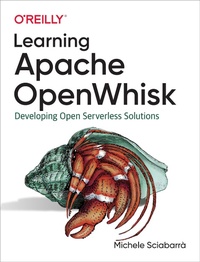
Learning Apache OpenWhisk
Developing Open Serverless Solutions
Published on 3. July 2019
394 pages
978-1-4920-4612-7 (ISBN)
Description

Serverless computing greatly simplifies software development. Your team can focus solely on your application while the cloud provider manages the servers you need. This practical guide shows you step-by-step how to build and deploy complex applications in a flexible multicloud, multilanguage environment using Apache OpenWhisk. Youll learn how this platform enables you to pursue a vendor-independent approach using preconfigured containers, microservices, and Kubernetes as your cloud operating system.Michele Sciabarr demonstrates how to build a serverless application using classical design patterns and the programming language or languages that best fit your task. Youll start by building a simple serverless application hands-on before diving into the more complex aspects of the OpenWhisk platform.Examine how OpenWhisks serverless architecture works, including the use of packages, actions, sequences, triggers, rules, and feedsLearn how OpenWhisk compares to existing architectures, such as Java Enterprise EditionManipulate OpenWhisk features using the command-line interface or a JavaScript APIDesign applications using common Gang of Four design patternsUse architectural design patterns such as model-view-controller to combine several OpenWhisk actionsLearn how to test and debug your code in a serverless environment
More details
Other editions
Additional editions
Book
07/2019
O'Reilly
€65.50
Article not available at the moment
Content
- Intro
- Copyright
- Table of Contents
- Foreword
- Preface
- Conventions Used in This Book
- Using Code Examples
- O'Reilly Online Learning
- How to Contact Us
- Part I. Introducing OpenWhisk Development
- Chapter 1. Serverless and OpenWhisk Architecture
- OpenWhisk Architecture
- Functions and Events
- Architecture Overview
- Programming Languages for OpenWhisk
- Actions and Action Composition
- Action Chaining
- How OpenWhisk Works
- Nginx
- Controller
- Load Balancer
- Invoker
- Client
- Serverless Execution Constraints
- Actions Are Functional
- Actions Are Event-Driven
- Actions Do Not Have Local State
- Actions Are Time-Bound
- Actions Are Not Ordered
- From Java EE to Serverless
- Classic Java EE Architecture
- Serverless Equivalent of Java EE
- Summary
- Chapter 2. A Simple OpenWhisk Application
- Getting Started
- The Bash CLI
- The IBM Cloud
- Creating a Simple Contact Form
- Form Validation
- Address Validation
- Returning the Result
- Saving Form Data
- Invoking Actions
- Storing in the Database
- Sending an Email
- Configuring Mailgun
- Writing an Action to Send Email
- Creating an Action Sequence
- Summary
- Chapter 3. The OpenWhisk CLI and JavaScript API
- The wsk Command
- Configuring the wsk Command
- OpenWhisk Entity Names
- Defining Packages
- Package Binding
- Creating Actions
- Chaining Sequences of Actions
- Including Some Code of Your Own as a Library
- Inspecting Activations
- Managing Triggers and Rules
- Putting the Trigger to Work
- Using a Feed
- Generic JavaScript APIs
- Asynchronous Invocation
- Using Promises
- Creating a Promise
- Using the OpenWhisk API
- Invoking OpenWhisk Actions
- Firing Triggers
- Inspecting Activations
- Summary
- Chapter 4. Common Design Patterns in OpenWhisk
- Built-in Patterns
- Singleton
- Facade
- Prototype
- Decorator
- Patterns Commonly Implemented with Actions
- Strategy
- Chain of Responsibility
- Command
- Summary
- Chapter 5. Integration Design Patterns in OpenWhisk
- Integration Patterns
- Proxy
- Adapter
- Bridge
- Observer
- User Interaction Patterns
- Composite
- Visitor
- MVC
- Summary
- Chapter 6. Unit Testing OpenWhisk Applications
- Using the Jest Test Runner
- Using Jest
- Running Tests Locally
- Snapshot Testing
- Mocking
- What Is a Mock?
- Mocking an HTTPS Request
- Mocking the OpenWhisk API
- Using the Mocking Library to Invoke an Action
- Mocking Action Parameters
- Mocking a Sequence
- Summary
- Part II. Advanced OpenWhisk Development
- Chapter 7. Developing OpenWhisk Actions in Python
- The Python Runtime
- What's in the Python Runtime?
- Libraries Available in the Runtime
- Using Third-Party Libraries
- Packaging a Python Application in a Zip File
- Using virtualenv
- How Virtualenv and Pip Work
- Automating the Virtual Environment
- Using the yattag Library
- Building the Virtualenv, Including a Library
- Using the OpenWhisk REST API
- Authentication
- Connecting to the API with curl
- Using the OpenWhisk REST API in Python
- Invocations, Activations, and Triggers in Python
- Blocking Action Invocation
- Nonblocking Trigger Invocation
- Retrieving the Result of an Invocation
- Testing Python Actions
- Recreating the Python Runtime Environment Locally
- Unit Test Examples
- Invoking the OpenWhisk API Locally
- Mocking Requests
- Summary
- Chapter 8. Using CouchDB with OpenWhisk
- How to Query CouchDB
- Exploring CouchDB on the Command Line
- How CouchDB works
- Creating Database
- Create
- Retrieve
- Update
- Delete
- Attachments
- Querying CouchDB
- Searching the Database
- Indexes
- Fields
- Pagination Support
- Bookmark Feature
- Selectors
- Operators
- CouchDB Design Documents
- Creating a Design Document
- View Functions
- Extracting Data with map Functions
- Implementing a Join with map Functions
- Joining with a Single Document
- Aggregations with reduce Functions
- Validation Functions
- Using the Cloudant Package
- CRUD Actions in the Cloudant Package
- Queries and Views with Packages
- Summary
- Chapter 9. An OpenWhisk Web Application in Python
- CRUD Application Architecture
- Deploying the Action
- Abstracting Database Access
- Implementing model.init()
- Implementing model.insert()
- Implementing model.find()
- Testing insert and find
- Implementing model.update() and model.delete()
- Testing update and delete
- The User Interface
- Testing
- Rendering the Table with view.table
- Rendering the Form with view.form
- The Controller
- Processing Operations
- Side Effects
- Advanced Web Actions
- Improving the CRUD Application
- Validation and Error Reporting
- Storing Error Messages
- Pagination
- Creating an Index
- Using Bookmarks and Limits
- Pagination
- Processing the Bookmark
- Uploading and Displaying Images
- File Upload Form
- Parsing the File Upload
- Saving Data in the Database
- Generating an &IMG& Tag
- Generating a URL to Retrieve an Image
- Rendering the Image with an HTTP Request
- Summary
- Chapter 10. Developing OpenWhisk Actions in Go
- Your First Golang Action
- From Echo to Hello
- Packaging Multiple Files
- Imports, GOPATH, and the vendor Folder
- Actions with Multiple Files in main
- Actions with Multiple Packages
- Actions Using Third-Party Libraries
- How Go Uses Third-Party Open Source Libraries
- Selecting a Given Version of a Library
- Action Precompilation
- Testing Go Actions
- Writing Tests
- Testing Using Examples
- Embedding Resources
- Using packr
- Serving Resources with Web Actions
- Accessing the OpenWhisk API in Go
- Utilities
- HTTP Requests
- Invoking an OpenWhisk Action
- Firing a Trigger
- Retrieving the Data Associated with the Activation ID
- Summary
- Chapter 11. Using Kafka with OpenWhisk
- Introducing Apache Kafka
- Kafka Brokers and Protocol
- Messages and Keys
- Topics and Partitions
- Offsets and Client Groups
- Creating a Kafka Instance in the IBM Cloud
- Creating an Instance
- Creating a Topic
- Get Credentials
- Using the messaging Package
- Creating a Binding and a Feed
- Receiving Messages with an Action
- Sending Messages Using kafkacat
- Testing the Kafka Broker
- A Kafka Producer in Go
- Creating a Producer
- Sending a Kafka Message
- Writing a Sender Action
- Deploying and Testing the Producer
- A Kafka Consumer in Go
- Creating a Consumer
- Receiving a Message
- Writing a Receiver Action
- Testing the Consumer
- Implementing the Web Chat Application
- Overview
- User Interface
- Initializing
- Joining
- Receiving
- Sending
- Summary
- Chapter 12. Deploying OpenWhisk with Kubernetes
- Installing Kubernetes
- Installation Types
- Installing kubectl and Helm
- Installing Kubernetes Locally
- Installing Kubernetes in the Cloud
- Architecture of a Kubernetes Cloud Deployment
- Generic Procedure for Installing Kubernetes with cloud-init
- Installing on Hetzner Cloud
- Installing on AWS Cloud
- Installing Kubernetes on a Bare Metal Server
- Collecting the Required Software
- Network Configuration
- Scripts for the Installation
- Creating the Cluster
- Installing OpenWhisk
- Configuring Kubectl
- Configuring Helm
- Installing in Docker Desktop
- Installing in the Kubernetes Cluster
- Configuring the OpenWhisk Command-Line Interface
- Configuring wsk Insecurely for Docker Desktop
- Creating a New Namespace
- Summary
- Conclusion
- Index
- About the Author
- Colophon
