
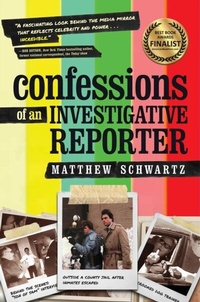
Confessions of an Investigative Reporter
Description
Alles über E-Books | Antworten auf Fragen rund um E-Books, Kopierschutz und Dateiformate finden Sie in unserem Info- & Hilfebereich.
"A fascinating look behind the media mirror that reflects celebrity and power ... incredible." -Bob Dotson, New York Times bestselling author, former national correspondent, the Today show
Award-winning investigative reporter Matthew Schwartz was ordered to lie on TV in the name of sensationalism. He was arrested for trespassing on the property of a business he exposed for committing fraud. A target of one of his investigations swung a baseball bat at his head. He's been shoved, sued, and cursed out. He caught a car dealership rolling back odometers and selling used cars as new. In Confessions of an Investigative Reporter, this veteran journalist reveals his inner thoughts and the inside stories viewers never saw. Confessions of an Investigative Reporter is funny, fast-moving, and dishy. It provides a rare look inside the world of local news from someone who spent four decades in it. It's not only for news viewers. It's for anyone who cares about justice and their community. And about that time he was ordered to lie? His answers lie within.

More details
Person
System requirements
File format: ePUB
Copy protection: Adobe-DRM (Digital Rights Management)
System requirements:
- Computer (Windows; MacOS X; Linux): Install the free reader Adobe Digital Editions prior to download (see eBook Help).
- Tablet/smartphone (Android; iOS): Install the free app Adobe Digital Editions or the app PocketBook before downloading (see eBook Help).
- E-reader: Bookeen, Kobo, Pocketbook, Sony, Tolino and many more (not Kindle).
The file format ePub works well for novels and non-fiction books – i.e., „flowing” text without complex layout. On an e-reader or smartphone, line and page breaks automatically adjust to fit the small displays.
This eBook uses Adobe-DRM, a „hard” copy protection. If the necessary requirements are not met, unfortunately you will not be able to open the eBook. You will therefore need to prepare your reading hardware before downloading.
Please note: We strongly recommend that you authorise using your personal Adobe ID after installation of any reading software.
For more information, see our ebook Help page.