

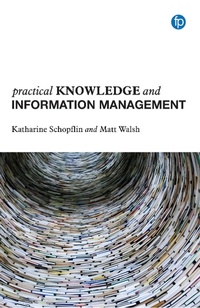
Practical Knowledge and Information Management
Description

Practical Knowledge and Information Management (KIM) is a guide written by and for knowledge and information management practitioners. As well as offering an introduction to the field, it provides advice and expertise that can be applied to real-life workplace situations. It offers an antidote to hype and best practice you can actually use.
Content covered includes:
- introducing KIM to organizations
- information management and governance
- communities of practice, knowledge sharing and learning
- knowledge bases, know-how and wikis
- after-action reviews, project learning and legacy
This book will be useful for existing knowledge and information practitioners as well as information professionals increasing their skills in the area. It offers insight for experienced professionals and a good introduction to students and professionals wanting to increase their knowledge.
More details
Other editions
Additional editions
Persons
Dr Katharine Schopflin is an information professional with more than 20 years' experience. She has worked in sectors ranging from media to government and in a range of information and knowledge management roles. She teaches regularly on MA LIS courses and publishes regularly in both trade and academic journals. She is the author of two previous Facet Publishing titles, A Handbook for Corporate Information Professionals and A Handbook for Media Librarians.
Matt Walsh is Global Knowledge Manager at Pearson. With 16 years' experience as knowledge and information management professional, Matt has worked in a variety of different organisations including public and private sector to deliver successful KM and IM solutions.
Content
1 Introduction to knowledge and information management Definition The history of knowledge management The history of information management How knowledge and information management works Further reading
2 Introducing knowledge and information management to organizations Organizational culture and knowledge and information management Who needs knowledge management? Introducing knowledge and information management Making the case for knowledge and information management Further reading
3 Information management and governance Information and data repositories Key points of advice for good information management Governance and policies Recommended approaches Further reading
4 Communities and knowledge-sharing Communication in the workplace Supporting successful communities Recommended approaches Further reading
5 Making knowledge explicit: knowledge bases know-how and wikis Knowledge organizing systems Types of knowledge storage Recommended approaches Further reading
6 Capturing knowledge legacy: passing on staff knowledge Storytelling and 'show and tell' Recommended approaches After-action reviews and lessons learned Knowledge capture from departing staff Recommended approaches Further reading
Afterword: the future of knowledge and information management
References
Index
Case studies and sidebars
Chapter 2: Introducing knowledge and information management to organizations Case study 2.1: Making KIM noticed Case study 2.2: How not to introduce KIM
Chapter 3: Information management and governance Case study 3.1: Core organizational data Case study 3.2: The legacy of email Sidebar: Six alternatives to email Sidebar: A word about controls
Chapter 4: Communities and knowledge-sharing Case study 4.1: Managing your online communities Case study 4.2: Building a champions network Sidebar: What to consider when managing online communities
Chapter 5: Making knowledge explicit: knowledge bases, 75 know-how and wikis Case study 5.1: Using your users' language Sidebar: Types of taxonomies in knowledge and information management Case study 5.2: Managing legal know-how
Chapter 6: Capturing knowledge legacy: passing on staff 91 knowledge Case study 6.1: Learning from failure Case study 6.2: The Capstone approach
