


The Definitive Guide to JSF in Java EE 8
Building Web Applications with JavaServer Faces
Published on 29. May 2018
XV, 512 pages
978-1-4842-3387-0 (ISBN)
Description

Learn and master the new features in the JSF 2.3 MVC web framework in this definitive guide written by two of the JavaServer Faces (JSF) specification leads. The authors take you through real-world examples that demonstrate how these new features are used with other APIs in Java EE 8. You'll see the new and exciting ways JSF applications can use to communicate between a client and a server, such as using WebSockets, invoking bean methods directly from Ajax, executing client-side JavaScript when Ajax calls complete, and more
Along the way you'll broaden your knowledge of JSF components and web APIs best practices, and learn a great deal about the internals of JSF and the design decisions that have been made when building the JSF API. For example, you'll see what artefacts are now CDI injectable, how CDI changed JSF internally, and what some of the caveats are when working with the CDI versions of a JSF artefact.
Furthermore, you'll build an example application from scratch. After reading The Definitive Guide to JSF in Java EE 8 , you'll be ready to build your own efficient and secure web applications.
What You Will Learn
Who This Book Is For
Existing JSF or Java developers who need to create a web UI. No prior knowledge of JSF is required, but the book does skew towards the more experienced developer. Concepts such as dependency injection and MVC are assumed to be known, as is a general knowledge about HTML, HTTP and other web standards.
Along the way you'll broaden your knowledge of JSF components and web APIs best practices, and learn a great deal about the internals of JSF and the design decisions that have been made when building the JSF API. For example, you'll see what artefacts are now CDI injectable, how CDI changed JSF internally, and what some of the caveats are when working with the CDI versions of a JSF artefact.
Furthermore, you'll build an example application from scratch. After reading The Definitive Guide to JSF in Java EE 8 , you'll be ready to build your own efficient and secure web applications.
What You Will Learn
-
Leverage the new features in JSF 2.3 in your existing applications
-
Integrate JSF and CDI
-
Use the brand new Component Search Expression framework, which enables you to more easily locate components from your template
-
Extend the Component Search Expression framework with your own search operators
-
Work with the different ways of mapping requests to JSF, make your application use extensionless URLs, and programmatically inspect which resources are present in your application
-
Master the best practices for web application development and see which are obsolete
Who This Book Is For
Existing JSF or Java developers who need to create a web UI. No prior knowledge of JSF is required, but the book does skew towards the more experienced developer. Concepts such as dependency injection and MVC are assumed to be known, as is a general knowledge about HTML, HTTP and other web standards.
More details
Series
Edition
First Edition
Language
English
Place of publication
Berkeley
United States
Publishing group
APRESS
Target group
Professional and scholarly
Product notice
Reflowable
Illustrations
XV, 512 p. 59 illus.
File size
7,46 MB
ISBN-13
978-1-4842-3387-0 (9781484233870)
DOI
10.1007/978-1-4842-3387-0
Schweitzer Classification
Other editions
Additional editions
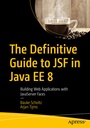
Bauke Scholtz | Arjan Tijms
The Definitive Guide to JSF in Java EE 8
Building Web Applications with JavaServer Faces
Book
07/2018
Apress
€53.49
Article exhausted; check for reprint
Persons
Bauke Scholtz
is an Oracle Java Champion, a member of the JSF 2.3 Expert Group and the main creator of the JSF helper library OmniFaces. He is on the internet more commonly known as BalusC who is among the top users and contributors on Stack Overflow. Bauke has integrated several OmniFaces solutions into JSF 2.3. He is a web application specialist and consults or has consulted for these Mercury1 Limited, MyTutor, Nava Finance, LinkPizza, ZEEF, M4N/Zanox, ITCA, RDC and more clients from fintech, affiliate marketing, social media and more as part of his 17 years of experience. This book offers Bauke the opportunity to go into depth as to answering most frequently asked questions and correctly solving most commonly encountered problems while using JSF.
Arjan Tijms works for Payara Services Ltd and is a JSF (JSR 372) and Security API (JSR 375) Expert Group member. He is the co-creator of the popular OmniFaces library for JSF that was a 2015 Duke's Choice Award winner, and is the main creator of a set of tests for the Java EE authentication SPI (JASPIC) that has been used by various Java EE vendors. Arjan holds an MSc degree in Computer Science from the University of Leiden, The Netherlands. Writing about this topic was a natural choice for Arjan; He has already written much about it at his blog and would like to expand that by contributing to a book.
Arjan Tijms works for Payara Services Ltd and is a JSF (JSR 372) and Security API (JSR 375) Expert Group member. He is the co-creator of the popular OmniFaces library for JSF that was a 2015 Duke's Choice Award winner, and is the main creator of a set of tests for the Java EE authentication SPI (JASPIC) that has been used by various Java EE vendors. Arjan holds an MSc degree in Computer Science from the University of Leiden, The Netherlands. Writing about this topic was a natural choice for Arjan; He has already written much about it at his blog and would like to expand that by contributing to a book.
Content
1. History.- 2. From Zero To Hello World.- 3. Components.- 4. Form Components.- 5. Validation and Conversion.- 6. Output Components.- 7. Facelets Templating.- 8. Backing Beans.- 9. Exception Handling.- 10. WebSocket Push.- 11. Custom Components.- 12. Search Expressions.- 13. Security.- 14. Localization.- 15. Extensions.
