

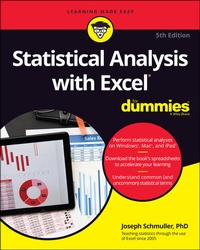
Statistical Analysis with Excel For Dummies
5th Edition
Published on 7. December 2021
576 pages
978-1-119-84455-6 (ISBN)
Description

Become a stats superstar by using Excel to reveal the powerful secrets of statistics
Microsoft Excel offers numerous possibilities for statistical analysis--and you don't have to be a math wizard to unlock them. In Statistical Analysis with Excel For Dummies, fully updated for the 2021 version of Excel, you'll hit the ground running with straightforward techniques and practical guidance to unlock the power of statistics in Excel.
Bypass unnecessary jargon and skip right to mastering formulas, functions, charts, probabilities, distributions, and correlations. Written for professionals and students without a background in statistics or math, you'll learn to create, interpret, and translate statistics--and have fun doing it!
In this book you'll find out how to:
* Understand, describe, and summarize any kind of data, from sports stats to sales figures
* Confidently draw conclusions from your analyses, make accurate predictions, and calculate correlations
* Model the probabilities of future outcomes based on past data
* Perform statistical analysis on any platform: Windows, Mac, or iPad
* Access additional resources and practice templates through Dummies.com
For anyone who's ever wanted to unleash the full potential of statistical analysis in Excel--and impress your colleagues or classmates along the way--Statistical Analysis with Excel For Dummies walks you through the foundational concepts of analyzing statistics and the step-by-step methods you use to apply them.
Microsoft Excel offers numerous possibilities for statistical analysis--and you don't have to be a math wizard to unlock them. In Statistical Analysis with Excel For Dummies, fully updated for the 2021 version of Excel, you'll hit the ground running with straightforward techniques and practical guidance to unlock the power of statistics in Excel.
Bypass unnecessary jargon and skip right to mastering formulas, functions, charts, probabilities, distributions, and correlations. Written for professionals and students without a background in statistics or math, you'll learn to create, interpret, and translate statistics--and have fun doing it!
In this book you'll find out how to:
* Understand, describe, and summarize any kind of data, from sports stats to sales figures
* Confidently draw conclusions from your analyses, make accurate predictions, and calculate correlations
* Model the probabilities of future outcomes based on past data
* Perform statistical analysis on any platform: Windows, Mac, or iPad
* Access additional resources and practice templates through Dummies.com
For anyone who's ever wanted to unleash the full potential of statistical analysis in Excel--and impress your colleagues or classmates along the way--Statistical Analysis with Excel For Dummies walks you through the foundational concepts of analyzing statistics and the step-by-step methods you use to apply them.
More details
Other editions
Additional editions
Joseph Schmuller
Statistical Analysis with Excel For Dummies
Book
03/2022
Wiley
€39.00
Shipment within 15-20 days
Person
Joseph Schmuller works on the Digital & Enterprise Architecture Team at Availity. He has taught statistics at the undergraduate and graduate levels. He has created and delivered courses for LinkedIn Learning, and he is the author of all previous editions of Statistical Analysis with Excel For Dummies.
Content
- Intro
- Title Page
- Copyright Page
- Table of Contents
- Introduction
- About This Book
- What's New in This Edition
- What's New in Excel (Microsoft 365)
- Foolish Assumptions
- Icons Used in This Book
- Where to Go from Here
- Beyond This Book
- Part 1 Getting Started with Statistical Analysis with Excel: A Marriage Made in Heaven
- Chapter 1 Evaluating Data in the Real World
- The Statistical (and Related) Notions You Just Have to Know
- Samples and populations
- Variables: Dependent and independent
- Types of data
- A little probability
- Inferential Statistics: Testing Hypotheses
- Null and alternative hypotheses
- Two types of error
- Some Excel Fundamentals
- Autofilling cells
- Referencing cells
- Chapter 2 Understanding Excel's Statistical Capabilities
- Getting Started
- Setting Up for Statistics
- Worksheet functions
- Quickly accessing statistical functions
- Array functions
- What's in a name? An array of possibilities
- Creating Your Own Array Formulas
- Using data analysis tools
- Additional data analysis tool packages
- Accessing Commonly Used Functions
- The New Analyze Data Tool
- Data from Pictures!
- Part 2 Describing Data
- Chapter 3 Show-and-Tell: Graphing Data
- Why Use Graphs?
- Examining Some Fundamentals
- Gauging Excel's Graphics (Chartics?) Capabilities
- Becoming a Columnist
- Stacking the Columns
- Slicing the Pie
- A word from the wise
- Drawing the Line
- Adding a Spark
- Passing the Bar
- The Plot Thickens
- Finding Another Use for the Scatter Chart
- Chapter 4 Finding Your Center
- Means: The Lore of Averages
- Calculating the mean
- AVERAGE and AVERAGEA
- AVERAGEIF and AVERAGEIFS
- TRIMMEAN
- Other means to an end
- Medians: Caught in the Middle
- Finding the median
- MEDIAN
- Statistics à la Mode
- Finding the mode
- MODE.SNGL and MODE.MULT
- Chapter 5 Deviating from the Average
- Measuring Variation
- Averaging squared deviations: Variance and how to calculate it
- VAR.P and VARPA
- Sample variance
- VAR.S and VARA
- Back to the Roots: Standard Deviation
- Population standard deviation
- STDEV.P and STDEVPA
- Sample standard deviation
- STDEV.S and STDEVA
- The missing functions: STDEVIF and STDEVIFS
- Related Functions
- DEVSQ
- Average deviation
- AVEDEV
- Chapter 6 Meeting Standards and Standings
- Catching Some Z's
- Characteristics of z-scores
- Bonds versus the Bambino
- Exam scores
- STANDARDIZE
- Where Do You Stand?
- RANK.EQ and RANK.AVG
- LARGE and SMALL
- PERCENTILE.INC and PERCENTILE.EXC
- PERCENTRANK.INC and PERCENTRANK.EXC
- Data analysis tool: Rank and Percentile
- Chapter 7 Summarizing It All
- Counting Out
- COUNT, COUNTA, COUNTBLANK, COUNTIF, COUNTIFS
- The Long and Short of It
- MAX, MAXA, MIN, and MINA
- Getting Esoteric
- SKEW and SKEW.P
- KURT
- Tuning In the Frequency
- FREQUENCY
- Data analysis tool: Histogram
- Can You Give Me a Description?
- Data analysis tool: Descriptive Statistics
- Be Quick About It!
- Instant Statistics
- Chapter 8 What's Normal?
- Hitting the Curve
- Digging deeper
- Parameters of a normal distribution
- NORM.DIST
- NORM.INV
- A Distinguished Member of the Family
- NORM.S.DIST
- NORM.S.INV
- PHI and GAUSS
- Graphing a Standard Normal Distribution
- Part 3 Drawing Conclusions from Data
- Chapter 9 The Confidence Game: Estimation
- Understanding Sampling Distributions
- An EXTREMELY Important Idea: The Central Limit Theorem
- (Approximately) simulating the Central Limit Theorem
- The Limits of Confidence
- Finding confidence limits for a mean
- CONFIDENCE.NORM
- Fit to a t
- CONFIDENCE.T
- Chapter 10 One-Sample Hypothesis Testing
- Hypotheses, Tests, and Errors
- Hypothesis Tests and Sampling Distributions
- Catching Some Z's Again
- Z.TEST
- t for One
- T.DIST, T.DIST.RT, and T.DIST.2T
- T.INV and T.INV.2T
- Visualizing a t-Distribution
- Testing a Variance
- CHISQ.DIST and CHISQ.DIST.RT
- CHISQ.INV and CHISQ.INV.RT
- Visualizing a Chi-Square Distribution
- Chapter 11 Two-Sample Hypothesis Testing
- Hypotheses Built for Two
- Sampling Distributions Revisited
- Applying the Central Limit Theorem
- Z's once more
- Data analysis tool: z-Test: Two Sample for Means
- t for Two
- Like peas in a pod: Equal variances
- Like p's and q's: Unequal variances
- T.TEST
- Data analysis tool: t-Test: Two Sample
- A Matched Set: Hypothesis Testing for Paired Samples
- T.TEST for matched samples
- Data analysis tool: t-Test: Paired Two Sample for Means
- t-tests on the iPad with StatPlus
- Testing Two Variances
- Using F in conjunction with t
- F.TEST
- F.DIST and F.DIST.RT
- F.INV and F.INV.RT
- Data analysis tool: F-test: Two Sample for Variances
- Visualizing the F-Distribution
- Chapter 12 Testing More Than Two Samples
- Testing More than Two
- A thorny problem
- A solution
- Meaningful relationships
- After the F-test
- Data analysis tool: Anova: Single Factor
- Comparing the means
- Another Kind of Hypothesis, Another Kind of Test
- Working with repeated measures ANOVA
- Getting trendy
- Data analysis tool: Anova: Two-Factor Without Replication
- Analyzing trend
- ANOVA on the iPad
- ANOVA on the iPad: Another Way
- Repeated Measures ANOVA on the iPad
- Chapter 13 Slightly More Complicated Testing
- Cracking the Combinations
- Breaking down the variances
- Data analysis tool: Anova: Two-Factor Without Replication
- Cracking the Combinations Again
- Rows and columns
- Interactions
- The analysis
- Data analysis tool: Anova: Two-Factor With Replication
- Two Kinds of Variables - at Once
- Using Excel with a Mixed Design
- Graphing the Results
- After the ANOVA
- Two-Factor ANOVA on the iPad
- Chapter 14 Regression: Linear and Multiple
- The Plot of Scatter
- Graphing a line
- Regression: What a Line!
- Using regression for forecasting
- Variation around the regression line
- Testing hypotheses about regression
- Worksheet Functions for Regression
- SLOPE, INTERCEPT, STEYX
- FORECAST.LINEAR
- Array function: TREND
- Array function: LINEST
- Data Analysis Tool: Regression
- Working with tabled output
- Opting for graphical output
- Juggling Many Relationships at Once: Multiple Regression
- Excel Tools for Multiple Regression
- TREND revisited
- LINEST revisited
- Regression data analysis tool revisited
- Regression Analysis on the iPad
- Chapter 15 Correlation: The Rise and Fall of Relationships
- Scatterplots Again
- Understanding Correlation
- Correlation and Regression
- Testing Hypotheses about Correlation
- Is a correlation coefficient greater than zero?
- Do two correlation coefficients differ?
- Worksheet Functions for Correlation
- CORREL and PEARSON
- RSQ
- COVARIANCE.P and COVARIANCE.S
- Data Analysis Tool: Correlation
- Tabled output
- Multiple correlation
- Partial correlation
- Semipartial correlation
- Data Analysis Tool: Covariance
- Using Excel to Test Hypotheses about Correlation
- Worksheet functions: FISHER, FISHERINV
- Correlation Analysis on the iPad
- Chapter 16 It's About Time
- A Series and Its Components
- A Moving Experience
- Lining up the trend
- Data analysis tool: Moving Average
- How to Be a Smoothie, Exponentially
- One-Click Forecasting
- Working with Time Series on the iPad
- Chapter 17 Nonparametric Statistics
- Independent Samples
- Two samples: Mann-Whitney U test
- More than two samples: Kruskal-Wallis one-way ANOVA
- Matched Samples
- Two samples: Wilcoxon matched-pairs signed ranks
- More than two samples: Friedman two-way ANOVA
- More than two samples: Cochran's Q
- Correlation: Spearman's rS
- A Heads-Up
- Part 4 Probability
- Chapter 18 Introducing Probability
- What Is Probability?
- Experiments, trials, events, and sample spaces
- Sample spaces and probability
- Compound Events
- Union and intersection
- Intersection, again
- Conditional Probability
- Working with the probabilities
- The foundation of hypothesis testing
- Large Sample Spaces
- Permutations
- Combinations
- Worksheet Functions
- FACT
- PERMUT and PERMUTIONA
- COMBIN and COMBINA
- Random Variables: Discrete and Continuous
- Probability Distributions and Density Functions
- The Binomial Distribution
- Worksheet Functions
- BINOM.DIST and BINOM.DIST.RANGE
- NEGBINOM.DIST
- Hypothesis Testing with the Binomial Distribution
- BINOM.INV
- More on hypothesis testing
- The Hypergeometric Distribution
- HYPGEOM.DIST
- Chapter 19 More on Probability
- Discovering Beta
- BETA.DIST
- BETA.INV
- Poisson
- POISSON.DIST
- Working with Gamma
- The gamma function and GAMMA
- The gamma distribution and GAMMA.DIST
- GAMMA.INV
- Exponential
- EXPON.DIST
- Chapter 20 Using Probability: Modeling and Simulation
- Modeling a Distribution
- Plunging into the Poisson distribution
- Visualizing the Poisson distribution
- Working with the Poisson distribution
- Using POISSON.DIST again
- Testing the model's fit
- A word about CHISQ.TEST
- Playing ball with a model
- A Simulating Discussion
- Taking a chance: The Monte Carlo method
- Loading the dice
- Data analysis tool: Random Number Generation
- Simulating the Central limit Theorem
- Simulating a business
- Chapter 21 Estimating Probability: Logistic Regression
- Working Your Way Through Logistic Regression
- Mining with XLMiner
- Part 5 The Part of Tens
- Chapter 22 Ten (12, Actually) Statistical and Graphical Tips and Traps
- Significant Doesn't Always Mean Important
- Trying to Not Reject a Null Hypothesis Has a Number of Implications
- Regression Isn't Always Linear
- Extrapolating Beyond a Sample Scatterplot Is a Bad Idea
- Examine the Variability Around a Regression Line
- A Sample Can Be Too Large
- Consumers: Know Your Axes
- Graphing a Categorical Variable as a Quantitative Variable Is Just Plain Wrong
- Whenever Appropriate, Include Variability in Your Graph
- Be Careful When Relating Statistics Textbook Concepts to Excel
- It's Always a Good Idea to Use Named Ranges in Excel
- Statistical Analysis with Excel on the iPad Is Pretty Good!
- Chapter 23 Ten Topics (Thirteen, Actually) That Just Don't Fit Elsewhere
- Graphing the Standard Error of the Mean
- Probabilities and Distributions
- PROB
- WEIBULL.DIST
- Drawing Samples
- Testing Independence: The True Use of CHISQ.TEST
- Logarithmica Esoterica
- What is a logarithm?
- What is e?
- LOGNORM.DIST
- LOGNORM.INV
- Array Function: LOGEST
- Array Function: GROWTH
- The logs of Gamma
- Sorting Data
- Part 6 Appendices
- Appendix A When Your Data Live Elsewhere
- Appendix B Tips for Teachers (and Learners)
- Augmenting Analyses Is a Good Thing
- Understanding ANOVA
- Revisiting regression
- Simulating Data Is Also a Good Thing
- When All You Have Is a Graph
- Appendix C More on Excel Graphics
- Tasting the Bubbly
- Taking Stock
- Scratching the Surface
- On the Radar
- Growing a Treemap and Bursting Some Sun
- Building a Histogram
- Ordering Columns: Pareto
- Of Boxes and Whiskers
- 3D Maps
- Filled Maps
- Appendix D The Analysis of Covariance
- Covariance: A Closer Look
- Why You Analyze Covariance
- How You Analyze Covariance
- ANCOVA in Excel
- Method 1: ANOVA
- Method 2: Regression
- After the ANCOVA
- And One More Thing
- Index
- EULA
