

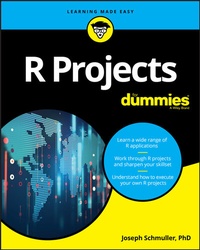
R Projects For Dummies
1st Edition
Published on 18. January 2018
368 pages
978-1-119-44616-3 (ISBN)
Description

Make the most of R's extensive toolset
R Projects For Dummies offers a unique learn-by-doing approach. You will increase the depth and breadth of your R skillset by completing a wide variety of projects. By using R's graphics, interactive, and machine learning tools, you'll learn to apply R's extensive capabilities in an array of scenarios. The depth of the project experience is unmatched by any other content online or in print. And you just might increase your statistics knowledge along the way, too!
R is a free tool, and it's the basis of a huge amount of work in data science. It's taking the place of costly statistical software that sometimes takes a long time to learn. One reason is that you can use just a few R commands to create sophisticated analyses. Another is that easy-to-learn R graphics enable you make the results of those analyses available to a wide audience.
This book will help you sharpen your skills by applying them in the context of projects with R, including dashboards, image processing, data reduction, mapping, and more.
* Appropriate for R users at all levels
* Helps R programmers plan and complete their own projects
* Focuses on R functions and packages
* Shows how to carry out complex analyses by just entering a few commands
If you're brand new to R or just want to brush up on your skills, R Projects For Dummies will help you complete your projects with ease.
R Projects For Dummies offers a unique learn-by-doing approach. You will increase the depth and breadth of your R skillset by completing a wide variety of projects. By using R's graphics, interactive, and machine learning tools, you'll learn to apply R's extensive capabilities in an array of scenarios. The depth of the project experience is unmatched by any other content online or in print. And you just might increase your statistics knowledge along the way, too!
R is a free tool, and it's the basis of a huge amount of work in data science. It's taking the place of costly statistical software that sometimes takes a long time to learn. One reason is that you can use just a few R commands to create sophisticated analyses. Another is that easy-to-learn R graphics enable you make the results of those analyses available to a wide audience.
This book will help you sharpen your skills by applying them in the context of projects with R, including dashboards, image processing, data reduction, mapping, and more.
* Appropriate for R users at all levels
* Helps R programmers plan and complete their own projects
* Focuses on R functions and packages
* Shows how to carry out complex analyses by just entering a few commands
If you're brand new to R or just want to brush up on your skills, R Projects For Dummies will help you complete your projects with ease.
More details
Other editions
Additional editions
Joseph Schmuller
R Projects For Dummies
Book
04/2018
1st Edition
Wiley
€28.50
Shipment within 15-20 days
Content
1 - Title Page [Seite 3]
2 - Copyright Page [Seite 4]
3 - Table of Contents [Seite 7]
4 - Introduction [Seite 15]
4.1 - About This Book [Seite 16]
4.1.1 - Part 1: The Tools of the Trade [Seite 16]
4.1.2 - Part 2: Interacting with a User [Seite 16]
4.1.3 - Part 3: Machine Learning [Seite 16]
4.1.4 - Part 4: Large(ish) Data Sets [Seite 16]
4.1.5 - Part 5: Maps and Images [Seite 16]
4.1.6 - Part 6: The Part of Tens [Seite 17]
4.2 - What You Can Safely Skip [Seite 17]
4.3 - Foolish Assumptions [Seite 17]
4.4 - Icons Used in This Book [Seite 17]
4.5 - Beyond the Book [Seite 18]
4.6 - Where to Go from Here [Seite 18]
5 - Part 1 The Tools of the Trade [Seite 19]
5.1 - Chapter 1 R: What It Does and How It Does It [Seite 21]
5.1.1 - Getting R [Seite 21]
5.1.2 - Getting RStudio [Seite 22]
5.1.3 - A Session with R [Seite 25]
5.1.3.1 - The working directory [Seite 25]
5.1.3.2 - Getting started [Seite 26]
5.1.4 - R Functions [Seite 29]
5.1.5 - User-Defined Functions [Seite 30]
5.1.6 - Comments [Seite 32]
5.1.7 - R Structures [Seite 32]
5.1.7.1 - Vectors [Seite 32]
5.1.7.2 - Numerical vectors [Seite 33]
5.1.7.3 - Matrices [Seite 35]
5.1.7.4 - Lists [Seite 38]
5.1.7.5 - Data frames [Seite 39]
5.1.8 - Of for Loops and if Statements [Seite 42]
5.2 - Chapter 2 Working with Packages [Seite 45]
5.2.1 - Installing Packages [Seite 45]
5.2.2 - Examining Data [Seite 47]
5.2.2.1 - Heads and tails [Seite 47]
5.2.2.2 - Missing data [Seite 47]
5.2.2.3 - Subsets [Seite 48]
5.2.3 - R Formulas [Seite 49]
5.2.4 - More Packages [Seite 50]
5.2.5 - Exploring the tidyverse [Seite 51]
5.3 - Chapter 3 Getting Graphic [Seite 57]
5.3.1 - Touching Base [Seite 57]
5.3.1.1 - Histograms [Seite 58]
5.3.1.2 - Density plots [Seite 59]
5.3.1.3 - Bar plots [Seite 61]
5.3.1.4 - Grouping the bars [Seite 63]
5.3.1.5 - Quick Suggested Project [Seite 65]
5.3.1.6 - Pie graphs [Seite 67]
5.3.1.7 - Scatterplots [Seite 67]
5.3.1.8 - Scatterplot matrix [Seite 69]
5.3.1.9 - Box plots [Seite 70]
5.3.2 - Graduating to ggplot2 [Seite 71]
5.3.2.1 - How it works [Seite 72]
5.3.2.2 - Histograms [Seite 73]
5.3.2.3 - Bar plots [Seite 75]
5.3.2.4 - Grouped bar plots [Seite 76]
5.3.2.5 - Grouping yet again [Seite 78]
5.3.2.6 - Scatterplots [Seite 81]
5.3.2.7 - The plot thickens . . . [Seite 82]
5.3.2.8 - Scatterplot matrix [Seite 86]
5.3.2.9 - Box plots [Seite 87]
6 - Part 2 Interacting with a User [Seite 91]
6.1 - Chapter 4 Working with a Browser [Seite 93]
6.1.1 - Getting Your Shine On [Seite 93]
6.1.2 - Creating Your First shiny Project [Seite 94]
6.1.2.1 - The user interface [Seite 97]
6.1.2.2 - The server [Seite 98]
6.1.2.3 - Final steps [Seite 99]
6.1.2.4 - Getting reactive [Seite 100]
6.1.3 - Working with ggplot [Seite 103]
6.1.3.1 - Changing the server [Seite 104]
6.1.3.2 - A few more changes [Seite 106]
6.1.3.3 - Getting reactive with ggplot [Seite 108]
6.1.4 - Another shiny Project [Seite 110]
6.1.4.1 - The base R version [Seite 111]
6.1.4.2 - The ggplot version [Seite 118]
6.1.5 - Suggested Project [Seite 120]
6.2 - Chapter 5 Dashboards - How Dashing! [Seite 121]
6.2.1 - The shinydashboard Package [Seite 121]
6.2.2 - Exploring Dashboard Layouts [Seite 122]
6.2.2.1 - Getting started with the user interface [Seite 123]
6.2.2.2 - Building the user interface: Boxes, boxes, boxes . . . [Seite 124]
6.2.2.3 - Lining up in columns [Seite 131]
6.2.2.4 - A nice trick: Keeping tabs [Seite 135]
6.2.2.5 - Suggested project: Add statistics [Seite 139]
6.2.2.6 - Suggested project: Place valueBoxes in tabPanels [Seite 140]
6.2.3 - Working with the Sidebar [Seite 140]
6.2.3.1 - The user interface [Seite 142]
6.2.3.2 - The server [Seite 145]
6.2.3.3 - Suggested project: Relocate the slider [Seite 147]
6.2.4 - Interacting with Graphics [Seite 149]
6.2.4.1 - Clicks, double-clicks, and brushes - oh, my! [Seite 149]
6.2.4.2 - Why bother with all this? [Seite 152]
6.2.4.3 - Suggested project: Experiment with airquality [Seite 155]
7 - Part 3 Machine Learning [Seite 157]
7.1 - Chapter 6 Tools and Data for Machine Learning Projects [Seite 159]
7.1.1 - The UCI (University of California-Irvine) ML Repository [Seite 160]
7.1.1.1 - Downloading a UCI dataset [Seite 160]
7.1.1.2 - Cleaning up the data [Seite 162]
7.1.1.3 - Exploring the data [Seite 164]
7.1.1.4 - Exploring relationships in the data [Seite 166]
7.1.2 - Introducing the Rattle package [Seite 171]
7.1.3 - Using Rattle with iris [Seite 173]
7.1.3.1 - Getting and (further) exploring the data [Seite 173]
7.1.3.2 - Finding clusters in the data [Seite 176]
7.2 - Chapter 7 Decisions, Decisions, Decisions [Seite 181]
7.2.1 - Decision Tree Components [Seite 181]
7.2.1.1 - Roots and leaves [Seite 182]
7.2.1.2 - Tree construction [Seite 182]
7.2.2 - Decision Trees in R [Seite 183]
7.2.2.1 - Growing the tree in R [Seite 183]
7.2.2.2 - Drawing the tree in R [Seite 185]
7.2.3 - Decision Trees in Rattle [Seite 187]
7.2.3.1 - Creating the tree [Seite 188]
7.2.3.2 - Drawing the tree [Seite 189]
7.2.3.3 - Evaluating the tree [Seite 190]
7.2.4 - Project: A More Complex Decision Tree [Seite 191]
7.2.4.1 - The data: Car evaluation [Seite 191]
7.2.4.2 - Data exploration [Seite 193]
7.2.4.3 - Building and drawing the tree [Seite 194]
7.2.4.4 - Evaluating the tree [Seite 195]
7.2.4.5 - Quick suggested project: Understanding the complexity parameter [Seite 195]
7.2.5 - Suggested Project: Titanic [Seite 196]
7.3 - Chapter 8 Into the Forest, Randomly [Seite 199]
7.3.1 - Growing a Random Forest [Seite 199]
7.3.2 - Random Forests in R [Seite 201]
7.3.2.1 - Building the forest [Seite 201]
7.3.2.2 - Evaluating the forest [Seite 203]
7.3.2.3 - A closer look [Seite 204]
7.3.2.4 - Plotting error [Seite 205]
7.3.2.5 - Plotting importance [Seite 207]
7.3.3 - Project: Identifying Glass [Seite 208]
7.3.3.1 - The data [Seite 208]
7.3.3.2 - Getting the data into Rattle [Seite 209]
7.3.3.3 - Exploring the data [Seite 210]
7.3.3.4 - Growing the random forest [Seite 212]
7.3.3.5 - Visualizing the results [Seite 212]
7.3.4 - Suggested Project: Identifying Mushrooms [Seite 214]
7.4 - Chapter 9 Support Your Local Vector [Seite 215]
7.4.1 - Some Data to Work With [Seite 215]
7.4.1.1 - Using a subset [Seite 216]
7.4.1.2 - Defining a boundary [Seite 216]
7.4.1.3 - Understanding support vectors [Seite 217]
7.4.2 - Separability: It's Usually Nonlinear [Seite 219]
7.4.3 - Support Vector Machines in R [Seite 221]
7.4.3.1 - Working with e1071 [Seite 221]
7.4.3.2 - Working with kernlab [Seite 226]
7.4.4 - Project: House Parties [Seite 228]
7.4.4.1 - Reading in the data [Seite 230]
7.4.4.2 - Exploring the data [Seite 231]
7.4.4.3 - Creating the SVM [Seite 232]
7.4.4.4 - Evaluating the SVM [Seite 234]
7.4.5 - Suggested Project: Titanic Again [Seite 234]
7.5 - Chapter 10 K-Means Clustering [Seite 235]
7.5.1 - How It Works [Seite 235]
7.5.2 - K-Means Clustering in R [Seite 237]
7.5.2.1 - Setting up and analyzing the data [Seite 237]
7.5.2.2 - Understanding the output [Seite 238]
7.5.2.3 - Visualizing the clusters [Seite 239]
7.5.2.4 - Finding the optimum number of clusters [Seite 240]
7.5.2.5 - Quick suggested project: Adding the sepals [Seite 243]
7.5.3 - Project: Glass Clusters [Seite 245]
7.5.3.1 - The data [Seite 245]
7.5.3.2 - Starting Rattle and exploring the data [Seite 246]
7.5.3.3 - Preparing to cluster [Seite 247]
7.5.3.4 - Doing the clustering [Seite 248]
7.5.3.5 - Going beyond Rattle [Seite 248]
7.5.4 - Suggested Project: A Few Quick Ones [Seite 249]
7.5.4.1 - Visualizing data points and clusters [Seite 249]
7.5.4.2 - The optimum number of clusters [Seite 250]
7.5.4.3 - Adding variables [Seite 250]
7.6 - Chapter 11 Neural Networks [Seite 251]
7.6.1 - Networks in the Nervous System [Seite 251]
7.6.2 - Artificial Neural Networks [Seite 252]
7.6.2.1 - Overview [Seite 252]
7.6.2.2 - Input layer and hidden layer [Seite 253]
7.6.2.3 - Output layer [Seite 254]
7.6.2.4 - How it all works [Seite 254]
7.6.3 - Neural Networks in R [Seite 255]
7.6.3.1 - Building a neural network for the iris data frame [Seite 255]
7.6.3.2 - Plotting the network [Seite 257]
7.6.3.3 - Evaluating the network [Seite 258]
7.6.3.4 - Quick suggested project: Those sepals [Seite 259]
7.6.4 - Project: Banknotes [Seite 259]
7.6.4.1 - The data [Seite 259]
7.6.4.2 - Taking a quick look ahead [Seite 260]
7.6.4.3 - Setting up Rattle [Seite 261]
7.6.4.4 - Evaluating the network [Seite 263]
7.6.4.5 - Going beyond Rattle: Visualizing the network [Seite 263]
7.6.5 - Suggested Projects: Rattling Around [Seite 265]
8 - Part 4 Large(ish) Data Sets [Seite 267]
8.1 - Chapter 12 Exploring Marketing [Seite 269]
8.1.1 - Project: Analyzing Retail Data [Seite 269]
8.1.1.1 - The data [Seite 270]
8.1.1.2 - RFM in R [Seite 271]
8.1.2 - Enter Machine Learning [Seite 279]
8.1.2.1 - K-means clustering [Seite 279]
8.1.2.2 - Working with Rattle [Seite 281]
8.1.2.3 - Digging into the clusters [Seite 282]
8.1.2.4 - The clusters and the classes [Seite 284]
8.1.2.5 - Quick suggested project [Seite 285]
8.1.3 - Suggested Project: Another Data Set [Seite 286]
8.2 - Chapter 13 From the City That Never Sleeps [Seite 289]
8.2.1 - Examining the Data Set [Seite 289]
8.2.2 - Warming Up [Seite 290]
8.2.2.1 - Glimpsing and viewing [Seite 290]
8.2.2.2 - Piping, filtering, and grouping [Seite 291]
8.2.2.3 - Visualizing [Seite 293]
8.2.2.4 - Joining [Seite 294]
8.2.2.5 - Quick Suggested Project: Airline names [Seite 297]
8.2.3 - Project: Departure Delays [Seite 297]
8.2.3.1 - Adding a variable: weekday [Seite 297]
8.2.3.2 - Quick Suggested Project: Analyze weekday differences [Seite 298]
8.2.3.3 - Delay, weekday, and airport [Seite 299]
8.2.3.4 - Delay and flight duration [Seite 301]
8.2.4 - Suggested Project: Delay and Weather [Seite 303]
9 - Part 5 Maps and Images [Seite 305]
9.1 - Chapter 14 All Over the Map [Seite 307]
9.1.1 - Project: The Airports of Wisconsin [Seite 307]
9.1.1.1 - Dispensing with the preliminaries [Seite 307]
9.1.1.2 - Getting the state geographic data [Seite 308]
9.1.1.3 - Getting the airport geographic data [Seite 309]
9.1.1.4 - Plotting the airports on the state map [Seite 312]
9.1.1.5 - Quick Suggested Project: Another source of airport geographic info [Seite 313]
9.1.2 - Suggested Project 1: Map Your State [Seite 313]
9.1.3 - Suggested Project 2: Map the Country [Seite 313]
9.1.3.1 - Plotting the state capitals [Seite 315]
9.1.3.2 - Plotting the airports [Seite 316]
9.2 - Chapter 15 Fun with Pictures [Seite 319]
9.2.1 - Polishing a Picture: It's magick! [Seite 319]
9.2.1.1 - Reading the image [Seite 320]
9.2.1.2 - Rotating, flipping, and flopping [Seite 321]
9.2.1.3 - Annotating [Seite 322]
9.2.1.4 - Combining transformations [Seite 323]
9.2.1.5 - Quick suggested project: Three F's [Seite 323]
9.2.1.6 - Combining images [Seite 324]
9.2.1.7 - Animating [Seite 325]
9.2.1.8 - Making your own morphs [Seite 326]
9.2.2 - Project: Two Legends in Search of a Legend [Seite 327]
9.2.2.1 - Getting Stan and Ollie [Seite 327]
9.2.2.2 - Combining the boys with the background [Seite 328]
9.2.2.3 - Explaining image_apply() [Seite 328]
9.2.2.4 - Getting back to the animation [Seite 330]
9.2.3 - Suggested Project: Combine an Animation with a Plot [Seite 330]
10 - Part 6 The Part of Tens [Seite 333]
10.1 - Chapter 16 More Than Ten Packages for Your R Projects [Seite 335]
10.1.1 - Machine Learning [Seite 335]
10.1.2 - Databases [Seite 336]
10.1.3 - Maps [Seite 336]
10.1.4 - Image Processing [Seite 338]
10.1.5 - Text Analysis [Seite 338]
10.2 - Chapter 17 More than Ten Useful Resources [Seite 341]
10.2.1 - Interacting with Users [Seite 341]
10.2.2 - Machine Learning [Seite 342]
10.2.3 - Databases [Seite 342]
10.2.4 - Maps and Images [Seite 343]
11 - Index [Seite 345]
12 - EULA [Seite 363]
2 - Copyright Page [Seite 4]
3 - Table of Contents [Seite 7]
4 - Introduction [Seite 15]
4.1 - About This Book [Seite 16]
4.1.1 - Part 1: The Tools of the Trade [Seite 16]
4.1.2 - Part 2: Interacting with a User [Seite 16]
4.1.3 - Part 3: Machine Learning [Seite 16]
4.1.4 - Part 4: Large(ish) Data Sets [Seite 16]
4.1.5 - Part 5: Maps and Images [Seite 16]
4.1.6 - Part 6: The Part of Tens [Seite 17]
4.2 - What You Can Safely Skip [Seite 17]
4.3 - Foolish Assumptions [Seite 17]
4.4 - Icons Used in This Book [Seite 17]
4.5 - Beyond the Book [Seite 18]
4.6 - Where to Go from Here [Seite 18]
5 - Part 1 The Tools of the Trade [Seite 19]
5.1 - Chapter 1 R: What It Does and How It Does It [Seite 21]
5.1.1 - Getting R [Seite 21]
5.1.2 - Getting RStudio [Seite 22]
5.1.3 - A Session with R [Seite 25]
5.1.3.1 - The working directory [Seite 25]
5.1.3.2 - Getting started [Seite 26]
5.1.4 - R Functions [Seite 29]
5.1.5 - User-Defined Functions [Seite 30]
5.1.6 - Comments [Seite 32]
5.1.7 - R Structures [Seite 32]
5.1.7.1 - Vectors [Seite 32]
5.1.7.2 - Numerical vectors [Seite 33]
5.1.7.3 - Matrices [Seite 35]
5.1.7.4 - Lists [Seite 38]
5.1.7.5 - Data frames [Seite 39]
5.1.8 - Of for Loops and if Statements [Seite 42]
5.2 - Chapter 2 Working with Packages [Seite 45]
5.2.1 - Installing Packages [Seite 45]
5.2.2 - Examining Data [Seite 47]
5.2.2.1 - Heads and tails [Seite 47]
5.2.2.2 - Missing data [Seite 47]
5.2.2.3 - Subsets [Seite 48]
5.2.3 - R Formulas [Seite 49]
5.2.4 - More Packages [Seite 50]
5.2.5 - Exploring the tidyverse [Seite 51]
5.3 - Chapter 3 Getting Graphic [Seite 57]
5.3.1 - Touching Base [Seite 57]
5.3.1.1 - Histograms [Seite 58]
5.3.1.2 - Density plots [Seite 59]
5.3.1.3 - Bar plots [Seite 61]
5.3.1.4 - Grouping the bars [Seite 63]
5.3.1.5 - Quick Suggested Project [Seite 65]
5.3.1.6 - Pie graphs [Seite 67]
5.3.1.7 - Scatterplots [Seite 67]
5.3.1.8 - Scatterplot matrix [Seite 69]
5.3.1.9 - Box plots [Seite 70]
5.3.2 - Graduating to ggplot2 [Seite 71]
5.3.2.1 - How it works [Seite 72]
5.3.2.2 - Histograms [Seite 73]
5.3.2.3 - Bar plots [Seite 75]
5.3.2.4 - Grouped bar plots [Seite 76]
5.3.2.5 - Grouping yet again [Seite 78]
5.3.2.6 - Scatterplots [Seite 81]
5.3.2.7 - The plot thickens . . . [Seite 82]
5.3.2.8 - Scatterplot matrix [Seite 86]
5.3.2.9 - Box plots [Seite 87]
6 - Part 2 Interacting with a User [Seite 91]
6.1 - Chapter 4 Working with a Browser [Seite 93]
6.1.1 - Getting Your Shine On [Seite 93]
6.1.2 - Creating Your First shiny Project [Seite 94]
6.1.2.1 - The user interface [Seite 97]
6.1.2.2 - The server [Seite 98]
6.1.2.3 - Final steps [Seite 99]
6.1.2.4 - Getting reactive [Seite 100]
6.1.3 - Working with ggplot [Seite 103]
6.1.3.1 - Changing the server [Seite 104]
6.1.3.2 - A few more changes [Seite 106]
6.1.3.3 - Getting reactive with ggplot [Seite 108]
6.1.4 - Another shiny Project [Seite 110]
6.1.4.1 - The base R version [Seite 111]
6.1.4.2 - The ggplot version [Seite 118]
6.1.5 - Suggested Project [Seite 120]
6.2 - Chapter 5 Dashboards - How Dashing! [Seite 121]
6.2.1 - The shinydashboard Package [Seite 121]
6.2.2 - Exploring Dashboard Layouts [Seite 122]
6.2.2.1 - Getting started with the user interface [Seite 123]
6.2.2.2 - Building the user interface: Boxes, boxes, boxes . . . [Seite 124]
6.2.2.3 - Lining up in columns [Seite 131]
6.2.2.4 - A nice trick: Keeping tabs [Seite 135]
6.2.2.5 - Suggested project: Add statistics [Seite 139]
6.2.2.6 - Suggested project: Place valueBoxes in tabPanels [Seite 140]
6.2.3 - Working with the Sidebar [Seite 140]
6.2.3.1 - The user interface [Seite 142]
6.2.3.2 - The server [Seite 145]
6.2.3.3 - Suggested project: Relocate the slider [Seite 147]
6.2.4 - Interacting with Graphics [Seite 149]
6.2.4.1 - Clicks, double-clicks, and brushes - oh, my! [Seite 149]
6.2.4.2 - Why bother with all this? [Seite 152]
6.2.4.3 - Suggested project: Experiment with airquality [Seite 155]
7 - Part 3 Machine Learning [Seite 157]
7.1 - Chapter 6 Tools and Data for Machine Learning Projects [Seite 159]
7.1.1 - The UCI (University of California-Irvine) ML Repository [Seite 160]
7.1.1.1 - Downloading a UCI dataset [Seite 160]
7.1.1.2 - Cleaning up the data [Seite 162]
7.1.1.3 - Exploring the data [Seite 164]
7.1.1.4 - Exploring relationships in the data [Seite 166]
7.1.2 - Introducing the Rattle package [Seite 171]
7.1.3 - Using Rattle with iris [Seite 173]
7.1.3.1 - Getting and (further) exploring the data [Seite 173]
7.1.3.2 - Finding clusters in the data [Seite 176]
7.2 - Chapter 7 Decisions, Decisions, Decisions [Seite 181]
7.2.1 - Decision Tree Components [Seite 181]
7.2.1.1 - Roots and leaves [Seite 182]
7.2.1.2 - Tree construction [Seite 182]
7.2.2 - Decision Trees in R [Seite 183]
7.2.2.1 - Growing the tree in R [Seite 183]
7.2.2.2 - Drawing the tree in R [Seite 185]
7.2.3 - Decision Trees in Rattle [Seite 187]
7.2.3.1 - Creating the tree [Seite 188]
7.2.3.2 - Drawing the tree [Seite 189]
7.2.3.3 - Evaluating the tree [Seite 190]
7.2.4 - Project: A More Complex Decision Tree [Seite 191]
7.2.4.1 - The data: Car evaluation [Seite 191]
7.2.4.2 - Data exploration [Seite 193]
7.2.4.3 - Building and drawing the tree [Seite 194]
7.2.4.4 - Evaluating the tree [Seite 195]
7.2.4.5 - Quick suggested project: Understanding the complexity parameter [Seite 195]
7.2.5 - Suggested Project: Titanic [Seite 196]
7.3 - Chapter 8 Into the Forest, Randomly [Seite 199]
7.3.1 - Growing a Random Forest [Seite 199]
7.3.2 - Random Forests in R [Seite 201]
7.3.2.1 - Building the forest [Seite 201]
7.3.2.2 - Evaluating the forest [Seite 203]
7.3.2.3 - A closer look [Seite 204]
7.3.2.4 - Plotting error [Seite 205]
7.3.2.5 - Plotting importance [Seite 207]
7.3.3 - Project: Identifying Glass [Seite 208]
7.3.3.1 - The data [Seite 208]
7.3.3.2 - Getting the data into Rattle [Seite 209]
7.3.3.3 - Exploring the data [Seite 210]
7.3.3.4 - Growing the random forest [Seite 212]
7.3.3.5 - Visualizing the results [Seite 212]
7.3.4 - Suggested Project: Identifying Mushrooms [Seite 214]
7.4 - Chapter 9 Support Your Local Vector [Seite 215]
7.4.1 - Some Data to Work With [Seite 215]
7.4.1.1 - Using a subset [Seite 216]
7.4.1.2 - Defining a boundary [Seite 216]
7.4.1.3 - Understanding support vectors [Seite 217]
7.4.2 - Separability: It's Usually Nonlinear [Seite 219]
7.4.3 - Support Vector Machines in R [Seite 221]
7.4.3.1 - Working with e1071 [Seite 221]
7.4.3.2 - Working with kernlab [Seite 226]
7.4.4 - Project: House Parties [Seite 228]
7.4.4.1 - Reading in the data [Seite 230]
7.4.4.2 - Exploring the data [Seite 231]
7.4.4.3 - Creating the SVM [Seite 232]
7.4.4.4 - Evaluating the SVM [Seite 234]
7.4.5 - Suggested Project: Titanic Again [Seite 234]
7.5 - Chapter 10 K-Means Clustering [Seite 235]
7.5.1 - How It Works [Seite 235]
7.5.2 - K-Means Clustering in R [Seite 237]
7.5.2.1 - Setting up and analyzing the data [Seite 237]
7.5.2.2 - Understanding the output [Seite 238]
7.5.2.3 - Visualizing the clusters [Seite 239]
7.5.2.4 - Finding the optimum number of clusters [Seite 240]
7.5.2.5 - Quick suggested project: Adding the sepals [Seite 243]
7.5.3 - Project: Glass Clusters [Seite 245]
7.5.3.1 - The data [Seite 245]
7.5.3.2 - Starting Rattle and exploring the data [Seite 246]
7.5.3.3 - Preparing to cluster [Seite 247]
7.5.3.4 - Doing the clustering [Seite 248]
7.5.3.5 - Going beyond Rattle [Seite 248]
7.5.4 - Suggested Project: A Few Quick Ones [Seite 249]
7.5.4.1 - Visualizing data points and clusters [Seite 249]
7.5.4.2 - The optimum number of clusters [Seite 250]
7.5.4.3 - Adding variables [Seite 250]
7.6 - Chapter 11 Neural Networks [Seite 251]
7.6.1 - Networks in the Nervous System [Seite 251]
7.6.2 - Artificial Neural Networks [Seite 252]
7.6.2.1 - Overview [Seite 252]
7.6.2.2 - Input layer and hidden layer [Seite 253]
7.6.2.3 - Output layer [Seite 254]
7.6.2.4 - How it all works [Seite 254]
7.6.3 - Neural Networks in R [Seite 255]
7.6.3.1 - Building a neural network for the iris data frame [Seite 255]
7.6.3.2 - Plotting the network [Seite 257]
7.6.3.3 - Evaluating the network [Seite 258]
7.6.3.4 - Quick suggested project: Those sepals [Seite 259]
7.6.4 - Project: Banknotes [Seite 259]
7.6.4.1 - The data [Seite 259]
7.6.4.2 - Taking a quick look ahead [Seite 260]
7.6.4.3 - Setting up Rattle [Seite 261]
7.6.4.4 - Evaluating the network [Seite 263]
7.6.4.5 - Going beyond Rattle: Visualizing the network [Seite 263]
7.6.5 - Suggested Projects: Rattling Around [Seite 265]
8 - Part 4 Large(ish) Data Sets [Seite 267]
8.1 - Chapter 12 Exploring Marketing [Seite 269]
8.1.1 - Project: Analyzing Retail Data [Seite 269]
8.1.1.1 - The data [Seite 270]
8.1.1.2 - RFM in R [Seite 271]
8.1.2 - Enter Machine Learning [Seite 279]
8.1.2.1 - K-means clustering [Seite 279]
8.1.2.2 - Working with Rattle [Seite 281]
8.1.2.3 - Digging into the clusters [Seite 282]
8.1.2.4 - The clusters and the classes [Seite 284]
8.1.2.5 - Quick suggested project [Seite 285]
8.1.3 - Suggested Project: Another Data Set [Seite 286]
8.2 - Chapter 13 From the City That Never Sleeps [Seite 289]
8.2.1 - Examining the Data Set [Seite 289]
8.2.2 - Warming Up [Seite 290]
8.2.2.1 - Glimpsing and viewing [Seite 290]
8.2.2.2 - Piping, filtering, and grouping [Seite 291]
8.2.2.3 - Visualizing [Seite 293]
8.2.2.4 - Joining [Seite 294]
8.2.2.5 - Quick Suggested Project: Airline names [Seite 297]
8.2.3 - Project: Departure Delays [Seite 297]
8.2.3.1 - Adding a variable: weekday [Seite 297]
8.2.3.2 - Quick Suggested Project: Analyze weekday differences [Seite 298]
8.2.3.3 - Delay, weekday, and airport [Seite 299]
8.2.3.4 - Delay and flight duration [Seite 301]
8.2.4 - Suggested Project: Delay and Weather [Seite 303]
9 - Part 5 Maps and Images [Seite 305]
9.1 - Chapter 14 All Over the Map [Seite 307]
9.1.1 - Project: The Airports of Wisconsin [Seite 307]
9.1.1.1 - Dispensing with the preliminaries [Seite 307]
9.1.1.2 - Getting the state geographic data [Seite 308]
9.1.1.3 - Getting the airport geographic data [Seite 309]
9.1.1.4 - Plotting the airports on the state map [Seite 312]
9.1.1.5 - Quick Suggested Project: Another source of airport geographic info [Seite 313]
9.1.2 - Suggested Project 1: Map Your State [Seite 313]
9.1.3 - Suggested Project 2: Map the Country [Seite 313]
9.1.3.1 - Plotting the state capitals [Seite 315]
9.1.3.2 - Plotting the airports [Seite 316]
9.2 - Chapter 15 Fun with Pictures [Seite 319]
9.2.1 - Polishing a Picture: It's magick! [Seite 319]
9.2.1.1 - Reading the image [Seite 320]
9.2.1.2 - Rotating, flipping, and flopping [Seite 321]
9.2.1.3 - Annotating [Seite 322]
9.2.1.4 - Combining transformations [Seite 323]
9.2.1.5 - Quick suggested project: Three F's [Seite 323]
9.2.1.6 - Combining images [Seite 324]
9.2.1.7 - Animating [Seite 325]
9.2.1.8 - Making your own morphs [Seite 326]
9.2.2 - Project: Two Legends in Search of a Legend [Seite 327]
9.2.2.1 - Getting Stan and Ollie [Seite 327]
9.2.2.2 - Combining the boys with the background [Seite 328]
9.2.2.3 - Explaining image_apply() [Seite 328]
9.2.2.4 - Getting back to the animation [Seite 330]
9.2.3 - Suggested Project: Combine an Animation with a Plot [Seite 330]
10 - Part 6 The Part of Tens [Seite 333]
10.1 - Chapter 16 More Than Ten Packages for Your R Projects [Seite 335]
10.1.1 - Machine Learning [Seite 335]
10.1.2 - Databases [Seite 336]
10.1.3 - Maps [Seite 336]
10.1.4 - Image Processing [Seite 338]
10.1.5 - Text Analysis [Seite 338]
10.2 - Chapter 17 More than Ten Useful Resources [Seite 341]
10.2.1 - Interacting with Users [Seite 341]
10.2.2 - Machine Learning [Seite 342]
10.2.3 - Databases [Seite 342]
10.2.4 - Maps and Images [Seite 343]
11 - Index [Seite 345]
12 - EULA [Seite 363]
