

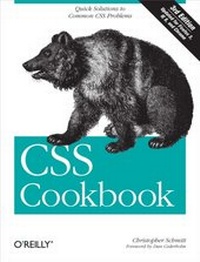
CSS Cookbook
Quick Solutions to Common CSS Problems
1st Edition
Published on 15. December 2009
732 pages
978-1-4493-8294-0 (ISBN)
Description

Learn how to solve the real problems you face with CSS. This cookbook offers hundreds of practical examples for using CSS to format your web pages, and includes code samples you can use right away. You'll find exactly what you need, from the basics to complex hacks and workarounds.Each recipe explains how to customize a solution to meet your needs, and each chapter features a sample design that showcases the topics discussed. You'll learn about the behavior of the latest browsers-including IE 8, Firefox 3, Safari 4, and Google Chromeand how you can resolve differences in the ways they display your web pages. Arranged in a convenient format for quick reference, this third edition is a valuable companion for anyone working with CSS.Learn the basics, such as the CSS rule structureWork with web typography and page layoutCreate effects for images and other page elementsLearn techniques for configuring lists, forms, and tablesDesign effective web navigation and create custom linksGet creative by combining CSS with JavaScriptLearn useful troubleshooting techniquesExplore features of HTML5 and CSS3
More details
Other editions
Additional editions
Book
02/2010
3rd Edition
O'Reilly
€47.00
Shipment within 10-20 days
Previous edition
Content
- Intro
- Table of Contents
- Foreword
- Preface
- Audience
- Assumptions This Book Makes
- Contents of This Book
- Conventions Used in This Book
- Using Code Examples
- We'd Like to Hear from You
- Safari® Books Online
- Acknowledgments
- Chapter 1. Using HTML Basics
- 1.0 Introduction
- Structuring Documents
- Semantic Markup
- Avoiding Old-Tag Soup
- HTML Is Document Structure
- 1.1 Picking a Text Editor
- Problem
- Solution
- Discussion
- More robust, still free
- IDE solutions
- See Also
- 1.2 Coding a Basic HTML Page
- Problem
- Solution
- Discussion
- See Also
- 1.3 Understanding DOCTYPEs and Effects on Browser Layout
- Problem
- Solution
- Discussion
- Quirks mode
- Why not use the latest DOCTYPE?
- The smallest web page ever
- See Also
- 1.4 Marking Up Headers
- Problem
- Solution
- Discussion
- See Also
- 1.5 Making Appropriate Quotations
- Problem
- Solution
- Discussion
- See Also
- 1.6 Adding an Image
- Problem
- Solution
- Discussion
- Additional tips
- File formats
- Character case sensitivity
- See Also
- 1.7 Adding Audio with HTML5
- Problem
- Solution
- Discussion
- Audio compatibility
- See Also
- 1.8 Incorporating Video with HTML5
- Problem
- Solution
- Discussion
- See Also
- 1.9 Using strong and em Effectively
- Problem
- Solution
- Discussion
- See Also
- 1.10 Creating Lists
- Problem
- Solution
- Discussion
- See Also
- 1.11 Making a Link to a Web Page
- Problem
- Solution
- Discussion
- Linking to another web page on the same site
- Moving up folders
- Using the root relative link
- Linking to certain elements within a web page
- See Also
- 1.12 Coding Tables
- Problem
- Solution
- Discussion
- See Also
- 1.13 Creating an HTML vCard (hCard)
- Problem
- Solution
- Discussion
- Extending hCards
- See Also
- 1.14 Marking Up an Event (hCalendar)
- Problem
- Solution
- Discussion
- See Also
- 1.15 Validating HTML
- Problem
- Solution
- Discussion
- Creating an HTML validator bookmarklet
- See Also
- Chapter 2. CSS Basics
- 2.0 Introduction
- 2.1 Applying CSS Rules to a Web Page
- Problem
- Solution
- Discussion
- Wrapping the CSS rules
- See Also
- 2.2 Using Basic Selectors to Apply Styles
- Problem
- Solution
- Discussion
- Type selectors
- Class selectors
- ID selectors
- Descendant selectors
- Universal selectors
- See Also
- 2.3 Applying Child Selectors
- Problem
- Solution
- Discussion
- See Also
- 2.4 Applying Adjacent Selectors
- Problem
- Solution
- Discussion
- See Also
- 2.5 Applying Attribute Selectors
- Problem
- Solution
- Discussion
- See Also
- 2.6 Using Pseudo-Classes
- Problem
- Solution
- Discussion
- CSS3 pseudo-classes
- See Also
- 2.7 Using Pseudo-Elements
- Problem
- Solution
- Discussion
- See Also
- 2.8 Determining When to Use Class and ID Selectors
- Problem
- Solution
- Discussion
- HTML5 divisions
- See Also
- 2.9 Understanding CSS Properties
- Problem
- Solution
- Discussion
- See Also
- 2.10 Understanding the Box Model
- Problem
- Solution
- Discussion
- See Also
- 2.11 Associating Styles to a Web Page
- Problem
- Solution
- Discussion
- When to use inline styles
- When to use internal stylesheets
- See Also
- 2.12 Understanding the Origin
- Problem
- Solution
- Discussion
- See Also
- 2.13 Understanding the Sort Order Within CSS
- Problem
- Solution
- Discussion
- See Also
- 2.14 Using !important to Override Certain CSS Rules
- Problem
- Solution
- Discussion
- The user controls his experience
- See Also
- 2.15 Clarifying Specificity
- Problem
- Solution
- Discussion
- See Also
- 2.16 Setting Up Different Types of Stylesheets
- Problem
- Solution
- Discussion
- See Also
- 2.17 Adding Comments Within Stylesheets
- Problem
- Solution
- Discussion
- See Also
- 2.18 Organizing the Contents of a Stylesheet
- Problem
- Solution
- Discussion
- See Also
- 2.19 Working with Shorthand Properties
- Problem
- Solution
- Discussion
- See Also
- 2.20 Setting Up an Alternate Stylesheet
- Problem
- Solution
- Discussion
- See Also
- 2.21 Using Floats
- Problem
- Solution
- Discussion
- See Also
- 2.22 Using Self-Clearing Floated Elements
- Problem
- Solution
- Discussion
- Self-clearing floats
- Using overflow
- See Also
- 2.23 Using Absolute Positioning
- Problem
- Solution
- Discussion
- See Also
- 2.24 Using Relative Positioning
- Problem
- Solution
- Discussion
- See Also
- 2.25 Using Shackling Positioning
- Problem
- Solution
- Discussion
- See Also
- 2.26 Stacking Elements with z-index
- Problem
- Solution
- Discussion
- See Also
- 2.27 Validating CSS Rules
- Problem
- Solution
- Discussion
- Creating a CSS validator bookmarklet
- See Also
- Chapter 3. Web Typography
- 3.0 Introduction
- 3.1 Specifying Fonts
- Problem
- Solution
- Discussion
- Problem finding fonts
- Inheriting fonts throughout a web page
- See Also
- 3.2 Using Web-Safe Fonts
- Problem
- Solution
- Discussion
- Extending web-safe font listings
- More robust stacking
- See Also
- 3.3 Setting an Ampersand Flourish
- Problem
- Solution
- Discussion
- Styling ampersands
- See Also
- 3.4 Embedding Font Files
- Problem
- Solution
- Discussion
- Creating cross-browser embedding
- The problem with embedded fonts
- Third-party workaround
- Other techniques
- See Also
- 3.5 Forcing a Break on Really Long Words
- Problem
- Solution
- Discussion
- See Also
- 3.6 Specifying Font Measurements and Sizes
- Problem
- Solution
- Discussion
- Length units
- Relative units
- Setting the size of fonts to 0 or a negative value
- See Also
- 3.7 Gaining More Cross-Browser Consistency with Font Sizes
- Problem
- Solution
- Discussion
- Using pixels
- Using font keywords
- Using em units to control type
- See Also
- 3.8 Setting Hyphens, Em Dashes, and En Dashes
- Problem
- Solution
- Discussion
- See Also
- 3.9 Centering Text
- Problem
- Solution
- Discussion
- See Also
- 3.10 Setting Text to Be Justified
- Problem
- Solution
- Discussion
- See Also
- 3.11 Indicating an Overflow of Text with an Ellipsis
- Problem
- Solution
- Discussion
- See Also
- 3.12 Removing Space Between Headings and Paragraphs
- Problem
- Solution
- Discussion
- See Also
- 3.13 Setting a Simple Initial Cap
- Problem
- Solution
- Discussion
- See Also
- 3.14 Setting a Larger, Centered Initial Cap
- Problem
- Solution
- Discussion
- See Also
- 3.15 Setting an Initial Cap with Decoration (Imagery)
- Problem
- Solution
- Discussion
- Allow for accessibility
- See Also
- 3.16 Creating a Heading with Stylized Text
- Problem
- Solution
- Discussion
- See Also
- 3.17 Creating a Heading with Stylized Text and Borders
- Problem
- Solution
- Discussion
- See Also
- 3.18 Stylizing a Heading with Text and an Image
- Problem
- Solution
- Discussion
- See Also
- 3.19 Creating a Pull Quote with HTML Text
- Problem
- Solution
- Discussion
- See Also
- 3.20 Placing a Pull Quote to the Side of a Column
- Problem
- Solution
- Discussion
- See Also
- 3.21 Creating a Pull Quote with Borders
- Problem
- Solution
- Discussion
- See Also
- 3.22 Creating a Pull Quote with Images
- Problem
- Solution
- Discussion
- See Also
- 3.23 Setting the Indent in the First Line of a Paragraph
- Problem
- Solution
- Discussion
- See Also
- 3.24 Setting the Indent of Entire Paragraphs
- Problem
- Solution
- Discussion
- See Also
- 3.25 Creating a Hanging Indent
- Problem
- Solution
- Discussion
- Hanging indents safely
- The paired hanging indent
- See Also
- 3.26 Styling the First Line of a Paragraph
- Problem
- Solution
- Discussion
- See Also
- 3.27 Styling the First Line of a Paragraph with an Image
- Problem
- Solution
- Discussion
- See Also
- 3.28 Creating a Highlighted Text Effect
- Problem
- Solution
- Discussion
- See Also
- 3.29 Changing the Text Selection Color
- Problem
- Solution
- Discussion
- See Also
- 3.30 Changing Line Spacing
- Problem
- Solution
- Discussion
- See Also
- 3.31 Adding a Graphic Treatment to HTML Text
- Problem
- Solution
- Discussion
- See Also
- 3.32 Placing a Shadow Behind Text
- Problem
- Solution
- Discussion
- Setting the opacity of the shadow
- Creating a bevel look
- Add a red flame to the top of text
- Known support
- Text shadow for Internet Explorer
- See Also
- 3.33 Adjusting the Space Between Letters and Words
- Problem
- Solution
- Discussion
- Kerning and tracking
- Best practices
- See Also
- 3.34 Applying Baseline Rhythm on Web Typography
- Problem
- Solution
- Discussion
- See Also
- 3.35 Styling Superscripts and Subscripts Without Messing the Text Baseline
- Problem
- Solution
- Discussion
- See Also
- 3.36 Setting Up Multiple Columns of Text
- Problem
- Solution
- Discussion
- Known issues
- See Also
- Chapter 4. Images
- 4.0 Introduction
- 4.1 Transforming Color Images to Black and White in IE with CSS
- Problem
- Solution
- Discussion
- See Also
- 4.2 Setting a Border Around an Image
- Problem
- Solution
- Discussion
- See Also
- 4.3 Setting a Rounded Border Around an Image
- Problem
- Solution
- Discussion
- Specifying corners
- Known issues
- See Also
- 4.4 Removing Borders Set on Images by Default in Some Browsers
- Problem
- Solution
- Discussion
- See Also
- 4.5 Setting a Background Image
- Problem
- Solution
- Discussion
- See Also
- 4.6 Creating a Line of Background Images
- Problem
- Solution
- Discussion
- See Also
- 4.7 Positioning a Background Image
- Problem
- Solution
- Discussion
- See Also
- 4.8 Using Multiple Background Images on One HTML Element
- Problem
- Solution
- Discussion
- Shorthand properties
- Not ready for everyday use
- See Also
- 4.9 Setting Images on a Border
- Problem
- Solution
- Discussion
- See Also
- 4.10 Creating a Stationary Background Image
- Problem
- Solution
- Discussion
- See Also
- 4.11 Stretching Images As the Browser Resizes
- Problem
- Solution
- Discussion
- See Also
- 4.12 Stretching an Image Across the Entire Browser Window
- Problem
- Solution
- Discussion
- Using background-size
- Using an iframe
- See Also
- 4.13 Making Images Scalable
- Problem
- Solution
- Discussion
- Keeping images from expanding
- See Also
- 4.14 Setting How a Browser Renders an Image
- Problem
- Solution
- Discussion
- Smoothing images for Internet Explorer
- See Also
- 4.15 Rotating Images with CSS
- Problem
- Solution
- Discussion
- See Also
- 4.16 Setting Gradients with CSS
- Problem
- Solution
- Discussion
- Setting gradients in Safari
- Setting gradients in Firefox
- Transparency with gradients
- See Also
- 4.17 Creating Transparent PNG Images for IE6 and Later
- Problem
- Solution
- Discussion
- See Also
- 4.18 Using Transparent PNG Images with JavaScript
- Problem
- Solution
- Discussion
- How the script works
- See Also
- 4.19 Overlaying HTML Text on an Image
- Problem
- Solution
- Discussion
- See Also
- 4.20 Replacing HTML Text with an Image
- Problem
- Solution
- Discussion
- Fahrner Image Replacement method
- Phark image replacement method
- CSS3 approach to image replacement
- Problem with the FIR method
- Problem with the Phark method
- See Also
- 4.21 Building a Panoramic Image Presentation
- Problem
- Solution
- Discussion
- See Also
- 4.22 Combining Different Image Formats
- Problem
- Solution
- Discussion
- See Also
- 4.23 Rounding Corners with Fixed-Width Columns
- Problem
- Solution
- Discussion
- Flexible widths
- See Also
- 4.24 Rounding Corners (Sliding Doors Technique)
- Problem
- Solution
- Discussion
- See Also
- 4.25 Rounding Corners (Mountaintop Technique)
- Problem
- Solution
- Discussion
- See Also
- 4.26 Rounding Corners with JavaScript
- Problem
- Solution
- Discussion
- Different colors
- Different sizes
- Different elements
- Specific corners
- See Also
- 4.27 Setting a Shadow on an Element with CSS
- Problem
- Solution
- Discussion
- See Also
- 4.28 Placing a Drop Shadow Behind an Image
- Problem
- Solution
- Discussion
- See Also
- 4.29 Placing a Smooth Drop Shadow Behind an Image
- Problem
- Solution
- Discussion
- See Also
- 4.30 Making Word Balloons
- Problem
- Solution
- Discussion
- See Also
- 4.31 Hindering People from Stealing Your Images
- Problem
- Solution
- Discussion
- Microsoft's Image Toolbar
- No images are safe
- See Also
- 4.32 Inserting Reflections on Images Automatically
- Problem
- Solution
- Discussion
- Customization features
- Known browser issues
- See Also
- 4.33 Using Image Sprites
- Problem
- Solution
- Discussion
- See Also
- 4.34 Clipping Background Images
- Problem
- Solution
- Discussion
- See Also
- 4.35 Applying Masks to Images and Borders
- Problem
- Solution
- Discussion
- See Also
- Chapter 5. Page Elements
- 5.0 Introduction
- 5.1 Eliminating Page Margins
- Problem
- Solution
- Discussion
- See Also
- 5.2 Resetting Browser-Style Defaults for Elements
- Problem
- Solution
- Discussion
- Extending CSS reset
- See Also
- 5.3 Coloring the Scroll Bar in IE
- Problem
- Solution
- Discussion
- Dealing with quirks mode
- Color scroll bars in IE8
- See Also
- 5.4 Techniques for Centering Elements on a Web Page
- Problem
- Solution
- Discussion
- Tables
- Images
- Vertical centering
- See Also
- 5.5 Placing a Page Border
- Problem
- Solution
- Discussion
- Borders on images
- See Also
- 5.6 Placing a Border Around the Browser's Viewport
- Problem
- Solution
- Discussion
- See Also
- 5.7 Customizing a Horizontal Rule
- Problem
- Solution
- Discussion
- See Also
- 5.8 Adding a Lightbox
- Problem
- Solution
- Discussion
- Setting up the files
- Making a slideshow
- Known browser issues
- See Also
- 5.9 Changing the Opacity on Elements
- Problem
- Solution
- Discussion
- Browser support
- See Also
- 5.10 Adjusting the Opacity of Background Colors
- Problem
- Solution
- Discussion
- Supporting Internet Explorer
- See Also
- Chapter 6. Lists
- 6.0 Introduction
- 6.1 Changing the Format of a List
- Problem
- Solution
- Discussion
- See Also
- 6.2 Changing the Color of a List Bullet
- Problem
- Solution
- Discussion
- See Also
- 6.3 Writing Cross-Browser Indentation in Lists
- Problem
- Solution
- Discussion
- Missing markers
- See Also
- 6.4 Placing Dividers Between List Items
- Problem
- Solution
- Discussion
- See Also
- 6.5 Creating Custom Text Markers for Lists
- Problem
- Solution
- Discussion
- See Also
- 6.6 Creating Custom Image Markers for Lists
- Problem
- Solution
- Discussion
- Stopping inheritance
- See Also
- 6.7 Inserting Larger Custom Image Markers for Lists
- Problem
- Solution
- Discussion
- See Also
- 6.8 Making a List Presentation Rich with Imagery
- Problem
- Solution
- Discussion
- See Also
- 6.9 Creating Inline Lists
- Problem
- Solution
- Discussion
- See Also
- 6.10 Making Hanging Indents in a List
- Problem
- Solution
- Discussion
- See Also
- 6.11 Moving the Marker Inside the List
- Problem
- Solution
- Discussion
- See Also
- 6.12 Styling a Definition List
- Problem
- Solution
- Discussion
- Using generated content
- See Also
- 6.13 Styling a Screenplay with the HTML5 dialog Element
- Problem
- Solution
- Discussion
- See Also
- 6.14 Turning a List into a Directory Tree
- Problem
- Solution
- Discussion
- Using CSS3
- See Also
- 6.15 Creating a Star Ranking System
- Problem
- Solution
- Discussion
- See Also
- Chapter 7. Links and Navigation
- 7.0 Introduction
- 7.1 Easily Generating Text-Based Menus and Submenus
- Problem
- Solution
- Discussion
- See Also
- 7.2 Removing Underlines from Links (and Adding Other Styles)
- Problem
- Solution
- Discussion
- See Also
- 7.3 Changing Link Colors
- Problem
- Solution
- Discussion
- See Also
- 7.4 Removing Dotted Lines When Clicking on a Link in Internet Explorer
- Problem
- Solution
- Discussion
- See Also
- 7.5 Changing Link Colors in Different Sections of a Page
- Problem
- Solution
- Discussion
- See Also
- 7.6 Placing Icons at the End of Different Kinds of Links
- Problem
- Solution
- Discussion
- See Also
- 7.7 Changing Cursors
- Problem
- Solution
- Discussion
- See Also
- 7.8 Creating Rollovers Without JavaScript
- Problem
- Solution
- Discussion
- Known issues
- See Also
- 7.9 Animating Rollovers on Links with CSS3 Transitions
- Problem
- Solution
- Discussion
- Timing function
- Duration and delay
- Transition property
- Shorthand property
- Extending transitions to other properties
- See Also
- 7.10 Creating Text Navigation Menus and Rollovers
- Problem
- Solution
- Discussion
- Setting up the list
- Styling the links
- Unordered lists for navigation
- See Also
- 7.11 Adding Submenus to Vertical Menus
- Problem
- Solution
- Discussion
- Limiting styles
- See Also
- 7.12 Building Horizontal Navigation Menus
- Problem
- Solution
- Discussion
- See Also
- 7.13 Building Horizontal Navigation Menus with Drop-Down Menus
- Problem
- Solution
- Discussion
- Drop-down menus over Flash
- See Also
- 7.14 Building a Navigation Menu with Access Keys
- Problem
- Solution
- Discussion
- Known browser issues
- See Also
- 7.15 Creating Breadcrumb Navigation
- Problem
- Solution
- Discussion
- See Also
- 7.16 Creating Image-Based Rollovers
- Problem
- Solution
- Discussion
- Leahy-Langridge image replacement
- Pixy method
- See Also
- 7.17 Creating Collapsible Menus
- Problem
- Solution
- Discussion
- See Also
- 7.18 Creating Contextual Menus
- Problem
- Solution
- Discussion
- See Also
- 7.19 Making Tool Tips with the title Attribute
- Problem
- Solution
- Discussion
- See Also
- 7.20 Designing a Dynamic Tabbed Menu
- Problem
- Solution
- Discussion
- See Also
- 7.21 Changing Styles on Anchored Links
- Problem
- Solution
- Discussion
- Pure CSS collapsible menus
- Known browser issues
- See Also
- Chapter 8. Forms
- 8.0 Introduction
- 8.1 Modifying the Spacing Around a Form
- Problem
- Solution
- Discussion
- See Also
- 8.2 Removing the Space Around a Form
- Problem
- Solution
- Discussion
- See Also
- 8.3 Setting Styles for Input Elements
- Problem
- Solution
- Discussion
- Using attribute selectors
- See Also
- 8.4 Changing Styles on Form Elements When a User Clicks on Them
- Problem
- Solution
- Discussion
- See Also
- 8.5 Applying Different Styles to Different Input Elements in the Same Form
- Problem
- Solution
- Discussion
- Using attribute selectors
- See Also
- 8.6 Setting Styles for textarea Elements
- Problem
- Solution
- Discussion
- See Also
- 8.7 Setting Styles for select and option Elements
- Problem
- Solution
- Discussion
- See Also
- 8.8 Creating a Macintosh-Styled Search Field
- Problem
- Solution
- Discussion
- Search field attributes
- Best practices
- See Also
- 8.9 Styling Form Buttons
- Problem
- Solution
- Discussion
- See Also
- 8.10 Creating an Image Submit Button
- Problem
- Solution
- Discussion
- See Also
- 8.11 Setting Up a Submit-Once-Only Button
- Problem
- Solution
- Discussion
- See Also
- 8.12 Creating a Submit Button That Looks Like HTML Text
- Problem
- Solution
- Discussion
- Browser support
- See Also
- 8.13 Making an HTML Text Link Operate Like a Submit Button
- Problem
- Solution
- Discussion
- See Also
- 8.14 Designing a Web Form Without Tables
- Problem
- Solution
- Discussion
- See Also
- 8.15 Designing a Two-Column Form Without Tables
- Problem
- Solution
- Discussion
- See Also
- 8.16 Integrating Form Feedback with a Form
- Problem
- Solution
- Discussion
- See Also
- 8.17 Styling Access Keys in Web Forms
- Problem
- Solution
- Discussion
- See Also
- 8.18 Grouping Common Form Elements
- Problem
- Solution
- Discussion
- See Also
- 8.19 Entering Data into a Form That Is Similar to a Spreadsheet
- Problem
- Solution
- Discussion
- See Also
- 8.20 Sample Design: A Login Form
- 8.21 Sample Design: A Registration Form
- Chapter 9. Tables
- 9.0 Introduction
- 9.1 Setting the Borders and Cell Padding for Tables
- Problem
- Solution
- Discussion
- Browser issues
- Defining border cells
- See Also
- 9.2 Setting the Cell Spacing
- Problem
- Solution
- Discussion
- See Also
- 9.3 Setting the Style for Captions
- Problem
- Solution
- Discussion
- See Also
- 9.4 Setting the Styles Within Table Cells
- Problem
- Solution
- Discussion
- See Also
- 9.5 Setting the Styles for Table Header Elements
- Problem
- Solution
- Discussion
- See Also
- 9.6 Removing Gaps from Images Placed in Table Cells
- Problem
- Solution
- Discussion
- Vertical alignment
- See Also
- 9.7 Eliminating Gaps Between Table Cells
- Problem
- Solution
- Discussion
- See Also
- 9.8 Creating Alternating Background Colors in Table Rows
- Problem
- Solution
- Discussion
- Alternative solutions
- See Also
- 9.9 Adding a Highlighting Effect on a Table Row
- Problem
- Solution
- Discussion
- See Also
- 9.10 Sample Design: An Elegant Calendar
- Chapter 10. Designing Web Pages for Printing
- 10.0 Introduction
- 10.1 Applying a Stylesheet for Printing to a Web Page
- Problem
- Solution
- Discussion
- Media types
- Using @import when assigning media types
- Using @media when assigning media types
- See Also
- 10.2 Replacing a Color Logo for a Black-and-White Logo When Printing Web Pages
- Problem
- Solution
- Discussion
- See Also
- 10.3 Making a Web Form Print-Ready
- Problem
- Solution
- Discussion
- Using attribute selectors to differentiate form elements
- Adding user friendliness
- See Also
- 10.4 Displaying URIs After Links
- Problem
- Solution
- Discussion
- Placing the domain name before absolute links
- Known browser issues
- See Also
- 10.5 Inserting Special Characters Before Links
- Problem
- Solution
- Discussion
- Known browser issues
- See Also
- 10.6 Setting Page Breaks for a Printed Document
- Problem
- Solution
- Discussion
- Using class selectors
- See Also
- 10.7 Sample Design: A Printer-Friendly Page with CSS
- Setting the Page for Black-and-White Printing
- Designing the Main Heading
- Styling the Article Header and Byline
- Gaining Attention Through the Teaser
- Displaying URIs After Links
- Finishing with the Footer
- Chapter 11. Page Layouts
- 11.0 Introduction
- 11.1 Building a One-Column Layout
- Problem
- Solution
- Discussion
- Creating a fixed-width column
- See Also
- 11.2 Building a Two-Column Layout
- Problem
- Solution
- Discussion
- Flipping the layout
- See Also
- 11.3 Building a Two-Column Layout with Fixed-Width Columns
- Problem
- Solution
- Discussion
- Flipping the layout
- See Also
- 11.4 Creating a Flexible Multicolumn Layout with Floats
- Problem
- Solution
- Discussion
- See Also
- 11.5 Creating a Fixed-Width Multicolumn Layout with Floats
- Problem
- Solution
- Discussion
- See Also
- 11.6 Creating a Flexible Multicolumn Layout with Positioning
- Problem
- Solution
- Discussion
- Known issues
- See Also
- 11.7 Creating a Fixed-Width Multicolumn Layout with Positioning
- Problem
- Solution
- Discussion
- See Also
- 11.8 Using Floats to Display Columns in Any Order
- Problem
- Solution
- Discussion
- The markup
- Defining the columns
- Creating whitespace
- Adjusting the order of columns
- Faking columns
- An alternative solution
- See Also
- 11.9 Designing an Asymmetric Layout
- Problem
- Solution
- Discussion
- See Also
- 11.10 Designing Resolution-Independent Layouts
- Problem
- Solution
- Discussion
- Resolution independence without JavaScript
- See Also
- Chapter 12. Hacks, Workarounds, and Troubleshooting
- 12.0 Introduction
- 12.1 Overriding Inline Styles
- Problem
- Solution
- Discussion
- See Also
- 12.2 Diagnosing CSS Bugs and Browser Issues
- Problem
- Solution
- Discussion
- See Also
- 12.3 Using Bookmarklets to Troubleshoot CSS
- Problem
- Solution
- Discussion
- See Also
- 12.4 Using Browser Extensions to Troubleshoot CSS
- Problem
- Solution
- Discussion
- See Also
- 12.5 Patching Up Internet Explorer 6
- Problem
- Solution
- Discussion
- See Also
- 12.6 Patching Up Internet Explorer 6 with JavaScript
- Problem
- Solution
- Discussion
- Using jQuery
- See Also
- 12.7 Using Conditional Comments to Deliver Styles to Different Versions of Internet Explorer
- Problem
- Solution
- Discussion
- Things to keep in mind
- See Also
- 12.8 Using CSS Filters to Deliver CSS Rules to Almost Any Browser
- Problem
- Solution
- Discussion
- See Also
- 12.9 Setting Up an Intelligent CSS Delivery System for Modern Browsers
- Problem
- Solution
- Discussion
- Server-side solution
- See Also
- 12.10 Testing a Site Design on More Than One Platform with Only One Computer
- Problem
- Solution
- Discussion
- Using a remote screen-capture service
- See Also
- 12.11 Testing a Website with a Text Browser
- Problem
- Solution
- Discussion
- See Also
- Chapter 13. Designing with CSS
- 13.0 Introduction
- 13.1 Enlarging Text Excessively
- Problem
- Solution
- Discussion
- See Also
- 13.2 Creating Unexpected Incongruity
- Problem
- Solution
- Discussion
- See Also
- 13.3 Combining Unlike Elements to Create Contrast
- Problem
- Solution
- Discussion
- See Also
- 13.4 Leading the Eye with Contrast
- Problem
- Solution
- Discussion
- See Also
- 13.5 Checking for Enough Color Contrast
- Problem
- Solution
- Discussion
- Levels of luminosity
- See Also
- 13.6 Emphasizing a Quotation with Smart Quotes
- Problem
- Solution
- Discussion
- See Also
- 13.7 Setting a Moving Background Scene When a User Resizes the Window
- Problem
- Solution
- Discussion
- See Also
- 13.8 Adding Animation to Elements on a Page
- Problem
- Solution
- Discussion
- Animation keyframes
- Animation properties
- See Also
- 13.9 Creating a Fireworks Display As a User Scrolls
- Problem
- Solution
- Discussion
- See Also
- 13.10 Customizing the View Source Stylesheet for Firefox
- Problem
- Solution
- Discussion
- Setting an external editor
- See Also
- 13.11 Designing with Grids (CSS Frameworks)
- Problem
- Solution
- Discussion
- See Also
- 13.12 Sample Design: A Cohesive Web Design
- Setting the Page
- Constricting the Content
- Bringing in the Logo
- The Navigation Menu
- The Secondary Link Menu
- Styling the Content Column
- Working on the Smaller Column
- Finishing with the Footer
- The Final Touches
- 13.13 Sample Design: The U.S. Flag
- The Basic Markup
- Creating the Easel
- Creating Stripes
- Creating Stars
- Adding Texture
- Chapter 14. Interacting with JavaScript
- 14.0 Introduction
- 14.1 Determining Whether JavaScript Is Available Within a Browser
- Problem
- Solution
- Discussion
- See Also
- 14.2 Applying a Different Stylesheet Based on the Time of Day
- Problem
- Solution
- Discussion
- See Also
- 14.3 Redirecting to a Mobile Site Based on the Browser's Screen Width
- Problem
- Solution
- Discussion
- Higher-resolution design
- See Also
- 14.4 Adding a JavaScript Framework to a Web Page
- Problem
- Solution
- Discussion
- See Also
- 14.5 Using CSS3 Selectors in IE6 and IE7
- Problem
- Solution
- Discussion
- Hiding extraneous JavaScript from modern browsers
- Dean Edwards's IE7 script
- See Also
- 14.6 Zebra-Striping an HTML Table with JavaScript
- Problem
- Solution
- Discussion
- Using a pure CSS solution
- See Also
- 14.7 Highlighting a Table Row with Mouseovers
- Problem
- Solution
- Discussion
- Chaining functions
- See Also
- 14.8 Adding Effects to Simple Image Rollovers
- Problem
- Solution
- Discussion
- See Also
- 14.9 Making a Row of Elements with a Variable Amount of Content the Same Height
- Problem
- Solution
- Discussion
- See Also
- 14.10 Setting a Link to Open a New Window
- Problem
- Solution
- Discussion
- See Also
- 14.11 Making an Entire div Element Clickable
- Problem
- Solution
- Discussion
- See Also
- 14.12 Supporting Transparent PNGs in IE6 with JavaScript
- Problem
- Solution
- Discussion
- The trouble with PNGs and IE6
- Finding additional jQuery plug-ins
- See Also
- 14.13 Delivering HTML5 and CSS3 to Browsers That Can Handle Them
- Problem
- Solution
- Discussion
- See Also
- Appendix A. Resources
- General HTML and CSS Instruction
- Design Resources
- Discussion Groups
- References
- Tools
- Appendix B. CSS 2.1 Properties and Proprietary Extensions
- Appendix C. CSS 2.1 Selectors, Pseudo-Classes, and Pseudo-Elements
- Appendix D. CSS3 Selectors and Pseudo-Classes
- Appendix E. Styling of Form Elements
- Anatomy of the Appendix
- Tested CSS Properties
- Input Element for Checkboxes
- background-color
- background-image
- border: 0
- border-color
- border-style
- border-width
- color
- font-family
- font-size
- font-weight
- height
- letter-spacing
- line-height
- margin
- padding
- text-align
- text-decoration
- text-indent
- width
- word-spacing
- Input Element for File Uploads
- background-color
- background-image
- border: 0
- border-color
- border-style
- border-width
- color
- font-family
- font-size
- font-weight
- height
- letter-spacing
- line-height
- margin
- padding
- text-align
- text-decoration
- text-indent
- width
- word-spacing
- Input Element for Radio Buttons
- background-color
- background-image
- border: 0
- border-color
- border-style
- border-width
- color
- font-family
- font-size
- font-weight
- height
- letter-spacing
- line-height
- margin
- padding
- text-align
- text-decoration
- text-indent
- width
- word-spacing
- Input Element for Text
- background-color
- background-image
- border: 0
- border-color
- border-style
- border-width
- color
- font-family
- font-size
- font-weight
- height
- letter-spacing
- line-height
- margin
- padding
- text-align
- text-decoration
- text-indent
- width
- word-spacing
- Select Element for Multiple Options
- background-color
- background-image
- border: 0
- border-color
- border-style
- border-width
- color
- font-family
- font-size
- font-weight
- height
- letter-spacing
- line-height
- margin
- padding
- text-align
- text-decoration
- text-indent
- width
- word-spacing
- Select Element for Single Options
- background-color
- background-image
- border: 0
- border-color
- border-style
- border-width
- color
- font-family
- font-size
- font-weight
- height
- letter-spacing
- line-height
- margin
- padding
- text-align
- text-decoration
- text-indent
- width
- word-spacing
- Submit Element
- background-color
- background-image
- border: 0
- border-color
- border-style
- border-width
- color
- font-family
- font-size
- font-weight
- height
- letter-spacing
- line-height
- margin
- padding
- text-align
- text-decoration
- text-indent
- width
- word-spacing
- Textarea Element
- background-color
- background-image
- border: 0
- border-color
- border-style
- border-width
- color
- font-family
- font-size
- font-weight
- height
- letter-spacing
- line-height
- margin
- padding
- text-align
- text-decoration
- text-indent
- width
- word-spacing
- Index
