

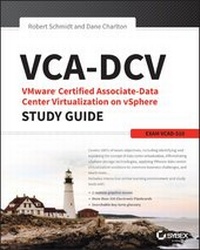
VCA-DCV VMware Certified Associate on vSphere Study Guide
Description

VCA-DCV VMware Certified Associate on vSphere Study Guide: VCAD-510 is a comprehensive study guide for the VMware Certified Associate - Data Center Virtualization exam. Hands-on examples, real-world scenarios, and expert review questions cover the full exam blueprint, and the companion website offers a suite of tools to help you prepare for the exam including practice exams, electronic flashcards, and a glossary of key terms. In addition, the website includes videos that demonstrate how to complete the more challenging tasks. Focused on practical skills, this study guide not only prepares you for the certification exam, but also for the duties expected of a VCA.
The VMware Certified Associate-Data Center Virtualization certification targets those with limited virtualization and VMware data center technology experience, providing a springboard to the popular VMware Certified Professional-Data Center Virtualization certification. Virtualization has become a high priority among organizations, and credentialed professionals are in high demand. This guide helps you prove a certain level of foundational skill in basic virtualization technology, including the vSphere suite's Infrastructure Services, Application Services, and vCenter Server. Topics include:
* Explaining data center virtualization concepts
* Identifying the core components of vSphere
* Networking and storage planning/configuration with vSphere
* Correlating VMware solutions to common business challenges
The VCA-DCV certification is the only one with no instructor-led training requirement, so a thorough study guide is an invaluable tool in you exam preparation. This book not only covers the full exam, but also provides practice designed to actually improve the skills used every day on the job. VCA-DCV VMware Certified Associate on vSphere Study Guide is more than just test prep--it's job prep.
All prices
More details
Other editions
Additional editions
Persons
Dane Charlton, VMware Certified Professional (VCP 2.5, 3, 4, 5), has over 25 years of experience working with information technology for small and large companies. For the last 15 years he's been supporting virtualization efforts along with large messaging environments.
Content
Assessment Test xxi
Chapter 1 Intro to Virtualization 1
What Is Data Center Virtualization? 2
Virtualization Then and Now 3
Physical and Virtual Data Center Components 4
Physical Data Center Components 4
Virtual Data Center Components 5
Physical and Virtual Component Differences 7
Benefits of Using Virtualization 9
Online Tools 13
Summary 14
Exam Essentials 15
Review Questions 16
Chapter 2 VMware Solutions 21
Availability Challenges 22
VMware Availability Products and Technologies 23
Management Challenges 27
VMware Management Products and Technologies 27
Scalability Challenges 28
VMware Scalability Products and Technologies 29
Optimization Challenges 31
VMware Optimization Products and Technologies 32
Summary 36
Exam Essentials 37
Review Questions 39
Chapter 3 vSphere Core Components 43
Virtual Machines 44
What Is a Virtual Machine, Anyway? 44
What Can You Do with Virtual Machines? 45
ESXi Hypervisor 47
vCenter Server 47
vMotion 48
Distributed Resource Scheduler 49
Distributed Power Management 49
Storage vMotion 50
Storage DRS 50
vSphere Data Protection 51
High?]Availability Configuration 51
Fault Tolerance 52
vSphere Replication 52
Migration 53
High Availability 54
Host HA 55
Virtual Machine HA 56
Applications HA 57
Fault Tolerance 57
Clusters and Resource Pools 58
Clusters 58
Resource Pools 59
Other VMware Data Center Products 61
vCenter Operations Manager 61
vSphere Data Protection 62
NSX 62
Virtual SAN 62
vCenter Site Recovery Manager 62
Summary 63
Exam Essentials 64
Review Questions 65
Chapter 4 Storage in a VMware Environment 71
Physical vs. Virtual Storage 72
What Is Shared Storage? 73
VMware Storage Types 75
Local Storage 75
Fibre Channel 76
iSCSI 77
Network File System 77
Virtual Machine File System 78
The VMFS vs. the NFS 78
Disk Provisioning 78
Thick Provisioning 79
Thin Provisioning 80
VMware Virtual Storage Technologies 82
Summary 83
Exam Essentials 84
Review Questions 86
Chapter 5 Networking in a VMware Environment 91
Differentiate Physical and Virtual Networking 92
Physical Switches 92
Virtual Switches 94
Differences Between Physical and Virtual Switches 97
Differentiate VMware Virtual Switch Technologies 97
Standard Virtual Switches 98
Distributed Virtual Switches 98
Identify VMware Virtual Switch Components 101
Standard Virtual Switch 101
Distributed Virtual Switch 102
Identify Common Virtual Switch Policies 103
Port Group Policies 103
Distributed Virtual Switch Policies 106
Identify Capabilities of Network I/O Control 108
Summary 113
Exam Essentials 113
Review Questions 115
Chapter 6 Business Challenges Meet VMware Solutions 119
Availability Challenges and Solutions 120
vMotion 121
Storage vMotion 121
Virtual Machine Snapshots 122
High Availability 123
Fault Tolerance 123
vSphere Replication 124
vSphere Data Protection 124
Site Recovery Manager 125
Management Challenges and Solutions 126
Virtual Machines/Physical?]to?]Virtual Conversions 126
vCenter Server 126
vCenter Configuration Manager 127
Optimization Challenges and Solutions 128
vCenter Operations Manager 128
Thin Provisioning 129
Distributed Switches with QoS 130
Distributed Power Management 130
Storage I/O Control 131
vFlash 131
VM Storage Profiles 131
Memory Ballooning 132
Transparent Page Sharing 132
Scalability Challenges and Solutions 133
Virtual Machines 133
Virtual Machine Templates 134
Distributed Resource Scheduler 135
Storage DRS 135
vSphere Storage Appliance 136
Hot Add 136
Distributed Virtual Switches 136
The Differences between SMB and Enterprise Challenges and Solutions 137
Summary 138
Exam Essentials 139
Review Questions 140
Appendices 145
Appendix A Answers to Review Questions 147
Appendix B Online Resources 159
Index 165
Introduction
Welcome to the VCA-DCV: VMware Certified Associate-Data Center Virtualization on vSphere Study Guide for exam VCAD510. The purpose of this book is to help you prepare for the VCA-DCV exam by becoming familiar with the challenges that businesses face and the tools and technologies that are provided by VMware to help meet those challenges. Even though the book is primarily designed to help with the VCA-DCV, we hope it will also help administrators better understand some of the tools they could be using to make their lives easier as well as gain better insight into the tools that they are using.
We (the authors, Dane Charlton and Robert Schmidt) have extensive backgrounds in information technology and specialize in managing and maintaining large virtual environments. Together we have over 45 years of technology experience that we hope to share in this book.
The book contains all of the information you need to pass the VCA-DCV exam. It also includes notes and warnings to help reduce issues you may be experiencing in your own environment. By studying for and passing this exam, you will gain insight that will make you more valuable in your current position and more likely to get recognized and promoted.
In the remainder of this section, we will present some of the facts about the exam, give some commonsense tips for taking the exam, and review the process for registering.
Exam Facts
Here are some facts for the VCA-DCV: VMware Certified Associate-Data Center Virtualization on vSphere Exam, VCAD510:
- The VCA-DCV exam is administered by Pearson VUE but is taken from home over the Internet.
- There are 50 multiple-choice questions.
- The passing score is 300 out of 500.
- There is a time limit of 75 minutes for the exam.
- There is a short survey before the exam begins (taking the survey does not use any of the available 75 minutes).
- If you do not pass the exam, you can retake it as many times as you want; no waiting period is required.
Tips for Taking the VCA-DCV Exam
Here are some general tips for improving the odds on your certification exam:
- Read each question carefully. Although the test is not written to be confusing, at times the obvious choice is not the correct choice.
- Make sure you answer each question. Any unanswered questions are considered wrong, so you are better off making an educated guess than leaving a question unanswered.
- If you are unsure of the correct answer for a question, use a process of elimination to remove any obviously incorrect answers first. Once you have eliminated the obviously incorrect answers, take an educated guess from the remaining answers.
- If you are unsure about a question, select the answer you think is most likely to be correct, mark it for review, and come back to it at a later time.
- Get a good night's sleep the night before the exam. This will help you be more alert and think more clearly during the exam.
- Before scheduling the exam, review the Exam Blueprint to make sure you understand each of the objectives and review any you are unsure of:
https://mylearn.vmware.com/mgrReg/plan.cfm?plan=41162&ui=www_cert
Exam Registration
You must take the following steps to register for the VCA-DCV exam:
- Using a browser, navigate to the VCA-DCV web page:
https://mylearn.vmware.com/mgrReg/plan.cfm?plan=41162&ui=www_cert - Click the Request Exam Authorization option. If you do not have a mylearn account, you will be prompted to create one.
- Once your authorization for the exam is confirmed, you will be presented with your first name, last name, and candidate ID.
- Go to the Pearson VUE website (
www.pearsonvue.com). Select the For Test Takers option and then input VMware as your program. - Select VCA-DCV and enter your first name, last name, and candidate ID.
- Once you have registered for the exam, keep an eye out for an email with a link to the exam. You will have three days from registering to follow this link and take the exam.
VMware requires certification candidates to accept the terms of a nondisclosure agreement before taking certification exams.
Who Should Read This Book?
This book is intended for individuals who want to earn their VCA-DCV: VMware Certified Associate-Data Center Virtualization on vSphere certification. It would also be useful for any VMware administrators who would like to have an introduction to VMware technologies that they may not use on a day-to-day basis in their current positions.
What's Inside?
Here is a glance at what's in each chapter:
Chapter 1: Intro to Virtualization Introduces some of the basic concepts of VMware virtualization.
Chapter 2: VMware Solutions Shows the types of challenges that businesses face and some of the VMware tools that can help them meet these challenges.
Chapter 3: vSphere Core Components Introduces core technologies that the VMware virtualization suite comprises.
Chapter 4: Storage in a VMware Environment Introduces you to the types of storage that exist in a virtual environment and the tools for managing this storage.
Chapter 5: Networking in a VMware Environment Covers the types of networking technologies that are used in virtual environments and how to use VMware tools to manage them.
Chapter 6: Business Challenges Meet VMware Solutions Presents real-world scenarios of issues that businesses face and discusses the VMware technologies and products that can be used to mitigate these challenges.
What's Included with the Book
This book includes many helpful items intended to prepare you for the VCA-DCV: VMware Certified Associate-Data Center Virtualization on vSphere certification.
Assessment Test The Assessment Test at the conclusion of the book's introduction can be used to quickly evaluate where you are with VMware virtualization products. This test should be taken prior to beginning your work in this book, and it should help you identify areas in which you are either strong or weak. Note that these questions are purposely more simple than the types of questions you may see on the exams.
Objective Map and Opening List of Objectives At the start of this book is a detailed exam objective map showing you where each of the exam objectives is covered in this book. In addition, each chapter opens with a list of the exam objectives it covers. Use these to see exactly where each of the exam topics is covered.
Exam Essentials The end of each chapter provides a brief overview of the concepts covered in the chapter. We recommend reading through these sections carefully to check your recollection of each topic and returning to any sections of the chapter you're not confident about having mastered.
Chapter Review Questions Each chapter includes review questions. The material for these questions is pulled directly from information that was provided in the chapter. These questions are based on the exam objectives, and they are similar in difficulty to items you might receive on the VMware VCA-DCV exam.
Interactive Online Learning Environment and Test Bank
The interactive online learning environment that accompanies VCA-DCV: VMware Certified Associate-Data Center Virtualization on vSphere Study Guide for exam VCAD510 provides a test bank with study tools to help you prepare for the certification exam and increase your chances of passing it the first time! The test bank includes the following:
Sample Tests All of the questions in this book are provided: the Assessment Test, which you'll find at the end of this introduction, and the Chapter Tests that include the Review Questions at the end of each chapter. In addition, there are two Practice Exams. Use these questions to test your knowledge of the Study Guide material. The online test bank runs on multiple devices.
Flashcards Questions are provided in digital flashcard format (a question followed by a single correct answer). You can use the flashcards to reinforce your learning and provide last-minute test prep before the exam.
Other Study Tools A glossary of key terms from this book is available as a fully searchable PDF.
Go to http://sybextestbanks.wiley.com to register and gain access to this interactive online learning environment and test bank with study tools.
How to Use This Book
If you want a solid foundation for preparing for VCA-DCV exam VCAD510, then look no further. We've spent a lot of time putting together this book with the sole intention of helping you to pass the exam!
This book is loaded with valuable information. You'll get the most out of your study time if you follow this approach:
- Take the assessment test immediately following this introduction. (The answers are at the end of the test, but no peeking!) It's OK if you don't know any of the answers-that's what this book is for. Carefully read over the explanations for any question you get wrong, and make note of the chapters where that material is covered.
- Study each chapter carefully, making sure you fully understand the information and the exam objectives listed at the beginning of each one. Again, pay extra-close attention to any chapter that includes material covered in questions...
