

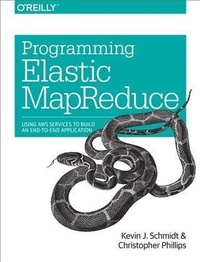
Programming Elastic MapReduce
Using AWS Services to Build an End-to-End Application
Published on 10. December 2013
174 pages
978-1-4493-6405-2 (ISBN)
Description

Although you dont need a large computing infrastructure to process massive amounts of data with Apache Hadoop, it can still be difficult to get started. This practical guide shows you how to quickly launch data analysis projects in the cloud by using Amazon Elastic MapReduce (EMR), the hosted Hadoop framework in Amazon Web Services (AWS).Authors Kevin Schmidt and Christopher Phillips demonstrate best practices for using EMR and various AWS and Apache technologies by walking you through the construction of a sample MapReduce log analysis application. Using code samples and example configurations, youll learn how to assemble the building blocks necessary to solve your biggest data analysis problems.Get an overview of the AWS and Apache software tools used in large-scale data analysisGo through the process of executing a Job Flow with a simple log analyzerDiscover useful MapReduce patterns for filtering and analyzing data setsUse Apache Hive and Pig instead of Java to build a MapReduce Job FlowLearn the basics for using Amazon EMR to run machine learning algorithmsDevelop a project cost model for using Amazon EMR and other AWS tools
More details
Other editions
Additional editions

Kevin Schmidt | Christopher Phillips
Programming Elastic MapReduce
Using AWS Services to Build an End-to-End Application
Book
01/2014
1st Edition
O'Reilly
€33.00
Shipment within 10-20 days
Content
- Intro
- Copyright
- Table of Contents
- Preface
- What Is AWS?
- What's in This Book?
- Sign Up for AWS
- Code Samples in This Book
- Conventions Used in This Book
- Using Code Examples
- Safari® Books Online
- How to Contact Us
- Acknowledgments
- Chapter 1. Introduction to Amazon Elastic MapReduce
- Amazon Web Services Used in This Book
- Amazon Elastic MapReduce
- Amazon EMR and the Hadoop Ecosystem
- Amazon Elastic MapReduce Versus Traditional Hadoop Installs
- Data Locality
- Hardware
- Complexity
- Application Building Blocks
- Chapter 2. Data Collection and Data Analysis with AWS
- Log Analysis Application
- Log Messages as a Data Set for Analytics
- Understanding MapReduce
- Collection Stage
- Simulating Syslog Data
- Generating Logs with Bash
- Moving Data to S3 Storage
- All Roads Lead to S3
- Developing a MapReduce Application
- Custom JAR MapReduce Job
- Running an Amazon EMR Cluster
- Viewing Our Results
- Debugging a Job Flow
- Running Our Job Flow with Debugging
- Reviewing Job Flow Log Structure
- Debug Through the Amazon EMR Console
- Our Application and Real-World Uses
- Chapter 3. Data Filtering Design Patterns and Scheduling Work
- Extending the Application Example
- Understanding Web Server Logs
- Finding Errors in the Web Logs Using Data Filtering
- Mapper Code
- Reducer Code
- Driver Code
- Running the MapReduce Filter Job
- Analyzing the Results
- Building Summary Counts in Data Sets
- Mapper Code
- Reducer Code
- Analyzing the Filtered Counts Job
- Job Flow Scheduling
- Scheduling with the CLI
- Scheduling with AWS Data Pipeline
- Creating a Pipeline
- Adding Data Nodes
- Adding Activities
- Scheduling Pipelines
- Reviewing Pipeline Status
- AWS Pipeline Costs
- Real-World Uses
- Chapter 4. Data Analysis with Hive and Pig in Amazon EMR
- Amazon Job Flow Technologies
- What Is Pig?
- Utilizing Pig in Amazon EMR
- Connecting to the Master Node
- Pig Latin Primer
- Exploring Data with Pig Latin
- Running Pig Scripts in Amazon EMR
- What Is Hive?
- Utilizing Hive in Amazon EMR
- Hive Primer
- Exploring Data with Hive
- Running Hive Scripts in Amazon EMR
- Finding the Top 10 with Hive
- Our Application with Hive and Pig
- Chapter 5. Machine Learning Using EMR
- A Quick Tour of Machine Learning
- Python and EMR
- Why Python?
- The Input Data
- The Mapper
- The Reducer
- Putting It All Together
- What About Java?
- What's Next?
- Chapter 6. Planning AWS Projects and Managing Costs
- Developing a Project Cost Model
- Software Licensing
- AWS and Cloud Licensing
- Private Data Center and AWS Cost Comparisons
- Cost Calculations on an Example Application
- Optimizing AWS Resources to Reduce Project Costs
- Amazon Regions
- Amazon Availability Zones
- EC2 and EMR Costs with On Demand, Reserve, and Spot Instances
- Reserve Instances
- Spot Instances
- Reducing AWS Project Costs
- Amazon Tools for Estimating Your Project Costs
- Appendix A. Amazon Web Services Resources and Tools
- Amazon AWS Online Resources
- Amazon AWS Cost Estimation Tools
- AWS Best Practices and Architecture
- Amazon EMR Distributions
- Appendix B. Cloud Computing, Amazon Web Services, and Their Impacts
- AWS Service Delivery Models
- Platform as a Service
- Infrastructure as a Service
- Storage as a Service
- Performance
- Elasticity and Growth
- Fixed Capacity
- Variable Capacity
- Security
- Security Is a Shared Responsibility
- Data Security in Elastic MapReduce
- Uptime and Availability
- Appendix C. Installation and Setup
- Prerequisites
- Installing Hadoop
- Building MapReduce Applications
- Running MapReduce Applications Locally
- Installing Pig
- Installing Hive
- Index
- About the Authors
