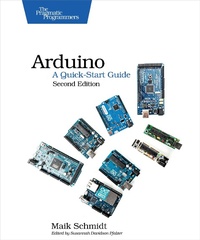
Arduino: A Quick-Start Guide
Description

Arduino is an open-source platform that makes DIY electronics projects easier than ever. Gone are the days when you had to learn electronics theory and arcane programming languages before you could even get an LED to blink. Now, with this new edition of the bestsellingArduino: A Quick-Start Guide, readers with no electronics experience can create their first gadgets quickly. This book is up-to-date for the new Arduino Zero board, with step-by-step instructions for building a universal remote, a motion-sensing game controller, and many other fun, useful projects. This Quick-Start Guide is packed with fun, useful devices to create, with step-by-step instructions and photos throughout. You''ll learn how to connect your Arduino to the Internet and program both client and server applications. You''ll build projects such as your own motion-sensing game controller with a three-axis accelerometer, create a universal remote with an Arduino and a few cheap parts, build your own burglar alarm that emails you whenever someone''s moving in your living room, build binary dice, and learn how to solder. In one of several new projects in this edition, you''ll create your own video game console that you can connect to your TV set. This book is completely updated for the new Arduino Zero board and the latest advances in supporting software and tools for the Arduino. Sidebars throughout the book point you to exciting real-world projects using the Arduino, exercises extend your skills, and "What If It Doesn''t Work" sections help you troubleshoot common problems. With this book, beginners can quickly join the worldwide community of hobbyists and professionals who use the Arduino to prototype and develop fun, useful inventions. What You Need: This is the full list of all parts you''d need for all projects in the book; some of these are provided as part of various kits that are available on the web, or you can purchase individually. Sources include adafruit.com, makershed.com, radioshack.com, sparkfun.com, and mouser.com. Please note we do not support or endorse any of these vendors, but we list them here as aconvenience for you. Arduino Zero (or Uno or Duemilanove or Diecimila) board USB cable Half-size breadboard Pack of LEDs (at least 3, 10 or more is a good idea) Pack of 100 ohm, 10k ohm, and 1k ohm resistors Four pushbuttons Breadboard jumper wire / connector wire Parallax Ping))) sensor Passive Infrared sensor An infrared LED A 5V servo motor Analog Devices TMP36 temperature sensor ADXL335 accelerometer breakout board 6 pin 0.1" standard header (might be included with the ADXL335) Nintendo Nunchuk Controller Arduino Ethernet shield Arduino Proto shield and a tiny breadboard (optional but recommended) Piezo speaker/buzzer (optional) Tilt sensor (optional) A 25-30 Watts soldering iron with a tip (preferrably 1/16") A soldering stand and a sponge A standard 60/40 solder (rosin-core) spool for electronics work
More details
Other editions
Additional editions