

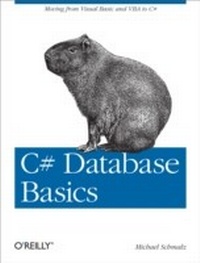
C# Database Basics
Moving from Visual Basic and VBA to C#
1st Edition
Published on 27. January 2012
110 pages
978-1-4493-2902-0 (ISBN)
Description

Working with data and databases in C# certainly can be daunting if youre coming from VB6, VBA, or Access. With this hands-on guide, youll shorten the learning curve considerably as you master accessing, adding, updating, and deleting data with C#basic skills you need if you intend to program with this language.No previous knowledge of C# is necessary. By following the examples in this book, youll learn how to tackle several database tasks in C#, such as working with SQL Server, building data entry forms, and using data in a web service. The books code samples will help you get started on your own projects.Create a Windows Forms application with a datagridConnect to multiple data sources, including Access and SQL ServerAdd, edit, and update data in a database you choose and designEnable users to choose their data source at runtimeLearn the roles of DataTable, DataView, BindingSource, Filters, and other objectsUnderstand where variables are declared and how they impact the codeBuild a simple web service that connects to a database
More details
Other editions
Additional editions
Book
03/2012
1st Edition
O'Reilly
€19.50
Shipment within 10-20 days
Content
- Intro
- Table of Contents
- Preface
- Objectives
- Conventions Used in This Book
- Using Code Examples
- Safari® Books Online
- How to Contact Us
- Chapter 1. First Steps: Form with a Datagrid
- Installing Software
- Basic Syntax
- C# Operators
- Selection Statements
- Adding Filtering
- Some Other Considerations
- What's Next?
- Chapter 2. C# Data Access to SQL Server
- What's Next
- Chapter 3. Building Data Entry Forms
- Binding a TextBox to Data
- Simple Data Entry Form
- Chapter 4. Creating Data Entry Forms with Built-In Controls
- Chapter 5. Data in a Web Service
- Writing a Web Service
- What's Next
- Chapter 6. Editing Access Data on the Web
- What's Next?
- Chapter 7. Additional C# and Database Topics
- Referring to Connection Strings
- Building Strings with Database Data
- Reporting
- Exporting Tables to XML
- Wrap-Up
