

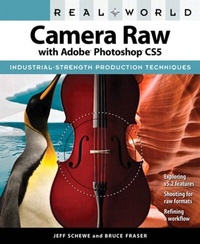
Real World Camera Raw with Adobe Photoshop CS5
1st Edition
Published on 20. July 2010
480 pages
978-0-13-138508-5 (ISBN)
Description

Today serious photographers shoot raw images only. Real World Camera Raw with Adobe Photoshop was the first book devoted exclusively to the topic, explaining the advantages and challenges of using Adobe Camera Raw to produce magnificent images. Real World Camera Raw in Adobe Photoshop CS5 keeps pace with new directions in digital photography and raw image processing. Jeff Schewe, a contributor to the development of Adobe Camera Raw from its beginnings, updates Bruce Fraser's bestselling book with insider knowledge of how new features let photographers optimize and convert images for the best results in Adobe Photoshop CS5.
Hands-on techniques show readers how to expose and shoot for raw image capture as well as use features such as the Adjustment Brush and the Graduated Filter and the new and improved Noise Reduction, Perspective Crop, and automatic Lens Correction. Readers will also learn how to use the latest version of Adobe Bridge to manage the thousands of images--and gigabytes of data--that result from shooting in raw.
This edition:
Builds on the latest version of Camera Raw to extend control over your digital camera's raw file format to produce the best quality images.
Shows you how to take advantage of new features in Adobe Bridge CS5 to select, sort, annotate, and edit thousands of raw images quickly and efficiently.
Guides you in developing an efficient raw workflow incorporating Adobe Photoshop CS5, Camera Raw 6, and Bridge CS5
Hands-on techniques show readers how to expose and shoot for raw image capture as well as use features such as the Adjustment Brush and the Graduated Filter and the new and improved Noise Reduction, Perspective Crop, and automatic Lens Correction. Readers will also learn how to use the latest version of Adobe Bridge to manage the thousands of images--and gigabytes of data--that result from shooting in raw.
This edition:
Builds on the latest version of Camera Raw to extend control over your digital camera's raw file format to produce the best quality images.
Shows you how to take advantage of new features in Adobe Bridge CS5 to select, sort, annotate, and edit thousands of raw images quickly and efficiently.
Guides you in developing an efficient raw workflow incorporating Adobe Photoshop CS5, Camera Raw 6, and Bridge CS5
More details
Language
English
Place of publication
Berkeley
United States
Publishing group
Pearson Education (US)
Target group
College/higher education
ISBN-13
978-0-13-138508-5 (9780131385085)
Copyright in bibliographic data and cover images is held by Nielsen Book Services Limited or by the publishers or by their respective licensors: all rights reserved.
Schweitzer Classification
Other editions
Additional editions
Jeff Schewe | Bruce Fraser
Real World Camera Raw with Adobe Photoshop CS5
Book
07/2010
Peachpit Press Publications
€45.79
Article exhausted; check different version
Persons
Jeff Schewe is a professional advertising photographer and digital imaging pioneer who has advised on and contributed to the development of Adobe Camera Raw and Adobe Photoshop to the extent that his name has appeared in the software's acknowledgements. Until his death in 2006, Bruce Fraser had been an internationally known author, consultant, and speaker on the topics of digital imaging and color reproduction. His many bestselling books included Real World Camera Raw with Adobe Photoshop, Real World Adobe Photoshop, Real World Image Sharpening and Real World Color Management.
