

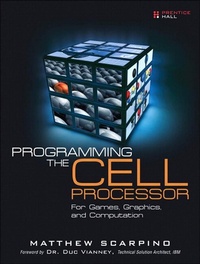
Programming the Cell Processor
For Games, Graphics, and Computation
1st Edition
Published on 26. September 2008
744 pages
978-0-13-715612-2 (ISBN)
Description

This is the eBook version of the printed book. If the print book includes a CD-ROM, this content is not included within the eBook version.
The Cell processor is the brain of the Playstation 3 and is IBM's foremost device in the field of supercomputing. This book covers the Cell inside and out, from its internal architecture to its programming methods and development tools. Packed with code examples, step-by-step tutorials, and helpful diagrams, this treatment provides a hands-on introduction to programming the Cell in C, C++, and assembly language. The majority of the book describes the wide range of applications available for the Cell and the many free libraries that simplify the development process. Whether you're interested in games, graphics, signal processing, cryptography, statistics, or vector/matrix operations, this book has something to offer anyone interested in high-performance computing.
Chapter 1: Introducing the Cell Processor
Part I: The Software Development Tools
Chapter 2: The Cell Software Development Kit (SDK)
Chapter 3: Building Applications for the Cell Processor
Chapter 4: Debugging and Simulating Applications
Chapter 5: The Cell SDK Integrated Development Environment
Part II: The PowerPC Processor Element (PPE)
Chapter 6: Introducing the PowerPC Processor Unit (PPU)
Chapter 7: The SPE Runtime Management Library (libspe)
Chapter 8: SIMD Programming on the PPU, Part 1: Vector Libraries and Functions
Chapter 9: SIMD Programming on the PPU, Part 2: Methods and Algorithms
Part III: The Synergistic Processor Element (SPE)
Chapter 10: Introducing the Synergistic Processor Unit (SPU)
Chapter 11: SIMD Programming on the SPU
Chapter 12: SPU Communication, Part 1: Direct Memory Access
Chapter 13: SPU Communication, Part 2: Events, Mailboxes, and Signals
Chapter 14: Advanced SPU Topics: Overlays, Software Caching, and SPU Isolation
Chapter 15: SPU Assembly Language
Part IV: Mathematics and Computation
Chapter 16: Vectors and Matrices
Chapter 17: The Fast Fourier Transform (FFT)
Chapter 18: Multiprecision Operations and Monte-Carlo Methods
Part V: Graphics and Games
Chapter 19: Programming the Framebuffer
Chapter 20: OpenGL: Mesa and Gallium
Chapter 21: Building Games with Ogre3D
Chapter 22: Packaging Games with COLLADA
Epilogue
Part VI: Appendices
Appendix A: Understanding ELF Files
Appendix B: Configuring the Linux Kernel
Appendix C: The Accelerated Library Framework (ALF)
Appendix D: SPU Assembly Instruction Reference
Appendix E: Introduction to Tcl
The Cell processor is the brain of the Playstation 3 and is IBM's foremost device in the field of supercomputing. This book covers the Cell inside and out, from its internal architecture to its programming methods and development tools. Packed with code examples, step-by-step tutorials, and helpful diagrams, this treatment provides a hands-on introduction to programming the Cell in C, C++, and assembly language. The majority of the book describes the wide range of applications available for the Cell and the many free libraries that simplify the development process. Whether you're interested in games, graphics, signal processing, cryptography, statistics, or vector/matrix operations, this book has something to offer anyone interested in high-performance computing.
Chapter 1: Introducing the Cell Processor
Part I: The Software Development Tools
Chapter 2: The Cell Software Development Kit (SDK)
Chapter 3: Building Applications for the Cell Processor
Chapter 4: Debugging and Simulating Applications
Chapter 5: The Cell SDK Integrated Development Environment
Part II: The PowerPC Processor Element (PPE)
Chapter 6: Introducing the PowerPC Processor Unit (PPU)
Chapter 7: The SPE Runtime Management Library (libspe)
Chapter 8: SIMD Programming on the PPU, Part 1: Vector Libraries and Functions
Chapter 9: SIMD Programming on the PPU, Part 2: Methods and Algorithms
Part III: The Synergistic Processor Element (SPE)
Chapter 10: Introducing the Synergistic Processor Unit (SPU)
Chapter 11: SIMD Programming on the SPU
Chapter 12: SPU Communication, Part 1: Direct Memory Access
Chapter 13: SPU Communication, Part 2: Events, Mailboxes, and Signals
Chapter 14: Advanced SPU Topics: Overlays, Software Caching, and SPU Isolation
Chapter 15: SPU Assembly Language
Part IV: Mathematics and Computation
Chapter 16: Vectors and Matrices
Chapter 17: The Fast Fourier Transform (FFT)
Chapter 18: Multiprecision Operations and Monte-Carlo Methods
Part V: Graphics and Games
Chapter 19: Programming the Framebuffer
Chapter 20: OpenGL: Mesa and Gallium
Chapter 21: Building Games with Ogre3D
Chapter 22: Packaging Games with COLLADA
Epilogue
Part VI: Appendices
Appendix A: Understanding ELF Files
Appendix B: Configuring the Linux Kernel
Appendix C: The Accelerated Library Framework (ALF)
Appendix D: SPU Assembly Instruction Reference
Appendix E: Introduction to Tcl
More details
Edition
1. Auflage
Language
English
Place of publication
United States
Publishing group
Pearson Education (US)
Target group
Professional and scholarly
ISBN-13
978-0-13-715612-2 (9780137156122)
Copyright in bibliographic data and cover images is held by Nielsen Book Services Limited or by the publishers or by their respective licensors: all rights reserved.
Schweitzer Classification
Other editions
Additional editions
Book
10/2008
Prentice Hall
€58.17
Article exhausted; check different version
Person
Matthew Scarpino lives in the San Francisco Bay area and develops software to interface embedded devices. He holds a masters in electrical engineering and has spent more than a decade in software development. His experience encompasses computing clusters, digital signal processors, microcontrollers, and field programmable gate arrays, but he loves programming the Cell processor most of all.
Content
Foreword xv
Preface xvii
Chapter 1: Introducing the Cell Processor 1
Part I: The Software Development Tools 13
Chapter 2: The Cell Software Development Kit (SDK) 15
Chapter 3: Building Applications for the Cell Processor 35
Chapter 4: Debugging and Simulating Applications 53
Chapter 5: The Cell SDK Integrated Development Environment 83
Part II: The PowerPC Processor Element (PPE) 97
Chapter 6: Introducing the PowerPC Processor Unit (PPU) 99
Chapter 7: The SPE Runtime Management Library (libspe) 125
Chapter 8: SIMD Programming on the PPU, Part 1: Vector Libraries and Functions 153
Chapter 9: SIMD Programming on the PPU, Part 2: Methods and Algorithms 195
Part III: The Synergistic Processor Element (SPE) 217
Chapter 10: Introducing the Synergistic Processor Unit (SPU) 219
Chapter 11: SIMD Programming on the SPU 239
Chapter 12: SPU Communication, Part 1: Direct Memory Access (DMA) 285
Chapter 13: SPU Communication, Part 2: Events, Signals, and Mailboxes 317
Chapter 14: Advanced SPU Topics: Overlays, Software Caching, and SPU Isolation 345
Chapter 15: SPU Assembly Language 367
Part IV: Mathematics and Computation 409
Chapter 16: Vectors and Matrices 411
Chapter 17: The Fast Fourier Transform (FFT) 439
Chapter 18: Multiprecision Processing and Monte Carlo Methods 463
Part V: Graphics and Games 489
Chapter 19: Programming the Frame Buffer: Linux and the PlayStation 3 491
Chapter 20: OpenGL on the Cell: Gallium and Mesa 503
Chapter 21: Building Games with Ogre3D 529
Chapter 22: Packaging Graphics with COLLADA 559
Epilogue 581
Part VI: Appendices 583
Appendix A: Understanding ELF Files 585
Appendix B: Updating the PS3 Add-On Packages and Installing a New Linux Kernel 609
Appendix C: The Accelerated Library Framework (ALF) 617
Appendix D: SPU Instruction Set Reference 649
Appendix E: A Brief Introduction to Tcl 661
Index 669
Preface xvii
Chapter 1: Introducing the Cell Processor 1
Part I: The Software Development Tools 13
Chapter 2: The Cell Software Development Kit (SDK) 15
Chapter 3: Building Applications for the Cell Processor 35
Chapter 4: Debugging and Simulating Applications 53
Chapter 5: The Cell SDK Integrated Development Environment 83
Part II: The PowerPC Processor Element (PPE) 97
Chapter 6: Introducing the PowerPC Processor Unit (PPU) 99
Chapter 7: The SPE Runtime Management Library (libspe) 125
Chapter 8: SIMD Programming on the PPU, Part 1: Vector Libraries and Functions 153
Chapter 9: SIMD Programming on the PPU, Part 2: Methods and Algorithms 195
Part III: The Synergistic Processor Element (SPE) 217
Chapter 10: Introducing the Synergistic Processor Unit (SPU) 219
Chapter 11: SIMD Programming on the SPU 239
Chapter 12: SPU Communication, Part 1: Direct Memory Access (DMA) 285
Chapter 13: SPU Communication, Part 2: Events, Signals, and Mailboxes 317
Chapter 14: Advanced SPU Topics: Overlays, Software Caching, and SPU Isolation 345
Chapter 15: SPU Assembly Language 367
Part IV: Mathematics and Computation 409
Chapter 16: Vectors and Matrices 411
Chapter 17: The Fast Fourier Transform (FFT) 439
Chapter 18: Multiprecision Processing and Monte Carlo Methods 463
Part V: Graphics and Games 489
Chapter 19: Programming the Frame Buffer: Linux and the PlayStation 3 491
Chapter 20: OpenGL on the Cell: Gallium and Mesa 503
Chapter 21: Building Games with Ogre3D 529
Chapter 22: Packaging Graphics with COLLADA 559
Epilogue 581
Part VI: Appendices 583
Appendix A: Understanding ELF Files 585
Appendix B: Updating the PS3 Add-On Packages and Installing a New Linux Kernel 609
Appendix C: The Accelerated Library Framework (ALF) 617
Appendix D: SPU Instruction Set Reference 649
Appendix E: A Brief Introduction to Tcl 661
Index 669
