

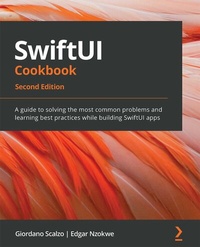
SwiftUI Cookbook
A guide to solving the most common problems and learning best practices while building SwiftUI apps
2nd Edition
Published on 23. September 2024
616 pages
978-1-80324-043-5 (ISBN)
Description

Unleash the power of declarative programming in SwiftUI by building cross-platform Apple apps for iOS 15, macOS, and watchOS using Swift 5.5, Xcode 13, and SwiftUI 3
Key Features
Apply the declarative programming paradigm to build cross-platform UIs for Apple devices
Learn to integrate UIkit, Core Data, Firebase, and Sign in with Apple with SwiftUI
Adopt the new SwiftUI 3.0 features to build visually appealing UIs speedily
Book DescriptionSwiftUI provides an innovative and simple way to build beautiful user interfaces (UIs) for all Apple platforms, from iOS and macOS through to watchOS and tvOS, using the Swift programming language. In this recipe-based cookbook, you'll cover the foundations of SwiftUI as well as the new SwiftUI 3 features introduced in iOS 15 and explore a range of essential techniques and concepts that will help you through the development process. The cookbook begins by explaining how to use basic SwiftUI components. Once you've learned the core concepts of UI development, such as Views, Controls, Lists, and ScrollViews, using practical implementations in Swift, you'll advance to adding useful features to SwiftUI using drawings, built-in shapes, animations, and transitions. You'll understand how to integrate SwiftUI with exciting new components in the Apple development ecosystem, such as Combine for managing events and Core Data for managing app data. Finally, you'll write iOS, macOS, and watchOS apps by sharing the same SwiftUI codebase. By the end of this SwiftUI book, you'll have discovered a range of simple, direct solutions to common problems encountered when building SwiftUI apps.What you will learn
Explore various layout presentations in SwiftUI such as HStack, VStack, LazyHStack, and LazyVGrid
Create widgets to quickly display relevant content at glance
Get up to speed with drawings in SwiftUI using built-in shapes, custom paths, and polygons
Discover modern animation and transition techniques in SwiftUI
Add user authentication using Firebase and Sign in with Apple
Manage concurrency with Combine and async/await in SwiftUI
Solve the most common SwiftUI problems, such as integrating a MapKit map, unit testing, snapshot testing, and previewing layouts
Who this book is forThis book is for mobile developers who want to learn SwiftUI as well as experienced iOS developers transitioning from UIkit to SwiftUI. The book assumes knowledge of the Swift programming language. Knowledge of object-oriented design and data structures will be useful but not necessary. You'll also find this book to be a helpful resource if you're looking for reference material regarding the implementation of various features in SwiftUI.
Key Features
Apply the declarative programming paradigm to build cross-platform UIs for Apple devices
Learn to integrate UIkit, Core Data, Firebase, and Sign in with Apple with SwiftUI
Adopt the new SwiftUI 3.0 features to build visually appealing UIs speedily
Book DescriptionSwiftUI provides an innovative and simple way to build beautiful user interfaces (UIs) for all Apple platforms, from iOS and macOS through to watchOS and tvOS, using the Swift programming language. In this recipe-based cookbook, you'll cover the foundations of SwiftUI as well as the new SwiftUI 3 features introduced in iOS 15 and explore a range of essential techniques and concepts that will help you through the development process. The cookbook begins by explaining how to use basic SwiftUI components. Once you've learned the core concepts of UI development, such as Views, Controls, Lists, and ScrollViews, using practical implementations in Swift, you'll advance to adding useful features to SwiftUI using drawings, built-in shapes, animations, and transitions. You'll understand how to integrate SwiftUI with exciting new components in the Apple development ecosystem, such as Combine for managing events and Core Data for managing app data. Finally, you'll write iOS, macOS, and watchOS apps by sharing the same SwiftUI codebase. By the end of this SwiftUI book, you'll have discovered a range of simple, direct solutions to common problems encountered when building SwiftUI apps.What you will learn
Explore various layout presentations in SwiftUI such as HStack, VStack, LazyHStack, and LazyVGrid
Create widgets to quickly display relevant content at glance
Get up to speed with drawings in SwiftUI using built-in shapes, custom paths, and polygons
Discover modern animation and transition techniques in SwiftUI
Add user authentication using Firebase and Sign in with Apple
Manage concurrency with Combine and async/await in SwiftUI
Solve the most common SwiftUI problems, such as integrating a MapKit map, unit testing, snapshot testing, and previewing layouts
Who this book is forThis book is for mobile developers who want to learn SwiftUI as well as experienced iOS developers transitioning from UIkit to SwiftUI. The book assumes knowledge of the Swift programming language. Knowledge of object-oriented design and data structures will be useful but not necessary. You'll also find this book to be a helpful resource if you're looking for reference material regarding the implementation of various features in SwiftUI.
All prices
More details
Edition
2nd Revised edition
Language
English
Place of publication
Birmingham
United Kingdom
Target group
Professional and scholarly
US School Grade: College Graduate Student
Edition type
Revised edition
Product notice
Reflowable
File size
22,92 MB
ISBN-13
978-1-80324-043-5 (9781803240435)
Copyright in bibliographic data and cover images is held by Nielsen Book Services Limited or by the publishers or by their respective licensors: all rights reserved.
Schweitzer Classification
Other editions
New editions
E-Book
12/2023
1st Edition
Packt Publishing
from
€29.99
Available for download
Additional editions
Giordano Scalzo | Edgar Nzokwe
SwiftUI Cookbook
A guide to solving the most common problems and learning best practices while building SwiftUI apps, 2nd Edition
Book
11/2021
2nd Edition
Packt Publishing
€51.60
Shipment within 3-4 weeks
Previous edition

Giordano Scalzo | Edgar Nzokwe
SwiftUI Cookbook
Discover solutions and best practices to tackle the most common problems while building SwiftUI apps
E-Book
09/2024
Packt Publishing
€25.49
Available for download
Persons
Scalzo Giordano :
Giordano Scalzo is a developer with 20 years of programming experience, since the days of ZX Spectrum. He has worked in Swift, Objective-C, C/C++, Java, .Net, Ruby, Python, and in a ton of other languages that he has forgotten the names of. After years of backend development, over the past 10 years, Giordano has developed extensively for iOS, releasing more than 20 apps-apps that he wrote for clients, enterprise applications, or on his own. He is currently a Tech Lead Consultant in London, where he leads mobile digital transformations through his company, Effective Code Ltd.Nzokwe Edgar :
Edgar Nzokwe is a software engineer with 6+ years of experience building web and mobile applications. His areas of expertise include SwiftUI, UIKit, and Kotlin, Python, and a few Javascript frameworks. Edgar is dedicated to advancing the knowledge base of SwiftUI because he believes it empowers developers to design and build dazzling cross-platform apps with minimal development time.
Giordano Scalzo is a developer with 20 years of programming experience, since the days of ZX Spectrum. He has worked in Swift, Objective-C, C/C++, Java, .Net, Ruby, Python, and in a ton of other languages that he has forgotten the names of. After years of backend development, over the past 10 years, Giordano has developed extensively for iOS, releasing more than 20 apps-apps that he wrote for clients, enterprise applications, or on his own. He is currently a Tech Lead Consultant in London, where he leads mobile digital transformations through his company, Effective Code Ltd.Nzokwe Edgar :
Edgar Nzokwe is a software engineer with 6+ years of experience building web and mobile applications. His areas of expertise include SwiftUI, UIKit, and Kotlin, Python, and a few Javascript frameworks. Edgar is dedicated to advancing the knowledge base of SwiftUI because he believes it empowers developers to design and build dazzling cross-platform apps with minimal development time.
Content
Table of Contents
Using the Basic SwiftUI Views and Controls
Going Beyond the Single Component with Lists and Scroll Views
Exploring Advanced Components
Viewing while Building with SwiftUI Preview
Creating New Components and Grouping Views with Container Views
Presenting Extra Information to the User
Drawing with SwiftUI
Animating with SwiftUI
Driving SwiftUI with Data
Driving SwiftUI with Combine
SwiftUI Concurrency with async await
Handling Authentication and Firebase with SwiftUI
Handling Core Data in SwiftUI
Creating Cross-Platform apps with SwiftUI
SwiftUI Tips and Tricks
Using the Basic SwiftUI Views and Controls
Going Beyond the Single Component with Lists and Scroll Views
Exploring Advanced Components
Viewing while Building with SwiftUI Preview
Creating New Components and Grouping Views with Container Views
Presenting Extra Information to the User
Drawing with SwiftUI
Animating with SwiftUI
Driving SwiftUI with Data
Driving SwiftUI with Combine
SwiftUI Concurrency with async await
Handling Authentication and Firebase with SwiftUI
Handling Core Data in SwiftUI
Creating Cross-Platform apps with SwiftUI
SwiftUI Tips and Tricks
