

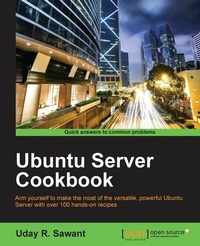
Ubuntu Server Cookbook
Arm yourself to make the most of the versatile, powerful Ubuntu Server with over 100 hands-on recipes
Published on 8. July 2025
456 pages
978-1-78588-798-7 (ISBN)
Description

Arm yourself to make the most of the versatile, powerful Ubuntu Server with over 100 hands-on recipes
Key Features
[*] Master the skills to setup secure and scalable web services with popular tools like Apache, Nginx, MySQL and HAProxy
[*] Set up your own cloud with Open Stack and quickly deploy applications with Docker or LXD
[*] Packed with clear, step-by-step recipes to let you protect you valuable data with your own chat servers, code hosting and collaboration tools.
Book DescriptionUbuntu is one of the most secure operating systems and defines the highest level of security as compared other operating system. Ubuntu server is a popular Linux distribution and the first choice when deploying a Linux server. It can be used with a $35 Raspberry Pi to top-notch, thousand-dollar-per-month cloud hardware. Built with lists that there are 4 million + websites built using Ubuntu. With its easy-to-use package management tools and availability of well-known packages, we can quickly set up our own services such as web servers and database servers using Ubuntu. This book will help you develop the skills required to set up high performance and secure services with open source tools. Starting from user management and an in-depth look at networking, we then move on to cover the installation and management of web servers and database servers, as well as load balancing various services. You will quickly learn to set up your own cloud and minimize costs and efforts with application containers. Next, you will get to grips with setting up a secure real-time communication system. Finally, we'll explore source code hosting and various collaboration tools. By the end of this book, you will be able to make the most of Ubuntu's advanced functionalities. What you will learn
[*] Set up high performance, scalable, and fault-tolerant back ends with web and database servers
[*] Facilitate team communication with a real-time chat service and collaboration tools
[*] Quickly deploy your applications to their own containers and scale your infrastructure as and when needed
[*] Find out how to set up your own cloud infrastructure for your internal use or rent it to the public
[*] Ensure quick and easy access for your users while also securing your infrastructure from intruders
[*] Set up a high performance private network with a personal VPN server and centralized authentication system
[*] Swiftly start a content streaming service
[*] Set up network storage for private data and source code and say good bye to costly and unreliable cloud services
Who this book is forUbuntu Server Cookbook is for system administrators or software developers with a basic understanding of the Linux operating system who want to set up their own servers. You are not required to have in-depth knowledge or hands-on experience with Ubuntu, but you should know the basics commands for directory navigation, file management, and the file editing tool. An understanding of computer networks is advisable
Key Features
[*] Master the skills to setup secure and scalable web services with popular tools like Apache, Nginx, MySQL and HAProxy
[*] Set up your own cloud with Open Stack and quickly deploy applications with Docker or LXD
[*] Packed with clear, step-by-step recipes to let you protect you valuable data with your own chat servers, code hosting and collaboration tools.
Book DescriptionUbuntu is one of the most secure operating systems and defines the highest level of security as compared other operating system. Ubuntu server is a popular Linux distribution and the first choice when deploying a Linux server. It can be used with a $35 Raspberry Pi to top-notch, thousand-dollar-per-month cloud hardware. Built with lists that there are 4 million + websites built using Ubuntu. With its easy-to-use package management tools and availability of well-known packages, we can quickly set up our own services such as web servers and database servers using Ubuntu. This book will help you develop the skills required to set up high performance and secure services with open source tools. Starting from user management and an in-depth look at networking, we then move on to cover the installation and management of web servers and database servers, as well as load balancing various services. You will quickly learn to set up your own cloud and minimize costs and efforts with application containers. Next, you will get to grips with setting up a secure real-time communication system. Finally, we'll explore source code hosting and various collaboration tools. By the end of this book, you will be able to make the most of Ubuntu's advanced functionalities. What you will learn
[*] Set up high performance, scalable, and fault-tolerant back ends with web and database servers
[*] Facilitate team communication with a real-time chat service and collaboration tools
[*] Quickly deploy your applications to their own containers and scale your infrastructure as and when needed
[*] Find out how to set up your own cloud infrastructure for your internal use or rent it to the public
[*] Ensure quick and easy access for your users while also securing your infrastructure from intruders
[*] Set up a high performance private network with a personal VPN server and centralized authentication system
[*] Swiftly start a content streaming service
[*] Set up network storage for private data and source code and say good bye to costly and unreliable cloud services
Who this book is forUbuntu Server Cookbook is for system administrators or software developers with a basic understanding of the Linux operating system who want to set up their own servers. You are not required to have in-depth knowledge or hands-on experience with Ubuntu, but you should know the basics commands for directory navigation, file management, and the file editing tool. An understanding of computer networks is advisable
All prices
More details
Edition
Digital original
Language
English
Place of publication
Birmingham
United Kingdom
Target group
Professional and scholarly
US School Grade: College Graduate Student
Edition type
Digital original
File size
14,57 MB
ISBN-13
978-1-78588-798-7 (9781785887987)
Copyright in bibliographic data and cover images is held by Nielsen Book Services Limited or by the publishers or by their respective licensors: all rights reserved.
Schweitzer Classification
Other editions
Additional editions
Uday Sawant
Ubuntu Server Cookbook
Arm yourself to make the most of the versatile, powerful Ubuntu Server with over 100 hands-on recipes
Book
06/2016
Packt Publishing
€64.30
Shipment within 3-4 weeks
Person
Sawant Uday :
Uday Sawant has completed Master's in Computer Applications from Mumbai University. He is skilled with more than four years of experience in software development and operations field. Before working as a software developer, he worked extensively with server hardware as a system administrator. He is an expert with the LAMP stack, JavaScript, and cloud infrastructure. Before starting as a software developer, he worked extensively with server hardware and has 2+ years' experience as system administrator. Currently, he is working as Software Scientist in a Mumbai based start-up called Sweetcouch. His responsibilities include developing back-end services, setting up a real-time communication server, and automating various daily tasks. With an immense interest in Machine Learning, he likes to spend his spare time exploring this subject. His first book was Instant Building Multipage Forms with Yii published by Packt publishing
Uday Sawant has completed Master's in Computer Applications from Mumbai University. He is skilled with more than four years of experience in software development and operations field. Before working as a software developer, he worked extensively with server hardware as a system administrator. He is an expert with the LAMP stack, JavaScript, and cloud infrastructure. Before starting as a software developer, he worked extensively with server hardware and has 2+ years' experience as system administrator. Currently, he is working as Software Scientist in a Mumbai based start-up called Sweetcouch. His responsibilities include developing back-end services, setting up a real-time communication server, and automating various daily tasks. With an immense interest in Machine Learning, he likes to spend his spare time exploring this subject. His first book was Instant Building Multipage Forms with Yii published by Packt publishing
Content
Table of Contents
Managing Users and Groups
Networking
Working with Web server
Working with Mail server
Handling the Database
Network storage
Cloud computing
Application Containers
Streaming server
Chat server
Git Hosting
Colaboration tools
Performance Monitoring
Centralized Auth server
Managing Users and Groups
Networking
Working with Web server
Working with Mail server
Handling the Database
Network storage
Cloud computing
Application Containers
Streaming server
Chat server
Git Hosting
Colaboration tools
Performance Monitoring
Centralized Auth server

