

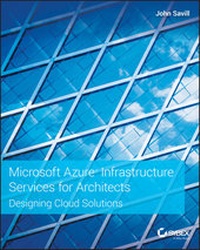
Microsoft Azure Infrastructure Services for Architects
Description

With Microsoft Azure challenging Amazon Web Services (AWS) for market share, there has been no better time for IT professionals to broaden and expand their knowledge of Microsoft's flagship virtualization and cloud computing service. Microsoft Azure Infrastructure Services for Architects: Designing Cloud Solutions helps readers develop the skills required to understand the capabilities of Microsoft Azure for Infrastructure Services and implement a public cloud to achieve full virtualization of data, both on and off premise. Microsoft Azure provides granular control in choosing core infrastructure components, enabling IT administrators to deploy new Windows Server and Linux virtual machines, adjust usage as requirements change, and scale to meet the infrastructure needs of their entire organization.
This accurate, authoritative book covers topics including IaaS cost and options, customizing VM storage, enabling external connectivity to Azure virtual machines, extending Azure Active Directory, replicating and backing up to Azure, disaster recovery, and much more. New users and experienced professionals alike will:
* Get expert guidance on understanding, evaluating, deploying, and maintaining Microsoft Azure environments from Microsoft MVP and technical specialist John Savill
* Develop the skills to set up cloud-based virtual machines, deploy web servers, configure hosted data stores, and use other key Azure technologies
* Understand how to design and implement serverless and hybrid solutions
* Learn to use enterprise security guidelines for Azure deployment
Offering the most up to date information and practical advice, Microsoft Azure Infrastructure Services for Architects: Designing Cloud Solutions is an essential resource for IT administrators, consultants and engineers responsible for learning, designing, implementing, managing, and maintaining Microsoft virtualization and cloud technologies.
More details
Other editions
Additional editions
Person
John Savill is a technical specialist who focuses on Microsoft core infrastructure technologies including Microsoft Azure, Windows, and Hyper-V. An 11-time Microsoft MVP, an Azure Solutions Architect Expert and he is also ITIL certified and a CISSP. John has been working with Microsoft technologies for more than 25 years and was the creator of the highly popular NT FAQ website. The author of Mastering Windows Server 2016 Hyper-V and Mastering Microsoft Azure Infrastructure Services, he has a large library of courses on Pluralsight that are linked directly from Azure.com and regularly writes articles and whitepapers along with creating technology videos for his YouTube channel, http://onboardtoazure.com.
Content
Introduction xix
Chapter 1 The Cloud and Microsoft Azure Fundamentals 1
The Evolution of the Datacenter 1
Introducing the Cloud 2
The Private Cloud and Virtualization 4
Types of Service in the Cloud 10
Microsoft Azure 101 13
Microsoft Datacenters and Regions 14
Microsoft Network 24
Azure Resource Providers 26
Getting Access to Microsoft Azure 30
Free Azure Trials and Pay-as-You-Go 31
Azure Benefits from Visual Studio Subscriptions 31
Enterprise Enrollments for Azure 33
Reserved Instances and Azure Hybrid Benefit 37
Reserved Instances 37
Azure Hybrid Benefit 39
Increasing Azure Limits 40
The Azure Portal 41
Portal Basics 42
Azure Portal Dashboards 45
Chapter 2 Governance 47
What is Governance? 47
Understanding Governance Requirements in Your Organization 49
Azure Subscriptions and Management Groups 52
Subscriptions 52
Management Groups 55
Resource Groups 62
Role-Based Access Control 63
Naming Conventions 69
Using Tags 70
Azure Policy 75
Azure Templates 80
Azure Blueprints 83
Azure Resource Graph 86
Cost Management 88
Visibility 89
Accountability 91
Optimization 93
Chapter 3 Identity 95
The Importance of Identity 95
A Brief Refresher on Active Directory 97
Using Cloud Services, Federation and Cloud Authentication 98
Federation 98
Cloud Authentication and Authorization 101
Azure Active Directory Fundamentals 103
Azure AD SKUs 106
Populating Azure AD 108
Azure AD B2B 122
Azure AD Authentication Options 128
Azure AD Groups 137
Azure AD Entitlements and Application Publishing 138
Chapter 4 Identity Security and Extended Identity Services 145
Azure AD Security 145
Multi-Factor Authentication 145
Password Policies 149
Azure AD Conditional Access 150
Azure AD Identity Protection 153
Azure AD Log Inspection 154
Azure AD Privileged Identity Management 156
Azure Advanced Threat Protection 158
Azure AD Application Proxy 158
Azure AD B2C 160
Active Directory in the Cloud 162
Active Directory Site Configuration 163
Placing a Domain Controller in Azure 164
Azure AD Domain Services 167
Chapter 5 Networking 171
Connectivity 171
Virtual Networks 171
Adding a VM to a Virtual Network 174
NIC IP Configurations 174
Reserved IPs for VM 176
Accelerated Networking 177
Azure DNS Services and Configuration Options 177
Connecting Virtual Networks 178
Connectivity to Azure 181
Azure Virtual WANs and ExpressRoute Global Reach 193
PaaS VNet Integration 194
Protection 196
Network Security Groups and Application Security Groups 196
Firewall Virtual Appliances 199
Distributed Denial-of-Service Protection 202
Delivery 202
Intra-Region Load Balancing 203
Inter-Region Load Balancing 206
Monitoring 210
Chapter 6 Storage 213
Azure Storage Services 213
Azure Storage Architecture 213
Using Storage Accounts and Types of Replication 215
Storage Account Keys 219
Azure Storage Services 221
Storage with Azure VMs 235
VM Storage Basics 235
Temporary Storage 236
Managed Disks 237
Bulk Data Options 242
Azure Import/Export and Azure Data Box Disk 242
Azure Data Box 242
Azure Data Box Gateway and Data Box Edge 242
Azure Database Offerings 243
Azure SQL Database 243
Azure Cosmos DB 246
Chapter 7 Azure Compute 249
Virtual Machines 249
Fundamentals of IaaS 249
Types of Virtual Machines 252
Azure VM Agent and Extensions 258
Boot Diagnostics 260
Ephemeral OS Disks 261
Proximity Placement Groups 262
Virtual Machine Scale Sets 263
Low-Priority VMs 264
Azure Dedicated Host 264
Windows Virtual Desktop 265
VMware in Azure? 265
Platform as a Service Offerings 266
Containers 266
Azure Application Services 275
Azure Serverless Compute Services 278
Chapter 8 Azure Stack 281
Azure Stack Foundation 281
Azure Stack 101 281
Services Available on Azure Stack 284
How to Buy Azure Stack 285
When to Use Azure Stack 287
Managing Azure Stack 288
How to Interact with Azure Stack 288
Marketplace Syndication 290
Plans, Offers, and Subscriptions 292
Updating Azure Stack 294
Privileged Endpoint and Support Session Tokens 295
Understanding Azure Stack HCI 296
Chapter 9 Backup, High Availability, Disaster Recovery, and Migration 297
Availability 101 297
Distinguishing High Availability vs. Disaster Recovery vs. Backup 297
Understanding Application Structure and Requirements 299
Architecting for Multi-Region Application Deployments 301
Backups in Azure 305
Thinking About Backups 305
Using Azure Backup 307
High Availability in Azure 311
Disaster Recovery in Azure 312
On-Premises Disaster Recovery 313
On Premises to Azure Disaster Recovery 314
Azure to Azure 317
Migrating Workloads to Azure 318
Migration Benefits 319
Migration Approaches 320
Migration Phases 320
Chapter 10 Monitoring and Security 325
Azure Monitoring 325
Why Monitor? 325
Types of Telemetry in Azure 326
Azure Monitor Fundamentals 329
Azure Monitor Logs Fundamentals 334
Alerting 341
Security in Azure 350
Advanced Threat Protection (ATP) 350
Azure Security Center (ASC) 353
Azure Sentinel 355
Keeping Secrets with Azure Key Vault and Managed Identities 357
Chapter 11 Managing Azure 359
Command Line, Scripting, and Automation with Azure 359
Using PowerShell with Azure 360
Using the CLI with Azure 370
Leveraging Azure Cloud Shell 371
Automating with Azure Automation and Azure Functions 376
Deploying Resources with ARM JSON Templates 383
Everything is JSON 383
Anatomy of an ARM JSON Template 386
Template Tips 389
Additional Useful Technologies for Azure Management 393
Azure Bastion Host 393
Windows Admin Center 395
Chapter 12 What to Do Next 399
Understanding and Addressing Azure Barriers 399
Building Trust 400
Understanding Risks for Azure 400
Why You Should Use Azure and Getting Started 408
Understanding Azure's Place in the Market 408
First Steps with Azure IaaS 411
Index 415
Introduction
The book you are holding is the result of my 25 years of experience in the IT world, including 20 years of virtualization experience, which started with VMware, Virtual PC, and now Hyper-V, and many years focusing on public cloud solutions, especially Microsoft Azure. My goal for this book is simple: to make you knowledgeable and effective architecting an Azure-based infrastructure. If you look at the scope of Microsoft Azure functionality, a single book would be the size of the Encyclopedia Britannia to cover it, so my focus for this book is the infrastructure-related services, including VMs in Azure, storage, networking, and some complementary technologies. Additionally, the focus is on architecting a solution. I will also show how to automate processes using technologies such as templates and PowerShell/CLI, how to integrate Azure with your on-premises infrastructure to create a hybrid solution, and even how to use Azure as a disaster recovery solution.
There is a huge amount of documentation for each feature of Azure. The documentation walks through each feature's basic functionality and provides step-by-step instructions for the basic deployment. When performed through the GUI, these steps often change, as interfaces continue to evolve. Additionally, as this book will show, while the portal is great for learning about the options, you won't be using it for production deployments, preferring instead to use prescriptive technologies like templates. Therefore, the goal of this book is to help you understand the options, to understand how to use them as part of a solution to meet requirements, to enable architectures to be created using the right components, with best practices developed over years of working with many Fortune 500 organizations. Yes, this book will expose you to all the important Azure infrastructure services, but it will focus on providing real value to enable the most complete and optimal utilization of Azure. It will focus on walkthroughs only for more involved or complex scenarios where they really provide value. But don't worry-the basic step-by-steps will still be referenced so that you can easily find them.
Microsoft is one of only three vendors with a solution in the public cloud IaaS Gartner Magic Quadrant as a leader in addition to being used by many of the largest companies in the world and I will cover this in more detail in Chapter 12.
I am a strong believer that doing an action is the best way to learn something, so I encourage you to try out all the technologies and principles I cover in this book. Because Azure is a public cloud solution, you don't need any local resources except for a machine to connect to Azure. You can even run command-line interfaces (CLIs) directly within the Azure portal environment. Ideally, you will also have an on-premises lab environment to test the networking to Azure and hybrid scenarios. However, you don't need a huge lab environment; for most of the items, you could use a single machine with Windows Server installed on it and with 8 GB of memory to enable a few virtual machines to run concurrently. As previously mentioned, sometimes I provide step-by-step instructions to guide you through a process; sometimes I link to an external source that already has a good step-by-step guide; and sometimes I link to videos I have posted to ensure maximum understanding.
This book was one of the most challenging I've written. Because Azure is updated so frequently, it was necessary to update the book while writing, as capabilities would change. The Microsoft product group teams helped greatly, giving me early access to information and even environments to enable the book to be as current as possible. To keep the content relevant, I will be releasing a digital supplement and updating it as required. This will be available, along with any sample code, video links, and other assets, on the books GitHub page at:
https://github.com/johnthebrit/MasterIaaS2019
As you read each chapter, look at the GitHub repository for videos and other information that will help your understanding, as I do not specifically call these references out in the text of the book. The main page shows how to get a local copy of the repository, which has the benefit of making it easy to get updates as they occur.
Who Should Read This Book
I am making certain assumptions regarding the reader:
- You have basic knowledge about and can install Windows Server.
- You have basic knowledge of what PowerShell is.
- You have access to the Internet and can sign up for a trial Azure subscription.
This book is intended for anyone who wants to learn Azure Infrastructure services, but it is really focused on exposing the options and offering guidance on architecting solutions. If you have basic knowledge of Azure, that will help, but it is not a requirement. I start off with a foundational understanding of each technology and then build on that to cover more advanced topics and configurations. If you are an architect, a consultant, an administrator, or really anyone who just wants a better knowledge of Azure Infrastructure, this book is for you.
There are many times I go into advanced topics that may seem over your head, in which case don't worry. Focus on the preceding elements you understand, implement and test them, and solidify your understanding. Then, when you feel comfortable, come back to the more advanced topics, which will seem far simpler.
There are various Azure exams. The most relevant to this book are AZ-100 and AZ-101 (replacing the old 70-533 exam), which, when passed, give the participant the Azure Administrator Associate certification:
https://www.microsoft.com/en-us/learning/azure-administrator.aspx
Additionally, exams AZ-300 and AZ-301 (replacing the old 70-534 exam), when passed, give the Azure Solutions Architect Expert certification:
https://www.microsoft.com/en-us/learning/azure-solutions-architect.aspx
Will this book help you pass the exams? Yes, it will help. I took the exams for both certifications cold, without knowing what was in the exams and without any study, and I passed. Since most of my Azure brain is in this book, it will help. However, I advise you to look at the areas covered in the exams and use this book as one resource to help, but also use other resources that Microsoft references on the exam site. This is especially true of the architect certification, which includes a significant amount of content of application and database concepts, which I cover in this book only at a very high level.
What's Inside
Here is a glance at what's in each chapter.
- Chapter 1, "The Cloud and Microsoft Azure Fundamentals," provides an introduction to all types of cloud services and then dives into specifics about Microsoft's Azure-based offerings. After an overview of how Azure is acquired and used, the Infrastructure as a Service (IaaS) will be introduced, with a focus on what is really the difference between a best-effort and a reliable service and why best-effort may be better!
- Chapter 2, "Governance," focuses on the first item companies must consider and address before using any service, including the public cloud and Azure. This chapter focuses on key concepts around Azure Resource Manager, understanding core governance around structure, role-based access control, naming, policy, cost and more.
- Chapter 3, "Identity," addresses the next consideration for service usage, understanding identity. This chapter walks through the importance of identity in the public cloud and how it becomes the key security perimeter for many services. Azure AD will be introduced, along with its population and authentication options.
- Chapter 4, "Identity Security and Extended Identity Services," builds on the previous chapter by looking at key security capabilities with Azure AD and how AD can be extended into the public cloud in a secure manner. Other identity services for custom applications will be explored.
- Chapter 5, "Networking," explores offering services running in Azure out to Internet-based consumers. It looks at key concepts such as endpoints to offer services and also providing load balanced services for greater service availability. Virtual Networks provide a construct to enable customizable IP space configurations that are used by many services in Azure. This chapter dives into architecting, configuring, and managing virtual networks. Finally, various types of connectivity between virtual networks and on premises are explored.
- Chapter 6, "Storage," examines the core capabilities of storage accounts in Azure and then walks through the storage capabilities used by infrastructure services in Azure, including managed disks. Services for large-scale data import and export are introduced.
- Chapter 7, "Azure Compute," starts by introducing virtual machines, the building block of nearly every Azure service, including their key capabilities, before moving on to more advanced concepts around availability and placement. An introduction to some of the Platform as a Service offerings is provided to provide a complete knowledge for architects for the key available options.
- Chapter 8, "Azure Stack," explores the on-premises Azure capability through partner appliances, including key scenarios and architecture...
