

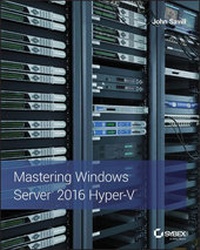
Mastering Windows Server 2016 Hyper-V
Published on 28. November 2016
648 pages
978-1-119-28621-9 (ISBN)
Description

Build a seamless, flexible, full-service datacenter solution
Microsoft Windows Server 2016 Hyper-V is the IT administrator's guide to this rising datacenter solution. Hyper-V has already surpassed VMWare in datacenter management, identity service for multiple devices, and more; this book shows you how to harness the power of this hypervisor to simplify the infrastructure, reduce costs, improve productivity, and better manage system resources. From a tour of the technology through architecture, deployment, and integration of System Center, Microsoft Azure, and Microsoft Azure Stack, the discussion illustrates the skills you need to create a complete solution for optimum enterprise management. Coverage includes Windows Azure capabilities for virtual machines, managing a hybrid cloud, IaaS, storage capabilities, PowerShell, and more, with practical real-world guidance from a leading authority in the field.
Hyper-V has recently undergone improvements in scalability and features that have positioned it as an ideal solution in the Small/Medium Business and Enterprise markets. This book shows you how to exploit these new capabilities to build a robust data solution for your organization.
* Discover the capabilities of Microsoft Hyper-V
* Architect a Hyper-V datacenter solution
* Plan and manage a deployment or migration
* Integrate complementary technologies for full scalability
Data is everywhere--on desktops, laptops, phones, and multiple operating systems, accessed through email, text messages, web searches, online services, and more. All of this data must be stored, accessible, updated, backed up, secured, managed, sorted, and analyzed--sometimes instantly. Hyper-V is the rising star in the virtualization space, and Microsoft Windows Server 2016 Hyper-V shows you how to turn greater capabilities into better datacenter solutions.
More details
Other editions
Additional editions
John Savill
Mastering Windows Server 2016 Hyper-V
Book
02/2017
Sybex Inc.,U.S.
€56.00
Shipment within 15-20 days
Person
John Savillis a Windows technical specialist, an 11-time MVP, and an MCSE for Private Cloud and Server Infrastructure 2012. John is the author of the popular FAQ for Windows, a senior contributing editor to Windows IT Pro, a CISSP, and ITIL certified. He also wrote Mastering Hyper-V 2012 R2 with System Center and Azure and Mastering Microsoft Azure Infrastructure Services, both from Wiley. Follow his blog at http://www.savilltech.com/blog.
Content
1 - Mastering Windows Server® 2016 Hyper-V® [Seite 3]
2 - Acknowledgments [Seite 7]
3 - About the Author [Seite 9]
4 - Contents at a Glance [Seite 11]
5 - Contents [Seite 13]
6 - Introduction [Seite 21]
7 - Chapter 1 Introduction to Virtualization and Microsoft Solutions [Seite 25]
7.1 - The Evolution of the Datacenter [Seite 25]
7.1.1 - One Box, One Operating System [Seite 25]
7.1.2 - How Virtualization Has Changed the Way Companies Work and Its Key Values [Seite 29]
7.2 - History of Hyper-V [Seite 34]
7.2.1 - Windows Server 2008 Hyper-V Features [Seite 36]
7.2.2 - Windows Server 2008 R2 Changes [Seite 37]
7.2.3 - Windows Server 2008 R2 Service Pack 1 [Seite 39]
7.2.4 - Windows Server 2012 Hyper-V Changes [Seite 40]
7.2.5 - Windows Server 2012 R2 [Seite 46]
7.2.6 - Windows Server 2016 [Seite 48]
7.3 - Licensing of Hyper-V [Seite 50]
7.3.1 - One Operating System (Well Two, but Really One) with Windows Server 2012 and 2012 R2 [Seite 50]
7.3.2 - Windows Server 2016 Changes to Licensing and Versions [Seite 53]
7.3.3 - Choosing the Version of Hyper-V [Seite 55]
7.4 - The Role of System Center with Hyper-V [Seite 56]
7.4.1 - System Center Configuration Manager [Seite 57]
7.4.2 - System Center Virtual Machine Manager and App Controller [Seite 58]
7.4.3 - System Center Operations Manager [Seite 58]
7.4.4 - System Center Data Protection Manager [Seite 59]
7.4.5 - System Center Service Manager [Seite 59]
7.4.6 - System Center Orchestrator [Seite 60]
7.5 - Clouds and Services [Seite 60]
7.6 - The Bottom Line [Seite 62]
8 - Chapter 2 Virtual Machine Resource Fundamentals [Seite 65]
8.1 - Understanding VMBus [Seite 65]
8.2 - The Anatomy of a Virtual Machine [Seite 68]
8.2.1 - Generation 1 Virtual Machine [Seite 69]
8.2.2 - Generation 2 Virtual Machine [Seite 74]
8.2.3 - VMCX Configuration File [Seite 77]
8.2.4 - VM Configuration Versions [Seite 78]
8.3 - Processor Resources [Seite 79]
8.3.1 - Virtual Processor to Logical Processor Scheduling [Seite 82]
8.3.2 - Processor Assignment [Seite 84]
8.3.3 - NUMA Support [Seite 90]
8.4 - Memory Resources [Seite 93]
8.4.1 - Dynamic Memory [Seite 93]
8.4.2 - Runtime Memory Resize [Seite 99]
8.5 - Virtual Storage [Seite 101]
8.5.1 - VHD [Seite 102]
8.5.2 - VHDX [Seite 103]
8.5.3 - Creating a Virtual Hard Disk [Seite 104]
8.5.4 - Pass-Through Storage [Seite 107]
8.5.5 - Discrete Device Assignment [Seite 107]
8.6 - The Bottom Line [Seite 110]
9 - Chapter 3 Virtual Networking [Seite 113]
9.1 - Virtual Switch Fundamentals [Seite 113]
9.1.1 - Three Types of Virtual Switches [Seite 113]
9.1.2 - Creating a Virtual Switch [Seite 116]
9.2 - Extensible Switch [Seite 118]
9.3 - VLANs and PVLANS [Seite 123]
9.3.1 - Understanding VLANs [Seite 123]
9.3.2 - VLANs and Hyper-V [Seite 126]
9.3.3 - PVLANs [Seite 128]
9.4 - How SCVMM Simplifies Networking with Hyper-V [Seite 131]
9.4.1 - SCVMM Networking Architecture [Seite 132]
9.4.2 - Deploying Networking with SCVMM 2016 [Seite 138]
9.5 - Network Virtualization [Seite 153]
9.5.1 - Network Virtualization Overview [Seite 154]
9.5.2 - Network Controller [Seite 159]
9.5.3 - Software Load Balancer [Seite 161]
9.5.4 - Gateways [Seite 164]
9.5.5 - Datacenter Firewall [Seite 165]
9.5.6 - UDR, Port Mirroring, and Virtual Appliances [Seite 168]
9.5.7 - Implementing Network Virtualization [Seite 169]
9.5.8 - Summary [Seite 171]
9.6 - VMQ, RSS, and SR-IOV [Seite 172]
9.6.1 - SR-IOV [Seite 172]
9.6.2 - VMQ [Seite 175]
9.6.3 - RSS and vRSS [Seite 178]
9.7 - NIC Teaming [Seite 181]
9.8 - Host Virtual Adapters and Types of Networks Needed in a Hyper-V Host [Seite 184]
9.9 - Types of Guest Network Adapters [Seite 189]
9.10 - Monitoring Virtual Traffic [Seite 193]
9.11 - The Bottom Line [Seite 195]
10 - Chapter 4 Storage Configurations [Seite 197]
10.1 - Storage Fundamentals and VHDX [Seite 197]
10.1.1 - Types of Controllers [Seite 200]
10.1.2 - Common VHDX Maintenance Actions [Seite 201]
10.1.3 - Dynamic VHDX Resize [Seite 203]
10.2 - Storage Spaces and Windows as a Storage Solution [Seite 204]
10.2.1 - Storage Space Basics [Seite 205]
10.2.2 - Using Storage Spaces [Seite 206]
10.2.3 - Windows Server 2012 R2 Storage Space Changes [Seite 208]
10.2.4 - Windows Server 2016 Storage Space Changes [Seite 210]
10.2.5 - Storage Replica [Seite 217]
10.2.6 - Storage Spaces Direct and Storage Replica Together [Seite 221]
10.3 - Server Message Block Usage [Seite 221]
10.3.1 - SMB Technologies [Seite 222]
10.3.2 - SMB for Hyper-V Storage [Seite 227]
10.4 - iSCSI with Hyper-V [Seite 229]
10.4.1 - Using the Windows iSCSI Target [Seite 230]
10.4.2 - Using the Windows iSCSI Initiator [Seite 231]
10.4.3 - Considerations for Using iSCSI [Seite 233]
10.5 - Understanding Virtual Fibre Channel [Seite 233]
10.6 - Leveraging Shared VHDX and VHD Sets [Seite 240]
10.7 - Data Deduplication and Hyper-V [Seite 244]
10.8 - Storage Quality of Service [Seite 246]
10.9 - SAN Storage and SCVMM [Seite 251]
10.10 - The Bottom Line [Seite 253]
11 - Chapter 5 Managing Hyper-V [Seite 255]
11.1 - Installing Hyper-V [Seite 255]
11.1.1 - Using Configuration Levels [Seite 257]
11.1.2 - Windows Server 2016 and Nano Server [Seite 259]
11.1.3 - Enabling the Hyper-V Role [Seite 267]
11.1.4 - Actions after Installation of Hyper-V [Seite 269]
11.1.5 - Deploying Hyper-V Servers with SCVMM [Seite 271]
11.2 - Hyper-V Management Tools [Seite 272]
11.2.1 - Using Hyper-V Manager [Seite 274]
11.2.2 - Core Actions Using PowerShell [Seite 279]
11.2.3 - VM Groups [Seite 283]
11.2.4 - PowerShell Direct [Seite 284]
11.3 - Securing the Hyper-V Server [Seite 285]
11.4 - Creating and Managing a Virtual Machine [Seite 286]
11.5 - Shielded VMs and Host Guardian Service [Seite 290]
11.5.1 - Review of Shielded VMs and Host Guardian Service [Seite 291]
11.5.2 - Deploying Shielded VMs [Seite 293]
11.6 - Creating and Using Hyper-V Templates [Seite 302]
11.7 - Hyper-V Integration Services and Supported Operating Systems [Seite 311]
11.8 - Migrating Physical Servers and Virtual Machines to Hyper-V Virtual Machines [Seite 315]
11.9 - Upgrading and Migrating from Previous Versions [Seite 317]
11.9.1 - Stand-Alone Hosts [Seite 318]
11.9.2 - Clusters [Seite 318]
11.10 - The Bottom Line [Seite 322]
12 - Chapter 6 Maintaining a Hyper-V Environment [Seite 323]
12.1 - Patch Planning and Implementation [Seite 323]
12.1.1 - Leveraging WSUS [Seite 324]
12.1.2 - Patching Hyper-V Clusters [Seite 325]
12.2 - Malware Configurations [Seite 328]
12.3 - Backup Planning [Seite 329]
12.4 - Defragmentation with Hyper-V [Seite 333]
12.5 - Using Checkpoints [Seite 336]
12.6 - Using Service Templates [Seite 341]
12.7 - Performance Tuning and Monitoring with Hyper-V [Seite 344]
12.7.1 - Resource Metering [Seite 348]
12.7.2 - Monitoring [Seite 353]
12.8 - The Bottom Line [Seite 354]
13 - Chapter 7 Failover Clustering and Migration Technologies [Seite 357]
13.1 - Failover Clustering Basics [Seite 357]
13.2 - Understanding Quorum and Why It's Important [Seite 359]
13.2.1 - Quorum Basics [Seite 360]
13.2.2 - Modifying Cluster Vote Configuration [Seite 367]
13.2.3 - Advanced Quorum Options and Forcing Quorums [Seite 369]
13.2.4 - Geographically Distributed Clusters [Seite 371]
13.3 - Why Use Clustering with Hyper-V? [Seite 374]
13.3.1 - Service Monitoring [Seite 375]
13.3.2 - Protected Network [Seite 377]
13.3.3 - Cluster-Aware Updating [Seite 378]
13.3.4 - Where to Implement High Availability [Seite 380]
13.4 - Configuring a Hyper-V Cluster [Seite 382]
13.4.1 - Cluster Network Requirements and Configurations [Seite 383]
13.4.2 - Performing Cluster Validation [Seite 393]
13.4.3 - Creating a Cluster [Seite 397]
13.5 - Creating Clusters with SCVMM [Seite 397]
13.6 - Using Cluster Shared Volumes [Seite 400]
13.7 - Making a Virtual Machine a Clustered Virtual Machine [Seite 405]
13.8 - Live Migration [Seite 407]
13.8.1 - Windows Server 2012 Live Migration Enhancements [Seite 410]
13.8.2 - Live Storage Move [Seite 412]
13.8.3 - Shared Nothing Live Migration [Seite 416]
13.8.4 - Configuring Constrained Delegation [Seite 418]
13.8.5 - Initiating Simultaneous Migrations Using PowerShell [Seite 421]
13.8.6 - Windows Server 2012 R2 Live Migration Enhancements [Seite 421]
13.9 - Dynamic Optimization and Resource Balancing [Seite 422]
13.10 - The Bottom Line [Seite 429]
14 - Chapter 8 Hyper-V Replica and Cloud Orchestration [Seite 431]
14.1 - The Need for Disaster Recovery and DR Basics [Seite 431]
14.2 - Asynchronous vs. Synchronous Replication [Seite 433]
14.3 - Introduction to Hyper-V Replica [Seite 434]
14.4 - Enabling Hyper-V Replica [Seite 436]
14.5 - Configuring Hyper-V Replica [Seite 438]
14.6 - Using Hyper-V Replica Broker [Seite 445]
14.7 - Performing Hyper-V Replica Failover [Seite 446]
14.8 - Sizing a Hyper-V Replica Solution [Seite 452]
14.9 - Using Hyper-V Replica Cloud Orchestration for Automated Failover with Azure Site Recovery [Seite 454]
14.9.1 - Overview of Hyper-V Protection with Azure Site Recovery [Seite 455]
14.9.2 - Getting Started with ASR [Seite 458]
14.10 - Architecting the Right Disaster-Recovery Solution [Seite 459]
14.11 - The Bottom Line [Seite 460]
15 - Chapter 9 Implementing the Private Cloud, SCVMM, and Microsoft Azure Stack [Seite 461]
15.1 - The Benefits of the Private Cloud [Seite 461]
15.2 - Private Cloud Components [Seite 466]
15.3 - SCVMM Fundamentals [Seite 468]
15.3.1 - Major New Capabilities in SCVMM 2016 [Seite 468]
15.3.2 - Installation [Seite 469]
15.3.3 - SCVMM Management Console [Seite 472]
15.3.4 - Libraries [Seite 476]
15.4 - Creating a Private Cloud by Using System Center Virtual Machine Manager [Seite 479]
15.5 - Granting Users Access to the Private Cloud [Seite 487]
15.5.1 - Enabling Workflows and Advanced Private Cloud Concepts by Using Service Manager and Orchestrator [Seite 487]
15.5.2 - Utilizing Windows Azure Pack [Seite 490]
15.6 - How the Rest of System Center Fits into Your Private Cloud Architecture [Seite 492]
15.7 - Understanding Microsoft Azure Stack [Seite 495]
15.7.1 - Architecture [Seite 497]
15.7.2 - Types of Deployment [Seite 500]
15.7.3 - What Does Azure Stack Mean? [Seite 500]
15.7.4 - Where Does System Center and Operations Management Suite Fit with Azure Stack [Seite 501]
15.8 - The Bottom Line [Seite 501]
16 - Chapter 10 Containers and Docker [Seite 503]
16.1 - Challenge of Application Deployment [Seite 503]
16.2 - Hyper-V Nested Virtualization [Seite 504]
16.3 - Windows Container Fundamentals [Seite 505]
16.4 - Windows Server Containers vs. Hyper-V Containers [Seite 508]
16.5 - Docker [Seite 510]
16.6 - Installing the Container Feature [Seite 512]
16.7 - Creating and Managing Containers [Seite 514]
16.7.1 - Configuring Networking [Seite 514]
16.7.2 - Creating and Interacting with Containers [Seite 522]
16.7.3 - Understanding Storage for Containers [Seite 527]
16.7.4 - Integrating Active Directory [Seite 528]
16.7.5 - Working with Image Registries [Seite 528]
16.7.6 - Patching and Updating [Seite 529]
16.8 - Using Containers in Your Organization [Seite 529]
16.9 - The Bottom Line [Seite 530]
17 - Chapter 11 Remote Desktop Services [Seite 531]
17.1 - Remote Desktop Services and Bring Your Own Device [Seite 531]
17.2 - Microsoft Desktop and Session Virtualization Technologies [Seite 536]
17.2.1 - RD Web Access [Seite 538]
17.2.2 - RD Connection Broker [Seite 539]
17.2.3 - RD Virtualization Host [Seite 540]
17.2.4 - RD Gateway [Seite 540]
17.3 - Requirements for a Complete Desktop Virtualization Solution [Seite 541]
17.4 - Creating the VDI Template [Seite 546]
17.5 - Deploying a New VDI Collection Using Scenario-Based Deployment [Seite 548]
17.5.1 - Personal Session Desktops [Seite 554]
17.6 - Using RemoteFX [Seite 556]
17.7 - Remote Desktop Protocol Capabilities [Seite 562]
17.8 - Using Multipoint Services [Seite 565]
17.9 - Choosing the Right Desktop Virtualization Technology [Seite 566]
17.10 - The Bottom Line [Seite 570]
18 - Chapter 12 Microsoft Azure IaaS, Storage, and Networking [Seite 571]
18.1 - Understanding Public Cloud "as a Service" [Seite 571]
18.2 - When Are Public Cloud Services the Best Solution? [Seite 573]
18.3 - Microsoft Azure 101 [Seite 577]
18.3.1 - Microsoft Azure Compute [Seite 578]
18.4 - Capabilities of Azure IaaS and How It Is Purchased [Seite 579]
18.5 - Creating Virtual Machines in Azure IaaS [Seite 590]
18.5.1 - Availability Sets [Seite 592]
18.5.2 - Azure Storage [Seite 594]
18.5.3 - Virtual Networks [Seite 600]
18.5.4 - Linking On-Premises Networks with Azure IaaS [Seite 602]
18.5.5 - Managing with PowerShell [Seite 604]
18.6 - Migrating Virtual Machines Between Hyper-V and Azure IaaS [Seite 608]
18.7 - The Bottom Line [Seite 609]
19 - Chapter 13 Bringing It All Together with a Best-of-Breed Cloud Solution [Seite 611]
19.1 - Which Is the Right Technology to Choose? [Seite 611]
19.1.1 - Consider the Public Cloud [Seite 612]
19.1.2 - Decide If a Server Workload Should Be Virtualized [Seite 617]
19.1.3 - Do I Want a Private Cloud? [Seite 619]
19.2 - Enabling Single-Pane-of-Glass Management [Seite 620]
19.3 - The Bottom Line [Seite 622]
20 - Appendix The Bottom Line [Seite 623]
20.1 - Chapter 1: Introduction to Virtualization and Microsoft Solutions [Seite 623]
20.2 - Chapter 2: Virtual Machine Resource Fundamentals [Seite 624]
20.3 - Chapter 3: Virtual Networking [Seite 625]
20.4 - Chapter 4: Storage Configurations [Seite 626]
20.5 - Chapter 5: Managing Hyper-V [Seite 627]
20.6 - Chapter 6: Maintaining a Hyper-V Environment [Seite 628]
20.7 - Chapter 7: Failover Clustering and Migration Technologies [Seite 629]
20.8 - Chapter 8: Hyper-V Replica and Cloud Orchestration [Seite 629]
20.9 - Chapter 9: Implementing the Private Cloud, SCVMM, and Microsoft Azure Stack [Seite 630]
20.10 - Chapter 10: Containers and Docker [Seite 631]
20.11 - Chapter 11: Remote Desktop Services [Seite 632]
20.12 - Chapter 12: Microsoft Azure IaaS, Storage, and Networking [Seite 633]
20.13 - Chapter 13: Bringing It All Together with a Best-of-Breed Cloud Solution [Seite 634]
21 - Index [Seite 635]
22 - EULA [Seite 651]
2 - Acknowledgments [Seite 7]
3 - About the Author [Seite 9]
4 - Contents at a Glance [Seite 11]
5 - Contents [Seite 13]
6 - Introduction [Seite 21]
7 - Chapter 1 Introduction to Virtualization and Microsoft Solutions [Seite 25]
7.1 - The Evolution of the Datacenter [Seite 25]
7.1.1 - One Box, One Operating System [Seite 25]
7.1.2 - How Virtualization Has Changed the Way Companies Work and Its Key Values [Seite 29]
7.2 - History of Hyper-V [Seite 34]
7.2.1 - Windows Server 2008 Hyper-V Features [Seite 36]
7.2.2 - Windows Server 2008 R2 Changes [Seite 37]
7.2.3 - Windows Server 2008 R2 Service Pack 1 [Seite 39]
7.2.4 - Windows Server 2012 Hyper-V Changes [Seite 40]
7.2.5 - Windows Server 2012 R2 [Seite 46]
7.2.6 - Windows Server 2016 [Seite 48]
7.3 - Licensing of Hyper-V [Seite 50]
7.3.1 - One Operating System (Well Two, but Really One) with Windows Server 2012 and 2012 R2 [Seite 50]
7.3.2 - Windows Server 2016 Changes to Licensing and Versions [Seite 53]
7.3.3 - Choosing the Version of Hyper-V [Seite 55]
7.4 - The Role of System Center with Hyper-V [Seite 56]
7.4.1 - System Center Configuration Manager [Seite 57]
7.4.2 - System Center Virtual Machine Manager and App Controller [Seite 58]
7.4.3 - System Center Operations Manager [Seite 58]
7.4.4 - System Center Data Protection Manager [Seite 59]
7.4.5 - System Center Service Manager [Seite 59]
7.4.6 - System Center Orchestrator [Seite 60]
7.5 - Clouds and Services [Seite 60]
7.6 - The Bottom Line [Seite 62]
8 - Chapter 2 Virtual Machine Resource Fundamentals [Seite 65]
8.1 - Understanding VMBus [Seite 65]
8.2 - The Anatomy of a Virtual Machine [Seite 68]
8.2.1 - Generation 1 Virtual Machine [Seite 69]
8.2.2 - Generation 2 Virtual Machine [Seite 74]
8.2.3 - VMCX Configuration File [Seite 77]
8.2.4 - VM Configuration Versions [Seite 78]
8.3 - Processor Resources [Seite 79]
8.3.1 - Virtual Processor to Logical Processor Scheduling [Seite 82]
8.3.2 - Processor Assignment [Seite 84]
8.3.3 - NUMA Support [Seite 90]
8.4 - Memory Resources [Seite 93]
8.4.1 - Dynamic Memory [Seite 93]
8.4.2 - Runtime Memory Resize [Seite 99]
8.5 - Virtual Storage [Seite 101]
8.5.1 - VHD [Seite 102]
8.5.2 - VHDX [Seite 103]
8.5.3 - Creating a Virtual Hard Disk [Seite 104]
8.5.4 - Pass-Through Storage [Seite 107]
8.5.5 - Discrete Device Assignment [Seite 107]
8.6 - The Bottom Line [Seite 110]
9 - Chapter 3 Virtual Networking [Seite 113]
9.1 - Virtual Switch Fundamentals [Seite 113]
9.1.1 - Three Types of Virtual Switches [Seite 113]
9.1.2 - Creating a Virtual Switch [Seite 116]
9.2 - Extensible Switch [Seite 118]
9.3 - VLANs and PVLANS [Seite 123]
9.3.1 - Understanding VLANs [Seite 123]
9.3.2 - VLANs and Hyper-V [Seite 126]
9.3.3 - PVLANs [Seite 128]
9.4 - How SCVMM Simplifies Networking with Hyper-V [Seite 131]
9.4.1 - SCVMM Networking Architecture [Seite 132]
9.4.2 - Deploying Networking with SCVMM 2016 [Seite 138]
9.5 - Network Virtualization [Seite 153]
9.5.1 - Network Virtualization Overview [Seite 154]
9.5.2 - Network Controller [Seite 159]
9.5.3 - Software Load Balancer [Seite 161]
9.5.4 - Gateways [Seite 164]
9.5.5 - Datacenter Firewall [Seite 165]
9.5.6 - UDR, Port Mirroring, and Virtual Appliances [Seite 168]
9.5.7 - Implementing Network Virtualization [Seite 169]
9.5.8 - Summary [Seite 171]
9.6 - VMQ, RSS, and SR-IOV [Seite 172]
9.6.1 - SR-IOV [Seite 172]
9.6.2 - VMQ [Seite 175]
9.6.3 - RSS and vRSS [Seite 178]
9.7 - NIC Teaming [Seite 181]
9.8 - Host Virtual Adapters and Types of Networks Needed in a Hyper-V Host [Seite 184]
9.9 - Types of Guest Network Adapters [Seite 189]
9.10 - Monitoring Virtual Traffic [Seite 193]
9.11 - The Bottom Line [Seite 195]
10 - Chapter 4 Storage Configurations [Seite 197]
10.1 - Storage Fundamentals and VHDX [Seite 197]
10.1.1 - Types of Controllers [Seite 200]
10.1.2 - Common VHDX Maintenance Actions [Seite 201]
10.1.3 - Dynamic VHDX Resize [Seite 203]
10.2 - Storage Spaces and Windows as a Storage Solution [Seite 204]
10.2.1 - Storage Space Basics [Seite 205]
10.2.2 - Using Storage Spaces [Seite 206]
10.2.3 - Windows Server 2012 R2 Storage Space Changes [Seite 208]
10.2.4 - Windows Server 2016 Storage Space Changes [Seite 210]
10.2.5 - Storage Replica [Seite 217]
10.2.6 - Storage Spaces Direct and Storage Replica Together [Seite 221]
10.3 - Server Message Block Usage [Seite 221]
10.3.1 - SMB Technologies [Seite 222]
10.3.2 - SMB for Hyper-V Storage [Seite 227]
10.4 - iSCSI with Hyper-V [Seite 229]
10.4.1 - Using the Windows iSCSI Target [Seite 230]
10.4.2 - Using the Windows iSCSI Initiator [Seite 231]
10.4.3 - Considerations for Using iSCSI [Seite 233]
10.5 - Understanding Virtual Fibre Channel [Seite 233]
10.6 - Leveraging Shared VHDX and VHD Sets [Seite 240]
10.7 - Data Deduplication and Hyper-V [Seite 244]
10.8 - Storage Quality of Service [Seite 246]
10.9 - SAN Storage and SCVMM [Seite 251]
10.10 - The Bottom Line [Seite 253]
11 - Chapter 5 Managing Hyper-V [Seite 255]
11.1 - Installing Hyper-V [Seite 255]
11.1.1 - Using Configuration Levels [Seite 257]
11.1.2 - Windows Server 2016 and Nano Server [Seite 259]
11.1.3 - Enabling the Hyper-V Role [Seite 267]
11.1.4 - Actions after Installation of Hyper-V [Seite 269]
11.1.5 - Deploying Hyper-V Servers with SCVMM [Seite 271]
11.2 - Hyper-V Management Tools [Seite 272]
11.2.1 - Using Hyper-V Manager [Seite 274]
11.2.2 - Core Actions Using PowerShell [Seite 279]
11.2.3 - VM Groups [Seite 283]
11.2.4 - PowerShell Direct [Seite 284]
11.3 - Securing the Hyper-V Server [Seite 285]
11.4 - Creating and Managing a Virtual Machine [Seite 286]
11.5 - Shielded VMs and Host Guardian Service [Seite 290]
11.5.1 - Review of Shielded VMs and Host Guardian Service [Seite 291]
11.5.2 - Deploying Shielded VMs [Seite 293]
11.6 - Creating and Using Hyper-V Templates [Seite 302]
11.7 - Hyper-V Integration Services and Supported Operating Systems [Seite 311]
11.8 - Migrating Physical Servers and Virtual Machines to Hyper-V Virtual Machines [Seite 315]
11.9 - Upgrading and Migrating from Previous Versions [Seite 317]
11.9.1 - Stand-Alone Hosts [Seite 318]
11.9.2 - Clusters [Seite 318]
11.10 - The Bottom Line [Seite 322]
12 - Chapter 6 Maintaining a Hyper-V Environment [Seite 323]
12.1 - Patch Planning and Implementation [Seite 323]
12.1.1 - Leveraging WSUS [Seite 324]
12.1.2 - Patching Hyper-V Clusters [Seite 325]
12.2 - Malware Configurations [Seite 328]
12.3 - Backup Planning [Seite 329]
12.4 - Defragmentation with Hyper-V [Seite 333]
12.5 - Using Checkpoints [Seite 336]
12.6 - Using Service Templates [Seite 341]
12.7 - Performance Tuning and Monitoring with Hyper-V [Seite 344]
12.7.1 - Resource Metering [Seite 348]
12.7.2 - Monitoring [Seite 353]
12.8 - The Bottom Line [Seite 354]
13 - Chapter 7 Failover Clustering and Migration Technologies [Seite 357]
13.1 - Failover Clustering Basics [Seite 357]
13.2 - Understanding Quorum and Why It's Important [Seite 359]
13.2.1 - Quorum Basics [Seite 360]
13.2.2 - Modifying Cluster Vote Configuration [Seite 367]
13.2.3 - Advanced Quorum Options and Forcing Quorums [Seite 369]
13.2.4 - Geographically Distributed Clusters [Seite 371]
13.3 - Why Use Clustering with Hyper-V? [Seite 374]
13.3.1 - Service Monitoring [Seite 375]
13.3.2 - Protected Network [Seite 377]
13.3.3 - Cluster-Aware Updating [Seite 378]
13.3.4 - Where to Implement High Availability [Seite 380]
13.4 - Configuring a Hyper-V Cluster [Seite 382]
13.4.1 - Cluster Network Requirements and Configurations [Seite 383]
13.4.2 - Performing Cluster Validation [Seite 393]
13.4.3 - Creating a Cluster [Seite 397]
13.5 - Creating Clusters with SCVMM [Seite 397]
13.6 - Using Cluster Shared Volumes [Seite 400]
13.7 - Making a Virtual Machine a Clustered Virtual Machine [Seite 405]
13.8 - Live Migration [Seite 407]
13.8.1 - Windows Server 2012 Live Migration Enhancements [Seite 410]
13.8.2 - Live Storage Move [Seite 412]
13.8.3 - Shared Nothing Live Migration [Seite 416]
13.8.4 - Configuring Constrained Delegation [Seite 418]
13.8.5 - Initiating Simultaneous Migrations Using PowerShell [Seite 421]
13.8.6 - Windows Server 2012 R2 Live Migration Enhancements [Seite 421]
13.9 - Dynamic Optimization and Resource Balancing [Seite 422]
13.10 - The Bottom Line [Seite 429]
14 - Chapter 8 Hyper-V Replica and Cloud Orchestration [Seite 431]
14.1 - The Need for Disaster Recovery and DR Basics [Seite 431]
14.2 - Asynchronous vs. Synchronous Replication [Seite 433]
14.3 - Introduction to Hyper-V Replica [Seite 434]
14.4 - Enabling Hyper-V Replica [Seite 436]
14.5 - Configuring Hyper-V Replica [Seite 438]
14.6 - Using Hyper-V Replica Broker [Seite 445]
14.7 - Performing Hyper-V Replica Failover [Seite 446]
14.8 - Sizing a Hyper-V Replica Solution [Seite 452]
14.9 - Using Hyper-V Replica Cloud Orchestration for Automated Failover with Azure Site Recovery [Seite 454]
14.9.1 - Overview of Hyper-V Protection with Azure Site Recovery [Seite 455]
14.9.2 - Getting Started with ASR [Seite 458]
14.10 - Architecting the Right Disaster-Recovery Solution [Seite 459]
14.11 - The Bottom Line [Seite 460]
15 - Chapter 9 Implementing the Private Cloud, SCVMM, and Microsoft Azure Stack [Seite 461]
15.1 - The Benefits of the Private Cloud [Seite 461]
15.2 - Private Cloud Components [Seite 466]
15.3 - SCVMM Fundamentals [Seite 468]
15.3.1 - Major New Capabilities in SCVMM 2016 [Seite 468]
15.3.2 - Installation [Seite 469]
15.3.3 - SCVMM Management Console [Seite 472]
15.3.4 - Libraries [Seite 476]
15.4 - Creating a Private Cloud by Using System Center Virtual Machine Manager [Seite 479]
15.5 - Granting Users Access to the Private Cloud [Seite 487]
15.5.1 - Enabling Workflows and Advanced Private Cloud Concepts by Using Service Manager and Orchestrator [Seite 487]
15.5.2 - Utilizing Windows Azure Pack [Seite 490]
15.6 - How the Rest of System Center Fits into Your Private Cloud Architecture [Seite 492]
15.7 - Understanding Microsoft Azure Stack [Seite 495]
15.7.1 - Architecture [Seite 497]
15.7.2 - Types of Deployment [Seite 500]
15.7.3 - What Does Azure Stack Mean? [Seite 500]
15.7.4 - Where Does System Center and Operations Management Suite Fit with Azure Stack [Seite 501]
15.8 - The Bottom Line [Seite 501]
16 - Chapter 10 Containers and Docker [Seite 503]
16.1 - Challenge of Application Deployment [Seite 503]
16.2 - Hyper-V Nested Virtualization [Seite 504]
16.3 - Windows Container Fundamentals [Seite 505]
16.4 - Windows Server Containers vs. Hyper-V Containers [Seite 508]
16.5 - Docker [Seite 510]
16.6 - Installing the Container Feature [Seite 512]
16.7 - Creating and Managing Containers [Seite 514]
16.7.1 - Configuring Networking [Seite 514]
16.7.2 - Creating and Interacting with Containers [Seite 522]
16.7.3 - Understanding Storage for Containers [Seite 527]
16.7.4 - Integrating Active Directory [Seite 528]
16.7.5 - Working with Image Registries [Seite 528]
16.7.6 - Patching and Updating [Seite 529]
16.8 - Using Containers in Your Organization [Seite 529]
16.9 - The Bottom Line [Seite 530]
17 - Chapter 11 Remote Desktop Services [Seite 531]
17.1 - Remote Desktop Services and Bring Your Own Device [Seite 531]
17.2 - Microsoft Desktop and Session Virtualization Technologies [Seite 536]
17.2.1 - RD Web Access [Seite 538]
17.2.2 - RD Connection Broker [Seite 539]
17.2.3 - RD Virtualization Host [Seite 540]
17.2.4 - RD Gateway [Seite 540]
17.3 - Requirements for a Complete Desktop Virtualization Solution [Seite 541]
17.4 - Creating the VDI Template [Seite 546]
17.5 - Deploying a New VDI Collection Using Scenario-Based Deployment [Seite 548]
17.5.1 - Personal Session Desktops [Seite 554]
17.6 - Using RemoteFX [Seite 556]
17.7 - Remote Desktop Protocol Capabilities [Seite 562]
17.8 - Using Multipoint Services [Seite 565]
17.9 - Choosing the Right Desktop Virtualization Technology [Seite 566]
17.10 - The Bottom Line [Seite 570]
18 - Chapter 12 Microsoft Azure IaaS, Storage, and Networking [Seite 571]
18.1 - Understanding Public Cloud "as a Service" [Seite 571]
18.2 - When Are Public Cloud Services the Best Solution? [Seite 573]
18.3 - Microsoft Azure 101 [Seite 577]
18.3.1 - Microsoft Azure Compute [Seite 578]
18.4 - Capabilities of Azure IaaS and How It Is Purchased [Seite 579]
18.5 - Creating Virtual Machines in Azure IaaS [Seite 590]
18.5.1 - Availability Sets [Seite 592]
18.5.2 - Azure Storage [Seite 594]
18.5.3 - Virtual Networks [Seite 600]
18.5.4 - Linking On-Premises Networks with Azure IaaS [Seite 602]
18.5.5 - Managing with PowerShell [Seite 604]
18.6 - Migrating Virtual Machines Between Hyper-V and Azure IaaS [Seite 608]
18.7 - The Bottom Line [Seite 609]
19 - Chapter 13 Bringing It All Together with a Best-of-Breed Cloud Solution [Seite 611]
19.1 - Which Is the Right Technology to Choose? [Seite 611]
19.1.1 - Consider the Public Cloud [Seite 612]
19.1.2 - Decide If a Server Workload Should Be Virtualized [Seite 617]
19.1.3 - Do I Want a Private Cloud? [Seite 619]
19.2 - Enabling Single-Pane-of-Glass Management [Seite 620]
19.3 - The Bottom Line [Seite 622]
20 - Appendix The Bottom Line [Seite 623]
20.1 - Chapter 1: Introduction to Virtualization and Microsoft Solutions [Seite 623]
20.2 - Chapter 2: Virtual Machine Resource Fundamentals [Seite 624]
20.3 - Chapter 3: Virtual Networking [Seite 625]
20.4 - Chapter 4: Storage Configurations [Seite 626]
20.5 - Chapter 5: Managing Hyper-V [Seite 627]
20.6 - Chapter 6: Maintaining a Hyper-V Environment [Seite 628]
20.7 - Chapter 7: Failover Clustering and Migration Technologies [Seite 629]
20.8 - Chapter 8: Hyper-V Replica and Cloud Orchestration [Seite 629]
20.9 - Chapter 9: Implementing the Private Cloud, SCVMM, and Microsoft Azure Stack [Seite 630]
20.10 - Chapter 10: Containers and Docker [Seite 631]
20.11 - Chapter 11: Remote Desktop Services [Seite 632]
20.12 - Chapter 12: Microsoft Azure IaaS, Storage, and Networking [Seite 633]
20.13 - Chapter 13: Bringing It All Together with a Best-of-Breed Cloud Solution [Seite 634]
21 - Index [Seite 635]
22 - EULA [Seite 651]
