

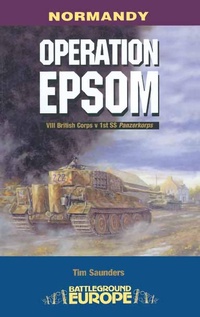
Operation Epsom
Published on 6. June 2002
176 pages
978-1-4738-1695-4 (ISBN)
Description

Follow 15th Scottish and 11th Armoured Divisions as they fight to outflank and seize the German-occupied city of Caen during WWII's Battle of Normandy.
Operation EPSOM was Montgomery's third attempt to take the city of Caen, which was a key British D-Day objective. This book takes us through the actions in vivid detail. Delayed by a storm, the attack, designed to envelop Caen from the west, eventually began at the end of June 1944. The Territorial Army battalions of 15th Scottish Division spearheaded the attacks through the well developed positions of 12th Hitlerjugend SS Panzer Division.
It was slow going and when tanks of the 11th Armoured Division dashed to the Odon Bridges, they ran into the concentrated fire of dug-in panzers. However, the following day the Argyle and Sutherland Highlanders slipped through the German defenses and seized a vital bridge. Armor poured across but, rather than pushing home their advantage, the British prepared to beat off a powerful counterattack from II SS Panzer Corps.
Operation EPSOM was Montgomery's third attempt to take the city of Caen, which was a key British D-Day objective. This book takes us through the actions in vivid detail. Delayed by a storm, the attack, designed to envelop Caen from the west, eventually began at the end of June 1944. The Territorial Army battalions of 15th Scottish Division spearheaded the attacks through the well developed positions of 12th Hitlerjugend SS Panzer Division.
It was slow going and when tanks of the 11th Armoured Division dashed to the Odon Bridges, they ran into the concentrated fire of dug-in panzers. However, the following day the Argyle and Sutherland Highlanders slipped through the German defenses and seized a vital bridge. Armor poured across but, rather than pushing home their advantage, the British prepared to beat off a powerful counterattack from II SS Panzer Corps.
More details
Other editions
Additional editions
Person
Tim Saunders served as an infantry officer with the British Army for thirty years, during which time he took the opportunity to visit campaigns far and wide, from ancient to modern. Since leaving the Army he has become a full time military historian, with this being his sixteenth book, has made nearly fifty full documentary films with Battlefield History and Pen & Sword. He is an active guide and Accredited Member of the Guild of Battlefield Guides.
