

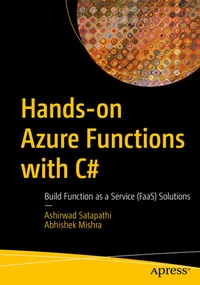
Hands-on Azure Functions with C#
Description

More details
Other editions
Additional editions
Persons
Ashirwad Satapathi is working as a software developer with a leading IT firm and has expertise in building scalable applications with .NET Core. He has a deep understanding of building full-stack applications using .NET and Azure PaaS and serverless offerings. He is an active blogger in the C# Corner developer community. He was awarded the C# Corner MVP (September 2020) for his remarkable contributions to the developer community.
Abhishek Mishra is an architect with a leading software multinational company and has deep expertise in designing and building enterprise-grade Intelligent Azure and .NET-based architectures. He is an expert in .NET full stack, Azure (PaaS, IaaS, serverless), Infrastructure as Code, Azure Machine Learning, Intelligent Azure (Azure Bot Services and Cognitive Services), and Robotics Process Automation. He has a rich 15+ years of experience working across top organizations in the industry. He loves blogging and is an active blogger in the C# Corner developer community. He was awarded the C# Corner MVP (December 2018 and 2019) for his contributions to the developer community.
Content
Chapter 1: Introduction to Azure Functions.- Chapter 2: Build Your First Azure Functions.- Chapter 3: What Are Triggers and Bindings.- Chapter 4: One Time Password (OTP Mailer) with Queue Storage Trigger and SendGrid Binding.- Chapter 5: Build a Report Generator with Timer Trigger and Blob Storage Bindings.- Chapter 6: To-Do API with HTTP Trigger and Table Storage Binding.- Chapter 7: Creating Custom Binding for Azure Functions.- Chapter 8: Building Serverless APIs Using Azure Function and Azure SQL.- Chapter 9: Serverless API Using Azure Functions and Azure Cosmos DB.- Chapter 10 : Enabling Application Insights and Azure Monitor.- Chapter 11: Storing Function Secrets in Azure Key Vault.- Chapter 12: Authentication and Authorization Using Azure Active Directory.- Chapter 13: Securing Azure Functions with API Management.- Chapter 14: Deploying Your Azure Functions Using IDEs.- Chapter 15: Deploying Your Azure Functions Using CI/CD Pipeline with Azure DevOps.- Chapter 16: Running Azure Functions in Containers.- Chapter 17: Adding Cognitive Capabilities to Your Azure Functions.- Chapter 18: Introduction to Azure Durable Functions.- Chapter 19: Integrating Azure Functions in Logic App Workflow.- Chapter 20: Best Practices and Pitfalls to Avoid.
