

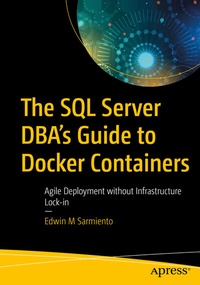
The SQL Server DBA's Guide to Docker Containers
Agile Deployment without Infrastructure Lock-in
Published on 29. May 2020
XXII, 347 pages
978-1-4842-5826-2 (ISBN)
Description

Get introduced to the world of Docker containers from a SQL Server DBA's perspective. This book explains container technology and how it can improve the deployment of your SQL Server databases without infrastructure lock-in. You will be equipped with the right technical skills to guide stakeholders in your business as they adopt and adapt to new technologies to improve time-to-market and competitiveness. You will learn how to build a lab environment at home on which to build skills that transfer directly into your day job.
This book teaches you how to install and configure Docker on both Windows Server and Linux operating systems. You will learn the most common Docker commands that you need to know as a DBA to deploy and manage SQL Server on containers. Support for SQL Server on Linux is new, and this book has your back with guidance on creating Docker images specifically for deployment to a Linux platform. Included is coverage of key Linux commands needed to manage SQL Server on that operating system. By the end of the book you will have learned how to create your own custom SQL Server container images with configuration settings that are specific to your organization, that are capable of being deployed to both Windows Server and Linux.
What You Will Learn
Who This Book Is For
Intermediate to senior SQL Server DBAs who are familiar with SQL Server on Windows and want to build their existing skills to deploy and manage SQL Server on Linux and through Docker containers. Readers should have a grasp of relational database concepts and be comfortable with the Transact-SQL language.
This book teaches you how to install and configure Docker on both Windows Server and Linux operating systems. You will learn the most common Docker commands that you need to know as a DBA to deploy and manage SQL Server on containers. Support for SQL Server on Linux is new, and this book has your back with guidance on creating Docker images specifically for deployment to a Linux platform. Included is coverage of key Linux commands needed to manage SQL Server on that operating system. By the end of the book you will have learned how to create your own custom SQL Server container images with configuration settings that are specific to your organization, that are capable of being deployed to both Windows Server and Linux.
What You Will Learn
- Create Docker containers for agile deployment of SQL Server
- Run multiple SQL Server instances on a single Linux machine
- Deploy custom images specific to your organization's needs
- Know the benefits and architecture of container technology
- Install and configure Docker on Windows Server and Linux
- Manage and persist SQL Server data in Docker containers
Who This Book Is For
Intermediate to senior SQL Server DBAs who are familiar with SQL Server on Windows and want to build their existing skills to deploy and manage SQL Server on Linux and through Docker containers. Readers should have a grasp of relational database concepts and be comfortable with the Transact-SQL language.
More details
Series
Edition
First Edition
Language
English
Place of publication
Berkeley
United States
Publishing group
APRESS
Target group
Professional and scholarly
Product notice
Reflowable
Illustrations
XXII, 347 p. 195 illus.
File size
19,30 MB
ISBN-13
978-1-4842-5826-2 (9781484258262)
DOI
10.1007/978-1-4842-5826-2
Schweitzer Classification
Other editions
Additional editions
Edwin M. Sarmiento
The SQL Server DBA's Guide to Docker Containers
Agile Deployment without Infrastructure Lock-in
Book
05/2020
APress
€69.54
Shipment within 15-20 days
Person
Edwin M. Sarmiento
is Managing Director of 15C, a consulting company that specializes in designing, implementing, and managing high-availability infrastructures. Proud of his heritage as a Filipino, Edwin now lives in Ottawa, Canada and specializes in high availability, disaster recovery, and system infrastructure. He is a former Microsoft Data Platform MVP of 12 years standing and is a Microsoft Certified Master for SQL Server. He is very passionate about technology, and has interests in music, neuroscience, social psychology, professional and organizational development, leadership, and management matters when not working with databases. Edwin strives continually to live up to his primary mission statement: To help people and organizations grow and develop their full potential.
Content
1. Introduction to Containers.- 2. Install and Configure Docker on Windows Server 2016.- 3. Install and Configure Docker on Linux.- 4. The Docker Ecosystem.- 5. Docker Images and Containers.- 6. Managing and Administering Containers.- 7. Persisting Data.- 8. Working with SQL Server on Linux.- 9. Creating Custom SQL Server on Windows Container Images.- 10. Creating Custom SQL Server on Linux Container Images.- 11. Guide to Docker Networking for SQL Server DBAs.- 12. Appendix A. Building a Personal Lab Environment.
