

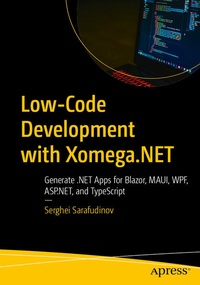
Low-Code Development with Xomega.NET
Description

Quickly build robust, data-driven .NET applications in Visual Studio using Xomega, an extensible low-code platform. Use simple but flexible Xomega model structures to model your application domain entities, services, UI objects, and views. Instead of spending your time writing boilerplate plumbing code, this platform enables you to stay focused on big-picture issues like your business domain and the structure of your application. Once you define your application models, Xomega allows you to generate all layers of your application, producing high-quality, customizable source code organized as per the best-practice architectures for multi-tier, enterprise-grade applications.
Your application will leverage our powerful open-source Xomega Framework, which helps you write clean, reusable, and testable code. Coupled with code generation, it will guarantee consistent behavior and look-and-feel across your entire app, which can also reduce maintenance costs later on.
What You Will Learn
- Create a Blazor solution pre-configured for the selected architecture and frameworks using industry best practices.
- Import initial domain model from a database and enrich it with static data, services and presentation models.
- Iteratively model services and UI views for a powerful list screen with flexible search criteria.
- Iteratively model CRUD services and presentation for a complex full-fledged details screen.
- Continuously generate application code from the models for all layers and add custom code as needed.
- Implement password authentication and multi-layer claims-based security for accessing app data and functionality.
Who This Book Is For
This book is for .NET developers who are looking to quickly and efficiently build .NET apps using low code.
More details
Other editions
Additional editions
Person
Serghei Sarafudinov is a seasoned software developer, architect, and entrepreneur with more than 25 years of experience building large-scale enterprise applications for leading telecommunications and transportation companies using .NET, Java and Typescript. He is the visionary behind the Xomega.NET low-code platform and the open-source Xomega Framework - power tools for .NET developers. Off the clock, you can find him developing his backhand and forehand and serving up aces on the tennis court.
Content
Chapter 1: Getting Started with Xomega.- Chapter 2: Building Out a List View.- Chapter 3: Configuring Search Criteria.- Chapter 4: Building Out a Details View.- Chapter 5: Implementing Security.
