

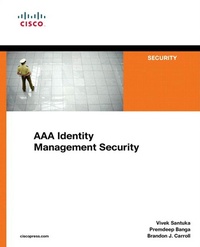
AAA Identity Management Security
1st Edition
Published on 16. December 2010
480 pages
978-1-58714-152-2 (ISBN)
Description

Cisco's complete, authoritative guide to Authentication, Authorization, and Accounting (AAA) solutions with CiscoSecure ACS
AAA solutions are very frequently used by customers to provide secure access to devices and networks
AAA solutions are difficult and confusing to implement even though they are almost mandatory
Helps IT Pros choose the best identity management protocols and designs for their environments
Covers AAA on Cisco routers, switches, access points, and firewalls
This is the first complete, authoritative, single-source guide to implementing, configuring, and managing Authentication, Authorization and Accounting (AAA) identity management with CiscoSecure Access Control Server (ACS) 4 and 5. Written by three of Cisco's most experienced CiscoSecure product support experts, it covers all AAA solutions (except NAC) on Cisco routers, switches, access points, firewalls, and concentrators. It also thoroughly addresses both ACS configuration and troubleshooting, including the use of external databases supported by ACS. Each of this book's six sections focuses on specific Cisco devices and their AAA configuration with ACS. Each chapter covers configuration syntax and examples, debug outputs with explanations, and ACS screenshots. Drawing on the authors' experience with several thousand support cases in organizations of all kinds, AAA Identity Management Security presents pitfalls, warnings, and tips throughout. Each major topic concludes with a practical, hands-on lab scenario corresponding to a real-life solution that has been widely implemented by Cisco customers. This book brings together crucial information that was previously scattered across multiple sources. It will be indispensable to every professional running CiscoSecure ACS 4 or 5, as well as all candidates for CCSP and CCIE (Security or R and S) certification.
AAA solutions are very frequently used by customers to provide secure access to devices and networks
AAA solutions are difficult and confusing to implement even though they are almost mandatory
Helps IT Pros choose the best identity management protocols and designs for their environments
Covers AAA on Cisco routers, switches, access points, and firewalls
This is the first complete, authoritative, single-source guide to implementing, configuring, and managing Authentication, Authorization and Accounting (AAA) identity management with CiscoSecure Access Control Server (ACS) 4 and 5. Written by three of Cisco's most experienced CiscoSecure product support experts, it covers all AAA solutions (except NAC) on Cisco routers, switches, access points, firewalls, and concentrators. It also thoroughly addresses both ACS configuration and troubleshooting, including the use of external databases supported by ACS. Each of this book's six sections focuses on specific Cisco devices and their AAA configuration with ACS. Each chapter covers configuration syntax and examples, debug outputs with explanations, and ACS screenshots. Drawing on the authors' experience with several thousand support cases in organizations of all kinds, AAA Identity Management Security presents pitfalls, warnings, and tips throughout. Each major topic concludes with a practical, hands-on lab scenario corresponding to a real-life solution that has been widely implemented by Cisco customers. This book brings together crucial information that was previously scattered across multiple sources. It will be indispensable to every professional running CiscoSecure ACS 4 or 5, as well as all candidates for CCSP and CCIE (Security or R and S) certification.
More details
Edition
1. Auflage
Language
English
Place of publication
Indianapolis
United States
Publishing group
Pearson Education (US)
Target group
College/higher education
File size
19,04 MB
ISBN-13
978-1-58714-152-2 (9781587141522)
Copyright in bibliographic data and cover images is held by Nielsen Book Services Limited or by the publishers or by their respective licensors: all rights reserved.
Schweitzer Classification
Other editions
Additional editions
Vivek Santuka | Premdeep Banga | Brandon Carroll
AAA Identity Management Security
Book
01/2011
Cisco Press
€88.69
Shipment within 3-4 weeks
Content
Part I - AAA and CiscoSecure ACS
1 Authentication Authorization Accounting (AAA) Authentication
2 CiscoSecure ACS Introduction to ACS
3 Getting Familiar with ACS 4.2 The 7 ACS Services
4 Getting Familiar with ACS 5.1 Differences between ACS 4 and ACS 5
5 Configuring External Databases with ACS Unknown User Policy
Part II - Administrative AAA
6 IOS Based Devices The Lines and Default Login
7 PIX and ASA Local Authentication of Telnet/SSH/HTTP
8 IOS Switches Introduction to 802.1x
9 Access Points Configuring SSID for Dot1x Authentication
10 Pix/ASA Introduction to Cut-through Proxy Authentication
11 Router Introduction to Auth-proxy
Part V - Remote Access
12 Routers and Access Servers Authenticating Remote Access VPN Sessions
13 Pix/ASA Authentication of Remote Access VPN Sessions
Part VI - ACS Advanced Configuration
14 ACS 4.2 Network Access Restriction
15 ACS 5.1 Replication
1 Authentication Authorization Accounting (AAA) Authentication
2 CiscoSecure ACS Introduction to ACS
3 Getting Familiar with ACS 4.2 The 7 ACS Services
4 Getting Familiar with ACS 5.1 Differences between ACS 4 and ACS 5
5 Configuring External Databases with ACS Unknown User Policy
Part II - Administrative AAA
6 IOS Based Devices The Lines and Default Login
7 PIX and ASA Local Authentication of Telnet/SSH/HTTP
8 IOS Switches Introduction to 802.1x
9 Access Points Configuring SSID for Dot1x Authentication
10 Pix/ASA Introduction to Cut-through Proxy Authentication
11 Router Introduction to Auth-proxy
Part V - Remote Access
12 Routers and Access Servers Authenticating Remote Access VPN Sessions
13 Pix/ASA Authentication of Remote Access VPN Sessions
Part VI - ACS Advanced Configuration
14 ACS 4.2 Network Access Restriction
15 ACS 5.1 Replication
