

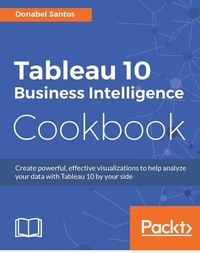
Tableau 10 Business Intelligence Cookbook
Create powerful, effective visualizations with Tableau 10
Published on 13. January 2025
476 pages
978-1-78646-973-1 (ISBN)
Description

Create powerful, effective visualizations to help analyze your data with Tableau 10 by your side
Key Features
[*] Cook your favorite Tableau 10 business intelligence recipe with the help of this easy-to-follow book
[*] Build beautiful, interactive dashboards and visualizations in Tableau 10 that help you make informed decisions
[*] This rich collection of independent recipes cover everything needed to become an advanced Tableau user and get an edge over other Tableau users
Book DescriptionTableau is a software tool that can speed up data analysis through its rich visualization capabilities, and help uncover insights for better and smarter decision making. This book is for the business, technology, data and analytics professionals who use and analyze data and data-driven approaches to support business operations and strategic initiatives in their organizations. This book provides easy-to-follow recipes to get the reader up and running with Tableau 10, and covers basic to advanced use cases and scenarios. The book starts with building basic charts in Tableau and moves on to building more complex charts by incorporating different Tableau features and interactivity components. There is an entire chapter dedicated to dashboard techniques and best practices. A number of recipes specifically for geospatial visualization, analytics, and data preparation are also covered. By the end of this book, you'll have gained confidence and competence to analyze and communicate data and insights more efficiently and effectively by creating compelling interactive charts, dashboards, and stories in Tableau. What you will learn
[*] Become familiar with the Tableau interface
[*] Build basic to more advanced charts with step-by-step recipes
[*] Use filters, calculated fields, parameters, and actions to add interactivity to charts and dashboards
[*] Prepare and transform data for analysis using Tableau's built-in tools and functions
[*] Create effective and compelling dashboards and story points
[*] Leverage Tableau's mapping capabilities to visualize location and shape data
[*] Integrate analytics and forecasting to enhance data analysis
[*] Get to know tips and tricks to work more quickly and effectively in Tableau
[*] Increase your confidence and competence in creating rich, interactive visualizations in Tableau
Who this book is forThis book is targeted to business, data, and analytics professionals who want to build rich interactive visualizations using Tableau. Familiarity with previous versions of Tableau would be helpful, but is not necessary.
Key Features
[*] Cook your favorite Tableau 10 business intelligence recipe with the help of this easy-to-follow book
[*] Build beautiful, interactive dashboards and visualizations in Tableau 10 that help you make informed decisions
[*] This rich collection of independent recipes cover everything needed to become an advanced Tableau user and get an edge over other Tableau users
Book DescriptionTableau is a software tool that can speed up data analysis through its rich visualization capabilities, and help uncover insights for better and smarter decision making. This book is for the business, technology, data and analytics professionals who use and analyze data and data-driven approaches to support business operations and strategic initiatives in their organizations. This book provides easy-to-follow recipes to get the reader up and running with Tableau 10, and covers basic to advanced use cases and scenarios. The book starts with building basic charts in Tableau and moves on to building more complex charts by incorporating different Tableau features and interactivity components. There is an entire chapter dedicated to dashboard techniques and best practices. A number of recipes specifically for geospatial visualization, analytics, and data preparation are also covered. By the end of this book, you'll have gained confidence and competence to analyze and communicate data and insights more efficiently and effectively by creating compelling interactive charts, dashboards, and stories in Tableau. What you will learn
[*] Become familiar with the Tableau interface
[*] Build basic to more advanced charts with step-by-step recipes
[*] Use filters, calculated fields, parameters, and actions to add interactivity to charts and dashboards
[*] Prepare and transform data for analysis using Tableau's built-in tools and functions
[*] Create effective and compelling dashboards and story points
[*] Leverage Tableau's mapping capabilities to visualize location and shape data
[*] Integrate analytics and forecasting to enhance data analysis
[*] Get to know tips and tricks to work more quickly and effectively in Tableau
[*] Increase your confidence and competence in creating rich, interactive visualizations in Tableau
Who this book is forThis book is targeted to business, data, and analytics professionals who want to build rich interactive visualizations using Tableau. Familiarity with previous versions of Tableau would be helpful, but is not necessary.
All prices
More details
Edition
Digital original
Language
English
Place of publication
Birmingham
United Kingdom
Target group
Professional and scholarly
US School Grade: College Graduate Student
Edition type
Digital original
File size
46,89 MB
ISBN-13
978-1-78646-973-1 (9781786469731)
Copyright in bibliographic data and cover images is held by Nielsen Book Services Limited or by the publishers or by their respective licensors: all rights reserved.
Schweitzer Classification
Other editions
Additional editions
Donabel Santos
Tableau 10 Business Intelligence Cookbook
Create powerful, effective visualizations with Tableau 10
Book
11/2016
Packt Publishing
€64.50
Shipment within 3-4 weeks
Person
Santos Donabel :
Donabel Santos is a self-confessed data geek. She loves working with data, writing queries, and developing reports on her SQL Server databases, and exploring and visualizing data with Tableau. She is the principal and senior business intelligence architect at QueryWorks Solutions, a Tableau Learning and Alliance partner in Vancouver, BC, Canada, providing consulting and training services. She has spent years in consulting and has developed a variety of solutions for clients in different verticals-finance, manufacturing, healthcare, legal, higher education, and local government. Donabel is a multi-year Microsoft Data Platform MVP (previously known as SQL Server MVP) and has extensive experience in the SQL server in different areas, such as development, administration, data warehouse, reporting (SSRS), tuning, troubleshooting, XML, CLR, and integration with ERPs and CRMs using PowerShell, C#, SSIS, and Power BI. One of Donabel's passions is teaching and sharing her love for data. She is a Tableau Certified Professional and a Tableau accredited trainer, delivering Tableau public and on-site client training. She is also the lead instructor for a number of courses at British Columbia Institute of Technology (BCIT), including Applied Database Administration and Design (ADAD) and Applied Data Analytics (ADA) programs. She teaches SQL server administration, development, integration (SSIS), data warehouse foundations, and visual analytics with Tableau. Donabel has also authored three other books with Packt Publishing: SQL Server 2012 with PowerShell V3 Cookbook, PowerShell for SQL Server Essentials, and SQL Server 2014 with PowerShell V5 Cookbook. She also contributed a chapter to Manning Publications' PowerShell Deep Dives.Banoub Paul :
Contacted on: 18/12/2015 for Mastering Tableau 10 [video]
Donabel Santos is a self-confessed data geek. She loves working with data, writing queries, and developing reports on her SQL Server databases, and exploring and visualizing data with Tableau. She is the principal and senior business intelligence architect at QueryWorks Solutions, a Tableau Learning and Alliance partner in Vancouver, BC, Canada, providing consulting and training services. She has spent years in consulting and has developed a variety of solutions for clients in different verticals-finance, manufacturing, healthcare, legal, higher education, and local government. Donabel is a multi-year Microsoft Data Platform MVP (previously known as SQL Server MVP) and has extensive experience in the SQL server in different areas, such as development, administration, data warehouse, reporting (SSRS), tuning, troubleshooting, XML, CLR, and integration with ERPs and CRMs using PowerShell, C#, SSIS, and Power BI. One of Donabel's passions is teaching and sharing her love for data. She is a Tableau Certified Professional and a Tableau accredited trainer, delivering Tableau public and on-site client training. She is also the lead instructor for a number of courses at British Columbia Institute of Technology (BCIT), including Applied Database Administration and Design (ADAD) and Applied Data Analytics (ADA) programs. She teaches SQL server administration, development, integration (SSIS), data warehouse foundations, and visual analytics with Tableau. Donabel has also authored three other books with Packt Publishing: SQL Server 2012 with PowerShell V3 Cookbook, PowerShell for SQL Server Essentials, and SQL Server 2014 with PowerShell V5 Cookbook. She also contributed a chapter to Manning Publications' PowerShell Deep Dives.Banoub Paul :
Contacted on: 18/12/2015 for Mastering Tableau 10 [video]
Content
Table of Contents
Basic Charts
Advanced Charts
Interactivity
Dashboards and Story Points
Maps and Geospatial Visualization
Analytics
Data Preparation
Appendix C - Working with Tableau 10
Appendix A - Calculated Fields Primer
Appendix B - Resources
Basic Charts
Advanced Charts
Interactivity
Dashboards and Story Points
Maps and Geospatial Visualization
Analytics
Data Preparation
Appendix C - Working with Tableau 10
Appendix A - Calculated Fields Primer
Appendix B - Resources

