

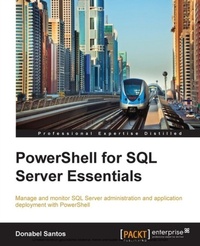
PowerShell for SQL Server Essentials
Manage and monitor SQL Server administration and application deployment with PowerShell
Published on 7. October 2025
186 pages
978-1-78439-710-4 (ISBN)
Description

Key Features
Book DescriptionThis book is written for SQL Server administrators and developers who want to leverage PowerShell to work with SQL Server. Some background with scripting will be helpful but not necessary.What you will learn
Create scripts using PowerShell to manage and monitor server administration and application deployment
Automate the creation of SQL Database objects through PowerShell with the help of the SQL Server module (SQLPS) and SQL Server snapins
Use PowerShell to work with SQL Server specific providers and cmdlets
Identify and manage SQL Server services, instances, settings, and confi gurations
Profile your SQL Server instances and export current configurations to a file
Monitor SQL Server jobs and alerts
Manage logins, database users, and instance security and permissions
Invoke TSQL queries from PowerShell and export results
Accomplish tasks from your DBA daily/weekly/monthly/yearly checklists with PowerShell
Who this book is forThis book is written for SQL Server administrators and developers who want to leverage PowerShell to work with SQL Server. Some background with scripting will be helpful but not necessary.
Book DescriptionThis book is written for SQL Server administrators and developers who want to leverage PowerShell to work with SQL Server. Some background with scripting will be helpful but not necessary.What you will learn
Create scripts using PowerShell to manage and monitor server administration and application deployment
Automate the creation of SQL Database objects through PowerShell with the help of the SQL Server module (SQLPS) and SQL Server snapins
Use PowerShell to work with SQL Server specific providers and cmdlets
Identify and manage SQL Server services, instances, settings, and confi gurations
Profile your SQL Server instances and export current configurations to a file
Monitor SQL Server jobs and alerts
Manage logins, database users, and instance security and permissions
Invoke TSQL queries from PowerShell and export results
Accomplish tasks from your DBA daily/weekly/monthly/yearly checklists with PowerShell
Who this book is forThis book is written for SQL Server administrators and developers who want to leverage PowerShell to work with SQL Server. Some background with scripting will be helpful but not necessary.
All prices
More details
Edition
Digital original
Language
English
Place of publication
Birmingham
United Kingdom
Target group
Professional and scholarly
US School Grade: College Graduate Student
Edition type
Digital original
File size
8,79 MB
ISBN-13
978-1-78439-710-4 (9781784397104)
Copyright in bibliographic data and cover images is held by Nielsen Book Services Limited or by the publishers or by their respective licensors: all rights reserved.
Schweitzer Classification
Other editions
Additional editions
Donabel Santos
PowerShell for SQL Server Essentials
Book
02/2015
Packt Publishing
€39.20
Shipment within 3-4 weeks
Person
Santos Donabel :
Donabel Santos is a self-confessed data geek. She loves working with data, writing queries, and developing reports on her SQL Server databases, and exploring and visualizing data with Tableau. She is the principal and senior business intelligence architect at QueryWorks Solutions, a Tableau Learning and Alliance partner in Vancouver, BC, Canada, providing consulting and training services. She has spent years in consulting and has developed a variety of solutions for clients in different verticals-finance, manufacturing, healthcare, legal, higher education, and local government. Donabel is a multi-year Microsoft Data Platform MVP (previously known as SQL Server MVP) and has extensive experience in the SQL server in different areas, such as development, administration, data warehouse, reporting (SSRS), tuning, troubleshooting, XML, CLR, and integration with ERPs and CRMs using PowerShell, C#, SSIS, and Power BI. One of Donabel's passions is teaching and sharing her love for data. She is a Tableau Certified Professional and a Tableau accredited trainer, delivering Tableau public and on-site client training. She is also the lead instructor for a number of courses at British Columbia Institute of Technology (BCIT), including Applied Database Administration and Design (ADAD) and Applied Data Analytics (ADA) programs. She teaches SQL server administration, development, integration (SSIS), data warehouse foundations, and visual analytics with Tableau. Donabel has also authored three other books with Packt Publishing: SQL Server 2012 with PowerShell V3 Cookbook, PowerShell for SQL Server Essentials, and SQL Server 2014 with PowerShell V5 Cookbook. She also contributed a chapter to Manning Publications' PowerShell Deep Dives.
Donabel Santos is a self-confessed data geek. She loves working with data, writing queries, and developing reports on her SQL Server databases, and exploring and visualizing data with Tableau. She is the principal and senior business intelligence architect at QueryWorks Solutions, a Tableau Learning and Alliance partner in Vancouver, BC, Canada, providing consulting and training services. She has spent years in consulting and has developed a variety of solutions for clients in different verticals-finance, manufacturing, healthcare, legal, higher education, and local government. Donabel is a multi-year Microsoft Data Platform MVP (previously known as SQL Server MVP) and has extensive experience in the SQL server in different areas, such as development, administration, data warehouse, reporting (SSRS), tuning, troubleshooting, XML, CLR, and integration with ERPs and CRMs using PowerShell, C#, SSIS, and Power BI. One of Donabel's passions is teaching and sharing her love for data. She is a Tableau Certified Professional and a Tableau accredited trainer, delivering Tableau public and on-site client training. She is also the lead instructor for a number of courses at British Columbia Institute of Technology (BCIT), including Applied Database Administration and Design (ADAD) and Applied Data Analytics (ADA) programs. She teaches SQL server administration, development, integration (SSIS), data warehouse foundations, and visual analytics with Tableau. Donabel has also authored three other books with Packt Publishing: SQL Server 2012 with PowerShell V3 Cookbook, PowerShell for SQL Server Essentials, and SQL Server 2014 with PowerShell V5 Cookbook. She also contributed a chapter to Manning Publications' PowerShell Deep Dives.
Content
Table of Contents
Getting Started with Powershell
Using Powershell with SQL Server
Profiling and Configuring SQL Server
Basic SQL Server Administration
Querying SQL Server with Powershell
Automating SQL Server
Creating Functions and modules
Getting Started with Powershell
Using Powershell with SQL Server
Profiling and Configuring SQL Server
Basic SQL Server Administration
Querying SQL Server with Powershell
Automating SQL Server
Creating Functions and modules

