

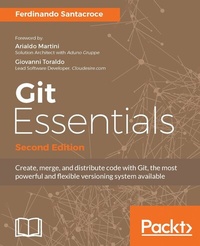
Git Essentials ??? Second Edition
Create, merge, and distribute code with Git, the most powerful and flexible versioning system available
2nd Edition
Published on 8. July 2025
238 pages
978-1-78728-317-6 (ISBN)
Description

No detailed description available for "Git Essentials ??? Second Edition".
All prices
More details
Edition
2nd Revised edition
Language
English
Place of publication
Birmingham
United Kingdom
Target group
Professional and scholarly
US School Grade: College Graduate Student
Edition type
Revised edition
File size
3,86 MB
ISBN-13
978-1-78728-317-6 (9781787283176)
Copyright in bibliographic data and cover images is held by Nielsen Book Services Limited or by the publishers or by their respective licensors: all rights reserved.
Schweitzer Classification
Other editions
Additional editions
Ferdinando Santacroce
Git Essentials - Second Edition
Book
11/2017
Packt Publishing
€45.60
Shipment within 3-4 weeks
Person
Santacroce Ferdinando :
Ferdinando Santacroce is a developer, author, and trainer who loves learning new things. As a software developer, Ferdinando has mainly worked on the .NET platform using C#, bridging the gap between old-style systems and new technologies. Over the span of his career, he has allowed some COBOL applications to talk to remote services, databases, and electronic devices such as cash handlers, scanners, and electronic shelf labels. At the moment, he is committed to helping the largest energy player in Italy to face new challenges in the market by developing Java and JavaScript-based applications. Other than this, he's focusing on continuous improvement and agile movement, which he follows with great care, in conjunction with XP foundations and lean manufacturing. He's one of the organizers of Italian Agile Days, the most famous and appreciated conference in the Italian Agile panorama. Ferdinando loves to share ideas with other professionals and to speak at public conferences; every time he has, he has learned something new. He enjoys writing as well. After a hiatus of a few years, he has started blogging again about his work and passions, which, according to him, are more or less the same thing. Most of what he has learned over the years has been with the help of his friends and colleagues. Other than working within the same team or on the same code base, they have encouraged him to read books and attend inspiring conferences, such as XP Days, Italian Agile Days, and others that have helped his growth.
Ferdinando Santacroce is a developer, author, and trainer who loves learning new things. As a software developer, Ferdinando has mainly worked on the .NET platform using C#, bridging the gap between old-style systems and new technologies. Over the span of his career, he has allowed some COBOL applications to talk to remote services, databases, and electronic devices such as cash handlers, scanners, and electronic shelf labels. At the moment, he is committed to helping the largest energy player in Italy to face new challenges in the market by developing Java and JavaScript-based applications. Other than this, he's focusing on continuous improvement and agile movement, which he follows with great care, in conjunction with XP foundations and lean manufacturing. He's one of the organizers of Italian Agile Days, the most famous and appreciated conference in the Italian Agile panorama. Ferdinando loves to share ideas with other professionals and to speak at public conferences; every time he has, he has learned something new. He enjoys writing as well. After a hiatus of a few years, he has started blogging again about his work and passions, which, according to him, are more or less the same thing. Most of what he has learned over the years has been with the help of his friends and colleagues. Other than working within the same team or on the same code base, they have encouraged him to read books and attend inspiring conferences, such as XP Days, Italian Agile Days, and others that have helped his growth.
Content
- Cover
- Copyright
- Credits
- Foreword
- Foreword
- About the Author
- About the Reviewer
- www.PacktPub.com
- Customer Feedback
- Table of Contents
- Preface
- Chapter 1: Getting Started with Git
- Foreword to the second edition
- Installing Git
- Installing Git on GNU-Linux
- Installing Git on macOS
- Installing Git on Windows
- Running our first Git command
- Making presentations
- Setting up a new repository
- Adding a file
- Committing the added file
- Modifying a committed file
- Summary
- Chapter 2: Git Fundamentals - Working Locally
- Digging into Git internals
- Git objects
- Commits
- The hash
- The author and the commit creation date
- The commit message
- The committer and the committing date
- Going deeper
- Porcelain commands and plumbing commands
- Trees
- Blobs
- Even deeper - the Git storage object model
- Git doesn't use deltas
- Wrapping up
- Git references
- It's all about labels
- Branches are movable labels
- How references work
- Creating a new branch
- HEAD, or you are here
- Reachability and undoing commits
- Detached HEAD
- The reflogs
- Tags are fixed labels
- Annotated tags
- Staging area, working tree, and HEAD commit
- The three areas of Git
- Removing changes from the staging area
- File status lifecycle
- All you need to know about checkout and reset
- Git checkout overwrites all the tree areas
- Git reset can be hard, soft, or mixed
- Rebasing
- Reassembling commits
- Rebasing branches
- Merging branches
- Fast forwarding
- Cherry picking
- Summary
- Chapter 3: Git Fundamentals - Working Remotely
- Working with remotes
- Clone a local repository
- The origin
- Sharing local commits with git push
- Getting remote commits with git pull
- How Git keeps track of remotes
- Working with a public server on GitHub
- Setting up a new GitHub account
- Cloning the repository
- Uploading modifications to remotes
- What do I send to the remote when I push?
- Pushing a new branch to the remote
- The origin
- Tracking branches
- Going backward - publishing a local repository to GitHub
- Adding a remote to a local repository
- Pushing a local branch to a remote repository
- Social coding - collaborating using GitHub
- Forking a repository
- Submitting pull requests
- Creating a pull request
- Summary
- Chapter 4: Git Fundamentals - Niche Concepts, Configurations, and Commands
- Dissecting Git configuration
- Configuration architecture
- Configuration levels
- System level
- Global level
- Repository level
- Listing configurations
- Editing configuration files manually
- Setting up some other environment configurations
- Basic configurations
- Typos autocorrection
- Push default
- Defining the default editor
- Other configurations
- Git aliases
- Shortcuts to common commands
- Creating commands
- git unstage
- git undo
- git last
- git difflast
- Advanced aliases with external commands
- Removing an alias
- Aliasing the git command itself
- Useful techniques
- Git stash - putting changes temporally aside
- Git commit amend - modify the last commit
- Git blame - tracing changes in a file
- Tricks
- Bare repositories
- Converting a regular repository to a bare one
- Backup repositories
- Archiving the repository
- Bundling the repository
- Summary
- Chapter 5: Obtaining the Most - Good Commits and Workflows
- The art of committing
- Building the right commit
- Making only one change per commit
- Splitting up features and tasks
- Writing commit messages before starting to code
- Including the whole change in one commit
- Describing the change, not what have you done
- Don't be afraid to commit
- Isolating meaningless commits
- The perfect commit message
- Writing a meaningful subject
- Adding bulleted details lines when needed
- Tying other useful information
- Special messages for releases
- Conclusions
- Adopting a workflow - a wise act
- Centralized workflows
- How they work
- Feature branch workflow
- Gitflow
- Master branch
- Hotfixes branches
- The develop branch
- The release branch
- The feature branches
- Conclusion
- GitHub flow
- Anything in the master branch is deployable
- Creating descriptive branches off of master
- Pushing to named branches constantly
- Opening a pull request at any time
- Merging only after pull request review
- Deploying immediately after review
- Conclusions
- Trunk-based development
- Other workflows
- Linux kernel workflow
- Summary
- Chapter 6: Migrating to Git
- Before starting
- Installing a Subversion client
- Working on a Subversion repository using Git
- Creating a local Subversion repository
- Checking out the Subversion repository with the svn client
- Cloning a Subversion repository from Git
- Adding a tag and a branch
- Committing a file to Subversion using Git as a client
- Retrieving new commits from the Subversion server
- Using Git with a Subversion repository
- Migrating a Subversion repository
- Retrieving the list of Subversion users
- Cloning the Subversion repository
- Preserving ignored files
- Pushing to a local bare Git repository
- Arrange branches and tags
- Renaming trunk branch to master
- Converting Subversion tags to Git tags
- Pushing the local repository to a remote
- Comparing Git and Subversion commands
- Summary
- Chapter 7: Git Resources
- Git GUI clients
- Windows
- Git GUI
- TortoiseGit
- GitHub for Windows
- Atlassian SourceTree
- Cmder
- macOS
- Linux
- Building up a personal Git server with web interface
- SCM Manager
- Learning Git in a visual manner
- Git on the internet
- Git for human beings Google Group
- Git community on Google+
- Git cheat sheets
- Online videos
- Ferdinando Santacroce's blog
- Summary
- Index

