

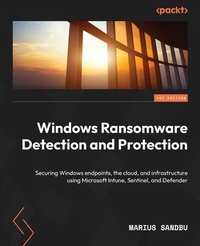
Windows Ransomware Detection and Protection
Securing Windows endpoints, the cloud, and infrastructure using Microsoft Intune, Sentinel, and Defender
1st Edition
Published on 21. May 2024
290 pages
978-1-80323-061-0 (ISBN)
Description

Protect your end users and IT infrastructure against common ransomware attack vectors and efficiently monitor future threats Purchase of the print or Kindle book includes a free PDF eBookKey Features - Learn to build security monitoring solutions based on Microsoft 365 and Sentinel
- Understand how Zero-Trust access and SASE services can help in mitigating risks
- Build a secure foundation for Windows endpoints, email, infrastructure, and cloud services
Book DescriptionIf you're looking for an effective way to secure your environment against ransomware attacks, this is the book for you. From teaching you how to monitor security threats to establishing countermeasures to protect against ransomware attacks, Windows Ransomware Detection and Protection has it all covered. The book begins by helping you understand how ransomware attacks work, identifying different attack vectors, and showing you how to build a secure network foundation and Windows environment. You'll then explore ransomware countermeasures in different segments, such as Identity and Access Management, networking, Endpoint Manager, cloud, and infrastructure, and learn how to protect against attacks. As you move forward, you'll get to grips with the forensics involved in making important considerations when your system is attacked or compromised with ransomware, the steps you should follow, and how you can monitor the threat landscape for future threats by exploring different online data sources and building processes. By the end of this ransomware book, you'll have learned how configuration settings and scripts can be used to protect Windows from ransomware attacks with 50 tips on security settings to secure your Windows workload.What you will learn - Understand how ransomware has evolved into a larger threat
- Secure identity-based access using services like multifactor authentication
- Enrich data with threat intelligence and other external data sources
- Protect devices with Microsoft Defender and Network Protection
- Find out how to secure users in Active Directory and Azure Active Directory
- Secure your Windows endpoints using Endpoint Manager
- Design network architecture in Azure to reduce the risk of lateral movement
Who this book is forThis book is for Windows administrators, cloud administrators, CISOs, and blue team members looking to understand the ransomware problem, how attackers execute intrusions, and how you can use the techniques to counteract attacks. Security administrators who want more insights into how they can secure their environment will also find this book useful. Basic Windows and cloud experience is needed to understand the concepts in this book.
- Understand how Zero-Trust access and SASE services can help in mitigating risks
- Build a secure foundation for Windows endpoints, email, infrastructure, and cloud services
Book DescriptionIf you're looking for an effective way to secure your environment against ransomware attacks, this is the book for you. From teaching you how to monitor security threats to establishing countermeasures to protect against ransomware attacks, Windows Ransomware Detection and Protection has it all covered. The book begins by helping you understand how ransomware attacks work, identifying different attack vectors, and showing you how to build a secure network foundation and Windows environment. You'll then explore ransomware countermeasures in different segments, such as Identity and Access Management, networking, Endpoint Manager, cloud, and infrastructure, and learn how to protect against attacks. As you move forward, you'll get to grips with the forensics involved in making important considerations when your system is attacked or compromised with ransomware, the steps you should follow, and how you can monitor the threat landscape for future threats by exploring different online data sources and building processes. By the end of this ransomware book, you'll have learned how configuration settings and scripts can be used to protect Windows from ransomware attacks with 50 tips on security settings to secure your Windows workload.What you will learn - Understand how ransomware has evolved into a larger threat
- Secure identity-based access using services like multifactor authentication
- Enrich data with threat intelligence and other external data sources
- Protect devices with Microsoft Defender and Network Protection
- Find out how to secure users in Active Directory and Azure Active Directory
- Secure your Windows endpoints using Endpoint Manager
- Design network architecture in Azure to reduce the risk of lateral movement
Who this book is forThis book is for Windows administrators, cloud administrators, CISOs, and blue team members looking to understand the ransomware problem, how attackers execute intrusions, and how you can use the techniques to counteract attacks. Security administrators who want more insights into how they can secure their environment will also find this book useful. Basic Windows and cloud experience is needed to understand the concepts in this book.
All prices
More details
Person
Sandbu Marius :
Marius Sandbu is a Cloud Evangelist and architect working at Sopra Steria in Norway with over 17 years in the IT industry. Marius has a wide range of technical experience across different technologies such as identity, networking, virtualization, endpoint management, infrastructure, and with a special focus on the public cloud. He is an avid blogger, co-hosts the CloudFirst Podcast, and is also an international speaker at events such as Microsoft Ignite and Citrix Synergy. He has previously worked at TietoEVRY where he was the technical lead for the Public Cloud unit and has also worked at the University of Oslo as a system administrator and at Microsoft as a Technical Advisor.
Marius Sandbu is a Cloud Evangelist and architect working at Sopra Steria in Norway with over 17 years in the IT industry. Marius has a wide range of technical experience across different technologies such as identity, networking, virtualization, endpoint management, infrastructure, and with a special focus on the public cloud. He is an avid blogger, co-hosts the CloudFirst Podcast, and is also an international speaker at events such as Microsoft Ignite and Citrix Synergy. He has previously worked at TietoEVRY where he was the technical lead for the Public Cloud unit and has also worked at the University of Oslo as a system administrator and at Microsoft as a Technical Advisor.
Content
Table of Contents - Ransomware Attack Vectors and the Threat Landscape
- Building a Secure Foundation
- Security Monitoring using Microsoft Sentinel and Defender
- Ransomware Countermeasures - Windows Endpoints, Identity, and SaaS
- Ransomware Countermeasures - Microsoft Azure Workloads
- Ransomware Countermeasures - Networking and Zero-Trust Access
- Protecting Information Using Azure Information Protection and Data Protection
- Ransomware Forensics
- Monitoring the Threat Landscape
- Best Practices for Protecting Windows from Ransomware Attacks
- Building a Secure Foundation
- Security Monitoring using Microsoft Sentinel and Defender
- Ransomware Countermeasures - Windows Endpoints, Identity, and SaaS
- Ransomware Countermeasures - Microsoft Azure Workloads
- Ransomware Countermeasures - Networking and Zero-Trust Access
- Protecting Information Using Azure Information Protection and Data Protection
- Ransomware Forensics
- Monitoring the Threat Landscape
- Best Practices for Protecting Windows from Ransomware Attacks
