

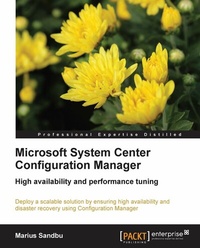
Microsoft System Center Configuration Manager
Deploy a scalable solution by ensuring high availability and disaster recovery using Configuration Manager with this book and ebook.
Published on 13. January 2025
146 pages
978-1-78217-677-0 (ISBN)
Description

Deploy a scalable solution by ensuring high availability and disaster recovery using Configuration Manager with this book and ebook.
Key Features
Deploy highly available Configuration Manager sites and roles
Backup, restore, and copy Configuration Manager to other sites
Get to grips with performance tuning and best practices for Configuration Manager sites
Book DescriptionMicrosoft Configuration Manager is both extensive and complex, and for many, it is the primary tool for Enterprise management. With each new release, Configuration Manager continually proves itself to be the ultimate solution for managing both clients and mobile devices.This book covers in detailed and easy-to-understand steps how to set up highly available Configuration Manager roles and backend services such as SQL, DNS, and AD. You will learn how to plan for high availability, what kind of roles there are, and how they scale.The book starts by examining what needs to be taken into account when planning for high availability before moving on to focus on the different roles and how they can be set up. The book will also go through different scenarios as well as various backup and recovery procedures. You will learn how to identify bottlenecks within the different components and create sample design scenarios for high availability on Configuration Manager. The book will also look at the different high availability options and how to deploy them.What you will learn
Discover the different availability options for Windows roles
Set up backup and recovery options with Configuration Manager
Understand the planning for high availability hardware and SQL layouts
Set up high availability AD, ADCS, DNS, DHCP, and SQL server
Set up high availability Configuration Manager roles
Create sample design scenarios
Identify bottlenecks within Windows Server
Who this book is forMicrosoft System Center Configuration Manager is for IT professionals and consultants working with Configuration Manager who wish to learn the skills to deploy a redundant and scalable solution.
Key Features
Deploy highly available Configuration Manager sites and roles
Backup, restore, and copy Configuration Manager to other sites
Get to grips with performance tuning and best practices for Configuration Manager sites
Book DescriptionMicrosoft Configuration Manager is both extensive and complex, and for many, it is the primary tool for Enterprise management. With each new release, Configuration Manager continually proves itself to be the ultimate solution for managing both clients and mobile devices.This book covers in detailed and easy-to-understand steps how to set up highly available Configuration Manager roles and backend services such as SQL, DNS, and AD. You will learn how to plan for high availability, what kind of roles there are, and how they scale.The book starts by examining what needs to be taken into account when planning for high availability before moving on to focus on the different roles and how they can be set up. The book will also go through different scenarios as well as various backup and recovery procedures. You will learn how to identify bottlenecks within the different components and create sample design scenarios for high availability on Configuration Manager. The book will also look at the different high availability options and how to deploy them.What you will learn
Discover the different availability options for Windows roles
Set up backup and recovery options with Configuration Manager
Understand the planning for high availability hardware and SQL layouts
Set up high availability AD, ADCS, DNS, DHCP, and SQL server
Set up high availability Configuration Manager roles
Create sample design scenarios
Identify bottlenecks within Windows Server
Who this book is forMicrosoft System Center Configuration Manager is for IT professionals and consultants working with Configuration Manager who wish to learn the skills to deploy a redundant and scalable solution.
All prices
More details
Edition
Digital original
Language
English
Place of publication
Birmingham
United Kingdom
Target group
Professional and scholarly
US School Grade: College Graduate Student
Edition type
Digital original
File size
6,34 MB
ISBN-13
978-1-78217-677-0 (9781782176770)
Copyright in bibliographic data and cover images is held by Nielsen Book Services Limited or by the publishers or by their respective licensors: all rights reserved.
Schweitzer Classification
Other editions
Additional editions
Marius Sandbu
Microsoft System Centre Configuration Manager
Book
11/2013
Packt Publishing
€49.90
Shipment within 3-4 weeks
Person
Sandbu Marius :
Marius Sandbu is a Cloud Evangelist and architect working at Sopra Steria in Norway with over 17 years in the IT industry. Marius has a wide range of technical experience across different technologies such as identity, networking, virtualization, endpoint management, infrastructure, and with a special focus on the public cloud. He is an avid blogger, co-hosts the CloudFirst Podcast, and is also an international speaker at events such as Microsoft Ignite and Citrix Synergy. He has previously worked at TietoEVRY where he was the technical lead for the Public Cloud unit and has also worked at the University of Oslo as a system administrator and at Microsoft as a Technical Advisor.
Marius Sandbu is a Cloud Evangelist and architect working at Sopra Steria in Norway with over 17 years in the IT industry. Marius has a wide range of technical experience across different technologies such as identity, networking, virtualization, endpoint management, infrastructure, and with a special focus on the public cloud. He is an avid blogger, co-hosts the CloudFirst Podcast, and is also an international speaker at events such as Microsoft Ignite and Citrix Synergy. He has previously worked at TietoEVRY where he was the technical lead for the Public Cloud unit and has also worked at the University of Oslo as a system administrator and at Microsoft as a Technical Advisor.
Content
Table of Contents

