

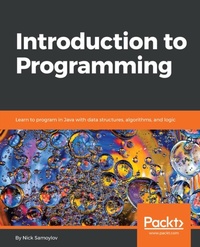
Introduction to Programming
Description

Key Features
[*] Enjoy your first step into the world of programming
[*] Understand what a language is and use its features to build applications
[*] Learn about a wide variety of programming applications
Book DescriptionHave you ever thought about making your computer do what you want it to do? Do you want to learn to program, but just don't know where to start? Instead of guiding you in the right direction, have other learning resources got you confused with over-explanations? Don't worry. Look no further. Introduction to Programming is here to help. Written by an industry expert who understands the challenges faced by those from a non-programming background, this book takes a gentle, hand-holding approach to introducing you to the world of programming. Beginning with an introduction to what programming is, you'll go on to learn about languages, their syntax, and development environments. With plenty of examples for you to code alongside reading, the book's practical approach will help you to grasp everything it has to offer. More importantly, you'll understand several aspects of application development. As a result, you'll have your very own application running by the end of the book. To help you comprehensively understand Java programming, there are exercises at the end of each chapter to keep things interesting and encourage you to add your own personal touch to the code and, ultimately, your application.What you will learn
Understand what Java is
Install Java and learn how to run it
Write and execute a Java program
Write and execute the test for your program
Install components and confgure your development environment
Learn and use Java language fundamentals
Learn object-oriented design principles
Master the frequently used Java constructs
Who this book is forIntroduction to Programming is for anybody who wants to learn programming. All you'll need is a computer, internet connection, and a cup of coffee.
More details
Other editions
Additional editions
Person
Nick Samoylov graduated from Moscow Institute of Physics and Technology, working as a theoretical physicist and learning to program as a tool for testing his mathematical models. After the demise of the USSR, Nick created and successfully ran a software company, but was forced to close it under the pressure of governmental and criminal rackets. In 1999, with his wife Luda and two daughters, he emigrated to the USA and has been living in Colorado since then, working as a Java programmer. In his free time, Nick likes to write and hike in the Rocky Mountains.
Content
Java Virtual Machine (JVM) on Your Computer
Java Language Basics
Your Development Environment Setup
Your First Java Project
Java Language Elements and Types
Interfaces, Classes, and Object Construction
Packages and Accessibility (Visibility)
Object-Oriented Design (OOD) Principles
Operators, Expressions, and Statements
Control Flow Statements
JVM Processes and Garbage Collection
Java Standard and External Libraries
Java Collections
Managing Collections and Arrays
Managing Objects, Strings, Time, and Random Numbers
Database Programming
Lambda Expressions and Functional Programming
Streams and Pipelines
Reactive Systems
Primitive type literals
A literal is the fourth of the Java tokens listed in the Input types section. It is the representation of a value. We will discuss literals of reference types in the Reference types and String section. And now we will talk about primitive type literals, only.
To demonstrate literals of primitive types, we will use a LiteralsDemo program in the com.packt.javapath.ch05demo package. You can create it by right-clicking on the com.packt.javapath.ch05demo package, then selecting New | Class, and typing the LiteralsDemo class name, as we have described in Chapter 4, Your First Java Project.
Among primitive types, literals of the boolean type are the simplest. They are just two: true and false. We can demonstrate it by running the following code:
public class LiteralsDemo {public static void main(String[] args){
System.out.println("boolean literal true: " + true);
System.out.println("boolean literal false: " + false);
}
}
The result will look as follows:
These are all possible Boolean literals (values).
Now, let's turn to a more complex topic of the literals of the char type. They can be as follows:
- A single character, enclosed in single quotes
- An escape sequence, enclosed in single quotes
The single-quote, or apostrophe, is a character with Unicode escape \u0027 (decimal code point 39). We have seen several examples of char type literals in the Integral types section when we demonstrated the char type behavior as a numeric type in arithmetic operations.
Here are some other examples of the char type literals as single characters:
System.out.println("char literal 'a': " + 'a');System.out.println("char literal '%': " + '%');
System.out.println("char literal '\u03a9': " + '\u03a9'); //Omega
System.out.println("char literal 'T': " + 'T'); //Trade mark sign
If you run the preceding code, the output will be as follows:
Now, let's talk about the second kind of char type literal - an escape sequence. It is a combination of characters that acts similarly to control codes. In fact, some of the escape sequences include control codes. Here is the full list:
- \ b (Backspace BS, Unicode escape \u0008)
- \ t (Horizontal tab HT, Unicode escape \u0009)
- \ n (Line feed LF, Unicode escape \u000a)
- \ f (Form feed FF, Unicode escape \u000c)
- \ r (Carriage return CR, Unicode escape \u000d)
- \ " (Double quote ", Unicode escape \u0022)
- \ ' (Single quote ', Unicode escape \u0027)
- \ \ (Backslash \, Unicode escape \u005c)
As you can see, an escape sequence always starts with a backslash (\). Let's demonstrate some of the escape sequences usages:
System.out.println("The line breaks \nhere");System.out.println("The tab is\there");
System.out.println("\"");
System.out.println('\'');
System.out.println('\\');
If you run the preceding code, the output will be as follows:
As you can see, the \n and \t escape sequences act only as control codes. They are not printable themselves but affect the display of the text. Other escape sequences allow the printing of a symbol in the context that would not allow it to be printed otherwise. Three double or single quotes in a row would be qualified as a compiler error, as well as a single backslash character if being used without a backslash.
By comparison with the char type literals, the float-points literals are much more straightforward. As we have mentioned before, by default, a 23.45 literal has the double type and there is no need to append the letter d or D to the literal if you would like it to be of the double type. But you can, if you prefer to be more explicit. A float type literal, on the other hand, requires appending the letter f or F at the end. Let's run the following example (notice how we use \n escape sequence to add a line break before the output):
System.out.println("\nfloat literal 123.456f: " + 123.456f);System.out.println("double literal 123.456d: " + 123.456d);
The result looks as follows:
The floating-point type literals can also be expressed using e or E for scientific notation (see https://en.wikipedia.org/wiki/Scientific_notation):
System.out.println("\nfloat literal 1.234560e+02f: " + 1.234560e+02f);System.out.println("double literal 1.234560e+02d: " + 1.234560e+02d);
The result of the preceding code looks as follows:
As you can see, the value remain the same, whether presented in a decimal format or a scientific one.
The literals of the byte, short, int, and long integral types have the int type by default. The following assignments do not cause any compilation errors:
byte b = 10;short s = 10;
int i = 10;
long l = 10;
But each of the following lines generates an error:
byte b = 128;short s = 32768;
int i = 2147483648;
long l = 2147483648;
That is because the maximum value the byte type can hold is 127, the maximum value the short type can hold is 32,767, and the maximum value the int type can hold is 2,147,483,647. Notice that, although the long type can a value as big as 9,223,372,036,854,775,807, the last assignment still fails because the 2,147,483,648 literal has the int type by default but exceeds the maximum int type value. To create a literal of the long type, one has to append the letter l or L at the end, so the following assignment works just fine:
long l = 2147483648L;It is a good practice to use capital L for this purpose because lowercase letter l can be easily confused with the number 1.
The preceding examples of integral literals are expressed in a decimal number system. But the literals of the byte, short, int, and long types can also be expressed in the binary (base 2, digits 0-1), octal (base 8, digits 0-7), and hexadecimal (base 16, digits 0-9 and a-f) number systems. Here is the demonstration code:
System.out.println("\nPrint literal 12:");System.out.println("- bin 0b1100: "+ 0b1100);
System.out.println("- oct 014: "+ 014);
System.out.println("- dec 12: "+ 12);
System.out.println("- hex 0xc: "+ 0xc);
If we run the preceding code, the output will be:
As you can see, a binary literal starts with 0b (or 0B), followed by the value 12 expressed in a binary system: 1100 (=2^0*0 + 2^1*0 + 2^2*1 + 2^3 *1). An octal literal starts with 0, followed by the value 12 expressed in an octal system: 14 (=8^0*4 + 8^1*1). The decimal literal is just 12. The hexadecimal literal starts with 0x (or with 0X), followed by value 12 expressed in a hexadecimal system-c (because in the hexadecimal system the symbols a to f (or A to F) map to decimal values 10 to 15).
Adding a minus sign (-) in front of a literal makes the value negative, no matter which numeric system is used. Here is a demonstration code:
System.out.println("\nPrint literal -12:");System.out.println("- bin 0b1100: "+ -0b1100);
System.out.println("- oct 014: "+ -014);
System.out.println("- dec 12: "+ -12);
System.out.println("- hex 0xc: "+ -0xc);
If you run the preceding code, the output will be as follows:
And, to complete our discussion of primitive type literals, we would like to...
