

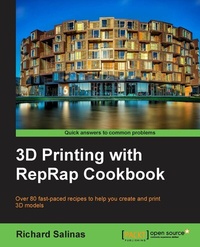
3D printing with RepRap Cookbook
Over 80 fast-paced recipes to help you create and print 3D models
Published on 8. July 2025
346 pages
978-1-78216-987-1 (ISBN)
Description

Key Features
Book DescriptionA systematic guide consisting of over 100 recipes which focus on helping you understand the process of 3D printing using RepRap machines. The book aims at providing professionals with a series of working recipes to help make their fuzzy notions into real, saleable projects/objects using 3D printing technology. This book is for novice designers and artists who own a RepRap-based 3D printer, have fundamental knowledge of its working, and who desire to gain better mastery of the printing process. For the more experienced user, it will provide a handy visual resource, with side-by-side comparisons of the two most popular slicers, Skeinforge and Slic3r. A basic understanding of designing and modeling principles and elementary knowledge of digital modeling would be a plus.What you will learn
Use the 123D Catch program to 3D scan common objects of almost any size for 3D printing
Manipulate the surface mesh of a 3D model using Meshmixer v9001, the 3D modeling program
Clean up your scans and stitch them together to make a solid model using MeshLab v1.3.2
Calibrate 3D models using SketchUp v13, a 3D CAD program for precision fabrication
Master the controls of the two most popular slicers, Skeinforge and Slic3r
Learn how to add textures to your models and avoid undesirable texture through calibration
Who this book is forThis book is for novice designers and artists who own a RepRap-based 3D printer, have fundamental knowledge of its working, and who desire to gain better mastery of the printing process. For the more experienced user, it will provide a handy visual resource, with side-by-side comparisons of the two most popular slicers, Skeinforge and Slic3r. A basic understanding of designing and modeling principles and elementary knowledge of digital modeling would be a plus.
Book DescriptionA systematic guide consisting of over 100 recipes which focus on helping you understand the process of 3D printing using RepRap machines. The book aims at providing professionals with a series of working recipes to help make their fuzzy notions into real, saleable projects/objects using 3D printing technology. This book is for novice designers and artists who own a RepRap-based 3D printer, have fundamental knowledge of its working, and who desire to gain better mastery of the printing process. For the more experienced user, it will provide a handy visual resource, with side-by-side comparisons of the two most popular slicers, Skeinforge and Slic3r. A basic understanding of designing and modeling principles and elementary knowledge of digital modeling would be a plus.What you will learn
Use the 123D Catch program to 3D scan common objects of almost any size for 3D printing
Manipulate the surface mesh of a 3D model using Meshmixer v9001, the 3D modeling program
Clean up your scans and stitch them together to make a solid model using MeshLab v1.3.2
Calibrate 3D models using SketchUp v13, a 3D CAD program for precision fabrication
Master the controls of the two most popular slicers, Skeinforge and Slic3r
Learn how to add textures to your models and avoid undesirable texture through calibration
Who this book is forThis book is for novice designers and artists who own a RepRap-based 3D printer, have fundamental knowledge of its working, and who desire to gain better mastery of the printing process. For the more experienced user, it will provide a handy visual resource, with side-by-side comparisons of the two most popular slicers, Skeinforge and Slic3r. A basic understanding of designing and modeling principles and elementary knowledge of digital modeling would be a plus.
All prices
More details
Edition
Digital original
Language
English
Place of publication
Birmingham
United Kingdom
Target group
US School Grade: College Graduate Student
Edition type
Digital original
File size
13,32 MB
ISBN-13
978-1-78216-987-1 (9781782169871)
Copyright in bibliographic data and cover images is held by Nielsen Book Services Limited or by the publishers or by their respective licensors: all rights reserved.
Schweitzer Classification
Other editions
Additional editions
Richard Salinas
3D Printing with Reprap Cookbook
Over 80 Fast-Paced Recipes to Help You Create and Print 3D Models
Book
06/2014
Packt Publishing
€56.50
Shipment within 3-4 weeks
Person
Salinas Richard :
Richard Salinas is a scenic artist in the film industry, where he has worked for over 20 years on numerous television and motion picture productions. He was educated at the University of Missouri where he studied sculpture and three-dimensional design. He also has a formal education in the field of electronics. He developed an interest in computers in 1981 when he began programming on his university's mainframe and one of the first affordable personal computers: the Commodore VIC-20. Since 2012, he's constructed five 3D printers of various designs and hacks. His aim is to explore the possibilities of creating fine art sculpture with DIY technology. You can follow his progress at www.3dprintedsculpture.com.
Richard Salinas is a scenic artist in the film industry, where he has worked for over 20 years on numerous television and motion picture productions. He was educated at the University of Missouri where he studied sculpture and three-dimensional design. He also has a formal education in the field of electronics. He developed an interest in computers in 1981 when he began programming on his university's mainframe and one of the first affordable personal computers: the Commodore VIC-20. Since 2012, he's constructed five 3D printers of various designs and hacks. His aim is to explore the possibilities of creating fine art sculpture with DIY technology. You can follow his progress at www.3dprintedsculpture.com.
Content
Table of Contents
3D Printing the World around Us
Optimizing the 3D Printing Process
3D Scanning and Printing In Higher Resolutions
Modelling and Printing with Precision
Manipulating Meshes and Bridging
Making the Impossible
Texture: The Good and the Bad
3D Printing big....and Fast!
The Elusive Dual Extruder
3D Printing in Multicolor
Appendix
Appendix: Appendix E
3D Printing the World around Us
Optimizing the 3D Printing Process
3D Scanning and Printing In Higher Resolutions
Modelling and Printing with Precision
Manipulating Meshes and Bridging
Making the Impossible
Texture: The Good and the Bad
3D Printing big....and Fast!
The Elusive Dual Extruder
3D Printing in Multicolor
Appendix
Appendix: Appendix E

